# About
Ecotone — The enterprise architecture layer for Laravel and Symfony
## Ecotone extends your existing Laravel and Symfony application with the enterprise architecture layer
One Composer package adds CQRS, Event Sourcing, Workflows, and production resilience to your codebase. No framework change. No base classes. Just PHP attributes on your existing code.
```bash
composer require ecotone/laravel # or ecotone/symfony-bundle
```
***
## See what it looks like
```php
class OrderService
{
#[CommandHandler]
public function placeOrder(PlaceOrder $command, EventBus $eventBus): void
{
// your business logic
$eventBus->publish(new OrderWasPlaced($command->orderId));
}
#[QueryHandler('order.getStatus')]
public function getStatus(string $orderId): string
{
return $this->orders[$orderId]->status;
}
}
class NotificationService
{
#[Asynchronous('notifications')]
#[EventHandler]
public function whenOrderPlaced(OrderWasPlaced $event, NotificationSender $sender): void
{
$sender->sendOrderConfirmation($event->orderId);
}
}
```
**That's the entire setup.** No bus configuration. No handler registration. No retry config. No serialization wiring. Ecotone reads your attributes and handles the rest:
* **Command and Query Bus** — wired automatically from your `#[CommandHandler]` and `#[QueryHandler]` attributes
* **Event routing** — `NotificationService` subscribes to `OrderWasPlaced` without any manual wiring
* **Async execution** — `#[Asynchronous('notifications')]` routes to RabbitMQ, SQS, Kafka, or DBAL — your choice of transport
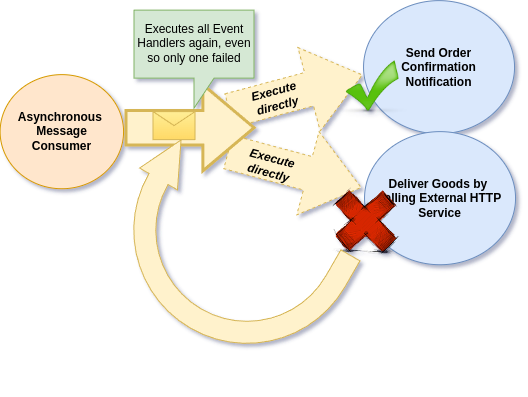
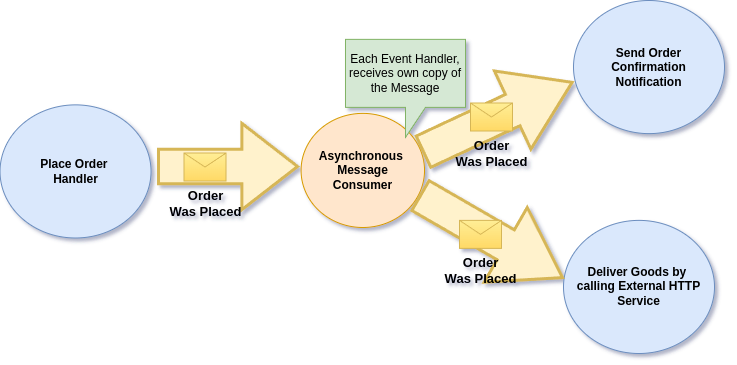
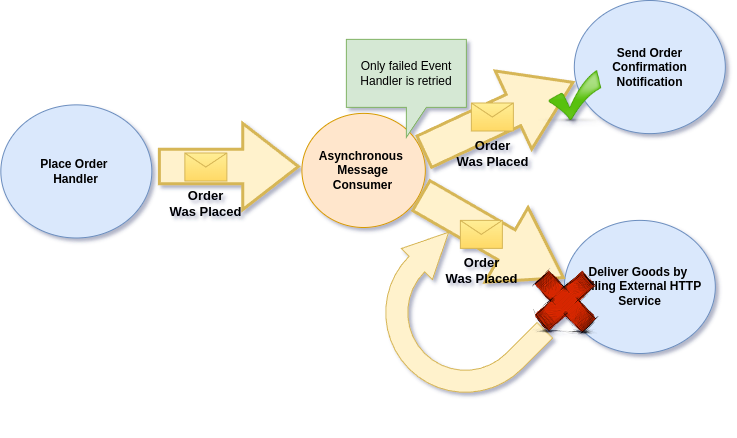
* **Failure isolation** — each event handler gets its own copy of the message, so one handler's failure never blocks another
* **Retries and dead letter** — failed messages retry automatically, permanently failed ones go to a [dead letter queue](https://docs.ecotone.tech/modelling/recovering-tracing-and-monitoring/resiliency/error-channel-and-dead-letter) you can inspect and replay
* **Tracing** — [OpenTelemetry integration](https://docs.ecotone.tech/modelling/recovering-tracing-and-monitoring) traces every message across sync and async flows
### Test exactly the flow you care about
Extract a specific flow and test it in isolation — only the services you need:
```php
$ecotone = EcotoneLite::bootstrapFlowTesting([OrderService::class]);
$ecotone->sendCommand(new PlaceOrder('order-1'));
$this->assertEquals('placed', $ecotone->sendQueryWithRouting('order.getStatus', 'order-1'));
```
Only `OrderService` is loaded. No notifications, no other handlers — just the flow you're verifying.
Now bring in the full async flow. Enable an in-memory channel and run it within the same test process:
```php
$notifier = new InMemoryNotificationSender();
$ecotone = EcotoneLite::bootstrapFlowTesting(
[OrderService::class, NotificationService::class],
[NotificationSender::class => $notifier],
enableAsynchronousProcessing: [
SimpleMessageChannelBuilder::createQueueChannel('notifications')
]
);
$ecotone
->sendCommand(new PlaceOrder('order-1'))
->run('notifications');
$this->assertEquals(['order-1'], $notifier->getSentOrderConfirmations());
```
`->run('notifications')` processes messages from the in-memory queue — right in the same process. The async handler executes deterministically, no timing issues, no polling, no external broker.
**The key:** swap the in-memory channel for [DBAL](https://github.com/ecotoneframework/documentation/blob/main/modules/dbal-support/README.md), [RabbitMQ](https://docs.ecotone.tech/modules/amqp-support-rabbitmq), or [Kafka](https://docs.ecotone.tech/modules/kafka-support) to test what runs in production — the test stays the same. Ecotone runs the consumer within the same process, so switching transports never changes how you test. The ease of in-memory testing [stays with you](https://docs.ecotone.tech/modelling/testing-support) no matter what backs your production system.
***
## What changes in your daily work
### Business logic is the only code you write
No command bus configuration. No handler registration. No message serialization setup. You write a PHP class with an attribute, and Ecotone wires the bus, the routing, the serialization, and the async transport. Your code stays focused on what your application actually does — your domain.
### Going async never means rewriting handlers
Add `#[Asynchronous('channel')]` to any handler. The handler code stays identical. Switch from synchronous to [RabbitMQ](https://docs.ecotone.tech/modules/amqp-support-rabbitmq) to [SQS](https://github.com/ecotoneframework/documentation/blob/main/modules/sqs-support/README.md) to [Kafka](https://docs.ecotone.tech/modules/kafka-support) by changing one line of configuration. Your business logic never knows the difference.
### Failed messages don't disappear
Every failed message is captured in a [dead letter queue](https://docs.ecotone.tech/modelling/recovering-tracing-and-monitoring/resiliency/error-channel-and-dead-letter). You see what failed, the full exception, and the original message. [Replay it](https://docs.ecotone.tech/modelling/recovering-tracing-and-monitoring/resiliency/error-channel-and-dead-letter/dbal-dead-letter) with one command. And can be combined with inbuilt Outbox pattern to ensure full consistency. No more silent failures. No more guessing what happened to that order at 3am.
### Complex workflows live in one place
A multi-step business process — order placement, payment, shipping, notification — doesn't need to be scattered across event listeners, cron jobs, and database flags. Ecotone gives you [Sagas](https://docs.ecotone.tech/modelling/business-workflows/sagas) for stateful workflows, [handler chaining](https://docs.ecotone.tech/modelling/business-workflows/connecting-handlers-with-channels) for linear pipelines, and [Orchestrators](https://docs.ecotone.tech/modelling/business-workflows/orchestrators) for declarative process control. The entire business flow is readable in one class.
### Your codebase tells the story of your business
When a new developer opens your code, they see `PlaceOrder`, `OrderWasPlaced`, `ShipOrder` — not `AbstractMessageBusHandlerFactory`. Ecotone keeps your domain clean: no base classes to extend, no framework interfaces to implement, no infrastructure leaking into your business logic. Just [plain PHP objects](https://docs.ecotone.tech/modelling/command-handling) with attributes that declare their intent.
***
## AI-ready by design
Ecotone's declarative, attribute-based architecture is inherently friendly to AI code generators. When your AI assistant works with Ecotone code, two things happen:
**Less context needed, less code generated.** A command handler with `#[CommandHandler]` and `#[Asynchronous('orders')]` tells the full story in two attributes — no bus configuration files, no handler registration, no retry setup to feed into the AI's context window. The input is smaller because there's less infrastructure to read, and the output is smaller because there's less boilerplate to generate. That means lower token cost, faster iteration cycles, and more accurate results.
**AI that knows Ecotone.** Your AI assistant can work with Ecotone out of the box:
* [**Agentic Skills**](https://docs.ecotone.tech/other/ai-integration) — Ready-to-use skills that teach any coding agent how to correctly write handlers, aggregates, sagas, projections, tests, and more. Install with one command and your AI generates idiomatic Ecotone code from the start.
* [**MCP Server**](https://docs.ecotone.tech/other/ai-integration) — Direct access to Ecotone documentation for any AI assistant that supports Model Context Protocol — Claude Code, Cursor, Windsurf, GitHub Copilot, and others.
* [**llms.txt**](https://docs.ecotone.tech/other/ai-integration) — AI-optimized documentation files that give any LLM instant context about Ecotone's API and patterns.
**Testing that AI can actually run.** Ecotone's [testing support](https://docs.ecotone.tech/modelling/testing-support) runs async flows in the same process — even complex workflows with sagas and projections can be tested with `->sendCommand()` and `->run()`. Your coding agent writes and verifies tests without needing to set up external infrastructure or guess at test utilities.
Declarative configuration that any coding agent can follow and reproduce. Testing support that lets it verify even the most advanced flows. Less guessing, no hallucinating — just confident iteration.
***
## The full capability set
| Capability | What it gives you | Learn more |
| ------------------------- | ----------------------------------------------------------------------------------------------------- | ------------------------------------------------------------------------------------------------ |
| **CQRS** | Separate command and query handlers. Clean responsibility boundaries. Automatic bus wiring. | [Command Handling](https://docs.ecotone.tech/modelling/command-handling) |
| **Event Sourcing** | Store events instead of state. Full audit trail. Rebuild read models anytime. Time travel and replay. | [Event Sourcing](https://docs.ecotone.tech/modelling/event-sourcing) |
| **Workflows & Sagas** | Orchestrate multi-step business processes. Stateful workflows with compensation logic. | [Business Workflows](https://docs.ecotone.tech/modelling/business-workflows) |
| **Async Messaging** | RabbitMQ, Kafka, SQS, Redis, DBAL. One attribute to go async. Swap transports without code changes. | [Asynchronous Handling](https://docs.ecotone.tech/modelling/asynchronous-handling) |
| **Production Resilience** | Automatic retries, dead letter queues, outbox pattern, message deduplication, failure isolation. | [Resiliency](https://docs.ecotone.tech/modelling/recovering-tracing-and-monitoring/resiliency) |
| **Domain-Driven Design** | Aggregates, domain events, bounded contexts. Pure PHP objects with no framework coupling. | [Aggregates](https://docs.ecotone.tech/modelling/command-handling/state-stored-aggregate) |
| **Distributed Bus** | Cross-service messaging. Share events and commands between microservices with guaranteed delivery. | [Microservices](https://docs.ecotone.tech/modelling/microservices-php) |
| **Multi-Tenancy** | Tenant-isolated processing, projections, and event streams. Built in, not bolted on. | [Multi-Tenancy](https://docs.ecotone.tech/messaging/multi-tenancy-support) |
| **Observability** | OpenTelemetry integration. Trace every message — sync or async — across your entire system. | [Monitoring](https://docs.ecotone.tech/modelling/recovering-tracing-and-monitoring) |
| **Interceptors** | Cross-cutting concerns — authorization, logging, transactions — applied declaratively via attributes. | [Interceptors](https://docs.ecotone.tech/modelling/extending-messaging-middlewares/interceptors) |
***
## The enterprise gap in PHP, closed
Every mature ecosystem has an enterprise architecture layer on top of its web framework:
| Ecosystem | Web Framework | Enterprise Architecture Layer |
| --------- | ----------------- | ----------------------------------- |
| **Java** | Spring Boot | Spring Integration + Axon Framework |
| **.NET** | ASP.NET | NServiceBus / MassTransit |
| **PHP** | Laravel / Symfony | **Ecotone** |
Ecotone is built on the same foundation — [Enterprise Integration Patterns](https://www.enterpriseintegrationpatterns.com/) — that powers Spring Integration, NServiceBus, and Apache Camel. In active development since 2017 and used in production by teams running multi-tenant, event-sourced systems at scale, Ecotone brings the same patterns that run banking, logistics, and telecom systems in Java and .NET to PHP.
This isn't about PHP catching up. It's about your team using proven architecture patterns — with the development speed that PHP gives you — without giving up the ecosystem you already know.
[Read more: Why Ecotone?](https://docs.ecotone.tech/why-ecotone)
***
## Start with your framework
**Laravel** — Laravel's queue runs jobs, not business processes. Stop stitching Spatie + Laravel Workflow + `Bus::chain` + DIY outbox. Ecotone replaces the patchwork with one attribute-driven toolkit: aggregates with auto-published events, piped workflows, sagas, snapshots, transactional outbox — testable in-process, running on the queues you already have.\
`composer require ecotone/laravel`\
→ [Laravel Quick Start](https://docs.ecotone.tech/quick-start-php-ddd-cqrs-event-sourcing/laravel-ddd-cqrs-demo-application) · [Laravel Module docs](https://docs.ecotone.tech/modules/laravel)
**Symfony** — Symfony Messenger handles dispatch. For aggregates, sagas, or event sourcing the usual path is bolting on a separate event sourcing library, rolling your own outbox, and writing dedup middleware per handler. Ecotone replaces the patchwork with one attribute-driven toolkit: aggregates, sagas, event sourcing, piped workflows, transactional outbox, and per-handler failure isolation so one failing listener doesn't double-charge customers on retry. Pure POPOs, Bundle auto-config, your Messenger transports preserved.\
`composer require ecotone/symfony-bundle`\
→ [Symfony Quick Start](https://docs.ecotone.tech/quick-start-php-ddd-cqrs-event-sourcing/symfony-ddd-cqrs-demo-application) · [Symfony Module docs](https://docs.ecotone.tech/modules/symfony)
**Any PHP framework** — Ecotone Lite works with any PSR-11 compatible container.\
`composer require ecotone/lite-application`\
→ [Ecotone Lite docs](https://docs.ecotone.tech/modules/ecotone-lite)
***
**Try it in one handler.** You don't need to migrate your application. Install Ecotone, add an attribute to one handler, and see what happens. If you like what you see, add more. If you don't — remove the package. Zero commitment.
* [Install](https://docs.ecotone.tech/install-php-service-bus) — Setup guide for any framework
* [Learn by example](https://docs.ecotone.tech/quick-start-php-ddd-cqrs-event-sourcing) — Send your first command in 5 minutes
* [Go through tutorial](https://docs.ecotone.tech/tutorial-php-ddd-cqrs-event-sourcing) — Build a complete messaging flow step by step
* [Workshops, Support, Consultancy](https://docs.ecotone.tech/other/contact-workshops-and-support) — Hands-on training for your team
{% hint style="info" %}
The full CQRS, Event Sourcing, and Workflow feature set is [free and open source](https://docs.ecotone.tech/enterprise) under the Apache 2.0 License. [Enterprise features](https://docs.ecotone.tech/enterprise) are available for teams that need advanced scaling, distributed bus with service map, orchestrators, and production-grade Kafka integration.
{% endhint %}
{% hint style="success" %}
Join [Ecotone's Community Channel](https://discord.gg/GwM2BSuXeg) — ask questions and share what you're building.
{% endhint %}
# Why Ecotone?
Why Ecotone - The enterprise architecture layer for PHP
## What Ecotone Is (and Isn't)
Ecotone is **not** a framework replacement. You don't rewrite your Laravel or Symfony application to use Ecotone — you add it.
Think of it this way: API Platform provides the API layer on top of Symfony. **Ecotone provides the enterprise messaging layer on top of your framework.**
You keep your ORM (Eloquent or Doctrine), your routing, your templates, your deployment. Ecotone handles the messaging architecture — the part that makes your application resilient, scalable, and maintainable as complexity grows.
```bash
# That's it. Your framework stays, Ecotone adds the enterprise layer.
composer require ecotone/laravel
# or
composer require ecotone/symfony-bundle
```
## Every Ecosystem Has This Layer — Except PHP
Enterprise software in other ecosystems has mature tooling for messaging, CQRS, Event Sourcing, and distributed systems:
| Ecosystem | Enterprise Messaging Layer |
| --------- | ----------------------------------- |
| **Java** | Spring + Axon Framework |
| **.NET** | NServiceBus, MassTransit, Wolverine |
| **PHP** | **Ecotone** |
This isn't about PHP being inferior. It's about PHP maturing into enterprise domains. Teams building complex business systems in PHP deserve the same caliber of tooling that Java and .NET teams have had for years.
Ecotone is built on the same foundation — [Enterprise Integration Patterns](https://www.enterpriseintegrationpatterns.com/) — that powers Spring Integration, NServiceBus, and Apache Camel.
## What You Get
Instead of learning pattern names first, start with the problem you're solving:
| Your problem | What the industry calls it | Ecotone feature |
| ------------------------------------------------------------ | ----------------------------------------------- | ---------------------------------------------------------------------------------------------- |
| Business logic is scattered across controllers and services | CQRS (Command Query Responsibility Segregation) | [Message Bus and CQRS](https://docs.ecotone.tech/modelling/command-handling) |
| You need a full audit trail and the ability to rebuild state | Event Sourcing | [Event Sourcing](https://docs.ecotone.tech/modelling/event-sourcing) |
| Complex multi-step processes are hard to follow and maintain | Sagas, Workflow Orchestration | [Business Workflows](https://docs.ecotone.tech/modelling/business-workflows) |
| Async processing is unreliable and hard to debug | Resilient Messaging | [Resiliency](https://docs.ecotone.tech/modelling/recovering-tracing-and-monitoring/resiliency) |
| Services need to communicate reliably across boundaries | Distributed Messaging | [Distributed Bus](https://docs.ecotone.tech/modelling/microservices-php) |
| Multiple tenants need isolated processing | Multi-Tenancy | [Multi-Tenancy Support](https://docs.ecotone.tech/messaging/multi-tenancy-support) |
## How It Integrates
Ecotone plugs into your existing framework without requiring changes to your application structure:
### Laravel
Laravel's queue runs jobs, not business processes — anything resembling aggregates, sagas, workflows, or event sourcing ends up stitched together from separate libraries. Ecotone fills that layer directly: works with **Eloquent** for aggregate persistence, **Laravel Queues** for async message channels, and **Laravel Octane** for high-performance scenarios. Configuration via your standard Laravel config files.
```bash
composer require ecotone/laravel
```
[Laravel Module Documentation](https://docs.ecotone.tech/modules/laravel)
### Symfony
Symfony Messenger handles dispatch — aggregates, sagas, event sourcing, and transactional outbox are left to you. Ecotone fills that layer directly: works with **Doctrine ORM** for aggregate persistence, **Symfony Messenger Transport** for async message channels, and standard **Bundle configuration**. Ecotone auto-discovers your attributes in the `src` directory.
```bash
composer require ecotone/symfony-bundle
```
[Symfony Module Documentation](https://docs.ecotone.tech/modules/symfony)
### Standalone
For applications without Laravel or Symfony, Ecotone Lite provides the full feature set with minimal dependencies.
```bash
composer require ecotone/lite-application
```
[Ecotone Lite Documentation](https://docs.ecotone.tech/modules/ecotone-lite)
## Start Free, Scale with Enterprise
**Ecotone Free** gives you everything you need for production-ready CQRS, Event Sourcing, and Workflows — message buses, aggregates, sagas, async messaging, interceptors, retries, error handling, and full testing support.
**Ecotone Enterprise** is for when your system outgrows single-tenant, single-service, or needs advanced resilience and scalability — orchestrators, distributed bus with service map, dynamic channels, partitioned projections, Kafka integration, and more.
[Learn about Enterprise features](https://docs.ecotone.tech/enterprise)
# Solutions
Common challenges Ecotone solves for Laravel and Symfony developers
Every feature in Ecotone exists to solve a real problem that PHP developers face as their applications grow. Find the situation that matches yours:
| If you recognize this... | See |
| ----------------------------------------------------------------------------------------------------------------------------------------------- | ------------------------------------------------------------------------------------------------------ |
| Business logic is scattered across controllers, services, and listeners — nobody can explain end-to-end what happens when an order is placed | [Scattered Application Logic](https://docs.ecotone.tech/solutions/scattered-application-logic) |
| Queue jobs fail silently, a retry re-fires handlers that already succeeded, or a duplicate webhook double-charges the customer | [Unreliable Async Processing](https://docs.ecotone.tech/solutions/unreliable-async-processing) |
| A multi-step process lives across event listeners, cron jobs, and `is_processed` columns — adding or reordering a step means editing many files | [Complex Business Processes](https://docs.ecotone.tech/solutions/complex-business-processes) |
| Support asks "what exactly happened to this order?" and the trail is in logs, timestamps, and hope | [Audit Trail & State Rebuild](https://docs.ecotone.tech/solutions/audit-trail-and-state-rebuild) |
| Services talk over HTTP with custom retry logic per pair, and one service going down cascades into the others | [Microservice Communication](https://docs.ecotone.tech/solutions/microservice-communication) |
| You're evaluating whether PHP can carry enterprise architecture, with the alternative being a rewrite in Java or .NET | [PHP for Enterprise Architecture](https://docs.ecotone.tech/solutions/php-for-enterprise-architecture) |
{% hint style="info" %}
Works with: **Laravel**, **Symfony**, and **Standalone PHP**
{% endhint %}
# Scattered Application Logic
How to organize business logic with CQRS in Laravel and Symfony using Ecotone
## The Problem You Recognize
Your application started clean, but as features grew, the boundaries blurred. Controllers handle business logic. Services read and write in the same method. Event listeners trigger side effects that nobody can trace.
In **Laravel**, you might have a 300-line Controller that validates input, queries the database, applies business rules, dispatches jobs, and returns a response — all in one method.
In **Symfony**, you might have a service class with 10 injected dependencies, where changing how orders are placed breaks the order listing page because both share the same service.
The symptoms are familiar:
* New developers take weeks to understand what happens when a user places an order
* Testing a single business rule requires setting up the entire framework
* A change in one area causes failures in unrelated features
## What the Industry Calls It
**CQRS — Command Query Responsibility Segregation.** Separate the code that changes state (commands) from the code that reads state (queries). Add event handlers for side effects. Each handler has one job.
## How Ecotone Solves It
With Ecotone, you organize your code around **Command Handlers**, **Query Handlers**, and **Event Handlers** — each responsible for exactly one thing. Ecotone wires them together automatically through PHP attributes:
```php
class OrderService
{
#[CommandHandler]
public function placeOrder(PlaceOrder $command): void
{
// Only handles placing the order — nothing else
}
#[QueryHandler("order.get")]
public function getOrder(GetOrder $query): OrderView
{
// Only handles reading — no side effects
}
}
class NotificationService
{
#[EventHandler]
public function whenOrderPlaced(OrderWasPlaced $event): void
{
// Reacts to the event — fully decoupled from order logic
}
}
```
No base classes. No interfaces to implement. Your existing Laravel or Symfony services stay exactly where they are — you add attributes to give them clear responsibilities.
## Next Steps
* [CQRS Introduction — Commands](https://docs.ecotone.tech/modelling/command-handling/external-command-handlers) — Learn how to define and dispatch commands
* [Query Handling](https://docs.ecotone.tech/modelling/command-handling/external-command-handlers/query-handling) — Separate your read models
* [Event Handling](https://docs.ecotone.tech/modelling/command-handling/external-command-handlers/event-handling) — React to domain events
* [Aggregate Introduction](https://docs.ecotone.tech/modelling/command-handling/state-stored-aggregate) — Encapsulate business rules in a single place
# Unreliable Async Processing
How to build reliable async processing in Laravel and Symfony with Ecotone
## The Problem You Recognize
You added async processing to handle background work — sending emails, processing payments, syncing data. But now you have new problems:
* Failed jobs **disappear silently** or retry forever with no visibility
* You **can't replay** a failed message after fixing the bug — the data is gone
* A **duplicate webhook** triggers the same handler twice, leading to double charges or duplicate emails
* Going async **required touching every handler** — adding queue configuration, serialization, and retry logic to each one
* **Retrying a failed event triggers all handlers again** — if one of three event handlers fails, the retry re-executes the two that already succeeded, causing side effects like duplicate emails or double charges
In **Laravel**, you've scattered `dispatch()` calls and `ShouldQueue` implementations across your codebase. In **Symfony**, you've configured Messenger transports and retry strategies in YAML, but each handler still needs custom error handling.
## What the Industry Calls It
**Resilient Messaging** — a combination of patterns: failure isolation (per-handler message delivery), automatic retries, error channels, dead letter queues, the outbox pattern for guaranteed delivery, and idempotency for deduplication.
## How Ecotone Solves It
With Ecotone, making a handler async is a single attribute. Resilience is built into the messaging layer — not bolted on per handler:
```php
// Make any handler async with one attribute
#[Asynchronous("notifications")]
#[EventHandler]
public function sendWelcomeEmail(UserRegistered $event): void
{
// If this fails, Ecotone retries automatically
// If it keeps failing, it goes to the dead letter queue
// You can replay it after fixing the bug
}
```
**Failure isolation** — when multiple handlers subscribe to the same event, Ecotone delivers a separate copy of the message to each handler. If one fails, only that handler is retried — the others are not affected:
```php
#[Asynchronous("notifications")]
#[EventHandler]
public function sendWelcomeEmail(UserRegistered $event): void
{
// If this fails, only this handler retries
// The inventory handler below is NOT re-triggered
}
#[Asynchronous("inventory")]
#[EventHandler]
public function reserveInventory(UserRegistered $event): void
{
// Runs independently — isolated from email handler failures
}
```
Retries, error channels, and dead letter queues are configured once at the channel level — every handler on that channel gets production resilience automatically. No per-handler boilerplate.
## Next Steps
* [Asynchronous Handling](https://docs.ecotone.tech/modelling/asynchronous-handling) — Make handlers async with a single attribute
* [Message Handling Isolation](https://docs.ecotone.tech/modelling/recovering-tracing-and-monitoring/message-handling-isolation) — Each handler gets its own message copy for safe retries
* [Retries](https://docs.ecotone.tech/modelling/recovering-tracing-and-monitoring/resiliency/retries) — Configure automatic retry strategies
* [Error Channel and Dead Letter](https://docs.ecotone.tech/modelling/recovering-tracing-and-monitoring/resiliency/error-channel-and-dead-letter) — Store failed messages for replay
* [Outbox Pattern](https://docs.ecotone.tech/modelling/recovering-tracing-and-monitoring/resiliency/outbox-pattern) — Guarantee message delivery
* [Idempotency (Deduplication)](https://docs.ecotone.tech/modelling/recovering-tracing-and-monitoring/resiliency/idempotent-consumer-deduplication) — Prevent double-processing
{% hint style="success" %}
**As You Scale:** Ecotone Enterprise adds [Command Bus Instant Retries](https://docs.ecotone.tech/modelling/recovering-tracing-and-monitoring/resiliency/retries#customized-instant-retries) for synchronous commands, [Command Bus Error Channel](https://docs.ecotone.tech/modelling/recovering-tracing-and-monitoring/resiliency/error-channel-and-dead-letter#command-bus-error-channel) for centralized error routing, and [Gateway-Level Deduplication](https://docs.ecotone.tech/modelling/recovering-tracing-and-monitoring/resiliency/idempotent-consumer-deduplication#deduplication-with-command-bus) that protects every handler behind a bus automatically.
{% endhint %}
# Complex Business Processes
How to manage complex multi-step business workflows in PHP with Ecotone
## The Problem You Recognize
Your order fulfillment process spans 6 steps across 4 services. The subscription lifecycle involves payment processing, provisioning, notifications, and grace periods. User onboarding triggers a welcome email, account setup, and a follow-up sequence.
The logic for these processes is spread across:
* **Event listeners** that trigger other event listeners
* **Cron jobs** that check status flags
* **Database columns** like `is_processed`, `retry_count`, `step_completed_at`
Nobody can explain the full flow without reading all the code. Adding a step means editing multiple files. Reordering steps is risky. When something fails mid-process, recovery means manually updating database flags.
## What the Industry Calls It
Two distinct patterns solve this, and they're often confused:
* **Workflows** — stateless pipe-and-filter chaining. The message flows from one handler to the next via output channels. Each step is independent; nothing is remembered across steps.
* **Sagas** — stateful long-running coordination. The saga remembers where it is across events that may arrive seconds, minutes, or days apart, and decides what to do next based on prior state.
Neither Symfony Messenger nor Laravel Queues has a first-class equivalent — both stop at "dispatch a job." Ecotone provides both patterns natively.
## How Ecotone Solves It
**Workflows — chained handlers.** Connect handlers through input and output channels. Each handler does one thing and passes the message on. No coordinator, no state; just declarative flow:
```php
#[CommandHandler(
routingKey: "order.place",
outputChannelName: "order.verify_payment"
)]
public function placeOrder(PlaceOrder $command): OrderData
{
// Step 1: Create the order, pass to next step
}
#[Asynchronous('async')]
#[InternalHandler(
inputChannelName: "order.verify_payment",
outputChannelName: "order.ship"
)]
public function verifyPayment(OrderData $order): OrderData
{
// Step 2: Verify payment, pass to shipping
}
```
**Sagas — stateful coordination.** Track state across events that arrive over time. The saga remembers where it is and reacts to each event based on what came before:
```php
#[Saga]
class OrderFulfillment
{
#[Identifier]
private string $orderId;
private string $status;
#[EventHandler]
public static function start(OrderWasPlaced $event): self
{
// Begin the saga — tracks state across events
}
#[EventHandler]
public function onPaymentReceived(PaymentReceived $event, CommandBus $bus): void
{
$this->status = 'paid';
$bus->send(new ShipOrder($this->orderId));
}
}
```
## Next Steps
* [Handler Chaining](https://docs.ecotone.tech/modelling/business-workflows/connecting-handlers-with-channels) — Simple linear workflows
* [Sagas](https://docs.ecotone.tech/modelling/business-workflows/sagas) — Stateful workflows that remember
* [Handling Failures](https://docs.ecotone.tech/modelling/business-workflows/handling-failures) — Recovery and compensation
{% hint style="success" %}
**As You Scale:** Ecotone Enterprise adds [Orchestrators](https://docs.ecotone.tech/modelling/business-workflows/orchestrators) — declarative workflow automation where you define step sequences in one place, with each step independently testable and reusable. Dynamic step lists adapt to input data without touching step code.
{% endhint %}
# Audit Trail & State Rebuild
How to implement Event Sourcing for audit trails and state rebuilds in PHP
## The Problem You Recognize
A customer disputes a charge. Your support team asks "what exactly happened to this order?" The answer requires reading application logs, database timestamps, and hoping someone didn't overwrite the data.
Your read models need a schema change. You write a migration script, but there's no way to verify the migrated data is correct — the original events that created it are gone. You store the current state, but not how you got there.
The symptoms:
* **No history** — you know what the current price is, but not what it was yesterday
* **Risky migrations** — changing the read model means writing one-off scripts and praying
* **Compliance gaps** — auditors ask for a complete trail of changes and you can't provide one
## What the Industry Calls It
**Event Sourcing** — instead of storing the current state, store the sequence of events that led to it. Rebuild any view of the data by replaying events. Get a complete, immutable audit trail for free.
## How Ecotone Solves It
Ecotone provides Event Sourcing as a first-class feature with built-in projections. Your aggregate records events instead of mutating state:
```php
#[EventSourcingAggregate]
class Order
{
#[Identifier]
private string $orderId;
#[CommandHandler]
public static function place(PlaceOrder $command): array
{
return [new OrderWasPlaced($command->orderId, $command->items)];
}
#[EventSourcingHandler]
public function onOrderPlaced(OrderWasPlaced $event): void
{
$this->orderId = $event->orderId;
}
}
```
Build read models (projections) that can be rebuilt at any time from the event history:
```php
#[ProjectionV2('order_list')]
#[FromAggregateStream(Order::class)]
class OrderListProjection
{
#[EventHandler]
public function onOrderPlaced(OrderWasPlaced $event): void
{
// Build your read model — rebuildable from history
}
}
```
Works with **Postgres, MySQL, and MariaDB** for event storage. Projections can write to any storage you choose.
## Next Steps
* [Event Sourcing Introduction](https://docs.ecotone.tech/modelling/event-sourcing/event-sourcing-introduction) — How Event Sourced Aggregates work
* [Projections](https://docs.ecotone.tech/modelling/event-sourcing/setting-up-projections) — Build and rebuild read models
* [Event Versioning](https://docs.ecotone.tech/modelling/event-sourcing/event-sourcing-introduction/event-versioning) — Evolve your events safely
* [Event Stream Persistence](https://docs.ecotone.tech/modelling/event-sourcing/event-sourcing-introduction/persistence-strategy) — Storage strategies and snapshots
{% hint style="success" %}
**As You Scale:** Ecotone Enterprise adds [Partitioned Projections](https://docs.ecotone.tech/modelling/event-sourcing/setting-up-projections/scaling-and-advanced#partitioned-projections) for independent per-aggregate processing, [Async Backfill & Rebuild](https://docs.ecotone.tech/modelling/event-sourcing/setting-up-projections/backfill-and-rebuild) with parallel workers, and [Blue-Green Deployments](https://docs.ecotone.tech/modelling/event-sourcing/setting-up-projections/blue-green-deployments) for zero-downtime projection updates.
{% endhint %}
# Microservice Communication
How to build reliable microservice communication in PHP with Ecotone Distributed Bus
## The Problem You Recognize
Your monolith is splitting into services. Or you already have multiple services and they need to talk to each other.
The current approach: HTTP calls between services. When Service B is down, Service A fails too. You've built custom retry logic, custom serialization, and custom routing for each service pair. There's no guaranteed delivery — if a request fails, the data is lost unless you built a custom retry mechanism.
The symptoms:
* **Cascading failures** — one service going down takes others with it
* **Custom glue code** per service pair — serialization, routing, error handling
* **No event sharing** — services can't subscribe to each other's events without point-to-point integrations
* **Broker lock-in** — switching from RabbitMQ to SQS means rewriting integration code
## What the Industry Calls It
**Distributed Messaging** — services communicate through a message broker with guaranteed delivery, event sharing, and transport abstraction.
## How Ecotone Solves It
Ecotone's Distributed Bus lets services send commands and publish events to each other through message brokers. Your application code stays the same — Ecotone handles routing, serialization, and delivery:
```php
// Service A: Send a command to Service B
$distributedBus->sendCommand(
targetServiceName: "order-service",
command: new PlaceOrder($orderId, $items),
);
```
```php
// Service B: Handle commands from other services — same as local handlers
#[Distributed]
#[CommandHandler]
public function placeOrder(PlaceOrder $command): void
{
// This handler receives commands from any service
}
```
Supports **RabbitMQ, Amazon SQS, Redis, and Kafka** — swap transports without changing application code.
## Next Steps
* [Distributed Bus](https://docs.ecotone.tech/modelling/microservices-php/distributed-bus) — Cross-service messaging
* [Message Consumer](https://docs.ecotone.tech/modelling/microservices-php/message-consumer) — Consuming from external sources
* [Message Publisher](https://docs.ecotone.tech/modelling/microservices-php/message-publisher) — Publishing to external targets
{% hint style="success" %}
**As You Scale:** Ecotone Enterprise adds [Distributed Bus with Service Map](https://docs.ecotone.tech/modelling/microservices-php/distributed-bus/distributed-bus-with-service-map) — a topology-aware distributed bus that supports multiple brokers in a single topology, automatic routing, and cross-framework integration.
{% endhint %}
# PHP for Enterprise Architecture
Enterprise architecture patterns in PHP - comparing Ecotone to Spring, Axon, NServiceBus
## The Problem You Recognize
You're a technical lead or architect evaluating whether PHP can handle enterprise-grade architecture. Your team knows PHP well, but the business is growing — you need CQRS, Event Sourcing, distributed messaging, multi-tenancy, and production resilience.
The alternative is migrating to Java (Spring + Axon) or .NET (NServiceBus, MassTransit). That means retraining your team, rewriting your application, and losing PHP's development speed.
## PHP Has Grown Up
PHP is no longer just for simple web applications. Modern PHP (8.1+) has union types, enums, fibers, readonly properties, and first-class attributes. Frameworks like Laravel and Symfony provide the web layer. What was missing was the **enterprise messaging layer** — the equivalent of what Spring Integration and NServiceBus provide in their ecosystems.
Ecotone fills that gap. Built on the same [Enterprise Integration Patterns](https://www.enterpriseintegrationpatterns.com/) that underpin Spring Integration, NServiceBus, and Apache Camel, Ecotone brings production-grade enterprise patterns to PHP.
## How Ecotone Compares
| Capability | Java (Axon) | .NET (NServiceBus) | PHP (Ecotone) |
| ----------------------------------------- | --------------------- | --------------------- | --------------------------- |
| CQRS | Yes | Yes | Yes |
| Event Sourcing | Yes | Manual | Yes |
| Sagas | Yes | Yes | Yes |
| Workflow Orchestration | Manual | Yes | Yes |
| Resiliency (Retries, Dead Letter, Outbox) | Yes | Yes | Yes |
| Distributed Messaging | Yes | Yes | Yes |
| Multi-Tenancy | Manual | Manual | Built-in |
| Message Broker Support | Kafka, RabbitMQ, etc. | RabbitMQ, Azure, etc. | RabbitMQ, Kafka, SQS, Redis |
| Observability | Micrometer | OpenTelemetry | OpenTelemetry |
| Testing Support | Axon Test Fixtures | NServiceBus Testing | Built-in Test Support |
## What You Get With Ecotone
* **Enterprise Integration Patterns** as the foundation — not a custom abstraction
* **Framework integration** — works on top of Laravel and Symfony, not replacing them
* **Attribute-driven configuration** — PHP 8 attributes instead of XML or YAML
* **Production resilience** — retries, error channels, dead letter, outbox, deduplication
* **Full testing support** — test message flows, aggregates, sagas, and event sourcing in isolation
* **Observability** — OpenTelemetry integration for tracing and metrics
* **Multi-tenancy** — built-in support for tenant-isolated processing
## Next Steps
* [Why Ecotone?](https://docs.ecotone.tech/why-ecotone) — Detailed positioning and integration story
* [Installation](https://docs.ecotone.tech/install-php-service-bus) — Get started in 5 minutes
* [Enterprise Features](https://docs.ecotone.tech/enterprise) — Advanced capabilities for scaling teams
* [Tutorial](https://docs.ecotone.tech/tutorial-php-ddd-cqrs-event-sourcing) — Hands-on learning path
# Installation
Installing Ecotone for Symfony, Laravel or Stand Alone
Ecotone is the enterprise architecture layer for Laravel and Symfony. One Composer package adds CQRS, Event Sourcing, Sagas, Projections, Workflows, and Outbox messaging via declarative PHP attributes — no rewrite, no bespoke glue.
Pick your stack below. Symfony and Laravel get dedicated integration packages with auto-configuration; any other framework (or no framework) runs on **Ecotone Lite** through a PSR-11 container.
## Prerequisites
Before installing Ecotone, ensure you have:
* PHP 8.1 or higher
* Composer installed
* A properly configured PHP project with PSR-4 autoloading
## Install for Symfony
**Step 1:** Install the Ecotone Symfony Bundle using Composer
{% hint style="success" %}
composer require [ecotone/](https://packagist.org/packages/ecotone/)symfony-bundle
{% endhint %}
**Step 2:** Verify Bundle Registration
If you're using **Symfony Flex** (recommended), the bundle will auto-configure.\
If auto-configuration didn't work, manually register the bundle in **config/bundles.php**:
```php
Ecotone\SymfonyBundle\EcotoneSymfonyBundle::class => ['all' => true]
```
**Step 3:** Verify Installation
Run this command to check if Ecotone is properly installed:
```bash
php bin/console ecotone:list
```
{% hint style="warning" %}
By default Ecotone will look for Attributes in default Symfony catalog **"src"**.\
If you do follow different structure, you can use [**"namespaces"**](https://docs.ecotone.tech/modules/symfony/symfony-ddd-cqrs-event-sourcing#namespaces) configuration to tell Ecotone, where to look for.
{% endhint %}
***
## Install for Laravel
**Step 1:** Install the Ecotone Laravel Package
{% hint style="success" %}
composer require [ecotone/](https://packagist.org/packages/ecotone/)laravel
{% endhint %}
**Step 2:** Verify Provider Registration
The service provider should be automatically registered via Laravel's package discovery.\
If auto-registration didn't work, manually add the provider to **config/app.php**:
```php
'providers' => [
\Ecotone\Laravel\EcotoneProvider::class
],
```
**Step 3:** Verify Installation
Run this command to check if Ecotone is properly installed:
```bash
php artisan ecotone:list
```
{% hint style="warning" %}
By default Ecotone will look for Attributes in default Laravel catalog **"app"**.\
If you do follow different structure, you can use [**"namespaces"**](https://docs.ecotone.tech/modules/laravel/laravel-ddd-cqrs-event-sourcing#namespaces) configuration to tell Ecotone, where to look for.
{% endhint %}
***
## Install Ecotone Lite (No framework)
If you're using no framework or framework **different** than **Symfony** or **Laravel**, then you may use **Ecotone Lite** to bootstrap Ecotone.
{% hint style="success" %}
composer require ecotone/ecotone
{% endhint %}
{% hint style="info" %}
In order to start, you need to have a `composer.json` with PSR-4 or PSR-0 autoload setup.
{% endhint %}
### With Custom Dependency Container
If you already have Dependency Container configured, then:
```php
$ecotoneLite = EcotoneLite::bootstrap(
classesToResolve: [User::class, UserRepository::class, UserService::class],
containerOrAvailableServices: $container
);
```
### Load namespaces
By default Ecotone will look for Attributes only in Classes provided under **"classesToResolve"**.\
If we want to look for Attributes in given set of Namespaces, we can pass it to the configuration.
```php
$ecotoneLite = EcotoneLite::bootstrap(
classesToResolve: [User::class, UserRepository::class, UserService::class],
containerOrAvailableServices: $container,
configuration: ServiceConfiguration::createWithDefaults()->withNamespaces(['App'])
);
```
### With no Dependency Container
You may actually run Ecotone without any Dependency Container. That may be useful for small applications, testing or when we want to run some small Ecotone's script.
```php
$ecotoneLite = EcotoneLite::bootstrap(
classesToResolve: [User::class, UserRepository::class, UserService::class],
containerOrAvailableServices: [new UserRepository(), new UserService()]
);
```
***
## Ecotone Lite Application
You may use out of the box Ecotone Lite Application, which provide you with Dependency Container.
{% hint style="success" %}
composer require ecotone/lite-application
{% endhint %}
```php
$ecotoneLite = EcotoneLiteApplication::bootstrap();
$commandBus = $ecotoneLite->getCommandBus();
$queryBus = $ecotoneLite->getQueryBus();
```
{% hint style="info" %}
With default configuration, Ecotone will look for classes inside **"src"** catalog.
{% endhint %}
## Common Installation Issues
### "Class not found" errors
**Problem:** Ecotone can't find your classes with attributes. **Solution:** Make sure your classes are in the correct namespace and directory structure matches your PSR-4 autoloading configuration.
### Bundle/Provider not registered
**Problem:** Ecotone commands are not available. **Solution:**
* For Symfony: Check that the bundle is listed in `config/bundles.php`
* For Laravel: Check that the provider is in `config/app.php` or that package discovery is enabled
### Permission errors
**Problem:** Cache directory is not writable. **Solution:** Ensure your web server has write permissions to the cache directory (usually `var/cache` for Symfony or `storage/framework/cache` for Laravel).
# How to use
Domain Driven Design Command Query Responsibility Segregation PHP
## How to use
If you're looking for a way to start and get familiar with Ecotone. Then Ecotone provides different ways to do so:
* [Step-by-step Tutorial](https://docs.ecotone.tech/tutorial-php-ddd-cqrs-event-sourcing) - Tutorial will introduce you to Ecotone's fundamentals and will help you build understanding of the Messaging concepts.
* [Demo Laravel and Symfony Application](https://github.com/ecotoneframework/php-ddd-cqrs-event-sourcing-symfony-laravel-ecotone) - You can **test Ecotone in real-life example**, by using our demo application. The demo application shows how to use Ecotone with **Laravel** and **Symfony** frameworks.
* [Quickstart Examples](https://github.com/ecotoneframework/quickstart-examples) - Provides great way to **check specific Ecotone features**. Whether you use Laravel or Symfony or Lite (no external framework), all examples will be able to work in your Application.
* [Ask question to AI](https://docs.ecotone.tech/?q=) - Ecotone provides **AI support, to help you find the answers quicker**. You may ask any Ecotone related questions, and it will provide more details on the topic and links where more information can be found.
* [Have a Workshop or Consultancy](https://docs.ecotone.tech/other/contact-workshops-and-support) - To **quickly get whole Team or Organisation up and running** with Ecotone, we provide workshops. Workshops will not only teach you how to use Ecotone, but also the concepts and reasoning behind it.
* [Join Community Channel](https://discord.gg/GwM2BSuXeg) - Ecotone has a community channel, where you can **ask questions, discuss with other users and get help**. It is also a great place to share your experiences, and to meet other developers using Ecotone.
* [Subscribe to Mailing list](https://blog.ecotone.tech/#/portal) - Join mailing list to stay up to date with Ecotone changes and latest articles and features.
{% hint style="success" %}
Some demos and quick-start examples are done using specific framework integration. However Ecotone does not bind given set of features to specific solution. Whether you use Laravel, Symfony or Lite (no external framework), all features will work in the same way.\
\
Therefore feel encouraged to test out examples, even if they are not in framework of your choice.
{% endhint %}
# CQRS PHP
Command Query Responsibility Segregation PHP
Separate the code that changes state from the code that reads it — clear command and query handlers with zero boilerplate.
## Demo
{% embed url="" %}
## Read Blog Post
[Read Blog Post about CQRS in PHP and Ecotone](https://blog.ecotone.tech/cqrs-in-php/)
## Code Example
#### Registering Command Handlers
Let's create `PlaceOrder` `Command` that will place an order in our system.
```php
class PlaceOrder
{
private string $orderId;
private string $productName;
public function __construct(string $orderId, string $productName)
{
$this->orderId = $orderId;
$this->productName = $productName;
}
public function getOrderId(): string
{
return $this->orderId;
}
public function getProductName(): string
{
return $this->productName;
}
}
```
And `Command Handler` that will handle this Command
```php
use Ecotone\Modelling\Attribute\CommandHandler;
class OrderService
{
private array $orders;
#[CommandHandler]
public function placeOrder(PlaceOrder $command) : void
{
$this->orders[$command->getOrderId()] = $command->getProductName();
}
}
```
#### Registering Query Handlers
Let's define `GetOrder` `Query` that will find our placed order.
```php
class GetOrder
{
private string $orderId;
public function __construct(string $orderId)
{
$this->orderId = $orderId;
}
public function getOrderId(): string
{
return $this->orderId;
}
}
```
And `Query Handler`that will handle this query
```php
use Ecotone\Modelling\Attribute\CommandHandler;
use Ecotone\Modelling\Attribute\QueryHandler;
class OrderService
{
private array $orders;
#[CommandHandler]
public function placeOrder(PlaceOrder $command) : void
{
$this->orders[$command->getOrderId()] = $command->getProductName();
}
#[QueryHandler]
public function getOrder(GetOrder $query) : string
{
if (!array_key_exists($query->getOrderId(), $this->orders)) {
throw new \InvalidArgumentException("Order was not found " . $query->getOrderId());
}
return $this->orders[$query->getOrderId()];
}
}
```
## Running The Example
```php
$commandBus->send(new PlaceOrder(1, "Milk"));
echo $queryBus->send(new GetOrder(1));
```
# Event Handling PHP
Event Handlers PHP
## Demo
{% embed url="" %}
## Read Blog Post
[Read more about Event Handling in PHP and Ecotone](https://blog.ecotone.tech/event-handling-in-php/)
## Code Example
Let's create `Event` *Order was placed*.
```php
class OrderWasPlaced
{
private string $orderId;
private string $productName;
public function __construct(string $orderId, string $productName)
{
$this->orderId = $orderId;
$this->productName = $productName;
}
public function getOrderId(): string
{
return $this->orderId;
}
public function getProductName(): string
{
return $this->productName;
}
}
```
And Event Handler that will be listening to the `OrderWasPlaced`.
```php
class NotificationService
{
#[EventHandler]
public function notifyAboutNewOrder(OrderWasPlaced $event) : void
{
echo $event->getProductName() . "\n";
}
}
```
## Running The Example
```php
$eventBus->publish(new OrderWasPlaced(1, "Milk"));
```
# Aggregates & Sagas
Quick start with Aggregates and Sagas in Ecotone PHP
## Demo
{% @github-files/github-code-block %}
## Read Blog Post
[Building Blocks: Aggregates, Sagas, Event Sourcing](https://blog.ecotone.tech/building-blocks-exploring-aggregates-sagas-event-sourcing/)
[Doctrine ORM Integration](https://blog.ecotone.tech/build-symfony-application-with-ease-using-ecotone/)
[Laravel Eloquent Integration](https://blog.ecotone.tech/build-laravel-application-using-ddd-and-cqrs/)
# Scheduling in PHP
Quick start with scheduled tasks and periodic processing in PHP
## Demo
{% embed url="" %}
## Read Blog Post
[Read more about Scheduling in PHP and Ecotone](https://blog.ecotone.tech/scheduling-execution-in-php/)
# Asynchronous PHP
Running the code asynchronously
Make any handler async with a single attribute — retries, error handling, and dead letter included automatically.
## Demo
{% embed url="" %}
{% embed url="" %}
Step by step refactor from synchronous code to full resilient asynchronous code
{% endembed %}
## Read Blog Post
[Read more about Asynchronous in PHP and Ecotone](https://blog.ecotone.tech/asynchronous-php/)
[Building Reactive Message-Driven Systems in PHP](https://blog.ecotone.tech/building-reactive-message-driven-systems-in-php/)
## Code Example
Let's create `Event` *Order was placed*.
```php
class OrderWasPlaced
{
private string $orderId;
private string $productName;
public function __construct(string $orderId, string $productName)
{
$this->orderId = $orderId;
$this->productName = $productName;
}
public function getOrderId(): string
{
return $this->orderId;
}
public function getProductName(): string
{
return $this->productName;
}
}
```
And Event Handler that will be listening to the `OrderWasPlaced`.
```php
class NotificationService
{
const ASYNCHRONOUS_MESSAGES = "asynchronous_messages";
#[Asynchronous("asynchronous_messages")]
#[EventHandler(endpointId:"notifyAboutNeworder")]
public function notifyAboutNewOrder(OrderWasPlaced $event) : void
{
echo "Handling asynchronously: " . $event->getProductName() . "\n";
}
}
```
Let's `Ecotone` that we want to run this Event Handler Asynchronously using [RabbitMQ](https://www.rabbitmq.com/)
```php
class Configuration
{
#[ServiceContext]
public function enableRabbitMQ()
{
return AmqpBackedMessageChannelBuilder::create(NotificationService::ASYNCHRONOUS_MESSAGES);
}
}
```
## Running The Example
```php
$eventBus->publish(new OrderWasPlaced(1, "Milk"));
# Running asynchronous consumer
$messagingSystem->run("asynchronous_messages");
```
# Event Sourcing PHP
Quick start with Event Sourcing in Ecotone PHP
Store events instead of current state — get a full audit trail and rebuildable read models for free.
## Demo
{% embed url="" %}
{% embed url="" %}
## Read Blog Post
[Implementing Event Sourcing Application in 15 minutes](https://blog.ecotone.tech/implementing-event-sourcing-php-application-in-15-minutes/)
[Read more about Event Sourcing in PHP and Ecotone](https://blog.ecotone.tech/starting-with-event-sourcing-in-php/)
# Microservices PHP
Microservices, Message-Driven, Event-Driven Architecture in PHP
Cross-service messaging with guaranteed delivery — send commands and share events between PHP services.
## Demo
{% embed url="" %}
{% embed url="" %}
Advanced Microservice Integration
{% endembed %}
## Read Blog Post
[Read more about Microservices in PHP and Ecotone](https://blog.ecotone.tech/how-to-integrate-microservices-in-php/)
# Resiliency and Error Handling
Outbox pattern implementation in PHP
Automatic retries, dead letter queues, and message replay — production resilience without per-handler boilerplate.
## Demo
{% embed url="" %}
{% embed url="" %}
## Read Blog Post
[Building Reactive Message-Driven Systems in PHP](https://github.com/ecotoneframework/documentation/blob/main/quick-start-php-ddd-cqrs-event-sourcing/broken-reference/README.md)
[Ensuring data consistency with outbox pattern](https://blog.ecotone.tech/implementing-outbox-pattern-in-php-symfony-laravel-ecotone/)
# Laravel Demos
Laravel demo applications with DDD, CQRS, and Event Sourcing
## Demo Message Bus
{% embed url="" %}
## Demo Publishing Events
{% embed url="" %}
## Demo Asynchronous Events
{% embed url="" %}
## Demo Aggregates and Eloquent
{% embed url="" %}
## Demo Event Sourcing
{% embed url="" %}
## Demo Distributed Application
{% embed url="" %}
## Read Blog Post
* [Read about Messaging and DDD with Laravel](https://blog.ecotone.tech/ddd-and-messaging-with-laravel-and-ecotone/)
* [Read about CQRS and Aggregates with Laravel](https://blog.ecotone.tech/build-laravel-application-using-ddd-and-cqrs/)
# Symfony Demos
Symfony demo applications with DDD, CQRS, and Event Sourcing
## Message Bus Demo
{% embed url="" %}
## Publishing Events Demo
{% embed url="" %}
## Publish Asynchronous Events Demo
{% embed url="" %}
## Aggregates and Doctrine ORM Demo
{% embed url="" %}
## Event Sourcing Demo
{% embed url="" %}
## Distributed Application Demo
{% embed url="" %}
## Read Blog Post
* [Read more about Symfony and Ecotone](https://blog.ecotone.tech/build-symfony-application-with-ease-using-ecotone/)
# Doctrine ORM
Symfony demo with Doctrine ORM and Ecotone
## Demo
{% embed url="" %}
## Read Blog Post
[Read more about Doctrine ORM Ecotone](https://blog.ecotone.tech/build-symfony-application-with-ease-using-ecotone/)
# Tutorial
Ecotone PHP Framework
## Get started with Ecotone
The best way to get started with **Ecotone** is to actually build something realistic.\
Therefore we will build a small back-end for Shopping System during this tutorial.\
The techniques we will learn in the tutorial are **fundamental to building any application using Ecotone**.
{% hint style="success" %}
Found something to improve in the docs?\
Create Pull Request in [Documentation repository](https://github.com/ecotoneframework/documentation).
{% endhint %}
## Lessons
The tutorial is divided into several lessons:
* [Lesson 1](https://docs.ecotone.tech/tutorial-php-ddd-cqrs-event-sourcing/php-messaging-architecture), we will learn **the fundamentals** of **Ecotone**: Endpoints, Messages, Channels, and Command Query Responsibility Segregation (**CQRS**)
* [Lesson 2](https://docs.ecotone.tech/tutorial-php-ddd-cqrs-event-sourcing/php-domain-driven-design), we will learn **Tactical Domain Driven Design (DDD)**: Aggregates, Repositories and also Event Handlers
* [Lesson 3](https://docs.ecotone.tech/tutorial-php-ddd-cqrs-event-sourcing/php-serialization-deserialization), we will learn **how to use Converters,** therefore how to handle serialization and deserialization
* [Lesson 4](https://docs.ecotone.tech/tutorial-php-ddd-cqrs-event-sourcing/php-metadata-method-invocation), we will learn about **Metadata and Method Invocation** - How we can execute Message Handlers in a way not available in any other PHP Framework
* [Lesson 5](https://docs.ecotone.tech/tutorial-php-ddd-cqrs-event-sourcing/php-interceptors-middlewares), we will learn about **Interceptors**, Ecotone's powerful Middlewares
* [Lesson 6](https://docs.ecotone.tech/tutorial-php-ddd-cqrs-event-sourcing/php-asynchronous-processing), we we will learn about **Asynchronous** Endpoints, so how to process our Messages asynchronously.
{% hint style="success" %}
You don’t have to complete all of the lessons at once to get the value out of this tutorial.\
**You will start benefit from the tutorial even if it’s one or two lessons.**
{% endhint %}
# Before we start tutorial
Prerequisites and setup before starting the Ecotone tutorial
## Setup for tutorial
Depending on the preferences, we may choose tutorial version for
* [Symfony](https://symfony.com/)
* [Laravel](https://laravel.com/)
* [Lite (No extra framework)](https://docs.ecotone.tech/modules/ecotone-lite)
1. Use [git](https://git-scm.com) to download **starting point** in order to start tutorial
{% tabs %}
{% tab title="Symfony" %}
```bash
git clone git@github.com:ecotoneframework/symfony-tutorial.git
# Go to symfony-tutorial catalog
```
{% endtab %}
{% tab title="Laravel" %}
```bash
git clone git@github.com:ecotoneframework/laravel-tutorial.git
# Go to laravel-tutorial catalog
# Normally you will use "php artisan" for running console commands
# To reduce number of difference during the tutorial
# "artisan" is changed to "bin/console"
```
{% endtab %}
{% tab title="Lite" %}
```bash
git clone git@github.com:ecotoneframework/lite-tutorial.git
# Go to lite-tutorial catalog
```
{% endtab %}
{% endtabs %}
2\. Run command line application to verify if everything is ready.
{% hint style="success" %}
There are two options in which we run the tutorial:
* *Local Environment*
* *Docker (preferred)*
{% endhint %}
{% tabs %}
{% tab title="Docker" %}
```php
/** Ecotone Quickstart ships with docker-compose with preinstalled PHP 8.0 */
1. Run "docker-compose up -d"
2. Enter container "docker exec -it ecotone-quickstart /bin/bash"
3. Run starting command "composer install"
4. Run starting command "bin/console ecotone:quickstart"
5. You should see:
"Running example...
Hello World
Good job, scenario ran with success!"
```
{% endtab %}
{% tab title="Local Environment" %}
```php
/** You need to have atleast PHP 8.0 and Composer installed */
1. Run "composer install"
2. Run starting command "bin/console ecotone:quickstart"
3. You should see:
"Running example...
Hello World
Good job, scenario ran with success!"
```
{% endtab %}
{% endtabs %}
{% hint style="success" %}
If you can see "Hello World", then we are ready to go. Time for Lesson 1!
{% endhint %}
{% content-ref url="php-messaging-architecture" %}
[php-messaging-architecture](https://docs.ecotone.tech/tutorial-php-ddd-cqrs-event-sourcing/php-messaging-architecture)
{% endcontent-ref %}
# Lesson 1: Messaging Concepts
PHP Messages
{% hint style="info" %}
Not having code for *Lesson 1?*
`git checkout lesson-1`
{% endhint %}
Key concepts / background\\
*Ecotone* from the ground is built around messaging to provide a simple model that **allows to connects components, modules or even different Applications together, in seamless and easy way**.\
To achieve that fundamental messaging blocks are implemented using [Enterprise Integration Patterns](https://www.enterpriseintegrationpatterns.com)On top of what we get support for higher level patterns like CQRS, Events, DDD - which **help us build systems that make the business logic explicit and maintainable, even in the long term.**\
\
In this first lesson, we will learn fundamental blocks in messaging architecture and we will start building back-end for Shopping System using CQRS.\
Before we will dive into implementation, let's briefly understand main concepts behind Ecotone.
### Message

A **Message** is a data record containing of **Payload** and **Message Headers (Metadata)**.\
The Payload can be of any PHP type (scalar, object, compound), and the Headers hold commonly required information such as ID, timestamp and framework specific information.\
Developers can also store any arbitrary key-value pairs in the headers, to pass additional meta information.
```php
interface Message
{
public function getPayload();
public function getHeaders() : MessageHeaders;
}
```
### Message Channel

***Message channel*** abstracts communication between components. It does allow for sending and receiving messages. This decouples components from knowledge about the transport layer, as it's encapsulated within the Message Channel.
### Message Endpoint
.jpg?alt=media)
Message Endpoints are consumers and producers of messages. Consumer are not necessary asynchronous, as you may build synchronous flow, compound of multiple endpoints.
{% hint style="info" %}
If you are familiar with Symfony Messager/Simplebus, for now you can think of Endpoint as a *Message Handler*, that can be connected to asynchronous or synchronous transport.
{% endhint %}
### Messaging Gateway

The Messaging Gateway encapsulates messaging-specific code (The code required to send or receive a [Message](#message)) and separates it from the rest of the application code.\
It take your domain specific objects an convert them into a [Message](#message) that is send via [Message channel](#message-channel).\
To not have dependency on the Messaging Framework `Ecotone` provides the Gateway as interface and generates proxy class for it.
{% hint style="info" %}
Command/Query/Event buses are implemented using Messaging Gateway.
{% endhint %}
### Business Logic
You will not have to implement **Messages**, **Message Channels** or **Message Endpoints** directly, as those are lower level concepts. Instead you will be able to focus on your specific domain logic with an implementation based on plain PHP objects. By providing declarative configuration we will be able to connect domain-specific code to the messaging system.
{% hint style="success" %}
Great, now when we know fundamental blocks of `Ecotone` and *Messaging Architecture*, we can start implementing our Shopping System!\
If you did not understand something, do not worry, we will see how does it apply in practice in next step.
{% endhint %}
## To The Code!
Do you remember this command from [Setup part](https://docs.ecotone.tech/before-we-start-tutorial#setup-for-tutorial)?
```php
bin/console ecotone:quickstart
"Running example...
Hello World
Good job, scenario ran with success!"
```
If yes and this command does return above output, then we are ready to go.
{% tabs %}
{% tab title="Symfony" %}
{% code title="" %}
```php
Go to "src/EcotoneQuickstart.php"
# This class is autoregistered using Symfony Autowire
```
{% endcode %}
{% endtab %}
{% tab title="Laravel" %}
{% code title="" %}
```php
Go to "app/EcotoneQuickstart.php"
# This class is autoregistered using Laravel Autowire
```
{% endcode %}
{% endtab %}
{% tab title="Lite" %}
{% code title="" %}
```php
Go to "src/EcotoneQuickstart.php"
# This class is autoregistered using PHP-DI
```
{% endcode %}
{% endtab %}
{% endtabs %}
this method will be run, whenever we execute*`ecotone:quickstart`*.\
This class is auto-registered using auto-wire system, both [Symfony](https://symfony.com/doc/current/service_container/autowiring.html) and [Laravel](https://laravel.com/docs/7.x/container) provides this great feature. For `Lite` clean and easy to use [`PHP-DI`](https://github.com/PHP-DI/PHP-DI) is taken.\\
Thanks to that, we will avoid writing configuration files for service registrations during this tutorial.\
And we will be able to fully focus on what can `Ecotone` provides to us.
```php
productId = $productId;
$this->cost = $cost;
}
public function getProductId() : int
{
return $this->productId;
}
public function getCost() : int
{
return $this->cost;
}
}
```
{% hint style="info" %}
```php
private int $productId;
```
Describing types, will help us in later lessons with automatic conversion. Just remember right now, that it's worth to keep the types defined.
{% endhint %}
Let's register a Command Handler now by creating class **App\Domain\Product\ProductService**
```php
registeredProducts[$command->getProductId()] = $command->getCost();
}
}
```
First thing worth noticing is **#\[CommandHandler]**.\
This [attribute](https://wiki.php.net/rfc/attributes_v2) marks our `register` method in **ProductService** as an [Endpoint](#message-endpoint), from that moment it can be found by **Ecotone**`.`
Ecotone will read method declaration and base on the first parameter type hint will know that this **CommandHandler** is responsible for handling **RegisterProductCommand**.
{% hint style="success" %}
Ecotone make use [Attributes](https://wiki.php.net/rfc/attributes_v2) to provide declarative configuration. In most of the scenarios we will be stating "what" we want to achieve with Attributes, and Ecotone will take care of "how". **This way our application logic will stay decoupled from the technical concerns.**
{% endhint %}
{% hint style="info" %}
`#[ClassReference]` is a special [Attribute](https://wiki.php.net/rfc/attributes_v2) it informs `Ecotone`how this service is registered in `Depedency Container`. As a default it takes the class name, which is compatible with auto-wiring system.\
If **ProductService** would be registered in **Dependency Container** as "**productService"**, we would use the Attribute this way:
```php
#[ClassReference("productService")
class ProductService
```
{% endhint %}
### Query Handler - Endpoint
We also need the possibility to query **ProductService** for registered products and this is the role of **Query Handlers**. Let's starts with **GetProductPriceQuery** *class.* This *query* will tell us what is the price of specific product.
```php
productId = $productId;
}
public function getProductId() : int
{
return $this->productId;
}
}
```
We also need Handler for this query. Let's add `Query Handler` to the `ProductService`
```php
registeredProducts[$command->getProductId()] = $command->getCost();
}
#[QueryHandler]
public function getPrice(GetProductPriceQuery $query) : int
{
return $this->registeredProducts[$query->getProductId()];
}
}
```
{% hint style="success" %}
Some CQRS frameworks expects Handlers be defined as a class, not method. This is somehow limiting and producing a lot of boilerplate. `Ecotone` does allow for full flexibility, if you want to have only one handler per class, so be it, otherwise just annotate next methods.
{% endhint %}
{% tabs %}
{% tab title="Laravel" %}
```php
# As default auto wire of Laravel creates new service instance each time
# service is requested from Depedency Container, for our examples
# we want to register ProductService as singleton.
# Go to bootstrap/QuickStartProvider.php and register our ProductService
namespace Bootstrap;
use App\Domain\Product\ProductService;
use Illuminate\Support\ServiceProvider;
class QuickStartProvider extends ServiceProvider
{
public function register()
{
$this->app->singleton(ProductService::class, function(){
return new ProductService();
});
}
(...)
```
{% endtab %}
{% tab title="Symfony" %}
```php
Everything is set up by the framework, please continue...
```
{% endtab %}
{% tab title="Lite" %}
```
Everything is set up, please continue...
```
{% endtab %}
{% endtabs %}
### Command and Query Bus - Gateways
It's time to call our Endpoints. You may remember that [endpoints](#message-endpoint) need to be connected using [Message Channels](#message-channel) and we did not do anything like this yet. Thankfully Ecotone does create synchronous channels for us, therefore we don't need to bother about it.
{% hint style="success" %}
Synchronous channels are created automatically for our Message Handlers.\
We will learn easily can they be replaced with asynchronous channels in next lessons.
{% endhint %}
We need to create [`Message`](#message) and send it to correct [`Message Channel`](#message-channel).
{% hint style="info" %}
In order to send Message we will use [Messaging Gateway](#messaging-gateway).\
Message Gateways are responsible for creating `Message` from given parameters and send them to the correct `channel`.\
\
Special types of Gateways are Command and Query Buses:\
\- For sending Commands we will use **Command Bus.**\
\- For sending Queries we will use **Query Bus.**
{% endhint %}
Let's inject and call Query and Command bus into EcotoneQuickstart class.
```php
commandBus = $commandBus;
$this->queryBus = $queryBus;
}
public function run() : void
{
// 2
$this->commandBus->send(new RegisterProductCommand(1, 100));
// 3
echo $this->queryBus->send(new GetProductPriceQuery(1));
}
}
```
1. **Gateways** are auto registered in Dependency Container and available for auto-wire.\
`Ecotone` comes with few Gateways out of the box like Command and Query buses.
2. We are sending command **RegisterProductCommand** to the **CommandHandler** we registered before.
3. Same as above, but in that case we are sending query **GetProductPriceQuery** to the **QueryHandler**
{% hint style="success" %}
As you can see we have not defined any Message Channels, Messages or Gateways, yet they all being used in this scenario. This is can happen because Ecotone is using high level abstractions so our daily development is focused on the business side of the code, yet under the hood is using powerful Messaging capabilities.
{% endhint %}
If you run our testing command now, you should see the result.
```php
bin/console ecotone:quickstart
Running example...
100
Good job, scenario ran with success!
```
### Event Handling
We want to notify, when new product is registered in the system.\
In order to do it, we will make use of **Event Bus Gateway** which can publish events.\
Let's start by creating **ProductWasRegisteredEvent**`.`
```php
productId = $productId;
}
public function getProductId() : int
{
return $this->productId;
}
}
```
{% hint style="info" %}
As you can see `Ecotone` does not really care what class Command/Query/Event is. It does not require to implement any interfaces neither prefix or suffix the class name.\
In fact commands, queries and events can be of any type and we will see it in next Lessons.\
In the tutorial however we use Command/Query/Event suffixes to clarify the distinction.
{% endhint %}
Let's inject **EventBus** into our **CommandHandler** in order to publish **ProductWasRegisteredEvent** after product was registered.
```php
use Ecotone\Modelling\EventBus;
#[CommandHandler]
public function register(RegisterProductCommand $command, EventBus $eventBus) : void
{
$this->registeredProducts[$command->getProductId()] = $command->getCost();
$eventBus->publish(new ProductWasRegisteredEvent($command->getProductId()));
}
```
`Ecotone` does control method invocation for [endpoints](#message-endpoint), if you have type hinted for specific class, framework will look in Dependency Container for specific service in order to inject it automatically.\
In this scenario it injects for us Event Bus. If you want to know more, check chapter about [Method Invocation](https://docs.ecotone.tech/messaging/conversion/method-invocation).
Now, when our event is published, whenever new product is registered, we want to subscribe to that Event and send notification. Let's create new class and annotate method with **EventHandler**.
```php
getProductId()} was registered!\n";
}
}
```
1. **EventHandler** tells Ecotone to handle specific event based on declaration type hint, just like with **CommandHandler**.
{% hint style="success" %}
**Commands** are targeting single Handler, `Events` on other hand can have multiple Handlers subscribing to it.
{% endhint %}
If you run our testing command now, you should see the result.
```php
bin/console ecotone:quickstart
Running example...
Product with id 1 was registered!
100
Good job, scenario ran with success!
```
{% hint style="success" %}
Great, we have just finished Lesson 1.\
In this lesson we have learned basic of Messaging and CQRS.\
That was the longest lesson, as it had to introduce new concepts. Incoming lessons will be much shorter :)
\
We are ready for Lesson 2!
{% endhint %}
{% content-ref url="php-domain-driven-design" %}
[php-domain-driven-design](https://docs.ecotone.tech/tutorial-php-ddd-cqrs-event-sourcing/php-domain-driven-design)
{% endcontent-ref %}
# Lesson 2: Tactical DDD
DDD PHP
{% hint style="info" %}
Not having code for *Lesson 2?*
`git checkout lesson-2`
{% endhint %}
### Aggregate
An Aggregate is an entity or group of entities that is always kept in a consistent state.\
Aggregates are very explicitly present in the Command Model, as that is where change is initiated and business behaviour is placed.
Let's create our first *Aggregate* `Product.`
```php
namespace App\Domain\Product;
use Ecotone\Modelling\Attribute\Aggregate;
use Ecotone\Modelling\Attribute\Identifier;
use Ecotone\Modelling\Attribute\CommandHandler;
use Ecotone\Modelling\Attribute\QueryHandler;
#[Aggregate]
class Product
{
#[Identifier]
private int $productId;
private int $cost;
private function __construct(int $productId, int $cost)
{
$this->productId = $productId;
$this->cost = $cost;
}
#[CommandHandler]
public static function register(RegisterProductCommand $command) : self
{
return new self($command->getProductId(), $command->getCost());
}
#[QueryHandler]
public function getCost(GetProductPriceQuery $query) : int
{
return $this->cost;
}
}
```
1. **Aggregate** attribute marks class to be known as Aggregate
2. **Identifier** marks properties as identifiers of specific Aggregate instance. Each *Aggregate* must contains at least one identifier.
3. **CommandHandler** enables command handling on specific method just as we did in [Lesson 1](https://docs.ecotone.tech/tutorial-php-ddd-cqrs-event-sourcing/php-messaging-architecture).\
If method is static, it's treated as a [factory method](https://en.wikipedia.org/wiki/Factory_method_pattern) and must return a new aggregate instance. Rule applies as long as we use [State-Stored Aggregate](https://docs.ecotone.tech/modelling/command-handling/state-stored-aggregate#state-stored-aggregate) instead of [Event Sourcing Aggregate](https://github.com/ecotoneframework/documentation/blob/main/tutorial-php-ddd-cqrs-event-sourcing/broken-reference/README.md).
4. **QueryHandler** enables query handling on specific method just as we did in Lesson 1.
{% hint style="info" %}
If you want to known more details about *Aggregate* start with chapter [State-Stored Aggregate](https://docs.ecotone.tech/modelling/command-handling/state-stored-aggregate#state-stored-aggregate)
{% endhint %}
Now remove `App\Domain\Product\ProductService` as it contains handlers for the same command and query classes.\
Before we will run our test scenario, we need to register `Repository`.
{% hint style="info" %}
Usually you will mark `services` as Query Handlers not `aggregates` .However Ecotone does not block possibility to place Query Handler on *Aggregate*. It's up to you to decide.
{% endhint %}
### Repository
Repositories are used for retrieving and saving the aggregate to persistent storage.\
We will build an in-memory implementation for now.
```php
namespace App\Domain\Product;
use Ecotone\Modelling\Attribute\Repository;
use Ecotone\Modelling\StandardRepository;
#[Repository] // 1
class InMemoryProductRepository implements StandardRepository // 2
{
/**
* @var Product[]
*/
private $products = [];
// 3
public function canHandle(string $aggregateClassName): bool
{
return $aggregateClassName === Product::class;
}
// 4
public function findBy(string $aggregateClassName, array $identifiers): ?object
{
if (!array_key_exists($identifiers["productId"], $this->products)) {
return null;
}
return $this->products[$identifiers["productId"]];
}
// 5
public function save(array $identifiers, object $aggregate, array $metadata, ?int $expectedVersion): void
{
$this->products[$identifiers["productId"]] = $aggregate;
}
}
```
1. **Repository** attribute marks class to be known to `Ecotone` as Repository.
2. We need to implement some methods in order to allow `Ecotone` to retrieve and save Aggregate. Based on implemented interface, `Ecotone` knowns, if *Aggregate* is state-stored or event sourced.
3. **canHandle** tells which classes can be handled by this specific repository.
4. **findBy** return found aggregate instance or null. As there may be more, than single indentifier per aggregate, identifiers are array.
5. **save** saves an aggregate instance. You do not need to bother right what is `$metadata` and `$expectedVersion`.
{% hint style="info" %}
If you want to known more details about *Repository* start with chapter [Repository](https://docs.ecotone.tech/modelling/command-handling/repository)
{% endhint %}
{% tabs %}
{% tab title="Laravel" %}
```php
# As default auto wire of Laravel creates new service instance each time
# service is requested from Depedency Container, we need to register
# ProductService as singleton.
# Go to bootstrap/QuickStartProvider.php and register our ProductService
namespace Bootstrap;
use App\Domain\Product\InMemoryProductRepository;
use Illuminate\Support\ServiceProvider;
class QuickStartProvider extends ServiceProvider
{
public function register()
{
$this->app->singleton(InMemoryProductRepository::class, function(){
return new InMemoryProductRepository();
});
}
(...)
```
{% endtab %}
{% tab title="Symfony" %}
```php
Everything is set up by the framework, please continue...
```
{% endtab %}
{% tab title="Lite" %}
```
Everything is set up, please continue...
```
{% endtab %}
{% endtabs %}
{% hint style="success" %}
Let's run our testing command:
```php
bin/console ecotone:quickstart
Running example...
100
Good job, scenario ran with success!
```
{% endhint %}
Have you noticed what we are missing here? Our `Event Handler` was not called, as we do not publish the `ProductWasRegistered` event anymore.
### Event Publishing
In order to automatically publish events recorded within Aggregate, we need to add method annotated with `AggregateEvents.` This will tell `Ecotone` where to get the events from.\
\
`Ecotone` comes with default implementation, that can be used as trait **WithEvents**.
```php
use Ecotone\Modelling\WithEvents;
#[Aggregate]
class Product
{
use WithEvents;
#[Identifier]
private int $productId;
private int $cost;
private function __construct(int $productId, int $cost)
{
$this->productId = $productId;
$this->cost = $cost;
$this->recordThat(new ProductWasRegisteredEvent($productId));
}
(...)
```
{% hint style="info" %}
You may implement your own method for returning events, if you do not want to be coupled with the framework.
{% endhint %}
{% hint style="success" %}
Let's run our testing command:
{% endhint %}
```php
bin/console ecotone:quickstart
Running example...
Product with id 1 was registered!
100
Good job, scenario ran with success!
```
{% hint style="success" %}
Congratulations, we have just finished Lesson 2.\
In this lesson we have learnt how to make use of Aggregates and Repositories.\
\
Now we will learn about Converters and Metadata
{% endhint %}
# Lesson 3: Converters
PHP Conversion
{% hint style="info" %}
Not having code for *Lesson 3?*\
\
`git checkout lesson-3`
{% endhint %}
## Conversion
Command, queries and events are not always objects. When they travel via different asynchronous channels, they are converted to simplified format, like **JSON** or **XML**.\
At the level of application however we want to deal with **PHP** format as objects or arrays.
Moving from one format to another requires conversion. **Ecotone** does provide extension points in which we can integrate different [Media Type](https://pl.wikipedia.org/wiki/Typ_MIME) Converters to do this type of conversion.
## First Media Type Converter
Let's build our first converter from **JSON** to our **PHP** format. In order to do that, we will need to implement `Converter` interface and mark it with **MediaTypeConverter()**`.`
```php
isCompatibleWith(MediaType::createApplicationJson()) // if source media type is JSON
&& $targetMediaType->isCompatibleWith(MediaType::createApplicationXPHP()); // and target media type is PHP
}
```
This will tell **Ecotone** that in case source media type is **JSON** and target media type is **PHP**, then it should use this converter.\
Now we can implement the convert method. We will do pretty naive solution, just for the proof the concept.
```php
public function convert($source, TypeDescriptor $sourceType, MediaType $sourceMediaType, TypeDescriptor $targetType, MediaType $targetMediaType)
{
$data = \json_decode($source, true, 512, JSON_THROW_ON_ERROR);
// $targetType hold the class, which we will convert to
switch ($targetType->getTypeHint()) {
case RegisterProductCommand::class: {
return RegisterProductCommand::fromArray($data);
}
case GetProductPriceQuery::class: {
return GetProductPriceQuery::fromArray($data);
}
default: {
throw new \InvalidArgumentException("Unknown conversion type");
}
}
}
```
{% hint style="info" %}
Normally you would inject into Converter class, some kind of serializer used within your application for example **JMS Serializer** or **Symfony Serializer** to make the conversion.
{% endhint %}
And let's add **fromArray** method to **RegisterProductCommand** and **GetProductPriceQuery**`.`
```php
class GetProductPriceQuery
{
private int $productId;
public function __construct(int $productId)
{
$this->productId = $productId;
}
public static function fromArray(array $data) : self
{
return new self($data['productId']);
}
```
```php
class RegisterProductCommand
{
private int $productId;
private int $cost;
public function __construct(int $productId, int $cost)
{
$this->productId = $productId;
$this->cost = $cost;
}
public static function fromArray(array $data) : self
{
return new self($data['productId'], $data['cost']);
}
```
{% hint style="success" %}
Let's run our testing command:
{% endhint %}
```php
bin/console ecotone:quickstart
Running example...
Product with id 1 was registered!
100
Good job, scenario ran with success!
```
If we call our testing command now, everything is going fine, but we still send **PHP objects** instead of **JSON,** therefore there was not need for Conversion.\
In order to start sending **Commands** and **Queries** in different format, we need to provide our handlers with **routing key**. This is because we do not deal with Object anymore, therefore we can't do the routing based on them.
{% hint style="info" %}
You may think of routing key, as a message name used to route the message to specific handler. This is very powerful concept, which allows for high level of decoupling.
{% endhint %}
```php
#[CommandHandler("product.register")]
public static function register(RegisterProductCommand $command) : self
{
return new self($command->getProductId(), $command->getCost());
}
#[QueryHandler("product.getCost")]
public function getCost(GetProductPriceQuery $query) : int
{
return $this->cost;
}
```
Let's change our Testing class, so we call buses with **JSON** format.
```php
(...)
public function run() : void
{
$this->commandBus->sendWithRouting("product.register", \json_encode(["productId" => 1, "cost" => 100]), "application/json");
echo $this->queryBus->sendWithRouting("product.getCost", \json_encode(["productId" => 1]), "application/json");
}
```
We make use of different method now **sendWithRouting**`.`\
It takes as first argument **routing key** to which we want to send the message.\
The second argument describes the `format` of message we send.\
Third is the data to send itself, in this case command formatted as **JSON**.
{% hint style="success" %}
Let's run our testing command:
{% endhint %}
```php
bin/console ecotone:quickstart
Running example...
Product with id 1 was registered!
100
Good job, scenario ran with success!
```
## Ecotone JMS Converter
Normally we don't want to deal with serialization and deserialization, or we want to make the need for configuration minimal. This is because those are actually time consuming tasks, which are more often than not a copy/paste code, which we need to maintain.
**Ecotone** comes with integration with [JMS Serializer](https://jmsyst.com/libs/serializer) to solve this problem.\
It introduces a way to write to reuse Converters and write them only, when that's actually needed.\
Therefore let's replace our own written **Converter** with **JMS one**.\
Let's download the Converter using [Composer](https://getcomposer.org).
> composer require ecotone/jms-converter
Let's remove **\_\_construct** and **fromArray** methods from **RegisterProductCommand** **GetProductPriceQuery,** and the **JsonToPHPConverter** class completely, as we won't need it anymore.
{% hint style="success" %}
JMS creates cache to speed up serialization process. In case of problems with running this test command, try to remove your cache.\
Let's run our testing command:
{% endhint %}
```php
bin/console ecotone:quickstart
Running example...
Product with id 1 was registered!
100
Good job, scenario ran with success!
```
Do you wonder, how come, that we just deserialized our Command and Query classes without any additional code?\
**JMS Module** reads properties and deserializes according to **type hint** or **docblock for arrays**.\
It's pretty straight forward and logical:
```php
Conversion Table examples:
Source => Converts too
private int $productId => int
private string $data => string
private \stdClass $data => \stdClass
/**
* @var \stdClass[]
*/
private array $data => array<\stdClass>
```
Let's imagine we found out, that we have bug in our software. Our system users have registered product with negative price, which in result lowered the bill.
> Product should be registered only with positive cost
We could put constraint in **Product**, validating the **Cost** amount. But this would assure us only in that place, that this constraint is met. Instead we want to be sure, that the **Cost** is correct, whenever we make use of it, so we can avoid potential future bugs. This way we will know, that whenever we will deal with Cost object, we will now it's correct.\
\
To achieve that we will create **Value Object** named **Cost** that will handle the validation, during the construction.
```php
namespace App\Domain\Product;
class Cost
{
private int $amount;
public function __construct(int $amount)
{
if ($amount <= 0) {
throw new \InvalidArgumentException("The cost cannot be negative or zero, {$amount} given.");
}
$this->amount = $amount;
}
public function getAmount() : int
{
return $this->amount;
}
public function __toString()
{
return (string)$this->amount;
}
}
```
Great, but where to convert the integer to the Cost class? We really don't want to burden our business logic with conversions. **Ecotone JMS** does provide extension points, so we can tell him, how to convert specific classes.
{% hint style="info" %}
Normally you will like to delegate conversion to Converters, as we want to get our domain classes converted as fast as we can. The business logic should stay clean, so it can focus on the domain problems, not technical problems.
{% endhint %}
Let's create class **App\Infrastructure\Converter\CostConverter**`.` We will put it in different namespace, to separate it from the domain.
```php
namespace App\Infrastructure\Converter;
use App\Domain\Product\Cost;
use Ecotone\Messaging\Attribute\Converter;
class CostConverter
{
#[Converter]
public function convertFrom(Cost $cost) : int
{
return $cost->getAmount();
}
#[Converter]
public function convertTo(int $amount) : Cost
{
return new Cost($amount);
}
}
```
We mark the methods with **Converter attribute**, so **Ecotone** can read **parameter type and return type** in order to know, how he can convert from scalar/array to specific class and vice versa.\
\
Let's change our command and aggregate class, so it can use the Cost directly.
```php
class RegisterProductCommand
{
private int $productId;
private Cost $cost;
public function getProductId() : int
{
return $this->productId;
}
public function getCost() : Cost
{
return $this->cost;
}
}
```
The **$cost** class property will be automatically converted from **integer** to **Cost** by JMS Module**.**
```php
class Product
{
use WithAggregateEvents;
#[Identifier]
private int $productId;
private Cost $cost;
private function __construct(int $productId, Cost $cost)
{
$this->productId = $productId;
$this->cost = $cost;
$this->recordThat(new ProductWasRegisteredEvent($productId));
}
#[CommandHandler("product.register")]
public static function register(RegisterProductCommand $command) : self
{
return new self($command->getProductId(), $command->getCost());
}
#[QueryHandler("product.getCost")]
public function getCost(GetProductPriceQuery $query) : Cost
{
return $this->cost;
}
}
```
{% hint style="success" %}
Let's run our testing command:
{% endhint %}
```php
bin/console ecotone:quickstart
Running example...
Product with id 1 was registered!
100
Good job, scenario ran with success!
```
{% hint style="info" %}
To get more information, read [Native Conversion](https://docs.ecotone.tech/modules/jms-converter#native-conversion)
{% endhint %}
{% hint style="success" %}
In this Lesson we learned how to make use of Converters.\
The command which we send from outside (to the Command Bus) is still the same, as before. We changed the internals of the domain, without affecting consumers of our API.\
\
In next Lesson we will learn and Method Invocation and Metadata
Great, we just finished Lesson 3!
{% endhint %}
# Lesson 4: Metadata and Method Invocation
PHP Metadata and Method Invocation
{% hint style="info" %}
Not having code for *Lesson 4?*\
\
`git checkout lesson-4`
{% endhint %}
### Metadata
Message can contain of Metadata. Metadata is just additional information stored along side to the Message's payload. It may contain things like **currentUser**, **timestamp**, **contentType**, **messageId**.
{% hint style="info" %}
In **Ecotone** headers and metadata means the same. Those terms will be used interchangeably.
{% endhint %}
\
To test out Metadata, let's assume we just got new requirement for our Products in Shopping System.:
> User who registered the product, should be able to change it's price.
Let's start by adding **ChangePriceCommand**
```php
namespace App\Domain\Product;
class ChangePriceCommand
{
private int $productId;
private Cost $cost;
public function getProductId() : int
{
return $this->productId;
}
public function getCost() : Cost
{
return $this->cost;
}
}
```
We will handle this Command in a minute. Let's first add user information for registering the product.\
We will do it, using **Metadata**. Let's get back to our Testing Class **EcotoneQuickstart** and add 4th argument to our **CommandBus** call.
```php
public function run() : void
{
$this->commandBus->sendWithRouting(
"product.register",
\json_encode(["productId" => 1, "cost" => 100]),
"application/json",
metadata: [
"userId" => 1
]
);
echo $this->queryBus->sendWithRouting("product.getCost", \json_encode(["productId" => 1]), "application/json");
}
```
**sendWithRouting** accepts 4th argument, which is **associative array.** Whatever we will place in here, will be available during message handling for us - This actually our Metadata. It's super simple to pass new Headers, it's matter of adding another key to the array.\
\
Now we can change our **Product** aggregate:
```php
#[Aggregate]
class Product
{
use WithAggregateEvents;
#[Identifier]
private int $productId;
private Cost $cost;
private int $userId;
private function __construct(int $productId, Cost $cost, int $userId)
{
$this->productId = $productId;
$this->cost = $cost;
$this->userId = $userId;
$this->recordThat(new ProductWasRegisteredEvent($productId));
}
#[CommandHandler("product.register")]
public static function register(RegisterProductCommand $command, array $metadata) : self
{
return new self(
$command->getProductId(),
$command->getCost(),
// all metadata is available for us.
// Ecotone automatically inject it, if second param is array
$metadata["userId"]
);
}
```
We have added second parameter **$metadata** to our **CommandHandler**. **Ecotone** read parameters and evaluate what should be injected. We will see soon, how can we take control of this process.\
\
We can add **changePrice** method now to our Aggregate:
```php
#[CommandHandler("product.changePrice")]
public function changePrice(ChangePriceCommand $command, array $metadata) : void
{
if ($metadata["userId"] !== $this->userId) {
throw new \InvalidArgumentException("You are not allowed to change the cost of this product");
}
$this->cost = $command->getCost();
}
```
And let's call it with incorrect **userId** and see, if we get the exception.
```php
public function run() : void
{
$this->commandBus->sendWithRouting(
"product.register",
\json_encode(["productId" => 1, "cost" => 100]),
"application/json",
[
"userId" => 5
]
);
$this->commandBus->sendWithRouting(
"product.changePrice",
\json_encode(["productId" => 1, "cost" => 110]),
"application/json",
[
"userId" => 3
]
);
```
{% hint style="success" %}
Let's run our testing command:
{% endhint %}
```php
bin/console ecotone:quickstart
Running example...
Product with id 1 was registered!
InvalidArgumentException
You are not allowed to change the cost of this product
```
### Method Invocation
We have been just informed, that customers are registering new products in our system, which should not be a case. Therefore our next requirement is:
> Only administrator should be allowed to register new Product
Let's create simple **UserService** which will tell us, if specific user is administrator.\
In our testing scenario we will suppose, that only user with `id` of 1 is administrator.
```php
namespace App\Domain\Product;
class UserService
{
public function isAdmin(int $userId) : bool
{
return $userId === 1;
}
}
```
Now we need to think where we should call our **UserService**.\
The good place for it, would not allow for any invocation of **product.register** command without being administrator, otherwise our constraint may be bypassed.\
**Ecotone** does allow for auto-wire like injection for endpoints. All services registered in Depedency Container are available.
```php
#[CommandHandler("product.register")]
public static function register(
RegisterProductCommand $command,
array $metadata,
// Any non first class argument, will be considered an DI Service to inject
UserService $userService
) : self
{
$userId = $metadata["userId"];
if (!$userService->isAdmin($userId)) {
throw new \InvalidArgumentException("You need to be administrator in order to register new product");
}
return new self($command->getProductId(), $command->getCost(), $userId);
}
```
Great, there is no way to bypass the constraint now. The **isAdmin constraint** must be satisfied in order to register new product.\
\
Let's correct our testing class.
```php
public function run() : void
{
$this->commandBus->sendWithRouting(
"product.register",
\json_encode(["productId" => 1, "cost" => 100]),
"application/json",
[
"userId" => 1
]
);
$this->commandBus->sendWithRouting(
"product.changePrice",
\json_encode(["productId" => 1, "cost" => 110]),
"application/json",
[
"userId" => 1
]
);
echo $this->queryBus->sendWithRouting("product.getCost", \json_encode(["productId" => 1]), "application/json");
}
```
{% hint style="success" %}
Let's run our testing command:
{% endhint %}
```php
bin/console ecotone:quickstart
Running example...
Product with id 1 was registered!
110
Good job, scenario ran with success!
```
### Injecting arguments
**Ecotone** inject arguments based on **Parameter Converters**.\
Parameter converters , tells **Ecotone** how to resolve specific parameter and what kind of argument it is expecting. The one used for injecting services like **UserService** is **Reference** parameter converter.\
Let's see how could we use it in our **product.register** command handler.
Let's suppose UserService is registered under **user-service** in Dependency Container. Then we would need to set up the `CommandHandler`like below.
```php
#[CommandHandler("product.register")]
public static function register(
RegisterProductCommand $command,
array $metadata,
#[Reference("user-service")] UserService $userService
) : self
```
`Reference`- Does inject service from Dependency Container. If **referenceName**`,` which is name of the service in the container is not given, then it will take the class name as default.
`Payload` - Does inject payload of the [message](https://docs.ecotone.tech/messaging/messaging-concepts/message). In our case it will be the command itself
`Headers` - Does inject all headers as array.
`Header` - Does inject single header from the [message](https://docs.ecotone.tech/messaging/messaging-concepts/message).\
\
There is more to be said about this, but at this very moment, it will be enough for us to know that such possibility exists in order to continue.\
You may read more detailed description in [Method Invocation section.](https://docs.ecotone.tech/messaging/conversion/method-invocation) \\
### Default Converters
**Ecotone**, if parameter converters are not passed provides default converters.\
First parameter is always **Payload**`.`\
The second parameter, if is **array** then **Headers** converter is taken, otherwise if class type hint is provided for parameter, then **Reference** converter is picked.\
\
If we would want to manually configure parameters for **product.register** Command Handler, then it would look like this:
```php
#[CommandHandler("product.register")]
public static function register(
#[Payload] RegisterProductCommand $command,
#[Headers] array $metadata,
#[Reference] UserService $userService
) : self
{
// ...
}
```
We could also inject specific header and let Ecotone convert it directly to specific object (if we have Converter registered):
```php
#[CommandHandler("product.register")]
public static function register(
#[Payload] RegisterProductCommand $command,
// injecting specific header and doing the conversion string to UserId
#[Header("userId")] UserId $metadata,
#[Reference] UserService $userService
) : self
{
// ...
}
```
{% hint style="success" %}
Great, we have just finished Lesson 4!
In this Lesson we learned about using Metadata to provide extra information to our Message.\
Besides we took a look on how arguments are injected into endpoint and how we can make use of it.\
\
Now we will learn about powerful Interceptors, which can be describes as Middlewares on steroids.
{% endhint %}
# Lesson 5: Interceptors
PHP Middlewares Interceptors
{% hint style="info" %}
Not having code for *Lesson 5?*
`git checkout lesson-5`
{% endhint %}
`Ecotone` provide us with possibility to handle [cross cutting concerns](https://en.wikipedia.org/wiki/Cross-cutting_concern) via `Interceptors`.\
`Interceptor` as name suggest, intercepts the process of handling the message.\
You may enrich the [message](https://docs.ecotone.tech/messaging/messaging-concepts/message), stop or modify usual processing cycle, call some shared functionality, add additional behavior to existing code without modifying the code itself.
{% hint style="info" %}
If you are familiar with [Aspect Oriented Programming](https://en.wikipedia.org/wiki/Aspect-oriented_programming) or Middleware pattern you may find some similarities.
{% endhint %}
### Before & After Interceptor
After one of our administrators went for holiday, the others found out, they can't change cost of the product and this become really problematic for them.
`Administrators should be able to change the cost of a product`
We could copy paste the logic from `product.register` to `product.changePrice`but we want to avoid code duplication, especially logic that may happen more often. Let's intercept our `Command Handlers.`
Let's start by creating `Annotation` called `RequireAdministrator` in new namepace `App\Infrastructure\RequireAdministrator`
```php
namespace App\Infrastructure\RequireAdministrator;
#[\Attribute]
class RequireAdministrator {}
```
Let's create our first `Before Interceptor.` Start by removing old `UserService` and create new one in different namespace `App\Infrastructure\RequireAdministrator`. Remember to mark return type as `void`, we will see why it is so important soon.
```php
namespace App\Infrastructure\RequireAdministrator;
class UserService
{
#[Before(pointcut: RequireAdministrator::class)]
public function isAdmin(#[Header("userId")] ?string $userId) : void
{
if ($userId != 1) {
throw new \InvalidArgumentException("You need to be administrator to perform this action");
}
}
}
```
`Before`- marks method as `Interceptor`, so it can be be found by `Ecotone.`
`Pointcut` - describes what should be intercepted.
* `CLASS_NAME` - indicates what should be intercepted using specific `Class Name` or `Attribute Name` annotated at the level of method or class
```php
pointcut="App\Domain\Product\Product"
```
* `NAMESPACE*` - Indicating all [Endpoints](https://docs.ecotone.tech/messaging/messaging-concepts/message-endpoint) starting with namespace e.g. `App\Domain\Product\*`
* `expression||expression` - Indicating one expression or another e.g. `Product\*||Order\*`
Now we need to annotate our Command Handlers:
```php
use App\Infrastructure\RequireAdministrator\RequireAdministrator;
(...)
#[CommandHandler("product.register")]
#[RequireAdministrator]
public static function register(RegisterProductCommand $command, array $metadata) : self
{
return new self($command->getProductId(), $command->getCost(), $metadata["userId"]);
}
#[CommandHandler("product.changePrice")]
#[RequireAdministrator]
public function changePrice(ChangePriceCommand $command) : void
{
$this->cost = $command->getCost();
}
```
We told `Before Interceptor` that it should intercept all endpoints with annotation `RequireAdministrator.`\
Now, whenever we will call our command handlers, they will be intercepted by `UserService`.\
You can try it out, by providing different `userId`.
#### Enrich Message
`Before` and `After` interceptors are depending on the return type, to decide if they should modify [Message](https://docs.ecotone.tech/messaging/messaging-concepts/message) or pass it through.\
If return type is **different than void**, Message payload or headers can be enriched with data.\
If return type is **void** then message will be passed through and the process of message flow can be interrupted by throwing exception only.
Instead of providing the `userId` during calling the `CommandBus` we will enrich [Message](https://docs.ecotone.tech/messaging/messaging-concepts/message) with it before it will be handled by `Command Handler` using `Interceptor`.
Let's change our testing class to remove metadata and add the `Interceptor`.
```php
public function run() : void
{
$this->commandBus->sendWithRouting(
"product.register",
\json_encode(["productId" => 1, "cost" => 100]),
"application/json"
);
$this->commandBus->sendWithRouting(
"product.changePrice",
\json_encode(["productId" => 1, "cost" => 110]),
"application/json"
);
echo $this->queryBus->sendWithRouting("product.getCost", \json_encode(["productId" => 1]), "application/json");
}
```
```php
namespace App\Infrastructure\AddUserId;
#[\Attribute]
class AddUserId {}
```
```php
namespace App\Infrastructure\AddUserId;
class AddUserIdService
{
#[Before(precedence: 0, pointcut: AddUserId::class, changeHeaders: true)]
public function add() : array
{
return ["userId" => 1];
}
}
```
**`changeHeaders`** - Tells `Ecotone` if this Interceptor modifies `payload` or `headers`. The default is `payload`.\
If `changeHeaders=true` then`headers` are picked and associative array must be returned. The returned value is merged with current headers.\
If `changeHeaders=false` then `payload` is picked and current payload is replaced by returned value, the headers stays the same.\
You may of course inject current payload and headers into the method if needed, as with usual endpoint.\
\
\&#xNAN;**`precedence`** - Tells `Ecotone` in what order interceptors should be called. The lower the value is the quicker interceptor will be called. The order exists within interceptor type: `before/around/after.`\
\
We want to call `AddUserId Interceptor` before `RequireAdministrator Interceptor` as it require `userId` to exists, in order to verify.\
`AddUserIdService` has precedence of `0` as default, so `UserService` must have at least `1`.
```php
class UserService
{
#[Before(precedence: 1,pointcut: RequireAdministrator::class)]
public function isAdmin(#[Header("userId")] ?string $userId) : void
{
if ($userId != 1) {
throw new \InvalidArgumentException("You need to be administrator in order to register new product");
}
}
}
```
Let's annotate `Product` aggregate
```php
use App\Infrastructure\AddUserId\AddUserId;
#[Aggregate]
#[AddUserId]
class Product
{
```
If we annotate aggregate on the class level. Then it does work like each of the method would be annotated with specific annotation in this case `@AddUserId.`

{% hint style="success" %}
Let's run our testing command:
{% endhint %}
```php
bin/console ecotone:quickstart
Running example...
Product with id 1 was registered!
110
Good job, scenario ran with success!
```
#### Breaking the flow
If during `Before` or `Around` you decide to break the flow, return `null`. `Null`indiciates, that there is no message and the current flow ends.\
Null can not be returned in header changing interceptor, it does work only for payload changing interceptor.
### Around Interceptor
The `Around Interceptor` is closet to actual endpoint's method call. Thanks to that, it has access to `Method Invocation.`This does allow for starting some procedure and ending after the invocation is done.
{% hint style="warning" %}
We will add real database to our example using [`sqlite`](https://www.sqlite.org/index.html) if you do not have extension installed, then you will need to install it first. Yet if you are using `Quickstart's Docker` container, then you are ready to go.
{% endhint %}
\
Let's start by implementing repository, that will be able to handle any aggregate, by storing it in `sqlite` database.\
Before we do that, we need to remove our In Memory implementation class `App\Domain\Product\InMemoryProductRepository` we will replace it with our new implementation.\
We will create using new namespace for it `App\Infrastructure\Persistence.`\
Besides we are going to use [doctrine/dbal](https://github.com/doctrine/dbal), as this is really helpful abstraction over the PDO.
```php
composer require doctrine/dbal
```
And the [Repository](https://docs.ecotone.tech/modelling/command-handling/repository):
```php
namespace App\Infrastructure\Persistence;
use Doctrine\DBAL\Connection;
use Doctrine\DBAL\DriverManager;
use Ecotone\Messaging\Gateway\Converter\Serializer;
use Ecotone\Modelling\Attribute\Repository;
use Ecotone\Modelling\StandardRepository;
#[Repository]
class DbalRepository implements StandardRepository
{
const TABLE_NAME = "aggregate";
const CONNECTION_DSN = 'sqlite:////tmp/db.sqlite';
private Connection $connection; // 1
private Serializer $serializer; // 2
public function __construct(Serializer $serializer)
{
$this->connection = DriverManager::getConnection(array('url' => self::CONNECTION_DSN));
$this->serializer = $serializer;
}
public function canHandle(string $aggregateClassName): bool
{
return true;
}
public function findBy(string $aggregateClassName, array $identifiers): ?object
{
$this->createSharedTableIfNeeded(); // 3
$record = $this->connection->executeQuery(<< $this->getFirstId($identifiers), "class" => $aggregateClassName])->fetch(\PDO::FETCH_ASSOC);
if (!$record) {
return null;
}
// 4
return $this->serializer->convertToPHP($record["data"], "application/json", $aggregateClassName);
}
public function save(array $identifiers, object $aggregate, array $metadata, ?int $expectedVersion): void
{
$this->createSharedTableIfNeeded();
$aggregateClass = get_class($aggregate);
// 5
$data = $this->serializer->convertFromPHP($aggregate, "application/json");
if ($this->findBy($aggregateClass, $identifiers)) {
$this->connection->update(self::TABLE_NAME,
["data" => $data],
["id" => $this->getFirstId($identifiers), "class" => $aggregateClass]
);
return;
}
$this->connection->insert(self::TABLE_NAME, [
"id" => $this->getFirstId($identifiers),
"class" => $aggregateClass,
"data" => $data
]);
}
private function createSharedTableIfNeeded(): void
{
$hasTable = $this->connection->executeQuery(<< self::TABLE_NAME])->fetchColumn();
if (!$hasTable) {
$this->connection->executeStatement(<<connection = DriverManager::getConnection(array('url' => DbalRepository::CONNECTION_DSN));
}
#[Around(pointcut: CommandBus::class)]
public function transactional(MethodInvocation $methodInvocation)
{
echo "Start transaction\n";
$this->connection->beginTransaction();
try {
$result = $methodInvocation->proceed();
$this->connection->commit();
echo "Commit transaction\n";
}catch (\Throwable $exception) {
$this->connection->rollBack();
echo "Rollback transaction\n";
throw $exception;
}
return $result;
}
}
```
`pointcut="Ecotone\Modelling\CommandBus"`
This pointcut will intercept `CommandBus.`

{% hint style="success" %}
Let's run our testing command:
{% endhint %}
```php
bin/console ecotone:quickstart
Start transaction
Product with id 1 was registered!
Commit transaction
Start transaction
Commit transaction
110
Good job, scenario ran with success!
```
We do have two transactions started, because we call the Command Bus twice.
### Parameter Converters for Interceptors
Each of interceptors, can inject attribute, which was used for pointcut. Just type hint for it in method declaration.\
Around interceptors can inject intercepted class instance. In above example it would be `Command Bus.`\
In case of Command Bus it may seems not needed, but if we would intercept Aggregate, then it really useful as for example you may verify if executing user have access to it.\
You may read more about interceptors in [dedicated section](https://docs.ecotone.tech/modelling/extending-messaging-middlewares/interceptors).
{% hint style="success" %}
Great, we have just finished Lesson 5!\
Interceptors are very powerful concept. Without extending any classes or interfaces from `Ecotone`, we can build build up Authorization, Transactions, Delegate duplicated logic, Call some external service, Logging and Tracing before invoking endpoint, the amount of possibilities is endless.\
\
In the next chapter, we will learn about scheduling and polling endpoints
{% endhint %}
# Lesson 6: Asynchronous Handling
Asynchronous PHP Workers
{% hint style="info" %}
Not having code for *Lesson 6?*\
\
`git checkout lesson-6`
{% endhint %}
`Ecotone` provides abstractions for asynchronous execution.
### Asynchronous
\
We got new requirement:\
`User should be able to place order for different products.`
We will need to build `Order` aggregate.
Let's start by creating `PlaceOrderCommand` with ordered product Ids
```php
namespace App\Domain\Order;
class PlaceOrderCommand
{
private int $orderId;
/**
* @var int[]
*/
private array $productIds;
/**
* @return int[]
*/
public function getProductIds(): array
{
return $this->productIds;
}
public function getOrderId() : int
{
return $this->orderId;
}
}
```
We will need `OrderedProduct` value object, which will describe, cost and identifier of ordered product
```php
namespace App\Domain\Order;
class OrderedProduct
{
private int $productId;
private int $cost;
public function __construct(int $productId, int $cost)
{
$this->productId = $productId;
$this->cost = $cost;
}
public function getCost(): int
{
return $this->cost;
}
}
```
And our `Order` aggregate
```php
namespace App\Domain\Order;
use App\Infrastructure\AddUserId\AddUserId;
use Ecotone\Messaging\Attribute\Asynchronous;
use Ecotone\Modelling\Attribute\Aggregate;
use Ecotone\Modelling\Attribute\AggregateIdentifier;
use Ecotone\Modelling\Attribute\CommandHandler;
use Ecotone\Modelling\Attribute\QueryHandler;
use Ecotone\Modelling\QueryBus;
#[Aggregate]
#[AddUserId]
class Order
{
#[AggregateIdentifier]
private int $orderId;
private int $buyerId;
/**
* @var OrderedProduct[]
*/
private array $orderedProducts;
private function __construct(int $orderId, int $buyerId, array $orderedProducts)
{
$this->orderId = $orderId;
$this->buyerId = $buyerId;
$this->orderedProducts = $orderedProducts;
}
#[CommandHandler("order.place")]
public static function placeOrder(PlaceOrderCommand $command, array $metadata, QueryBus $queryBus) : self
{
$orderedProducts = [];
foreach ($command->getProductIds() as $productId) {
$productCost = $queryBus->sendWithRouting("product.getCost", ["productId" => $productId]);
$orderedProducts[] = new OrderedProduct($productId, $productCost->getAmount());
}
return new self($command->getOrderId(), $metadata["userId"], $orderedProducts);
}
#[QueryHandler("order.getTotalPrice")]
public function getTotalPrice() : int
{
$totalPrice = 0;
foreach ($this->orderedProducts as $orderedProduct) {
$totalPrice += $orderedProduct->getCost();
}
return $totalPrice;
}
}
```
`placeOrder` - Place order method make use of `QueryBus` to retrieve cost of each ordered product.\
You could find out, that we are not using `application/json` for `product.getCost` query, `ecotone/jms-converter` can handle `array` transformation, so we do not need to use `json`.
{% hint style="info" %}
You could inject service into `placeOrder` that will hide `QueryBus` implementation from the domain, or you may get this data from `data store` directly. We do not want to complicate the solution now, so we will use `QueryBus` directly.
{% endhint %}
{% hint style="success" %}
We do not need to change or add new `Repository`, as our exiting one can handle any new aggregate arriving in our system.
Let's change our testing class and run it!
{% endhint %}
```php
class EcotoneQuickstart
{
private CommandBus $commandBus;
private QueryBus $queryBus;
public function __construct(CommandBus $commandBus, QueryBus $queryBus)
{
$this->commandBus = $commandBus;
$this->queryBus = $queryBus;
}
public function run() : void
{
$this->commandBus->sendWithRouting(
"product.register",
["productId" => 1, "cost" => 100]
);
$this->commandBus->sendWithRouting(
"product.register",
["productId" => 2, "cost" => 300]
);
$orderId = 100;
$this->commandBus->sendWithRouting(
"order.place",
["orderId" => $orderId, "productIds" => [1,2]]
);
echo $this->queryBus->convertAndSend("order.getTotalPrice", MediaType::APPLICATION_X_PHP_ARRAY, ["orderId" => $orderId]);
}
}
```
```php
bin/console ecotone:quickstart
Running example...
Start transaction
Product with id 1 was registered!
Commit transaction
Start transaction
Product with id 2 was registered!
Commit transaction
Start transaction
Commit transaction
400
Good job, scenario ran with success!
```
We want to be sure, that we do not lose any order, so we will register our `order.place Command Handler` to run asynchronously using `RabbitMQ` now.\
Let's start by adding extension to `Ecotone`, that can handle `RabbitMQ:`
```php
composer require ecotone/amqp
```
We also need to add our `ConnectionFactory` to our `Dependency Container.`
{% tabs %}
{% tab title="Symfony - Local" %}
```php
# Add AmqpConnectionFactory in config/services.yaml
services:
_defaults:
autowire: true
autoconfigure: true
App\:
resource: '../src/*'
exclude: '../src/{Kernel.php}'
Bootstrap\:
resource: '../bootstrap/*'
exclude: '../bootstrap/{Kernel.php}'
# You need to have RabbitMQ instance running on your localhost, or change DSN
Enqueue\AmqpExt\AmqpConnectionFactory:
class: Enqueue\AmqpExt\AmqpConnectionFactory
arguments:
- "amqp+lib://guest:guest@localhost:5672//"
```
{% endtab %}
{% tab title="Symfony - Docker" %}
```php
# Add AmqpConnectionFactory in config/services.yaml
services:
_defaults:
autowire: true
autoconfigure: true
App\:
resource: '../src/*'
exclude: '../src/{Kernel.php}'
Bootstrap\:
resource: '../bootstrap/*'
exclude: '../bootstrap/{Kernel.php}'
# docker-compose.yml has RabbitMQ instance defined. It will be working without
# addtional configuration
Enqueue\AmqpExt\AmqpConnectionFactory:
class: Enqueue\AmqpExt\AmqpConnectionFactory
arguments:
- "amqp+lib://guest:guest@rabbitmq:5672//"
```
{% endtab %}
{% tab title="Laravel - Local" %}
```php
# Add AmqpConnectionFactory in bootstrap/QuickStartProvider.php
namespace Bootstrap;
use Illuminate\Support\ServiceProvider;
use Enqueue\AmqpExt\AmqpConnectionFactory;
class QuickStartProvider extends ServiceProvider
{
public function register()
{
$this->app->singleton(AmqpConnectionFactory::class, function () {
return new AmqpConnectionFactory("amqp+lib://guest:guest@localhost:5672//");
});
}
(...)
```
{% endtab %}
{% tab title="Laravel - Docker" %}
```php
# Add AmqpConnectionFactory in bootstrap/QuickStartProvider.php
namespace Bootstrap;
use Illuminate\Support\ServiceProvider;
use Enqueue\AmqpExt\AmqpConnectionFactory;
class QuickStartProvider extends ServiceProvider
{
public function register()
{
$this->app->singleton(AmqpConnectionFactory::class, function () {
return new AmqpConnectionFactory("amqp+lib://guest:guest@rabbitmq:5672//");
});
}
(...)
```
{% endtab %}
{% tab title="Lite - Local" %}
```php
# Add AmqpConnectionFactory in bin/console.php
// add additional service in container
public function __construct()
{
$this->container = new Container();
$this->container->set(Enqueue\AmqpExt\AmqpConnectionFactory::class, new Enqueue\AmqpExt\AmqpConnectionFactory("amqp+lib://guest:guest@localhost:5672//"));
}
```
{% endtab %}
{% tab title="Lite - Docker" %}
```php
# Add AmqpConnectionFactory in bin/console.php
// add additional service in container
public function __construct()
{
$this->container = new Container();
$this->container->set(Enqueue\AmqpExt\AmqpConnectionFactory::class, new Enqueue\AmqpExt\AmqpConnectionFactory("amqp+lib://guest:guest@rabbitmq:5672//"));
}
```
{% endtab %}
{% endtabs %}
{% hint style="info" %}
We register our `AmqpConnectionFactory` under the class name `Enqueue\AmqpLib\AmqpConnectionFactory.` This will help Ecotone resolve it automatically, without any additional configuration.
{% endhint %}
Let's add our first `AMQP Backed Channel` (RabbitMQ Channel), in order to do it, we need to create our first `Application Context.`\
Application Context is a non-constructor class, responsible for extending `Ecotone` with extra configurations, that will help the framework act in a specific way. In here we want to tell `Ecotone` about `AMQP Channel` with specific name.\
Let's create new class `App\Infrastructure\MessagingConfiguration.`
```php
namespace App\Infrastructure;
class MessagingConfiguration
{
#[ServiceContext]
public function orderChannel()
{
return [
AmqpBackedMessageChannelBuilder::create("orders")
];
}
}
```
`ServiceContext` - Tell that this method returns configuration. It can return array of objects or a single object.
Now we need to tell our `order.place` Command Handler, that it should run asynchronously using our new`orders` channel.
```php
use Ecotone\Messaging\Annotation\Asynchronous;
(...)
#[Asynchronous("orders")]
#[CommandHandler("order.place", endpointId: "place_order_endpoint")]
public static function placeOrder(PlaceOrderCommand $command, array $metadata, QueryBus $queryBus) : self
{
$orderedProducts = [];
foreach ($command->getProductIds() as $productId) {
$productCost = $queryBus->sendWithRouting("product.getCost", ["productId" => $productId]);
$orderedProducts[] = new OrderedProduct($productId, $productCost->getAmount());
}
return new self($command->getOrderId(), $metadata["userId"], $orderedProducts);
}
```
We do it by adding `Asynchronous` annotation with `channelName` used for asynchronous endpoint.\
Endpoints using `Asynchronous` are required to have `endpointId` defined, the name can be anything as long as it's not the same as `routing key (order.place)`.
```php
#[CommandHandler("order.place", endpointId: "place_order_endpoint")]
```
{% hint style="info" %}
You may mark [`Event Handler`](https://github.com/ecotoneframework/documentation/blob/main/tutorial-php-ddd-cqrs-event-sourcing/broken-reference/README.md) as asynchronous the same way.
{% endhint %}
{% hint style="success" %}
Let's run our command which will tell us what asynchronous endpoints we have defined in our system: `ecotone:list`
{% endhint %}
```php
bin/console ecotone:list
+--------------------+
| Endpoint Names |
+--------------------+
| orders |
+--------------------+
```
We have new asynchronous endpoint available `orders.` Name comes from the message channel name.\
You may wonder why it is not `place_order_endpoint,` it's because via single asynchronous channel we can handle multiple endpoints, if needed. This is further explained in [asynchronous section](https://docs.ecotone.tech/modelling/asynchronous-handling/scheduling).
Let's change `orderId` in our testing command, so we can place new order.
```php
public function run() : void
{
$this->commandBus->sendWithRouting(
"product.register",
["productId" => 1, "cost" => 100]
);
$this->commandBus->sendWithRouting(
"product.register",
["productId" => 2, "cost" => 300]
);
$orderId = 990;
$this->commandBus->sendWithRouting(
"order.place",
["orderId" => $orderId, "productIds" => [1,2]]
);
echo $this->queryBus->sendWithRouting("order.getTotalPrice", ["orderId" => $orderId]);
}
```
After running our testing command `bin/console ecotone:quickstart`we should get an exception:
```php
AggregateNotFoundException:
Aggregate App\Domain\Order\Order:getTotalPrice was not found for indentifie
rs {"orderId":990}
```
That's fine, we have registered `order.place` Command Handler to run asynchronously, so we need to run our `asynchronous endpoint` in order to handle `Command Message`. If you did not received and exception, it's probably because `orderId` was not changed and we already registered such order.\
\
Let's run our asynchronous endpoint
```php
bin/console ecotone:run orders --handledMessageLimit=1 --stopOnFailure -vvv
[info] {"orderId":990,"productIds":[1,2]}
```
Like we can see, it ran our Command Handler and placed the order.\
We can change our testing command to run only `Query Handler`and check, if the order really exists now.
```php
class EcotoneQuickstart
{
private CommandBus $commandBus;
private QueryBus $queryBus;
public function __construct(CommandBus $commandBus, QueryBus $queryBus)
{
$this->commandBus = $commandBus;
$this->queryBus = $queryBus;
}
public function run() : void
{
$orderId = 990;
echo $this->queryBus->sendWithRouting("order.getTotalPrice", ["orderId" => $orderId]);
}
}
```
```php
bin/console ecotone:quickstart -vvv
Running example...
400
Good job, scenario ran with success!
```
There is one thing we can change.\
As in asynchronous scenario we may not have access to the context of executor to enrich the message,, we can change our `AddUserIdService Interceptor` to perform the action before sending it to asynchronous channel.\
This Interceptor is registered as `Before Interceptor` which is before execution of our Command Handler, but what we want to achieve is, to call this interceptor before message will be send to the asynchronous channel. For this there is `Presend` Interceptor available.\
Change `Before` annotation to `Presend` annotation and we are done.
```php
namespace App\Infrastructure\AddUserId;
class AddUserIdService
{
#[Presend(0, AddUserId::class, true)]
public function add() : array
{
return ["userId" => 1];
}
}
```
{% hint style="success" %}
Ecotone will do it best to handle serialization and deserialization of your headers.
{% endhint %}
Now if non-administrator will try to execute this, exception will be thrown, before the Message will be put to the asynchronous channel. Thanks to `Presend` interceptor, we can validate messages, before they will go asynchronous, to prevent sending incorrect messages.
{% hint style="info" %}
The final code is available as lesson-7:\
\
`git checkout lesson-7`
{% endhint %}
{% hint style="success" %}
We made it through, Congratulations!\
We have successfully registered asynchronous Command Handler and safely placed the order.\
\
We have finished last lesson. You may now apply the knowledge in real project or check more advanced usages starting here [Modelling Overview](https://docs.ecotone.tech/modelling/message-driven-php-introduction).
{% endhint %}
# Enterprise
Ecotone Enterprise features for scaling multi-tenant and multi-service PHP systems
Ecotone Free gives you production-ready CQRS, Event Sourcing, and Workflows — message buses, aggregates, sagas, async messaging, retries, error handling, and full testing support.
Ecotone Enterprise is for when your system outgrows single-tenant, single-service, or needs advanced resilience and scalability.
## Free vs Enterprise at a Glance
| Capability | Free | Enterprise |
| -------------------------------------- | ---- | ---------- |
| CQRS (Commands, Queries, Events) | Yes | Yes |
| Event Sourcing & Projections | Yes | Yes |
| Sagas (Stateful Workflows) | Yes | Yes |
| Handler Chaining (Pipe & Filter) | Yes | Yes |
| Async Messaging (RabbitMQ, SQS, Redis) | Yes | Yes |
| Retries & Dead Letter | Yes | Yes |
| Outbox Pattern | Yes | Yes |
| Interceptors (Middlewares) | Yes | Yes |
| Testing Support | Yes | Yes |
| Multi-Tenancy | Yes | Yes |
| OpenTelemetry | Yes | Yes |
| Orchestrators | | Yes |
| Distributed Bus with Service Map | | Yes |
| Dynamic Message Channels | | Yes |
| Partitioned Projections | | Yes |
| Blue-Green Deployments | | Yes |
| Kafka Integration | | Yes |
| Command Bus Instant Retries | | Yes |
| Gateway-Level Deduplication | | Yes |
## Ecotone Plans
Ecotone comes with two plans:
* **Ecotone Free** comes with [Apache License Version 2.0](https://github.com/ecotoneframework/ecotone-dev/blob/main/LICENSE). It provides everything you need to build message-driven systems in PHP -- CQRS, aggregates, event sourcing, sagas, async messaging, interceptors, and full testing support. This covers all features not marked as Enterprise.
* **Ecotone Enterprise** adds production-grade capabilities for teams whose systems have grown into multi-tenant, multi-service, or high-throughput environments. It brings advanced workflow orchestration, cross-service communication, resilient command handling, and resource optimization.
Every Enterprise licence directly funds continued development of Ecotone's open-source core. When Enterprise succeeds, the entire ecosystem benefits.
{% hint style="success" %}
Each Enterprise feature is marked with hint on the documentation page. Enterprise features can only be run with licence key.\
\
To evaluate Enterprise features, **email us at** "****" **to receive trial key**. **Production license keys** are available at [https://ecotone.tech](https://ecotone.tech/pricing).
{% endhint %}
## Signs You're Ready for Enterprise
You don't need Enterprise on day one. These are the growth signals that tell you it's time:
### "We're serving multiple tenants and need isolation"
A noisy tenant's queue backlog shouldn't affect others. Per-tenant scaling shouldn't mean building custom routing infrastructure.
* [**Dynamic Message Channels**](https://docs.ecotone.tech/modelling/asynchronous-handling/dynamic-message-channels) -- Route messages per-tenant at runtime using header-based or round-robin strategies. Declare the routing once, Ecotone manages the rest. Add tenants by updating the mapping -- no handler code changes.
### "We have complex multi-step business processes"
Business stakeholders ask "what are the steps in this process?" and the answer requires reading multiple files. Adding or reordering steps touches code in many places.
* [**Orchestrators**](https://docs.ecotone.tech/modelling/business-workflows/orchestrators) -- Define workflow sequences declaratively in one place. Each step is independently testable and reusable. Dynamic step lists adapt to input data without touching step code.
### "We're running multiple services that need to talk to each other"
Building custom inter-service messaging wiring for each service pair has become unsustainable. Different services use different brokers and you need them to communicate.
* [**Distributed Bus with Service Map**](https://docs.ecotone.tech/modelling/microservices-php/distributed-bus/distributed-bus-with-service-map) -- Cross-service messaging that supports multiple brokers (RabbitMQ, SQS, Redis, Kafka) in a single topology. Swap transports without changing application code.
### "Our projections need to scale, rebuild safely, or deploy without downtime"
A single global projection can't keep up with event volume. Rebuilding wipes the read model for 30 minutes. Changing projection schema means downtime for users.
* [**Partitioned Projections**](https://docs.ecotone.tech/modelling/event-sourcing/setting-up-projections/scaling-and-advanced#partitioned-projections) -- One partition per aggregate with independent position tracking. Failures isolate to a single aggregate instead of blocking everything. Indexed event loading skips irrelevant events for dramatically faster processing. Works with both sync and async execution.
* [**Async Backfill & Rebuild**](https://docs.ecotone.tech/modelling/event-sourcing/setting-up-projections/backfill-and-rebuild) -- Push backfill and rebuild to asynchronous background workers with `asyncChannelName`. Combined with partitioned projections, the work is split into batches that multiple workers process in parallel — throughput scales linearly with worker count. A backfill that takes 2 hours with 1 worker takes 12 minutes with 10.
* [**Blue-Green Deployments**](https://docs.ecotone.tech/modelling/event-sourcing/setting-up-projections/blue-green-deployments) -- Deploy a new projection version alongside the old one. The new version catches up from history while the old one serves traffic. Switch when ready, delete the old one. Zero downtime.
* [**Streaming Projections**](https://docs.ecotone.tech/modelling/event-sourcing/setting-up-projections/scaling-and-advanced#streaming-projections) -- Consume events directly from Kafka or RabbitMQ Streams instead of the database event store. For cross-system integration and external event sources.
* [**High-Performance Flush State**](https://docs.ecotone.tech/modelling/event-sourcing/setting-up-projections/projections-with-state#high-performance-projections-with-flush-state-enterprise) -- Accumulate state in memory across a batch of events and persist once at flush. Process 1000 events with zero database writes, then one bulk insert. Dramatically faster rebuilds.
### "We need high-throughput event streaming"
RabbitMQ throughput is becoming a bottleneck, or multiple services need to consume the same event stream independently.
* [**Kafka Integration**](https://docs.ecotone.tech/modules/kafka-support) -- Native Kafka support with the same attribute-driven programming model. No separate producer/consumer boilerplate.
* [**RabbitMQ Streaming Channel**](https://docs.ecotone.tech/modules/amqp-support-rabbitmq/message-channel#rabbitmq-streaming-channel) -- Kafka-like persistent event streaming on existing RabbitMQ infrastructure. Multiple independent consumers with position tracking.
### "Our production system needs to be resilient"
Transient failures cause unnecessary handler failures. Duplicate commands from user retries or webhooks lead to double-processing. Exception handling is scattered across handlers.
* [**Command Bus Instant Retries**](https://docs.ecotone.tech/modelling/recovering-tracing-and-monitoring/resiliency/retries#customized-instant-retries) -- Recover from transient failures (deadlocks, network blips) with a single `#[InstantRetry]` attribute. No manual retry loops.
* [**Command Bus Error Channel**](https://docs.ecotone.tech/modelling/recovering-tracing-and-monitoring/resiliency/error-channel-and-dead-letter#command-bus-error-channel) -- Route failed synchronous commands to dedicated error handling with `#[ErrorChannel]`. Replace scattered try/catch blocks with centralized error routing.
* [**Gateway-Level Deduplication**](https://docs.ecotone.tech/modelling/recovering-tracing-and-monitoring/resiliency/idempotent-consumer-deduplication#deduplication-with-command-bus) -- Prevent duplicate command processing at the bus level. Every handler behind that bus is automatically protected.
### "We want less infrastructure code in our domain"
Repository injection boilerplate obscures business logic. Every handler follows the same fetch-modify-save pattern. Making the entire bus async requires annotating every handler individually.
* [**Instant Aggregate Fetch**](https://docs.ecotone.tech/modelling/command-handling/repository/repository#instant-fetch-aggregate) -- Aggregates arrive in your handler automatically via `#[Fetch]`. No repository injection, just business logic.
* [**Event Sourcing Handlers with Metadata**](https://docs.ecotone.tech/modelling/event-sourcing/event-sourcing-introduction/working-with-metadata#enterprise-accessing-metadata-during-event-application) -- Pass metadata to `#[EventSourcingHandler]` for context-aware aggregate reconstruction without polluting event payloads.
* [**Asynchronous Message Buses**](https://docs.ecotone.tech/modelling/asynchronous-handling/asynchronous-message-bus-gateways) -- Make an entire command or event bus async with a single configuration change, instead of annotating every handler.
### "We need per-handler control over async endpoint behavior"
Database transactions are globally enabled for your message channel, but some handlers only call a 3rd party API or send emails — wrapping them in a transaction wastes connections and holds locks unnecessarily.
* [**Async Endpoint Annotations**](https://docs.ecotone.tech/modelling/asynchronous-handling/asynchronous-message-handlers#endpoint-annotations-enterprise) -- Pass `endpointAnnotations` on `#[Asynchronous]` to selectively disable transactions, message collectors, or inject custom configuration for specific handlers while keeping global defaults for the rest of the channel.
### "We need production-grade RabbitMQ consumption"
Custom consumer scripts need manual connection handling, reconnection logic, and shutdown management.
* [**Rabbit Consumer**](https://docs.ecotone.tech/modules/amqp-support-rabbitmq/rabbit-consumer) -- Set up RabbitMQ consumption with a single attribute. Built-in reconnection, graceful shutdown, and health checks out of the box.
## Materials
### Links
* [Ecotone Enterprise and Kafka, Distributed Bus, Dynamic Channels](https://blog.ecotone.tech/ecotone-enterprise-kafka-distributed-bus-dynamic-channels-and-more-2/) \[Article]
* [Implementing Event-Driven Architecture](https://blog.ecotone.tech/implementing-event-driven-architecture-in-php/) \[Article]
# Introduction
Message Driven System with Domain Driven Design principles in PHP
{% hint style="info" %}
Works with: **Laravel**, **Symfony**, and **Standalone PHP**
{% endhint %}
## What Ecotone Gives You
Ecotone is a messaging framework that brings enterprise architecture patterns to PHP. It provides the infrastructure for **CQRS**, **Event Sourcing**, **Sagas**, **Distributed Messaging**, and **Production Resilience** — so you write business logic, not boilerplate.
Everything in Ecotone is built around **Messages**. Commands express intentions ("place this order"), Events express facts ("order was placed"), and Queries express questions ("what are this user's orders?"). This isn't just a naming convention — it's the architectural foundation that enables async processing, resilience, workflows, and distributed systems.
## Built on Enterprise Integration Patterns
Ecotone is built on [Enterprise Integration Patterns](https://www.enterpriseintegrationpatterns.com/) — the same foundation that powers Spring Integration (Java), NServiceBus (.NET), and Apache Camel. Communication between objects happens through **Message Channels** — pipes where one side sends messages and the other consumes them.
Communication between Objects using Messages
Because communication goes through Message Channels, switching from synchronous to asynchronous, or from one message broker to another, doesn't affect your business code. You change the channel configuration — your handlers stay the same.
## Application level code
Ecotone provides different levels of abstractions, which we can choose to use from. Each abstraction is described in more details in related sections. In this Introduction section we will go over high level on how things can be used, to show what is Message based communication about.
### Command Handlers
Let's discuss our example from the above screenshot, where we want to register User and trigger Notification Sender. In Ecotone flows, we would introduce **Command Handler** being responsible for user registration:
```php
class UserService
{
#[CommandHandler]
public function register(RegisterUser $command, EventBus $eventBus): void
{
// store user
$eventBus->publish(new UserWasRegistered($userId));
|
}
```
As you can see, we also inject **Event Bus** which will publish our Event Message of **User Was Registered**.
{% hint style="success" %}
Command and Events are the sole of higher level Messaging. On the low level everything is Message, yet each Message can either be understood as Command (intention to do), or Event (fact that happened). This make the clear distinction between - what we want to happen vs what actually had happened.
{% endhint %}
In our Controller we would inject **Command Bus** to send the Command Message:
```php
public function registerAction(Request $request, CommandBus $commandBus): Response
{
$command = // construct command
$commandBus->send($command);
}
```
After sending Command Message, our Command Handler will be executed. **Command and Event Bus are available in our Dependency Container** after Ecotone installation out of the box.
{% hint style="success" %}
What is important here is that, Ecotone never forces us to implement or extend Framework specific classes. This means that our Command or Event Messages are POPO (clean PHP objects). In most of the scenarios we will simply mark given method with Attribute and Ecotone will glue the things for us.
{% endhint %}
[Click, to find out more...](https://docs.ecotone.tech/modelling/command-handling/external-command-handlers)
### Event Handlers
We mentioned Notification Sender to be executed when User Was Registered Event happens.\
For this we follow same convention of using Attributes:
```php
class NotificationSender
{
#[EventHandler]
public function when(UserWasRegistered $event): void
{
// send notification
}
}
```
This Event Handler will be automatically triggered when related Event will be published.\
This way we can easily build decoupled flows, which hook in into existing business events.
{% hint style="success" %}
Even so Commands and Events are Messages at the fundamental level, Ecotone distinguish them because they carry different semantics. By design Commands can only have single related Command Handler, yet Events can have multiple subscribing Event Handlers.\
\
This makes it easy for Developers to reason about the system and making it much easier to follow, as the difference between Messages is built in into the architecture itself.
{% endhint %}
[Click, to find out more...](https://docs.ecotone.tech/modelling/command-handling/external-command-handlers/event-handling)
### Command Handlers with Routing
From here we could decide to make use Message routing functionality to decouple Controllers from constructing Command Messages.
```php
#[CommandHandler(routingKey: "user.register")]
public function register(RegisterUser $command, EventBus $eventBus): void
```
with this in mind, we can now user **CommandBus with routing** and even let Ecotone deserialize the Command, so our Controller does not even need to be aware of transformations:
```php
public function registerAction(Request $request, CommandBus $commandBus): Response
{
$commandBus->sendWithRouting(
routingKey: "user.register",
command: $request->getContent(),
commandMediaType: "application/json"
);
}
```
{% hint style="success" %}
When controllers simply pass through incoming data to Command Bus via routing, there is not much logic left in controllers. We could even have single controller, if we would be able to get routing key. It's really up to us, what work best in context of our system.
{% endhint %}
[Click, to find out more...](https://docs.ecotone.tech/command-handling/external-command-handlers#sending-commands-via-routing)
### Interceptors
What we could decide to do is to add so called Interceptors (middlewares) to our Command Bus to add additional data or perform validation or access checks.
```php
#[Before(pointcut: CommandBus::class)]
public function validateAccess(
RegisterUser $command,
#[Reference] AuthorizationService $authorizationService
): void
{
if (!$authorizationService->isAdmin) {
throw new AccessDenied();
}
}
```
Pointcut provides the point which this interceptor should trigger on. In above scenario it will trigger when Command Bus is triggered before Message is send to given Command Handler.\
The reference attribute stays that given parameter is Service from Dependency Container and Ecotone should inject it.
{% hint style="success" %}
There are multiple different interceptors that can hook at different moments of the flow.\
We could hook before Message is sent to Asynchronous Channel, or before executing Message Handler.\
We could also state that we want to hook for all Command Handlers or Event Handlers.\
And in each step we can decide what we want to do, like modify the messages, stop the flow, enforce security checks.
{% endhint %}
[Click, to find out more...](https://docs.ecotone.tech/modelling/extending-messaging-middlewares/interceptors)
### Message Metadata
When we send Command using Command Bus, Ecotone under the hood construct a Message.\
**Message contains of two things - payload and metadata.**\
Payload is our Command and metadata is any additional information we would like to carry.
```php
public function registerAction(Request $request, CommandBus $commandBus): Response
{
$commandBus->sendWithRouting(
routingKey: "user.register",
command: $request->getContent(),
commandMediaType: "application/json",
metadata: [
"executorId" => $this->currentUser()->getId()
]
);
}
```
Metadata can be easily then accessed from our Command Handler or Interceptors
```php
#[CommandHandler(routingKey: "user.register")]
public function register(
RegisterUser $command,
EventBus $eventBus,
#[Header("executorId")] string $executorId,
): void
```
Besides metadata that we do provide, Ecotone provides additional metadata that we can use whenever needed, like Message Id, Correlation Id, Timestamp etc.
{% hint style="success" %}
Ecotone take care of automatic Metadata propagation, no matter if execution synchronous or asynchronous. Therefore we can easily access any given metadata in targeted Message Handler, and also in any sub-flows like Event Handlers. This make it really easy to carry any additional information, which can not only be used in first executed Message Handler, but also in any flow triggered as a result of that.
{% endhint %}
[Click, to find out more...](https://docs.ecotone.tech/modelling/extending-messaging-middlewares/message-headers)
### Asynchronous Processing
As we mentioned at the beginning of this introduction, communication happen through Message Channels, and thanks to that it's really easy to switch code from synchronous to asynchronous execution. For that we would simply state that given Message Handler should be executed asynchronously:
```php
#[Asynchronous("async")]
#[EventHandler]
public function when(UserWasRegistered $event): void
```
Now before this Event Handler will be executed, it **will land in Asynchronous Message Channel** named **"async"** first, and from there it will be consumed asynchronously by Message Consumer (Worker process).
{% hint style="success" %}
There maybe situations where multiple Asynchronous Event Handlers will be subscribing to same Event.\
We can easily imagine that one of them may fail and things like retries become problematic (As they may trigger successful Event Handlers for the second time).\
\
That's why Ecotone introduces [Message Handling isolation](https://docs.ecotone.tech/modelling/recovering-tracing-and-monitoring/message-handling-isolation), which deliver a copy of the Message to each related Event Handler separately. As a result each Asynchronous Event Handler is handling it's own Message in full isolation, and in case of failure only that Handler will be retried.
{% endhint %}
[Click, to find out more...](https://docs.ecotone.tech/quick-start-php-ddd-cqrs-event-sourcing/asynchronous-php)
### Aggregates
If we are using Eloquent, Doctrine ORM, or Models with custom storage implementation, we could push our implementation even further and send the Command directly to our Model.
```php
#[Aggregate]
class User
{
use WithEvents;
#[Identifier]
private UserId $userId;
private UserStatus $status;
#[CommandHandler(routingKey: "user.register")]
public static function register(RegisterUser $command): self
{
$user = //create user
$user->recordThat(new UserWasRegistered($userId));
return $user;
}
#[CommandHandler(routingKey: "user.block")]
public function block(): void
{
$this->status = UserStatus::blocked;
}
}
```
We are marking our model as **Aggregate**, this is concept from Domain Driven Design, which describe a **model that encapsulates the business logic**.
{% hint style="success" %}
Ecotone will take care of loading the Aggregate and storing them after the method is called.\
Therefore all we need to do it to send an Command.
{% endhint %}
Like you can see, we also added "block()" method, which will block given user. Yet it does not hold any Command as parameter. In this scenario we don't even need Command Message, because the logic is encapsulated inside nicely, and passing a status from outside could actually allow for bugs (e.g. passing UserStatus::active). Therefore all we want to know is that there is intention to block the user, the rest happens within the method.
To execute our block method we would call Command Bus this way:
```php
public function blockAction(Request $request, CommandBus $commandBus): Response
{
$commandBus->sendWithRouting(
routingKey: "user.block",
metadata: [
"aggregate.id" => $request->get('userId'),
]
);
}
```
There is one special metadata here, which is "**aggregate.id**", this tell Ecotone the instance of User which it should fetch from storage and execute this method on. There is no need to create Command Class at all, because there is no data we need to pass there.\
This way we can build features with ease and protect internal state of our Models, so they are not modified in incorrect way.
[Click, to find out more...](https://docs.ecotone.tech/modelling/command-handling/state-stored-aggregate)
### Workflows
One of the powers that Message Driven Architecture brings is ability to build most sophisticated workflows with ease. This is possible thanks, because each Message Handler is considered as Endpoint being able to connect to input and output Channels. **This is often referenced as pipe and filters architecture**, but in general this is characteristic of true message-driven systems.
Let's suppose that our registered user can apply for credit card, and for this we need to pass his application through series of steps to verify if it's safe to issue credit card for him:
```php
class CreditCardApplicationProcess
{
#[CommandHandler(
routingKey: "apply_for_card",
outputChannelName: "application.verify_identity"
)]
public function apply(CardApplication $application): CardApplication
{
// store card application
return $application;
}
}
```
We are using **outputChannelName** here to indicate where to pass Message after it's handled by our Command Handler. In here we could enrich our CardApplication with some additional data, or create new object. However it's fully fine to pass same object to next step, if there was no need to modify it.
{% hint style="success" %}
Ecotone provides ability to pass same object between workflow steps. This simplify the flow a lot, as we are not in need to create custom objects just for the framework needs, therefore we stick what is actually needed from business perspective.
{% endhint %}
Let's define now location where our Message will land after:
```php
#[Asynchronous("async")]
#[InternalHandler(
inputChannelName: "application.verify_identity",
outputChannelName: "application.send_result"
)]
public function verifyIdentity(CardApplication $application): ApplicationResult
{
// do the verification
return new ApplicationResult($result);
}
```
We are using here InternalHandler, **internal handlers are not connected to any Command or Event Buses**, therefore we can use them as part of the workflow steps, which we don't want to expose outside.
{% hint style="success" %}
It's really up to us whatever we want to define Message Handlers in separate classes or not. In general due to declarative configuration in form of Attributes, we could define the whole flow within single class, e.g. "CardApplicationProcess".\
\
Workflows can also be started from Command or Event Handlers, and also directly through Business Interfaces. This makes it easy to build and connect different flows, and even reuse steps when needed.
{% endhint %}
Our Internal Handler contains of **inputChannelName** which points to the same channel as our Command Handlers **outputChannelName**. This way we bind Message Handlers together to create workflows. As you can see we also added Asynchronous attribute, as process of identity verification can take a bit of time, we would like it to happen in background.
Let's define our last step in Workflow:
```php
#[InternalHandler(
inputChannelName: "application.send_result"
)]
public function sendResult(ApplicationResult $application): void
{
// send result
}
```
This we've made synchronous which is the default if no Asynchronous attribute is defined. Therefore it will be called directly after Identity verification.
{% hint style="success" %}
Workflows in Ecotone are fully under our control defined in PHP. There is no need to use 3rd party, or to define the flows within XMLs or YAMLs. This makes it really maintainable solution, which we can change, modify and test them easily, as we are fully on the ownership of the process from within the code.\
\
It's worth to mention that workflows are in general stateless as they pass Messages from one pipe to another. However if we would want to introduce statefull Workflow we could do that using Ecotone's Sagas.
{% endhint %}
[Click, to find out more...](https://docs.ecotone.tech/modelling/business-workflows)
### Inbuilt Resiliency
Ecotone handles failures at the architecture level to make Application clear of those concerns.\
As Messages are the main component of communication between Applications, Modules or even Classes in Ecotone, it creates space for recoverability in all parts of the Application. As Messages can be retried instantly or with delay without blocking other processes from continuing their work.
Message failed and will be retried with delay
As Message are basically data records which carry the intention, it opens possibility to store that "intention", in case unrecoverable failure happen. This means that when there is no point in delayed retries, because we encountered unrecoverable error, then we can move that Message into persistent store. This way we don't lose the information, and when the bug is fixed, we can simply retry that Message to resume the flow from the place it failed.
Storing Message for later review, and replaying when bug is fixed
There are of course more resiliency patterns, that are part of Ecotone, like:
* Automatic retries to send Messages to Asynchronous Message Channels
* Reconnection of Message Consumers (Workers) if they lose the connection to the Broker
* Inbuilt functionalities like Message Outbox, Error Channels with Dead Letter, Deduplication of Messages to avoid double processing,
* and many many more.
{% hint style="success" %}
The flow that Ecotone based on the Messages makes the Application possibile to handle failures at the architecture level. By communicating via Messages we are opening for the way, which allows us to self-heal our application without the need for us intervene, and in case of unrecoverable failures to make system robust enough to not lose any information and quickly recover from the point o failure when the bug is fixed.
{% endhint %}
[Click, to find out more...](https://docs.ecotone.tech/modelling/recovering-tracing-and-monitoring/resiliency)
## Business Oriented Architecture
Ecotone shifts the focus from technical details to the actual business processes, using **Resilient Messaging** as the foundation on which everything else is built. It provides seamless communication using Messages between Applications, Modules or even different Classes.
Together with that we will be using **Declarative Configuration** with attributes to avoid writing and maintaining configuration files. We will be stating intention of what we want to achieve instead wiring things ourselves, as a result we will regain huge amount of time, which can be invested in more important part of the System.\
\
And together with that, we will be able to use higher level **Build Blocks** like Command, Event Handlers, Aggregates, Sagas which connects to the messaging seamlessly, and helps encapsulate our business logic.\
\
So all the above serves as pillars for creating so called **Business Oriented Architecture:**
When all thee pillars are solved by Ecotone, what is left to write is Business Oriented Code
1. **Resilient Messaging** **-** At the heart of Ecotone lies a resilient messaging system that enables loose coupling, fault tolerance, and self-healing capabilities.
2. **Declarative Configuration -** Introduces declarative programming with Attributes. It simplifies development, reduces boilerplate code, and promotes code readability. It empowers developers to express their intent clearly, resulting in more maintainable and expressive codebases.
3. **Building Blocks -** Building blocks like Message Handlers, Aggregates, Sagas, facilitate the implementation of the business logic. By making it possible to bind Building Blocks with Resilient Messaging, Ecotone makes it easy to build and connect even the most complex business workflows.
Having this foundation knowledge and understanding how Ecotone works on the high level, it's good moment to dive into [Tutorial section](https://docs.ecotone.tech/tutorial-php-ddd-cqrs-event-sourcing), which will provide hands on experience to deeper understanding.
## Materials
Ecotone blog provides articles which describes Ecotone's architecture and related features in more details. Therefore if you want to find out more, follow bellow links:
### Links
* [Robust and Developer Friendly Architecture in PHP](https://blog.ecotone.tech/building-resilient-and-scalable-systems-by-default/)
* [Practical Domain Driven Design](https://blog.ecotone.tech/practial-domain-driven-design/)
* [Reactive and Message Driven Systems in PHP](https://blog.ecotone.tech/building-reactive-message-driven-systems-in-php/)
# Message Bus and CQRS
PHP Message Bus, CQRS, Command Event Query Handlers
{% hint style="info" %}
Works with: **Laravel**, **Symfony**, and **Standalone PHP**
{% endhint %}
## The Problem
Your service classes mix reading and writing. A single change to how orders are placed breaks the order listing page. Business rules are scattered across controllers, listeners, and services — there's no clear boundary between "what changes state" and "what reads state."
## How Ecotone Solves It
Ecotone introduces **Command Handlers** for state changes, **Query Handlers** for reads, and **Event Handlers** for reactions. Each has a single responsibility, wired automatically through PHP attributes. No base classes, no framework coupling — just clear separation of concerns on top of your existing Laravel or Symfony application.
***
In this chapter we will cover process of handling and dispatching Messages with Ecotone.\
We will discuss topics like Commands, Events and Queries, Message Handlers, Message Buses, Aggregates and Sagas.\
You may be interested in theory - [DDD and CQRS](https://docs.ecotone.tech/modelling/message-driven-php-introduction) chapter first.
## Materials
### Demo implementation
* [Dispatching and handling Commands](https://github.com/ecotoneframework/quickstart-examples/tree/main/CQRS)
* [Dispatching and handling Events](https://github.com/ecotoneframework/quickstart-examples/tree/main/EventHandling)
* [Business Interface](https://github.com/ecotoneframework/quickstart-examples/tree/main/WorkingWithAggregateDirectly)
### Links
* [Build Symfony and Doctrine ORM Applications with ease](https://blog.ecotone.tech/build-symfony-application-with-ease-using-ecotone/) \[Article]
* [Build Laravel Application using DDD and CQRS](https://blog.ecotone.tech/build-laravel-application-using-ddd-and-cqrs/) \[Article]
* [DDD and Message based communication with Laravel](https://blog.ecotone.tech/ddd-and-messaging-with-laravel-and-ecotone/) \[Article]
* [Going into CQRS with PHP](https://blog.ecotone.tech/cqrs-in-php/) \[Article]
* [Event Handling in PHP](https://blog.ecotone.tech/event-handling-in-php/) \[Article]
# CQRS Introduction - Commands
Commands CQRS PHP
**In this section, we will look at how to use Commands, Events, and Queries.**\
This will help you understand the basics of Ecotone’s CQRS support and how to build a message-driven application.
Command Handlers are methods where we typically place our business logic, so we’ll start by exploring how to use them.
## Handling Commands
**Any service available in your Dependency Container can become a Command Handler.**\
Command Handlers are responsible for performing business actions in your system.\
In Ecotone-based applications, you register a Command Handler by adding the `CommandHandler` attribute to the specific method that should handle the command:
```php
class TicketService
{
#[CommandHandler]
public function createTicket(CreateTicketCommand $command) : void
{
// handle create ticket command
}
}
```
In the example above, the **#\[CommandHandler]** attribute tells Ecotone that the "createTicket" method should handle the **CreateTicketCommand**.
The first parameter of a Command Handler method determines which command type it handles — in this case, it is `CreateTicketCommand`.
{% hint style="success" %}
**In Ecotone, the class itself is not a Command Handler — only the specific method is.**\
This means you can place multiple Command Handlers inside the same class, to make correlated actions available under same API class.
{% endhint %}
{% hint style="info" %}
**If you are using autowiring, all your classes are registered in the container under their class names.**\
This means Ecotone can automatically resolve them without any extra configuration.
If your service is registered under a different name in the Dependency Container, you can use `ClassReference` to point Ecotone to the correct service:
```php
#[ClassReference("ticketService")]
class TicketService
```
{% endhint %}
## Sending Commands
We send a Command using the Command Bus. After installing Ecotone, all Buses are automatically available in the Dependency Container, so we can start using them right away.\
\
Before we can send a Command, we first need to define it:
```php
class readonly CreateTicketCommand
{
public function __construct(
public string $priority,
public string $description
){}
}
```
{% hint style="success" %}
**All Messages (Commands, Queries, and Events), as well as Message Handlers, are just plain PHP objects.**\
They don’t need to extend or implement any Ecotone-specific classes.\
This keeps your business code clean, simple, and easy to understand.
{% endhint %}
To send a command, we use the `send` method on the `CommandBus`.\
The command gets automatically routed to its corresponding Command Handler
{% tabs %}
{% tab title="Symfony / Laravel" %}
```php
class TicketController
{
// Command Bus will be auto registered in Depedency Container.
public function __construct(private CommandBus $commandBus) {}
public function createTicketAction(Request $request) : Response
{
$this->commandBus->send(
new CreateTicketCommand(
$request->get("priority"),
$request->get("description"),
)
);
return new Response();
}
}
```
{% endtab %}
{% tab title="Lite" %}
```php
$messagingSystem->getCommandBus()->send(
new CreateTicketCommand(
$priority,
$description,
)
);
```
{% endtab %}
{% endtabs %}
## Sending Commands with Metadata
We can send commands with **metadata (also called Message Headers)** through the Command Bus.\
This lets us include **additional context that doesn't belong in the command itself**, or share information across multiple Command Handlers without duplicating it in each command class.
{% tabs %}
{% tab title="Symfony / Laravel" %}
```php
class TicketController
{
public function __construct(private CommandBus $commandBus) {}
public function closeTicketAction(Request $request, Security $security) : Response
{
$this->commandBus->send(
new CloseTicketCommand($request->get("ticketId")),
["executorId" => $security->getUser()->getId()]
);
}
}
```
{% endtab %}
{% tab title="Lite" %}
```php
$messagingSystem->getCommandBus()->send(
new CloseTicketCommand($ticketId),
["executorId" => $executorId]
);
```
{% endtab %}
{% endtabs %}
And then to access given metadata, we will be using Header attribute:
{% tabs %}
{% tab title="Command Handler" %}
```php
class TicketService
{
#[CommandHandler]
public function closeTicket(
CloseTicketCommand $command,
// by adding Header attribute we state what metadata we want to fetch
#[Header("executorId")] string $executorId
): void
{
// handle closing ticket with executor from metadata
}
}
```
{% endtab %}
{% endtabs %}
The `#[Header]` attribute tells Ecotone to fetch a specific piece of metadata using the key `executorId`. This way, Ecotone knows exactly which metadata value to pass into our Command Handler.
{% hint style="success" %}
If we use [Asynchronous](https://docs.ecotone.tech/modelling/asynchronous-handling) Command Handler, Ecotone will ensure our metadata will be serialized and deserialized correctly.
{% endhint %}
## Injecting Services into Command Handler
If we need additional services from the Dependency Container to handle our business logic, we can inject them into our Command Handler using the `#[Reference]` attribute:
```php
class TicketService
{
#[CommandHandler]
public function closeTicket(
CloseTicketCommand $command,
#[Reference] AuthorizationService $authorizationService
): void
{
// handle closing ticket with executor from metadata
}
}
```
In case Service is defined under custom id in DI, we may pass the reference name to the attribute:
```php
#[Reference("authorizationService")] AuthorizationService $authorizationService
```
## Sending Commands via Routing
In Ecotone we may register Command Handlers under routing instead of a class name.\
This is especially useful if we will register [Converters](https://docs.ecotone.tech/messaging/conversion) to tell Ecotone how to deserialize given Command. This way we may simplify higher level code like `Controllers` or `Console Line Commands` by avoid transformation logic.
{% tabs %}
{% tab title="Symfony / Laravel" %}
```php
class TicketController
{
public function __construct(private CommandBus $commandBus) {}
public function createTicketAction(Request $request) : Response
{
$commandBus->sendWithRouting(
"createTicket",
$request->getContent(),
"application/json" // we tell what format is used in the request content
);
return new Response();
}
}
```
{% endtab %}
{% tab title="Lite" %}
```php
$messagingSystem->getCommandBus()->sendWithRouting(
"createTicket",
$data,
"application/json"
);
```
{% endtab %}
{% endtabs %}
{% tabs %}
{% tab title="Command Handler" %}
```php
class TicketService
{
// Ecotone will do deserialization for the Command
#[CommandHandler("createTicket")]
public function createTicket(CreateTicketCommand $command): void
{
// handle creating ticket
}
}
```
{% endtab %}
{% endtabs %}
{% hint style="success" %}
Ecotone is using message routing for [cross application communication](https://docs.ecotone.tech/modelling/microservices-php/distributed-bus). This way applications can stay decoupled from each other, as there is no need to share the classes between them.
{% endhint %}
## Routing without Command Classes
There may be cases where creating Command classes is unnecessary boilerplate, in those situations, we may simplify the code and make use `scalars`, `arrays` or `non-command classes` directly.
{% tabs %}
{% tab title="Symfony / Laravel" %}
```php
class TicketController
{
private CommandBus $commandBus;
public function __construct(CommandBus $commandBus)
{
$this->commandBus = $commandBus;
}
public function closeTicketAction(Request $request) : Response
{
$commandBus->sendWithRouting(
"closeTicket",
Uuid::fromString($request->get("ticketId"))
);
return new Response();
}
}
```
{% endtab %}
{% tab title="Lite" %}
```php
$messagingSystem->getCommandBus()->sendWithRouting(
"closeTicket",
Uuid::fromString($ticketId)
);
```
{% endtab %}
{% endtabs %}
{% tabs %}
{% tab title="Command Handler" %}
```php
class TicketService
{
#[CommandHandler("closeTicket")]
public function closeTicket(UuidInterface $ticketId): void
{
// handle closing ticket
}
}
```
{% endtab %}
{% endtabs %}
{% hint style="success" %}
Ecotone provides flexibility which allows to create Command classes when there are actually needed. In other cases we may use routing functionality together with simple types in order to fulfill our business logic.
{% endhint %}
## Returning Data from Command Handler
Sometimes we need to return a value immediately after handling a command. This is useful for scenarios that require instant feedback—for example, when processing a payment, we might need to return a redirect URL to guide the user to the payment gateway.\
\
Ecotone's allows for returning data from Command Handler, that will be available as a result from your CommandBus:
```php
class PaymentService
{
#[CommandHandler]
public function closeTicket(MakePayment $command): Url
{
// handle making payment
return $paymentUrl;
}
}
```
The returned data will be available as result of the Command Bus.
```php
$redirectUrl = $this->commandBus->send($command);
```
{% hint style="success" %}
Keep in mind that return values only work with synchronous Command Handlers. For asynchronous handlers, we can't return values directly because the command is processed in the background—instead, we'd use events or callbacks to communicate results back to the user when processing completes.
{% endhint %}
## Sending Commands with deserialization
When any [Serialization](https://docs.ecotone.tech/messaging/conversion/conversion) mechanism is configured (For example [JMS](https://docs.ecotone.tech/modules/jms-converter)), we can let Ecotone do the deserialization in-fly, so we don't need to both with doing custom transformations in the Controller:
```php
public function createTicketAction(Request $request) : Response
{
$ticketId = $this->commandBus->send(
routingKey: 'createTicket',
command: $request->getContent(), // Ecotone will deserialize Command in-fly
commandMediaType: 'application/json',
);
return new Response([
'ticketId' => $ticketId
]);
}
```
# Query Handling
Query CQRS PHP
Be sure to read [CQRS Introduction](https://docs.ecotone.tech/modelling/command-handling) before diving in this chapter.
## Handling Queries
`External Query Handlers` are Services available in your dependency container, which are defined to handle `Queries`.
```php
class TicketService
{
#[QueryHandler]
public function getTicket(GetTicketById $query) : array
{
//return ticket
}
}
```
Queries are Plain Old PHP Objects:
```php
class readonly GetTicketById
{
public function __construct(
public string $ticketId
) {}
}
```
To send an Query we will be using `send` method on `QueryBus`.\
Query will be delivered to corresponding Query Handler.
{% tabs %}
{% tab title="Symfony / Laravel" %}
```php
class TicketController
{
// Query Bus will be auto registered in Depedency Container.
public function __construct(private QueryBus $queryBus) {}
public function createTicketAction(Request $request) : Response
{
$result = $this->queryBus->send(
new GetTicketById(
$request->get("ticketId")
)
);
return new Response(\json_encode($result));
}
}
```
{% endtab %}
{% tab title="Lite" %}
```php
$ticket = $messagingSystem->getQueryBus()->send(
new GetTicketById(
$ticketId
)
);
```
{% endtab %}
{% endtabs %}
## Sending with Routing
Just like with Commands, we may use routing in order to execute queries:
```php
class TicketService
{
#[QueryHandler("ticket.getById")]
public function getTicket(string $ticketId) : array
{
//return ticket
}
}
```
To send an Query we will be using `sendWithRouting` method on `QueryBus`.\
Query will be delivered to corresponding Query Handler.
{% tabs %}
{% tab title="Symfony / Laravel" %}
```php
class TicketController
{
public function __construct(private QueryBus $queryBus) {}
public function createTicketAction(Request $request) : Response
{
$result = $this->queryBus->sendWithRouting(
"ticket.getById",
$request->get("ticketId")
);
return new Response(\json_encode($result));
}
}
```
{% endtab %}
{% tab title="Lite" %}
```php
$ticket = $messagingSystem->getQueryBus()->sendWithRouting(
"ticket.getById",
$ticketId
);
```
{% endtab %}
{% endtabs %}
## Converting result from Query Handler
If you have registered [Converter](https://docs.ecotone.tech/messaging/conversion) for specific Media Type, then you can tell `Ecotone` to convert result of your `Query Bus` to specific format.\
In order to do this, we need to make use of `Metadata`and `replyContentType` header.
{% tabs %}
{% tab title="Symfony / Laravel" %}
```php
class TicketController
{
public function __construct(private QueryBus $queryBus) {}
public function createTicketAction(Request $request) : Response
{
$result = $this->queryBus->sendWithRouting(
"ticket.getById",
$request->get("ticketId"),
// Tell Ecotone which format you want in return
expectedReturnedMediaType: "application/json"
);
return new Response($result);
}
}
```
{% endtab %}
{% tab title="Lite" %}
```php
$ticket = $messagingSystem->getQueryBus()->sendWithRouting(
"ticket.getById",
$ticketId,
expectedReturnedMediaType: "application/json"
);
```
{% endtab %}
{% endtabs %}
## C
# Event Handling
Event CQRS PHP
Be sure to read [CQRS Introduction](https://docs.ecotone.tech/modelling/command-handling) before diving in this chapter.
The difference between Events and Command is in intention. Commands are meant to trigger an given action and events are information that given action was performed successfully.
## Handling Events
To register Event Handler, we will be using `EventHandler` attribute. By marking given method as Event Handler, we are stating that this method should subscribe to specific Event Class:
```php
class TicketService
{
#[EventHandler]
public function when(TicketWasCreated $event): void
{
// handle event
}
}
```
In above scenario we are subscribing to TicketWasCreated Event, therefore whenever this Event will be published, this method will be automatically invoked.\
\
Events are Plain Old PHP Objects:
```php
class readonly TicketWasCreated
{
public function __construct(
public string $ticketId
) {}
}
```
{% hint style="success" %}
In case of Command Handlers there may be only single Handler for given Command Class. This is not a case for Event Handlers, multiple Event Handler may subscribe to same Event Class.
{% endhint %}
## Publishing Events
To publish Events, we will be using EventBus.\
`EventBus` is available in your Dependency Container by default, just like Command and Query buses.\
\
You may use Ecotone's invocation control, to inject Event Bus directly into your Command Handler:
```php
class TicketService
{
#[CommandHandler]
public function createTicket(
CreateTicketCommand $command,
EventBus $eventBus
) : void
{
// handle create ticket command
$eventBus->publish(new TicketWasCreated($ticketId));
}
}
```
{% hint style="success" %}
You may inject any other Service available in your Dependency Container, into your Message Handler methods.
{% endhint %}
## Multiple Subscriptions
Unlike Command Handlers which points to specific Command Handler, Event Handlers can have multiple subscribing Event Handlers.
```php
class TicketService
{
#[EventHandler]
public function when(TicketWasCreated $event): void
{
// handle event
}
}
class NotificationService
{
#[EventHandler]
public function sendNotificationX(TicketWasCreated $event): void
{
// handle event
}
#[EventHandler]
public function sendNotificationY(TicketWasCreated $event): void
{
// handle event
}
}
```
{% hint style="success" %}
Each Event Handler can be defined as [Asynchronous](https://docs.ecotone.tech/modelling/asynchronous-handling). If multiple Event Handlers are marked for asynchronous processing, each of them is handled in isolation. This ensures that in case of failure, we can safely retry, as only failed Event Handler will be performed again.
{% endhint %}
## Subscribe to Interface or Abstract Class
If your Event Handler is interested in all Events around specific business concept, you may subscribe to Interface or Abstract Class.
```php
interface TicketEvent
{
}
```
```php
class readonly TicketWasCreated implements TicketEvent
{
public function __construct(
public string $ticketId
) {}
}
class readonly TicketWasCancelled implements TicketEvent
{
public function __construct(
public string $ticketId
) {}
}
```
And then instead of subscribing to `TicketWasCreated` or `TicketWasCancelled`, we will subscribe to `TicketEvent`.
```php
#[EventHandler]
public function notify(TicketEvent $event) : void
{
// do something with $event
}
```
## Subscribing by Union Classes
We can also subscribe to different Events using union type hint. This way we can ensure that only given set of events will be delivered to our Event Handler.
```php
#[EventHandler]
public function notify(TicketWasCreated|TicketWasCancelled $event) : void
{
// do something with $event
}
```
## Subscribing to All Events
We may subscribe to all Events published within the application. To do it we type hint for generic `object`.
```php
#[EventHandler]
public function log(object $event) : void
{
// do something with $event
}
```
## Subscribing to Events by Routing
Events can also be subscribed by Routing.
```php
class TicketService
{
#[EventHandler("ticket.was_created")]
public function when(TicketWasCreated $event): void
{
// handle event
}
}
```
And then Event is published with routing key
```php
class TicketService
{
#[CommandHandler]
public function createTicket(
CreateTicketCommand $command,
EventBus $eventBus
) : void
{
// handle create ticket command
$eventBus->publishWithRouting(
"ticket.was_created",
new TicketWasCreated($ticketId)
);
}
}
```
{% hint style="success" %}
Ecotone is using message routing for [cross application communication](https://docs.ecotone.tech/modelling/microservices-php/distributed-bus). This way applications can stay decoupled from each other, as there is no need to share the classes between them.
{% endhint %}
## Subscribing to Events by Routing and Class Name
There may be situations when we will want to subscribe given method to either routing or class name.\
Ecotone those subscriptions separately to protect from unnecessary wiring, therefore to handle this case, we can simply add another Event Handler which is not based on routing key.
```php
class TicketService
{
#[EventHandler]
#[EventHandler("ticket.was_created")]
public function when(TicketWasCreated $event): void
{
// handle event
}
}
```
This way we explicitly state that we want to subscribe by class name and by routing key.
## Sending Events with Metadata
Just like with `Command Bus`, we may pass metadata to the `Event Bus`:
```php
class TicketService
{
#[CommandHandler]
public function createTicket(
CreateTicketCommand $command,
EventBus $eventBus
) : void
{
// handle create ticket command
$eventBus->publish(
new TicketWasCreated($ticketId),
metadata: [
"executorId" => $command->executorId()
]
);
}
}
```
```php
class TicketService
{
#[EventHandler]
public function when(
TicketWasCreated $event,
// access metadata with given name
#[Header("executorId")] string $executorId
): void
{
// handle event
}
}
```
{% hint style="success" %}
If you make your Event Handler [Asynchronous](https://docs.ecotone.tech/modelling/asynchronous-handling), Ecotone will ensure your metadata will be serialized and deserialized correctly.
{% endhint %}
## Metadata Propagation
By default Ecotone will ensure that your Metadata is propagated.\
This way you can simplify your code by avoiding passing around Headers and access them only in places where it matters for your business logic.
To better understand that, let's consider example in which we pass the metadata to the Command.
{% tabs %}
{% tab title="Symfony / Laravel" %}
```php
class TicketController
{
public function __construct(private CommandBus $commandBus) {}
public function closeTicketAction(Request $request, Security $security) : Response
{
$this->commandBus->send(
new CloseTicketCommand($request->get("ticketId")),
["executorId" => $security->getUser()->getId()]
);
}
}
```
{% endtab %}
{% tab title="Lite" %}
```php
$messagingSystem->getCommandBus()->send(
new CloseTicketCommand($ticketId),
["executorId" => $executorId]
);
```
{% endtab %}
{% endtabs %}
However in order to perform closing ticket logic, information about the `executorId` is not needed, so we don't access that.
{% tabs %}
{% tab title="Command Handler" %}
```php
class TicketService
{
#[CommandHandler]
public function closeTicket(
CloseTicketCommand $command,
EventBus $eventBus
)
{
// close the ticket
// we simply publishing an Event, we don't pass any metadata here
$eventBus->publish(new TicketWasCreated($ticketId));
}
}
```
{% endtab %}
{% endtabs %}
However Ecotone will ensure that your metadata is propagated from Handler to Handler.\
This means that the context is preserved and you will be able to access executorId in your Event Handler.
```php
class AuditService
{
#[EventHandler]
public function log(
TicketWasCreated $event,
// access metadata with given name
#[Header("executorId")] string $executorId
): void
{
// handle event
}
}
```
# Aggregate Introduction
DDD Aggregates PHP
{% hint style="info" %}
Works with: **Laravel**, **Symfony**, and **Standalone PHP**
{% endhint %}
## The Problem
Business rules are enforced in multiple places — a validation here, a check there. When rules change, you update three files and miss a fourth. There's no single source of truth for what an Order or User can do, and no guarantee that business invariants are always protected.
## How Ecotone Solves It
Ecotone's **Aggregates** encapsulate business rules in a single place. Commands are routed directly to the aggregate, which protects its own invariants. Ecotone handles loading and saving — you write business logic, not infrastructure code.
***
This chapter will cover the basics on how to implement an [Aggregate](https://docs.ecotone.tech/message-driven-php-introduction#aggregates).\
We will be using Command Handlers in this section, so ensure reading [External Command Handler](https://docs.ecotone.tech/modelling/command-handling/external-command-handlers) section first, to understand how Command are sent and handled.
## Aggregate Command Handlers
Working with Aggregate Command Handlers is the same as with [External Command Handlers](https://docs.ecotone.tech/modelling/command-handling/external-command-handlers).\
We mark given method with `Command Handler` attribute and Ecotone will register it as Command Handler.
In most common scenarios, Command Handlers are used as boilerplate code, which fetch the aggregate, execute it and then save it.
```php
$product = $this->repository->getById($command->id());
$product->changePrice($command->getPriceAmount());
$this->repository->save($product);
```
This is non-business code that is often duplicated wit each of the Command Handler we introduce.\
Ecotone wants to shift the developer focus on the business part of the system, this is why this is abstracted away in form of Aggregate.
```php
#[Aggregate]
class Product
{
#[Identifier]
private string $productId;
```
By providing `Identifier` attribute on top of property in your Aggregate, we state that this is identifier of this Aggregate (Entity in Symfony/Doctrine world, Model in Laravel world).\
This is then used by Ecotone to fetch your aggregate automatically.
However Aggregates need to be [fetched from repository](https://docs.ecotone.tech/modelling/command-handling/repository) in order to be executed.\
When we will send an Command, Ecotone will use property with same name from the Command instance to fetch the Aggregate.
```php
class ChangePriceCommand
{
private string $productId; // same property name as Aggregate's Identifier
private Money $priceAmount;
```
{% hint style="success" %}
You may read more about Identifier Mapping and more advanced scenarios in [related section](https://docs.ecotone.tech/modelling/command-handling/identifier-mapping).
{% endhint %}
When identifier is resolved, Ecotone use `repository` to fetch the aggregate and then call the method and then save it. So basically do all the boilerplate for you.
{% hint style="success" %}
To implement repository reference to [this section](https://docs.ecotone.tech/modelling/command-handling/repository).\
You may use inbuilt repositories, so you don't need to implement your own.\
Ecotone provides [`Event Sourcing Repository`](https://docs.ecotone.tech/modelling/event-sourcing), [`Document Store Repository`](https://docs.ecotone.tech/messaging/document-store#storing-aggregates-in-your-document-store), integration with [Doctrine ORM](https://docs.ecotone.tech/modules/symfony/doctrine-orm) or [Eloquent](https://docs.ecotone.tech/modules/laravel/eloquent).
{% endhint %}
## State-Stored Aggregate
An Aggregate is a regular object, which contains state and methods to alter that state. It can be described as Entity, which carry set of behaviours.\
When creating the Aggregate object, you are creating the *Aggregate Root*.
```php
#[Aggregate] // 1
class Product
{
#[Identifier] // 2
private string $productId;
private string $name;
private integer $priceAmount;
private function __construct(string $orderId, string $name, int $priceAmount)
{
$this->productId = $orderId;
$this->name = $name;
$this->priceAmount = $priceAmount;
}
#[CommandHandler] //3
public static function register(RegisterProductCommand $command) : self
{
return new self(
$command->getProductId(),
$command->getName(),
$command->getPriceAmount()
);
}
#[CommandHandler] // 4
public function changePrice(ChangePriceCommand $command) : void
{
$this->priceAmount = $command->getPriceAmount();
}
}
```
1. `Aggregate` tells Ecotone, that this class should be registered as Aggregate Root.
2. `Identifier` is the external reference point to Aggregate.
This field tells Ecotone to which Aggregate a given Command is targeted.
3. `CommandHandler` defined on static method acts as *factory method*. Given command it should return *new instance* of specific aggregate, in that case new Product.
4. `CommandHandler` defined on non static class method is place where you would make changes to existing aggregate, fetched from repository.
# Aggregate Command Handlers
DDD PHP
Read [Aggregate Introduction](https://docs.ecotone.tech/modelling/command-handling/state-stored-aggregate) sections first to get more details about Aggregates.
## Aggregate Factory Method
New Aggregates are initialized using public factory method (static method).
```php
#[Aggregate]
class Ticket
{
#[Identifier]
private Uuid $ticketId;
private string $description;
private string $assignedTo;
#[CommandHandler]
public static function createTicket(CreateTicket $command): static
{
$ticket = new self();
$ticket->id = Uuid::generate();
$ticket->assignedTo = $command->assignedTo;
$ticket->description = $command->description;
return $ticket;
}
}
```
After calling `createTicket` aggregate will be automatically stored.
{% hint style="success" %}
Factory method is static method in the Aggregate class.\
You may have multiple factory methods if needed.
{% endhint %}
Sending Command looks exactly the same like in [External Command Handlers](https://docs.ecotone.tech/modelling/command-handling/external-command-handlers) scenario.
```php
$ticketId = $this->commandBus->send(
new CreateTicket($assignedTo, $description)
);
```
{% hint style="success" %}
When factory method is called from Command Bus, then Ecotone will return new assigned identifier.
{% endhint %}
## Aggregate Action Method
Aggregate actions are defined using public method (non-static). Ecotone will ensure loading and saving the aggregate after calling action method.
```php
#[Aggregate]
class Ticket
{
#[Identifier]
private Uuid $ticketId;
private string $description;
private string $assignedTo;
#[CommandHandler]
public function changeTicket(ChangeTicket $command): void
{
$this->description = $command->description;
$this->assignedTo = $command->assignedTo;
}
}
```
`ChangeTicket` should contain the identifier of Aggregate instance on which action method should be called.
```php
class readonly ChangeTicket
{
public function __construct(
public Uuid $ticketId;
public string $description;
public string $assignedTo
) {}
}
```
And then we call it from `Command Bus`:
```php
$ticketId = $this->commandBus->send(
new ChangeTicket($ticketId, $description, $assignedTo)
);
```
## Calling Aggregate without Command Class
In fact we don't need to provide identifier in our Commands in order to execute specific Aggregate instance. We may not need a Command class in specific scenarios at all.
```php
#[Aggregate]
class Ticket
{
#[Identifier]
private Uuid $ticketId;
private bool $isClosed = false;
#[CommandHandler("ticket.close")]
public function close(): void
{
$this->isClosed = true;
}
}
```
In this scenario, if we would add `Command Class`, it would only contain of the identifier and that would be unnecessary boilerplate code. To solve this we may use [Metadata](https://docs.ecotone.tech/modelling/external-command-handlers#sending-commands-with-metadata) in order to provide information about instance of the aggregate we want to call.
```php
$this->commandBus->sendWithRouting(
"ticket.close",
metadata: ["aggregate.id" => $ticketId]
)
```
`"aggregate.id"` is special metadata that provides information which aggregate we want to call.
{% hint style="success" %}
When we avoid creating Command Classes with identifiers only, we decrease amount of boilerplate code that we need to maintain.
{% endhint %}
## Redirected Aggregate Creation
There may be a cases where you would like to do conditional logic, if aggregate exists do thing, otherwise this. This may be useful to keep our higher level code clean of "if" statements and to simply API by exposing single method.
```php
#[Aggregate]
class Ticket
{
#[Identifier]
private Uuid $ticketId;
private string $description;
private string $assignedTo;
#[CommandHandler]
public static function createTicket(CreateTicket $command): static
{
$ticket = new self();
$ticket->id = Uuid::generate();
$ticket->assignedTo = $command->assignedTo;
$ticket->description = $command->description;
return $ticket;
}
#[CommandHandler]
public function changeTicket(CreateTicket $command): void
{
$this->description = $command->description;
$this->assignedTo = $command->assignedTo;
}
}
```
Both Command Handlers are registered for same command `CreateTicket`, yet one method is `factory method` and the second is `action method`.\
When Command will be sent, Ecotone will try to load the aggregate first,\
if it will be found then `changeTicket` method will be called, otherwise `createTicket`.
{% hint style="success" %}
Redirected aggregate creation works the same for Event Sourced Aggregates.
{% endhint %}
## Publishing Events from Aggregate
For standard Aggregates (non Event-Sourced) we can use **WithEvents trait** or provide method that with **AggregateEvents attribute** to provide list of Events that Aggregate has recorded.\
After saving changes to the Aggregate, Ecotone will automatically publish related Events
```php
#[Aggregate]
class Ticket
{
use WithEvents; // Provides methods for collecting events
#[Identifier]
private Uuid $ticketId;
#[CommandHandler]
public static function createTicket(
CreateTicket $command
): static
{
$self = new self($command->id);
$self->recordThat(new TicketWasCreated($command->id));
return $self;
}
}
```
## Calling Aggregate with additional arguments
Just as standard Command Handler, we can pass Metadata and DI Services to our Aggregates.
```php
#[Aggregate]
class Ticket
{
#[Identifier]
private Uuid $ticketId;
#[CommandHandler]
public static function createTicket(
CreateTicket $command,
#[Header("executorId")] string $executorId,
#[Reference] Clock $clock,
): static
{
return new self(
$command->id,
$executorId,
$clock->currentTime(),
);
}
}
```
# Aggregate Query Handlers
DDD PHP
Read [Aggregate Introduction](https://docs.ecotone.tech/modelling/command-handling/state-stored-aggregate) sections first to get more details about Aggregates.
## Aggregate Query Action
Aggregate actions are defined using public method (non-static). Ecotone will ensure loading in order to execute the query method.
```php
#[Aggregate]
class Ticket
{
#[Identifier]
private Uuid $ticketId;
private string $assignedTo;
#[QueryHandler("ticket.get_assigned_person")]
public function getAssignedTo(): string
{
return $this->assignedTo;
}
}
```
And then we call it from `Query Bus`:
```php
$this->commandBus->sendWithRouting(
"ticket.get_assigned_person",
// We provide instance of Ticket aggregate using metadata
metadata: ["aggregate.id" => $ticketId]
)
```
{% hint style="success" %}
You may of course use of Query class or metadata in case of need, which will be passed to your aggregate's method.
{% endhint %}
# Aggregate Event Handlers
DDD PHP
Read [Aggregate Introduction](https://docs.ecotone.tech/modelling/command-handling/state-stored-aggregate) sections first to get more details about Aggregates.
## Publishing Events from Aggregate
To tell `Ecotone` to retrieve Events from your Aggregate add trait `WithEvents` which contains two methods: `recordThat` and `getRecordedEvents`.
{% hint style="info" %}
As Ecotone never forces to use framework specific classes in your business code, you may replace it with your own implementation.
{% endhint %}
After importing trait, Events will be automatically retrieved and published after handling Command in your Aggregate.
```php
#[Aggregate]
class Ticket
{
// Import trait with recordThat method
use WithEvents;
#[Identifier]
private Uuid $ticketId;
private string $description;
private string $assignedTo;
#[CommandHandler]
public function changeTicket(ChangeTicket $command): void
{
$this->description = $command->description;
$this->assignedTo = $command->assignedTo;
// Record the event
$this->recordThat(new TicketWasChanged($this->ticketId));
}
}
```
{% hint style="success" %}
Using `recordThat` will delay sending an event till the moment your Aggregate is saved in the Repository. This way you ensure that no Event Handlers will be called before the state is actually stored.
{% endhint %}
## Subscribing to Event from your Aggregate
Sometimes you may have situation, where Event from one Aggregate will actually change another Aggregate. In those situations you may actually subscribe to the Event directly from Aggregate, to avoid creating higher level boilerplate code.
```php
#[Aggregate]
class Promotion
{
#[Identifier]
private Uuid $userId;
private bool $isActive;
#[EventHandler]
public function stop(AccountWasClosed $event): void
{
$this->isActive = false;
}
}
```
In those situations however you need to ensure event contains of reference id, so Ecotone knows which Aggregate to load from the database.
```php
class readonly AccountWasClosed
{
public function __construct(public Uuid $userId) {}
}
```
{% hint style="success" %}
For more sophisticated scenarios, where there is no direct identifier in corresponding event, you may use of identifier mapping. You can read about it more in [Saga related section.](https://docs.ecotone.tech/modelling/saga#targeting-identifier-from-event-command)
{% endhint %}
## Sending Named Events
You may subscribe to Events by names, instead of the class itself. This is useful in cases where we want to decoupled the modules more, or we are not interested with the Event Payload at all.\
\
For Events published from your Aggregate, it's enough to provide `NamedEvent` attribute with the name of your event.
```php
#[NamedEvent('order.placed')]
final readonly class OrderWasPlaced
{
public function __construct(
public string $orderId,
public string $productId
) {}
}
```
And then you can subscribe to the Event using name
```php
#[EventHandler(listenTo: "order.placed")]
public function notify(#[Header("executoId")] $executorId): void
{
// notify user that the Order was placed
}
```
# Advanced Aggregate creation
DDD PHP
## Create an Aggregate by another Aggregate
There may be a scenario where the creation of an Aggregate is conditioned by the current state of another Aggregate.
Ecotone provides a possibility for that and lets you focus more on domain modeling rather than technical nuances you may face trying to implement an actual use case.
This case is supported by both Event Sourcing and State-based Aggregates.
### Create a State-based Aggregate
It is possible to send a command to an Aggregate and expect a State-based Aggregate to be returned.
```php
#[Aggregate]
final class Calendar
{
/** @var array */
private array $meetings = [];
public function __construct(#[Identifier] public string $calendarId)
{
}
#[CommandHandler]
public function scheduleMeeting(ScheduleMeeting $command): Meeting
{
// checking business rules
$this->meetings[] = $command->meetingId;
return new Meeting($command->meetingId);
}
}
#[Aggregate]
final class Meeting
{
public function __construct(#[Identifier] public string $meetingId)
{
}
}
```
### Create an Event Sourcing Aggregate
It is also possible to send a command to an Aggregate and expect the Event Sourcing Aggregate to be returned.
```php
#[Aggregate]
final class Calendar
{
/** @var array */
private array $meetings = [];
public function __construct(#[Identifier] public string $calendarId)
{
}
#[CommandHandler]
public function scheduleMeeting(ScheduleMeeting $command): Meeting
{
// checking business rules
$this->meetings[] = $command->meetingId;
return Meeting::create($command->meetingId);
}
}
#[EventSourcingAggregate(true)]
final class Meeting
{
use WithEvents;
use WithAggregateVersioning;
#[Identifier]
public string $meetingId;
public static function create(string $meetingId): self
{
$meeting = new self();
$meeting->recordThat(new MeetingCreated($meetingId));
return $meeting;
}
}
```
### Events handling
Both of the Aggregates (called and result) can still record their Events using an Internal Recorder. Recorded Events will be published after the operation is persisted in the database.
### Persisting a state change
In the case of an Event Sourcing Aggregate recording an event indicates a state change of that Aggregate.
Also, when calling a State-based Aggregate its state may be changed before returning the newly created Aggregate. E.g. you want to save a reference to the newly created Aggregate.
Ecotone will try to persist both called and returned Aggregates.
{% hint style="warning" %}
When splitting your aggregates into the smallest, independent parts of the domain you have to be aware of transaction boundaries which Aggregate has to protect. In the case where the creation of an Aggregate is the transaction boundary of another Aggregate, it may require a state change of the one that protects that boundary.
This is a very specific scenario where two aggregates will persist at the same time within the same transaction which is covered by Ecotone.
{% endhint %}
# Repositories Introduction
Repository PHP
Read [Aggregate Introduction](https://docs.ecotone.tech/modelling/command-handling/state-stored-aggregate) sections first to get more details about Aggregates.
## Typicial Aggregate Flow
Repositories are used for retrieving and saving the aggregate to persistent storage.\
Typical flow for calling aggregate method would looks like below:
```php
class AssignWorkerHandler
{
private TicketRepository $ticketRepository;
#[CommandHandler]
public function handle(AssignWorkerCommand $command) : void
{
// fetch the aggregate from repository
$ticket = $this->ticketRepository->findBy($command->getTicketId());
// call action method
$ticket->assignWorker($command);
// store the aggregate in repository
$this->ticketRepository->save($ticket);
}
}
```
```php
$this->commandBus->send(
new AssignWorkerCommand(
$ticketId, $workerId,
)
);
```
By setting up `Repository` we provide Ecotone with functionality to fetch and store the Aggregate , so we don't need to write the above orchestration code anymore.
## Ecotone's Aggregate Flow
If our class is defined as Aggregate, Ecotone will use Repository in order fetch and store it, whenever the `Command` is sent via `Command Bus`.
```php
#[Aggregate]
class Ticket
{
#[Identifier]
private string $ticketId;
#[CommandHandler]
public function assignWorker(AssignWorkerCommand $command)
{
// do something with assignation
}
}
```
Now when we will send the Command, Ecotone will use ticketId from the Command to fetch related Ticket Aggregate, and will called **assignWorker passing the Command.** After this is completed it will use the repository to store changed Aggregate instance.
Therefore from high level nothing changes:
```php
$this->commandBus->send(
new AssignWorkerCommand(
$ticketId, $workerId,
)
);
```
This way we don't need to write orchestration level code ourselves.
# Configure Repository
Configuring custom Aggregate repositories in Ecotone PHP
To use Ecotone's Aggregate functionality, we need a registered repository. Ecotone comes with built-in support for popular persistence options like Doctrine ORM, Eloquent, and document stores, so there's a good chance we can use what we already have without extra work. If our storage solution isn't supported yet, or if we have specific requirements, we can easily register our own custom repository by following the steps in this section. This flexibility means we're not locked into any particular database or ORM—we can use whatever fits our project best.
## Repository for State-Stored Aggregate
State-Stored Aggregate are normal `Aggregates`, which are stored using Standard Repositories.\
Therefore to configure Repository for your Aggregate, create a class that extends **StandardRepository** interface:
```php
interface StandardRepository
{
1 public function canHandle(string $aggregateClassName): bool;
2 public function findBy(string $aggregateClassName, array $identifiers) : ?object;
3 public function save(array $identifiers, object $aggregate, array $metadata, ?int $expectedVersion): void;
}
```
1. `canHandle method` informs, which `Aggregate Classes` can be handled with this `Repository`. Return true, if saving specific aggregate is possible, false otherwise.
2. `findBy method` returns if found, existing `Aggregate instance`, otherwise null.
3. `save method` is responsible for storing given `Aggregate instance`.
* `$identifiers` are array of `#[Identifier]` defined within aggregate.
* `$aggregate` is instance of aggregate
* `$metadata` is array of extra information, that can be passed with Command
* `$expectedVersion` if version locking by `#[Version]` is enabled it will carry currently expected
### Set up your own Implementation
When your implementation is ready simply mark it with `#[Repository]` attribute:
```php
#[Repository]
class DoctrineRepository implements StandardRepository
{
// implemented methods
}
```
### Example implementation using Doctrine ORM
This is example implementation of Standard Repository using Doctrine ORM.
***Repository:***
```php
final class EcotoneTicketRepository implements StandardRepository
{
public function __construct(private readonly EntityManagerInterface $entityManager)
{
}
public function canHandle(string $aggregateClassName): bool
{
return $aggregateClassName === Ticket::class;
}
public function findBy(string $aggregateClassName, array $identifiers): ?object
{
return $this->entityManager->getRepository(Ticket::class)
// Array of identifiers for given Aggregate
->find($identifiers['ticketId']);
}
public function save(array $identifiers, object $aggregate, array $metadata, ?int $versionBeforeHandling): void
{
$this->entityManager->persist($aggregate);
}
}
```
## Using Multiple Repositories
By default Ecotone when we have only one Standard and Event Sourcing Repository registered, Ecotone will use them for our Aggregate by default.\
This comes from simplification, as if there is only one Repository of given type, then there is nothing else to be choose from.\
\
However, if we register multiple Repositories, then we need to take over the process and tell which Repository will be used for which Aggregate.
* In case of [Custom Repositories](#set-up-your-own-implementation) we do it using **canHandle** method.
* In case of inbuilt Repositories, we should follow configuration section for given type
## Repository for Event Sourced Aggregate
Custom repository for Event Sourced Aggregates is described in more details under [Event Sourcing Repository section](https://docs.ecotone.tech/modelling/event-sourcing/event-sourcing-introduction/persistence-strategy/event-sourcing-repository).
# Fetching/Storing Aggregates
Fetching and storing Aggregates with repositories in Ecotone PHP
## Default flow
In default flow there is no need to fetch or store Aggregates, because this is done for us. We simply need to **trigger an Command via CommandBus**. However in some cases, you may want to retake orchestration flow and do it directly. For that cases **Business Repository Interface** or **Instant Fetch Aggregate** can help you.
## Business Repository Interface
Special type of [**Business Interface**](https://docs.ecotone.tech/modelling/command-handling/business-interface) is **Repository**.\
This Interface allows us to simply load and store our Aggregates directly. In situations when we call Command directly in our Aggregates we won't be in need to use it. However for some specific cases, where we need to load Aggregate and store it outside of Aggregate's Command Handler, this business interface becomes useful.
{% hint style="info" %}
To make use of this Business Interface, we need our [Aggregate Repository](https://docs.ecotone.tech/modelling/command-handling/repository) being registered.
{% endhint %}
```php
interface OrderRepository
{
#[Repository]
public function getOrder(string $twitId): Order;
#[Repository]
public function findOrder(string $twitId): ?Order;
#[Repository]
public function save(Twitter $twitter): void;
}
```
Ecotone will read type hint to understand which Aggregate you would like to fetch or save.
{% hint style="success" %}
Implementation will be delivered by Ecotone. All you need to do is to define the interface and it will available in your Dependency Container
{% endhint %}
## Pure Event Sourced Repository
When using Pure Event Sourced Aggregate, instance of Aggregate does not hold recorded Events. Therefore passing aggregate instance would not contain any information about recorded events.\
For Pure Event Sourced Aggregates, we can use direct event passing to the repository:
```php
interface OrderRepository
{
#[Repository]
public function getOrder(string $twitId): Order;
#[Repository]
public function findOrder(string $twitId): ?Order;
#[Repository]
#[RelatedAggregate(Order::class)]
public function save(string $aggregateId, int $currentVersion, array $events): void;
}
```
## Instant Fetch Aggregate
Fetch aggregates directly in your handlers without repository injection boilerplate. Aggregates arrive automatically via the `#[Fetch]` attribute, keeping handler code focused on business logic.
**You'll know you need this when:**
* Every aggregate command handler follows the same pattern: inject repository, fetch aggregate, call method, save
* Repository injection boilerplate obscures the actual business logic in your handlers
* You want your domain code to express "what happens" without "how to load it"
{% hint style="success" %}
Instant Fetch Aggregate is available as part of **Ecotone Enterprise.**
{% endhint %}
To do instant fetch of Aggregate we will be using **Fetch** Attribute.\
Suppose we want PlaceOrder Command Handler, and we want to fetch User Aggregate:
```php
#[CommandHandler]
public function placeOrder(
PlaceOrder $command,
#[Fetch("payload.userId")] User $user
): void {
// do something
}
```
Fetch using [expression language](https://symfony.com/doc/current/reference/formats/expression_language.html) to evaluate the expression given inside the Attribute.\
For example having above "payload.userId" and following Command:
```php
class readonly PlaceOrder
{
public function __construct(
public string $orderId,
public string $userId,
public string $productId
) {
}
```
Ecotone will use userId from the Command to fetch User Aggregate instance.\
\&#xNAN;**"payload" is special variable within expression that points to our Command**, therefore whatever is available within the Command is available for us to do the fetching.\
This provides quick way of accessing related Aggregates without the need to inject Repositories.
### Allowing non existing Aggregates
By default Ecotone will throw Exception if Aggregate is not found, we can change the behaviour simply by allowing nulls in our method declaration:
```php
#[CommandHandler]
public function placeOrder(
PlaceOrder $command,
#[Fetch("payload.userId")] ?User $user // we marked it as possible null
): void {
// do something
}
```
### Accessing Message Headers
We can also use Message Headers to fetch our related Aggregate instance:
```php
#[CommandHandler]
public function placeOrder(
PlaceOrder $command,
#[Fetch("headers['userId']")] User $user
): void {
// do something
}
```
### Using External Services
In some cases we may not have enough information to provide correct Identifier, for example that may require some mapping in order to get the Identifier. For this cases we can use "reference" function to access any Service from Depedency Container in order to do the mapping.
```php
#[CommandHandler]
public function placeOrder(
PlaceOrder $command,
#[Fetch("reference('emailToIdMapper').map(payload.email)")] User $user
): void {
// do something
}
```
# Inbuilt Repositories
Built-in Aggregate repositories for Doctrine ORM, Eloquent, and DBAL
Ecotone comes with inbuilt repositories, so we don't need to configure Repositories ourselves. It often happen that those are similar between projects, therefore it may be that there is no need to roll out your own.
## Inbuilt Repositories
Ecotone provides inbuilt repositories to get you started quicker. This way you can enable given repository and start implementing higher level code without worrying about infrastructure part.
### Doctrine ORM Support
This provides integration with [Doctrine ORM](https://www.doctrine-project.org/projects/orm.html). To enable it read more in [Symfony Module Section](https://docs.ecotone.tech/modules/symfony/doctrine-orm).
### Laravel Eloquent Support
This provides integration with [Eloquent ORM](https://laravel.com/docs/5.0/eloquent/). Eloquent support is available out of the box after installing [Laravel module](https://docs.ecotone.tech/modules/laravel/laravel-ddd-cqrs-event-sourcing).
### Document Store Repository
This provides integration [Document Store](https://docs.ecotone.tech/messaging/document-store) using relational databases. It will serialize your aggregate to json and deserialize on load using [Converters](https://docs.ecotone.tech/messaging/conversion/conversion).\
To enable it read in [Dbal Module Section](https://docs.ecotone.tech/modules/dbal-support#document-store).
### Event Sourcing Repository
Ecotone provides inbuilt Event Sourcing Repository, which will set up Event Store and Event Streams. To enable it read [Event Sourcing Section](https://docs.ecotone.tech/modelling/event-sourcing).
# Business Interface
Business Interfaces for type-safe messaging in Ecotone PHP
# Introduction
Introduction to Business Interfaces in Ecotone PHP
Be sure to read [CQRS Introduction](https://docs.ecotone.tech/modelling/command-handling) before diving in this chapter.
## Execute your Business Actions via Interface
Business Interface aims to reduce boierplate code and make your domain actions explicit.\
In Application we describe an Interface, which executes Business methods. Ecotone will deliver implementation for this interface, which will bind the interface with specific actions.\
This way we can get rid of delegation level code and focus on the things we want to achieve.\
\
For example, if we don't want to trigger action via Command/Query Bus, we can do it directly using our business interface and skip all the Middlewares that would normally trigger during Bus execution.\
There are different types of Business Interfaces and in this chapter we will discuss the basics of build our own Business Interface, in next sections we will dive into specific types of business interfaces: [Repositories](https://docs.ecotone.tech/modelling/command-handling/repository/repository) and [Database Layers](https://docs.ecotone.tech/modelling/command-handling/business-interface/working-with-database).
## Command Interface
Let's take as an example creating new Ticket
```php
class TicketService
{
#[CommandHandler("ticket.create")]
public function createTicket(CreateTicketCommand $command) : void
{
// handle create ticket command
}
}
```
We may define interface, that will call this Command Handler whenever will be executed.
```php
interface TicketApi
{
#[BusinessMethod('ticket.create')]
public function create(CreateTicketCommand $command): void;
}
```
This way we don't need to use Command Bus and we can bypass all Bus related interceptors.
The attribute **#\[BusinessMethod]** tells Ecotone that given **Interface** is meant to be used as entrypoint to Messaging and which Message Handler it should send the Message to.\
Ecotone will provide implementation of this interface directly in our Dependency Container.
{% hint style="success" %}
From lower level API `Business Method` is actually a [Message Gateway](https://docs.ecotone.tech/messaging/messaging-concepts/messaging-gateway).
{% endhint %}
## Aggregate Command Interface
We may also execute given Aggregate directly using Business Interface.
```php
#[Aggregate]
class Ticket
{
#[Identifier]
private Uuid $ticketId;
private bool $isClosed;
#[CommandHandler("ticket.close")]
public function close(): void
{
$this->isClosed = true;
}
}
```
Then we define interface:
```php
interface TicketApi
{
#[BusinessMethod('ticket.close')]
public function create(#[Identifier] Uuid $ticketId): void;
}
```
{% hint style="success" %}
We may of course pass Command class if we need to pass more data to our Aggregate's Command Handler.
{% endhint %}
## Query Interface
Defining Query Interface works exactly the same as Command Interface and we may also use it with Aggregates.
```php
class TicketService
{
#[QueryHandler("ticket.get_by_id")]
public function getTicket(GetTicketById $query) : array
{
//return ticket
}
}
```
Then we may call this Query Handler using Interface
```php
interface TicketApi
{
#[BusinessMethod("ticket.get_by_id")]
public function getTicket(GetTicketById $query): array;
}
```
## Result Conversion
If we have registered [Converter](https://docs.ecotone.tech/messaging/conversion) then we let Ecotone do conversion to **Message Handler** specific format:
```php
class TicketService
{
#[QueryHandler("ticket.get_by_id")]
public function getTicket(GetTicketById $query) : array
{
//return ticket as array
}
}
```
Then we may call this Query Handler using Interface
```php
interface TicketApi
{
// return ticket as Class
#[BusinessMethod("ticket.get_by_id")]
public function getTicket(GetTicketById $query): TicketDTO;
}
```
Ecotone will use defined Converter to convert **`array`** to **`TicketDTO`**.
{% hint style="success" %}
Such conversion are useful in order to work with objects and to avoid writing transformation code in our business code. We can build generic queries, and transform them to different classes using different business methods.
{% endhint %}
## Payload Conversion
If we have registered [Converter](https://docs.ecotone.tech/messaging/conversion) then we let Ecotone do conversion to **Message Handler** specific format:
```php
class TicketService
{
#[CommandHandler("ticket.create")]
public function getTicket(CreateTicket $command) : void
{
}
}
```
Then we may call this Query Handler using Interface
```php
interface TicketApi
{
#[BusinessMethod("ticket.create")]
public function getTicket(array $query): void;
}
```
Ecotone will use defined Converter to convert **array** to **CreateTicket** command class.
{% hint style="success" %}
This type of conversion is especially useful, when we receive data from external source and we simply want to push it to given Message Handler. We avoid doing transformations ourselves, as we simply push what we receive as array.
{% endhint %}
# Database Business Interface
Database Business Interface for type-safe database access in PHP
Ecotone allows to work with Database using *DbalBusinessMethod*. The goal is to create abstraction which significantly reduce the amount of boilerplate code required to implement data access layers.\
Thanks to Dbal based Business Methods we are able to avoid writing integration and transformation level code and focus on the Business part of the system.\
\
To make use of Dbal based Business Method, [install Dbal Module first](https://docs.ecotone.tech/modules/dbal-support).
## Write Business Methods
Let's consider scenario where we want to store new record in *Persons table*. To make it happen just like with *Business Method* we will create an Interface, yet this time we will mark it with *DbalBusinessMethod*.
```php
interface PersonApi
{
#[DbalWrite("INSERT INTO persons VALUES (:personId, :name)")]
public function register(int $personId, string $name): void;
}
```
The first parameter passed to *DbalBusinessMethod* is actual SQL, where we can provide set of named parameters. Ecotone will automatically bind parameters from method declaration to SQL ones by names.
{% hint style="success" %}
Above example will use DbalConnectionFactory::class for database Connection, which is the default for [Dbal Module](https://docs.ecotone.tech/modules/dbal-support). If you want to run Business Method on different connection, you can do it using *connectionReferenceName* parameter inside the Attribute.
{% endhint %}
### Custom Parameter Name
We may bind parameter name explicitly by using DbalParameter attribute.
```php
#[DbalWrite('INSERT INTO persons VALUES (:personId, :name)')]
public function register(
#[DbalParameter(name: 'personId')] int $id,
string $name
): void;
```
This can be used when we want to decouple interface parameter names from binded parameters or when name in database column is not explicit enough for being part of interface.
### Returning number of records changed
If we want to return amount of the records that have been changed, we can add int type hint to our Business Method:
```php
#[DbalWrite('UPDATE persons SET name = :name WHERE person_id = :personId')]
public function changeName(int $personId, string $name): int;
```
## Query Business Methods
We may want to fetch data from the database and for this we will be using *DbalQueryBusinessMethod*.
```php
interface PersonApi
{
#[DbalQueryMethod('SELECT person_id, name FROM persons LIMIT :limit OFFSET :offset')]
public function getNameList(int $limit, int $offset): array;
}
```
The above will return result as associative array with the columns provided in SELECT statement.
## Fetching Mode
To format result differently we may use different fetch modes. The default fetch Mode is associative array.
### First Column Fetch Mode
```php
/**
* @return int[]
*/
#[DbalQuery(
'SELECT person_id FROM persons ORDER BY person_id ASC LIMIT :limit OFFSET :offset',
fetchMode: FetchMode::FIRST_COLUMN
)]
public function getPersonIds(int $limit, int $offset): array;
```
This will extract the first column from each row, which allows us to return array of person Ids directly.
### First Column of first row Mode
To get single variable out of Result Set we can use First Column of first row Mode.
```php
#[DbalQuery(
'SELECT COUNT(*) FROM persons',
fetchMode: FetchMode::FIRST_COLUMN_OF_FIRST_ROW
)]
public function countPersons(): int;
```
This way we can provide simple interfaces for things Aggregate SQLs, like SUM or COUNT.
### First Row Mode
To fetch first Row of given Result Set, we can use First Row Mode.
```php
#[DbalQuery(
'SELECT person_id, name FROM persons WHERE person_id = :personId',
fetchMode: FetchMode::FIRST_ROW
)]
public function getNameDTO(int $personId): array;
```
This will return array containing person\_id and name.
### Returning Nulls
When using First Row Mode, we may end up having no returned row at all. In this situation Dbal will return *false,* however if Return Type will be nullable, then Ecotone will convert false to *null*.
```php
#[DbalQuery(
'SELECT person_id, name FROM persons WHERE person_id = :personId',
fetchMode: FetchMode::FIRST_ROW
)]
public function getNameDTOOrNull(int $personId): PersonNameDTO|null;
```
## Returning Iterator
For big result set we may want to avoid fetching everything at once, as it may consume a lot of memory. In those situations we may use *Iterator Fetch Mode*, to fetch one by one.
```php
#[DbalQuery(
'SELECT person_id, name FROM persons ORDER BY person_id ASC',
fetchMode: FetchMode::ITERATE
)]
public function getPersonIdsIterator(): iterable;
```
## Parameter Types
Each parameter may have different type and Ecotone will try to recognize specific type and set it up accordingly. If we want, we can take over and define the type explicitly.
```php
#[DbalQuery('SELECT * FROM persons WHERE person_id IN (:personIds)')]
public function getPersonsWith(
#[DbalParameter(type: ArrayParameterType::INTEGER)] array $personIds
): array;
```
# Converting Parameters
Converting parameters in Database Business Interface queries
We may want to use higher level object within our Interface than simple scalar types. As those can't be understood by our Database, it means we need Conversion. Ecotone provides default conversions and possibility to customize the process.
## Default Date Time Conversion
Ecotone provides inbuilt Conversion for Date Time based objects.
```php
#[DbalWrite('INSERT INTO activities VALUES (:personId, :time)')]
public function add(string $personId, \DateTimeImmutable $time): void;
```
By default Ecotone will convert time using `Y-m-d H:i:s.u` format. We may override this using [Custom Converters](https://docs.ecotone.tech/messaging/conversion/conversion).
## Default Class Conversion
If your Class contains `__toString` method, it will be used for doing conversion.
```php
#[DbalWrite('INSERT INTO activities VALUES (:personId, :time)')]
public function store(PersonId $personId, \DateTimeImmutable $time): void;
```
```php
final readonly class PersonId
{
public function __construct(private string $id) {}
public function __toString(): string
{
return $this->id;
}
}
```
We may override this using [Custom Converters](https://docs.ecotone.tech/messaging/conversion/conversion).
## Converting Array to JSON
For example database column may be of type JSON or Binary.\
In those situation we may state what Media Type given parameter should be converted too, and Ecotone will do the conversion before it's executing SQL.
```php
/**
* @param string[] $roles
*/
#[DbalWrite('UPDATE persons SET roles = :roles WHERE person_id = :personId')]
public function changeRoles(
int $personId,
#[DbalParameter(convertToMediaType: MediaType::APPLICATION_JSON)] array $roles
): void;
```
In above example roles will be converted to JSON before SQL will be executed.
### Value Objects Conversion
If we are using higher level classes like Value Objects, we will be able to change the type to expected one.\
For example if we are using [JMS Converter Module](https://docs.ecotone.tech/modules/jms-converter) we can register Converter for our *PersonRole* Class and convert it to JSON or XML.
```php
final class PersonRoleConverter
{
#[Converter]
public function from(PersonRole $personRole): string
{
return $personRole->getRole();
}
#[Converter]
public function to(string $role): PersonRole
{
return new PersonRole($role);
}
}
```
{% hint style="info" %}
Read more about Ecotone's [in Converters related section.](https://docs.ecotone.tech/messaging/conversion/conversion)
{% endhint %}
Then we will be able to use our Business Method with PersonRole, which will be converted to given Media Type before being saved:
```php
/**
* @param PersonRole[] $roles
*/
#[DbalWrite('UPDATE persons SET roles = :roles WHERE person_id = :personId')]
public function changeRolesWithValueObjects(
int $personId,
#[DbalParameter(convertToMediaType: MediaType::APPLICATION_JSON)] array $roles
): void;
```
This way we can provide higher level classes, keeping our Interface as close as it's needed to our business model.
## Using Expression Language
### Calling Method Directly on passed Object
We may use Expression Language to dynamically evaluate our parameter.
```php
#[DbalWrite('INSERT INTO persons VALUES (:personId, :name)')]
public function register(
int $personId,
#[DbalParameter(expression: 'payload.toLowerCase()')] PersonName $name
): void;
```
***payload*** is special parameter in expression, which targets value of given parameter, in this example it will be *PersonName*.\
In above example before storing **name** in database, we will call ***toLowerCase()*** method on it.
### Using External Service for evaluation
We may also access any Service from our Dependency Container and run a method on it.
```php
#[DbalWrite('INSERT INTO persons VALUES (:personId, :name)')]
public function insertWithServiceExpression(
int $personId,
#[DbalParameter(expression: "reference('converter').normalize(payload)")] PersonName $name
): void;
```
***reference*** is special function within expression which allows us to fetch given Service from Dependency Container. In our case we've fetched Service registered under "*converter" id* and ran *normalize* method passing *PersonName*.
## Using Method Level Dbal Parameters
We may use Dbal Parameters on the Method Level, when parameter is not needed.
### Static Values
In case parameter is a static value.
```php
#[DbalWrite('INSERT INTO persons VALUES (:personId, :name, :roles)')]
#[DbalParameter(name: 'roles', expression: "['ROLE_ADMIN']", convertToMediaType: MediaType::APPLICATION_JSON)]
public function registerAdmin(int $personId, string $name): void;
```
### Dynamic Values
We can also use dynamically evaluated parameters and access Dependency Container to get specific Service.
```php
#[DbalWrite('INSERT INTO persons VALUES (:personId, :name, :registeredAt)')]
#[DbalParameter(name: 'registeredAt', expression: "reference('clock').now()")]
public function registerAdmin(int $personId, string $name): void;
```
### Dynamic Values using Parameters
In case of Method and Class Level Dbal Parameters we get access to passed parameters inside our expression. They can be accessed via method parameters names.
```php
#[DbalWrite('INSERT INTO persons VALUES (:personId, :name, :roles)')]
#[DbalParameter(name: 'roles', expression: "name === 'Admin' ? ['ROLE_ADMIN'] : []", convertToMediaType: MediaType::APPLICATION_JSON)]
public function registerUsingMethodParameters(int $personId, string $name): void;
```
### Using Class Level Dbal Parameters
As we can use method level, we can also use class level Dbal Parameters. In case of Class level parameters, they will be applied to all the method within interface.
```php
#[DbalParameter(name: 'registeredAt', expression: "reference('clock').now()")]
class AdminAPI
{
#[DbalWrite('INSERT INTO persons VALUES (:personId, :name, :registeredAt)')]
public function registerAdmin(int $personId, string $name): void;
}
```
## Using Expression language in SQL
To make our SQLs more readable we can also use the expression language directly in SQLs.
Suppose we Pagination class
```php
final readonly class Pagination
{
public function __construct(public int $limit, public int $offset)
{
}
}
```
then we could use it like follows:
```php
interface PersonService
{
#[DbalQuery('
SELECT person_id, name FROM persons
LIMIT :(pagination.limit) OFFSET :(pagination.offset)'
)]
public function getNameListWithIgnoredParameters(
Pagination $pagination
): array;
}
```
To enable expression for given parameter, we need to follow structure `:(expression)`, so to use limit property from Pagination class we will write `:(pagination.limit)`
# Converting Results
Converting query results in Database Business Interface
## Converting Results
In rich business domains we will want to work with higher level objects than associate arrays.\
Suppose we have PersonNameDTO and defined [Ecotone's Converter](https://docs.ecotone.tech/messaging/conversion/conversion) for it.
```php
class PersonNameDTOConverter
{
#[Converter]
public function from(PersonNameDTO $personNameDTO): array
{
return [
"person_id" => $personNameDTO->getPersonId(),
"name" => $personNameDTO->getName()
];
}
#[Converter]
public function to(array $personNameDTO): PersonNameDTO
{
return new PersonNameDTO($personNameDTO['person_id'], $personNameDTO['name']);
}
}
```
### Converting to Collection of Objects
```php
/**
* @return PersonNameDTO[]
*/
#[DbalQuery('SELECT person_id, name FROM persons LIMIT :limit OFFSET :offset')]
public function getNameListDTO(int $limit, int $offset): array;
```
Ecotone will read the Docblock and based on that will deserialize *Result Set from database* to list of *PersonNameDTO*.
### Converting to single Object
```php
#[DbalQuery(
'SELECT person_id, name FROM persons WHERE person_id = :personId',
fetchMode: FetchMode::FIRST_ROW
)]
public function getNameDTO(int $personId): PersonNameDTO;
```
Using combination of First Row Fetch Mode, we can get first row and then use it for conversion to PersonNameDTO.
## Converting Iterator
For big result set we may want to avoid fetching everything at once, as it may consume a lot of memory. In those situations we may use *Iterator Fetch Mode*, to fetch one by one.\
If we want to convert each result to given Class, we may define docblock describing the result:
/**
 * @return iterable<PersonNameDTO>
 */
#[DbalQuery(
    'SELECT person_id, name FROM persons ORDER BY person_id ASC',
    fetchMode: FetchMode::ITERATE
)]
public function getPersonIdsIterator(): iterable;
Each returned row will be automatically convertered to *PersonNameDTO*.
## Converting to specific Media Type Format
We may return the result in specific format directly. This is useful when Business Method is used on the edges of our application and we want to return the result directly.
```php
#[DbalQuery(
'SELECT person_id, name FROM persons WHERE person_id = :personId',
fetchMode: FetchMode::FIRST_ROW,
replyContentType: 'application/json'
)]
public function getNameDTOInJson(int $personId): string;
```
In this example, result will be returned in *application/json*.\\
# Saga Introduction
Process Manager Saga PHP
Sagas are part of the Ecotone's Workflow support.\
To read more refer to [Workflow's documentation page](https://docs.ecotone.tech/modelling/business-workflows).
# Identifier Mapping
Mapping identifiers for Aggregate and Saga routing in Ecotone
When loading Aggregates or Sagas we need to know what Identifier should be used for that.\
This depending on the business feature we work may require different approaches.\
In this section we will dive into different solutions which we can use.
## Auto-Mapping from the Command/Event
Ecotone resolves the mapping automatically, when Identifier in the Aggregate/Saga is named the same as the property in the Command/Event.
```php
#[Aggregate]
class Product
{
#[Identifier]
private string $productId;
```
then, if Message has **productId**, it will be used for Mapping:
```php
class ChangePriceCommand
{
private string $productId;
private Money $priceAmount;
}
```
{% hint style="success" %}
You may use multiple aggregate identifiers or identifier as objects (e.g. Uuid) as long as they provide `__toString` method
{% endhint %}
## Expose Identifier using Method
We may also expose identifier over public method by annotating it with attribute **IdentifierMethod("productId").**
```php
#[Aggregate]
class Product
{
private string $id;
#[IdentifierMethod("productId")]
public function getProductId(): string
{
return $this->id;
}
```
## Targeting Identifier from Event/Command
If the property name is different than Identifier in the Aggregate/Saga, we need to give `Ecotone` a hint, how to correlate identifiers.\
We can do that using TargetIdentifier attribute, which states to which Identifier given property references too:
```php
class SomeEvent
{
#[TargetIdentifier("orderId")]
private string $purchaseId;
}
```
## Targeting Identifier from Metadata
When there is no property to correlate inside **Command** or **Event**, we can use Identifier from Metadata.\
When we've the identifier inside `Metadata` then we can use **identifierMetadataMapping**`.`\
\
Suppose the **orderId** identifier is available in metadata under key **orderNumber**, then we can then use this mapping:
```php
#[EventHandler(identifierMetadataMapping: ["orderId" => "orderNumber"])]
public function failPayment(PaymentWasFailedEvent $event, CommandBus $commandBus) : self
{
// do something with $event
}
```
{% hint style="success" %}
We can make use of `Before` or `Presend` [Interceptors](https://docs.ecotone.tech/modelling/extending-messaging-middlewares/interceptors) to enrich event's metadata with required identifiers.
{% endhint %}
## Dynamic Identifier
We may provide Identifier dynamically using Command Bus. This way we can state explicitly what Aggregate/Saga instance we do refer too. Thanks to we don't need to define Identifier inside the Command and we can skip any kind of mapping.
In some scenario we won't be in deal to create an Command class at all. For example we may provide block user action, which changes the status:
```php
$this->commandBus->sendWithRouting('user.block', metadata:
'aggregate.id' => $userId // This way we provide dynamic identifier
])
```
```php
#[CommandHandler('user.block')]
public function block() : void
{
$this->status = 'blocked';
}
```
{% hint style="success" %}
Event so we are using "aggregate.id" in the metadata, this will work exactly the same for Sagas. Therefore if we want to trigger Message Handler on the Saga, we can use "aggregate.id" too.
{% endhint %}
## Advanced Identifier Mapping
There may be cases where more advanced mapping may be needed. In those cases we can use identifier mapping based on [Expression Language](https://symfony.com/doc/current/components/expression_language.html).
When using **identifierMapping** configuration, we get access to the Message fully and to Dependency Container. To access specific part we will be using:
* **payload** **->** Represents our Event/Command class
* **headers ->** Represents our Message's metadata
* **reference('name') ->** Allow to access given service from our Dependency Container
1. Suppose the `orderId` identifier is available in metadata under key `orderNumber`, then we can tell Message Handler to use this mapping:
```php
#[EventHandler(identifierMapping: ["orderId" => "headers['orderNumber']"])]
public function failPayment(PaymentWasFailedEvent $event, CommandBus $commandBus) : void
{
// do something with $event
}
```
2. Suppose our Identifier is an Email object within Command class and we would like to normalize before it's used for fetching the Aggregate/Saga:
```php
class BlockUser
{
private Email $email;
(...)
public function getEmail(): Email
{
return $this->email;
}
}
```
```php
#[CommandHandler(identifierMapping: [
"email" => "payload.getEmail().normalize()"]
)]
public function block(BlockUser $command) : void
{
// do something with $command
}
```
3. Suppose we receive external order id, however we do have in database our internal order id that should be used as Identifier. We could then have a Service registered in DI under **"orderIdExchange":**
```php
class OrderIdExchange
{
public function exchange(string $externalOrderId): string
{
// do the mapping
return $internalOrderId;
}
}
```
Then we can make use of it in our identifier Mapping
```php
#[EventHandler(identifierMapping: [
"orderId" => "reference('orderIdExchange').exchange(payload.externalOrderId())"
])]
public function when(OrderCancelled $event) : void
{
// do something with $event
}
```
# Extending Messaging (Middlewares)
Extending messaging with Interceptors and Middlewares in Ecotone PHP
# Message Headers
Working with Message Headers and metadata in Ecotone PHP
Ecotone provides easy way to pass Message Headers (Metadata) with your Message and use it in your Message Handlers or [Interceptors](https://docs.ecotone.tech/modelling/extending-messaging-middlewares/interceptors).\
In case of asynchronous scenarios, Message Headers will be automatically mapped and passed to through your Message Broker.
## Passing headers to Bus:
Pass your metadata (headers), as second parameter.
```php
$this->commandBus->send(
new CloseTicketCommand($request->get("ticketId")),
["executorUsername" => $security->getUser()->getUsername()]
);
```
Then you may access them directly in Message Handlers:
```php
#[CommandHandler]
public function closeTicket(
CloseTicketCommand $command,
#[Header("executorUsername")] string $executor
) {
// handle closing ticket
}
```
## Converting Headers
If you have defined [Converter](https://docs.ecotone.tech/messaging/conversion/method-invocation#default-converters) for given type, then you may type hint for the object and Ecotone will do the conversion:
```php
class UsernameConverter
{
#[Converter]
public function from(string $data): Username
{
return Username::fromString($data);
}
}
```
And then we can use Classes instead of scalar types for our Headers:
```php
#[CommandHandler]
public function closeTicket(
CloseTicketCommand $command,
#[Header("executorUsername")] Username $executor
) {
// handle closing ticket
}
```
{% hint style="success" %}
Ecotone provides a lot of support for Conversion, so we can work with higher level business class not scalars. Find out more in [Conversion section](https://docs.ecotone.tech/messaging/conversion/conversion).
{% endhint %}
## Automatic Header Propagation
Ecotone by default propagate all Message Headers automatically. This as a result preserve context, which can be used on the later stage.\
For example we may provide **executorId** header and skip it in our Command Handler, however use it in resulting Event Handler.
Automatic metadata propagation
```php
$this->commandBus->send(
new BlockerUser($request->get("userId")),
["executorId" => $security->getUser()->getCurrentId()]
);
```
This will execute Command Handler:
```php
#[CommandHandler]
public function closeTicket(BlockerUser $command, EventBus $eventBus) {
// handle blocking user
$eventBus->publish(new UserWasBlocked($command->id));
}
```
and then even so, we don't resend this Header when publishing Event, it will still be available for us:
```php
#[EventHandler]
public function closeTicket(
UserWasBlocked $command,
#[Header('executorId')] $executorId
) {
// handle storing audit data
}
```
{% hint style="success" %}
When publishing Events from Aggregates or Sagas, metadata will be propagated automatically too.
{% endhint %}
## Message Identification and Correlation
When using Messaging we may want to be able to trace where given Message came from, who was the parent how it was correlated with other Messages.\
In Ecotone all Messages contains of **Message Id**, **Correlation Id** and **Parent Id** within Metadata. Those are automatically assigned and propagated by the Framework, so from application level code we don’t need to deal manage those Messaging level Concepts.
{% hint style="success" %}
Using Message Id, Correlation Id are especially useful find out what have happened during the flow and if any part of the flow has failed.\
Using already propagated Headers, we may build our own tracing solution on top of what Ecotone provides or use inbuilt support for [OpenTelemetry](https://docs.ecotone.tech/modules/opentelemetry-tracing-and-metrics).
{% endhint %}
### Id
Each Message receives it's own unique Id, which is Uuid generated value. This is used by Ecotone to provide capabilities like [Message Deduplication](https://docs.ecotone.tech/modelling/recovering-tracing-and-monitoring/resiliency/idempotent-consumer-deduplication), [Tracing](https://docs.ecotone.tech/modules/opentelemetry-tracing-and-metrics) and Message identification for [Retries and Dead Letter](https://docs.ecotone.tech/modelling/recovering-tracing-and-monitoring/resiliency/error-channel-and-dead-letter).
### Parent Id
**"parentId"** header refers to Message that was direct ancestor of it. In our case that can be correlation of Command and Event. As a result of sending an Command, we publish an Event Message.
id and parentId will be automatically assignated by Ecotone
Parent id will always refer to the previous Message. What is important however is that, if we have multiple [Event Handlers each of them will receive it's own copy](https://docs.ecotone.tech/modelling/recovering-tracing-and-monitoring/message-handling-isolation) of the Message with same Id.
Different Event Handlers receives same copy of the Event Message
### Correlation Id
Correlation Id is useful for longer flows, which can span over multiple Message Handlers. In those situations we may be interested in how our Message flow have branched:
Ecotone taking care of propagating CorrelationId between Message Handlers
# Interceptors (Middlewares)
PHP Interceptors Middlewares
`Ecotone` provide possibility to handle [cross cutting concerns](https://en.wikipedia.org/wiki/Cross-cutting_concern) via `Interceptors`.\
`Interceptor` intercepts the process of handling the message, this means we can do actions like:
* Enriching the [message](https://docs.ecotone.tech/messaging/messaging-concepts/message)
* Stopping or modify usual processing cycle
* Calling some shared functionality or adding additional behavior\\
This all can be done without modifying the code itself, as we hook into the existing flows.
{% hint style="info" %}
If you are familiar with [Aspect Oriented Programming](https://en.wikipedia.org/wiki/Aspect-oriented_programming) you will find a lot of similarities.
{% endhint %}
## Interceptor
```php
class AdminVerificator
{
#[Before(precedence: 0, pointcut: "Order\Domain\*")]
public function isAdmin(array $payload, array $headers) : void
{
if ($headers["executorId"] != 1) {
throw new \InvalidArgumentException("You need to be administrator in order to register new product");
}
}
}
```
### Before Attribute
Type of Interceptor more about it [Interceptor Types section](#interceptor-types)
### Precedence
Precedence defines ordering of called interceptors. The lower the value is, the quicker Interceptor will be called. It's safe to stay with range between -1000 and 1000, as numbers bellow -1000 and higher than 1000 are used by `Ecotone.`\
The precedence is done within a specific [interceptor type](#interceptor-types).
### Pointcut
Every interceptor has `Pointcut` attribute, which describes for specific interceptor, which endpoints it should intercept.
* `CLASS_NAME` - indicates intercepting specific class or interface or class containing attribute on method or class level
* `CLASS_NAME::METHOD_NAME` - indicates intercepting specific method of class
* `NAMESPACE*` - Indicating all [Endpoints](https://docs.ecotone.tech/messaging/messaging-concepts/message-endpoint) starting with namespace prefix e.g. `App\Domain\*`
* `expression || expression` - Indicating one expression or another e.g. `Product\*||Order\*`
* `expression && expression` - Indicating one expression and another e.g.\
`App\Domain\* && App\Attribute\RequireAdministrator`
## Interceptor Types
There are four types of interceptors. Each interceptor has it role and possibilities.\
Interceptors are called in following order:
* **Before**
* **Around**
* **After**
* **Presend**
## Before Interceptor
Before Interceptor is called after message is sent to the channel, before execution of Endpoint.

### - Exceptional Interceptor
**Before interceptor** is called before endpoint is executed.\
Before interceptors can used in order to `stop the flow`, `throw an exception` or `enrich the` [`Message.`](https://docs.ecotone.tech/messaging/messaging-concepts/message)\
\
\
To understand it better, let's follow an example, where we will intercept Command Handler with verification if executor is an administrator.\
Let's start by creating **Attribute** called **RequireAdministrator** in new namepace.
```php
#[\Attribute]
class RequireAdministrator {}
```
Let's create our first **Before Interceptor.**
```php
class AdminVerificator
{
#[Before(pointcut: RequireAdministrator::class)]
public function isAdmin(array $payload, array $headers) : void
{
if ($headers["executorId"] != 1) {
throw new \InvalidArgumentException("You need to be administrator in order to register new product");
}
}
}
```
We are using in here [Pointcut](#pointcut) which is looking for **#\[RequireAdministrator]** annotation in each of registered [Endpoints](https://docs.ecotone.tech/messaging/messaging-concepts/message-endpoint).\
The `void return type` is expected in here. It tells `Ecotone`that, this Before Interceptor is not modifying the Message and message will be passed through. The message flow however can be interrupted by throwing exception.
Now we need to annotate our Command Handler:
```php
#[CommandHandler]
#[RequireAdministrator] // Our Application level defined Attribute
public function changePrice(ChangePriceCommand $command) : void
{
// do something with $command
}
```
Whenever we call our command handler, it will be intercepted by AdminVerificator now.
{% hint style="info" %}
Our `Command Handler` is using `ChangePriceCommand`class and our `AdminVerificator interceptor` is using `array $payload`. They are both referencing payload of the [Message](https://docs.ecotone.tech/messaging/messaging-concepts/message), yet if we define a class as type hint, Ecotone will do the Conversion for us.
{% endhint %}
### - Payload Enriching Interceptor
If return type is `not void` new Message will be created from the returned type.\
Let's follow an example, where we will enrich [Message](https://docs.ecotone.tech/messaging/messaging-concepts/message) payload with timestamp.
```php
#[\Attribute]
class AddTimestamp {}
```
```php
class TimestampService
{
#[Before(pointcut: AddTimestamp::class)]
public function add(array $payload) : array
{
return array_merge($payload, ["timestamp" => time()]);
}
}
```
```php
class ChangePriceCommand
{
private int $productId;
private int $timestamp;
}
#[CommandHandler]
#[AddTimestamp]
public function changePrice(ChangePriceCommand $command) : void
{
// do something with $command and timestamp
}
```
### - Header Enriching Interceptor
Suppose we want to add executor Id, but as this is not part of our Command, we want add it to our [Message](https://docs.ecotone.tech/messaging/messaging-concepts/message) Headers.
```php
#[\Attribute]
class AddExecutor {}
```
```php
class TimestampService
{
#[Before(pointcut: AddExecutor::class, changeHeaders: true)]
public function add() : array
{
return ["executorId" => 1];
}
}
```
If return type is `not void` new modified based on previous Message will be created from the returned type. If we additionally add **changeHeaders: true** it will tell Ecotone, that we we want to modify Message headers instead of payload.
```php
#[CommandHandler]
#[AddExecutor]
public function changePrice(ChangePriceCommand $command, array $metadata) : void
{
// do something with $command and executor id $metadata["executorId"]
}
```
### - Message Filter Interceptor
Use `Message Filter`, to eliminate undesired messages based on a set of criteria.\
This can be done by returning null from interceptor, if the flow should proceed, then payload should be returned.
```php
#[\Attribute]
class SendNotificationOnlyIfInterested {}
```
```php
class NotificationFilter
{
#[Before(pointcut: SendNotificationOnlyIfInterested::class, changeHeaders: true)]
public function filter(PriceWasChanged $event) : ?array
{
if ($this->isInterested($event) {
return $event; // flow proceeds
}
return null; // message is eliminated, flow stops.
}
}
```
If return type is `not void` new modified based on previous Message will be created from the returned type. If we additionally add `changeHeaders=true`it will tell Ecotone, that we we want to modify Message headers instead of payload.
```php
#[EventHandler]
#[SendNotificationOnlyIfInterested]
public function sendNewPriceNotification(ChangePriceCommand $event) : void
{
// do something with $event
}
```
## Around Interceptor
The `Around Interceptor` have access to actual `Method Invocation.`This does allow for starting action before method invocation is done, and finishing it after.
`Around interceptor`is a good place for handling actions like Database Transactions or logic that need to access invoked object.
```php
class TransactionInterceptor
{
#[Around(pointcut: Ecotone\Modelling\CommandBus::class)]
public function transactional(MethodInvocation $methodInvocation)
{
$this->connection->beginTransaction();
try {
$result = $methodInvocation->proceed();
$this->connection->commit();
}catch (\Throwable $exception) {
$this->connection->rollBack();
throw $exception;
}
return $result;
}
}
```
As we used `Command Bus` interface as pointcut, we told `Ecotone` that it should intercept `Command Bus Gateway.` Now whenever we will call any method on Command Bus, it will be intercepted with transaction.\
\
The other powerful use case for Around Interceptor is intercepting Aggregate.\
Suppose we want to verify, if executing user has access to the Aggregate.
```php
#[Aggregate]
#[IsOwnedByExecutor]
class Person
{
private string $personId;
#[CommandHandler]
public function changeAddress(ChangeAddress $command) : void
{
// change address
}
public function hasPersonId(string $personId) : bool
{
return $this->personId === $personId;
}
}
```
We have placed `@IsOwnerOfPerson` annotation as the top of class. For interceptor pointcut it means, that each endpoint defined in this class should be intercepted. No need to add it on each Command Handler now.
```php
#[\Attribute]
class IsOwnedByExecutor {}
```
```php
class IsOwnerVerificator
{
#[Around(pointcut: IsOwnedByExecutor::class)]
public function isOwner(MethodInvocation $methodInvocation, Person $person, #[Headers] array $metadata)
{
if (!$person->hasPersonId($metadata["executoId"]) {
throw new \InvalidArgumentException("No access to do this action!");
}
return $methodInvocation->proceed();
}
}
```
We've passed the executd Aggregate instance - Person to our Interceptor. This way we can get the context of the executed object in order to perform specific logic.
## After Interceptor
`After interceptor` is called after endpoint execution has finished.\
It does work exactly the same as [`Before Interceptor.`](#before-interceptor)\
After interceptor can used to for example to enrich `QueryHandler` result.
```php
namespace Order\ReadModel;
class OrderService
{
#[QueryHandler]
public function getOrderDetails(GetOrderDetailsQuery $query) : array
{
return ["orderId" => $query->getOrderId()]
}
}
```
```php
class AddResultSet
{
#[After(pointcut: "Order\ReadModel\*")
public function add(array $payload) : array
{
return ["result" => $payload];
}
}
```
We will intercept all endpoints within Order\ReadModel namespace, by adding result coming from the endpoint under `result` key.
## Presend Interceptor
`Presend Interceptor` is called before Message is actually send to the channel.\
In synchronous channel there is no difference between `Before` and `Presend.`\
The difference is seen when the channel is [asynchronous](https://docs.ecotone.tech/modelling/asynchronous-handling/scheduling).

\
`Presend Interceptor` can used to verify if data is correct before sending to asynchronous channel, or we may want to check if user has enough permissions to do given action.\
This will keep our asynchronous channel free of incorrect messages.
```php
class VerifyIfAuthenticated
{
#[Presend(pointcut: Ecotone\Modelling\Attribute\CommandHandler::class)]
public function verify(#[Header("executorId")] ?string $executorId) : void
{
if (!$executorId) {
throw new \InvalidArgumentException("User must be logged");
}
}
}
class IsEventAlreadyHandled
{
private Storage $storage;
#[Presend(pointcut: Ecotone\Modelling\Attribute\EventHandler::class)]
public function verify($payload, #[Header("messageId")] string $messageId)
{
if ($this->storage->isHandled($messageId)) {
return null;
}
return $payload;
}
}
```
{% hint style="success" %}
Presend can't intercept Gateways like (Command/Event/Query) buses, however in context of Gateways using Before Interceptor lead to same behaviour, therefore can be used instead.
{% endhint %}
# Additional Scenarios
Advanced Interceptor scenarios and configurations in Ecotone
## Access attribute from interceptor
We may access attribute from the intercepted endpoint in order to perform specific action
```php
#[\Attribute]
class Cache
{
public string $cacheKey;
public int $timeToLive;
public function __construct(string $cacheKey, int $timeToLive)
{
$this->cacheKey = $cacheKey;
$this->timeToLive = $timeToLive;
}
}
```
then we would have an Message Endpoint using this Attribute:
```php
class ProductsService
{
#[QueryHandler]
#[Cache("hotestProducts", 120)]
public function getHotestProducts(GetOrderDetailsQuery $query) : array
{
return ["orderId" => $query->getOrderId()]
}
}
```
and it can be used in the intereceptors by type hinting given parameter:
```php
class NotificationFilter
{
#[After]
public function filter($result, Cache $cache) : ?array
{
$this->cachingSystem($cache->cacheKey, $result, $cache->timeToLive);
}
}
```
# Intercepting Asynchronous Endpoints
Intercepting asynchronous message endpoints in Ecotone PHP
Read [previous section](https://docs.ecotone.tech/modelling/extending-messaging-middlewares/interceptors) to find out more about Interceptors.
## Intercepting Asynchronous Endpoints
We may aswell intercept Asynchronous Endpoints pretty easily. We do it by using pointing to **AsynchronousRunningEndpoint** class.
```php
class TransactionInterceptor
{
#[Around(pointcut: AsynchronousRunningEndpoint::class)]
public function transactional(MethodInvocation $methodInvocation)
{
$this->connection->beginTransaction();
try {
$result = $methodInvocation->proceed();
$this->connection->commit();
}catch (\Throwable $exception) {
$this->connection->rollBack();
throw $exception;
}
return $result;
}
}
```
### Inject Message's payload
As part of around intercepting, if we need Message Payload to make the decision we can simply inject that into our interceptor:
```php
#[Around(pointcut: AsynchronousRunningEndpoint::class)]
public function transactional(
MethodInvocation $methodInvocation,
#[Payload] string $command
)
```
### Inject Message Headers
We can also inject Message Headers into our interceptor. We could for example inject Message Consumer name in order to decide whatever to start the transaction or not:
```php
#[Around(pointcut: AsynchronousRunningEndpoint::class)]
public function transactional(
MethodInvocation $methodInvocation,
#[Header('polledChannelName')] string $consumerName
)
```
# Extending Message Buses (Gateways)
Extending Command, Event, and Query Buses with custom Gateways
Ecotone provides ability to extend any Messaging Gateway using Interceptors. We can hook into the flow and add additional behavior.
For better understanding, please read [Interceptors section](https://docs.ecotone.tech/modelling/extending-messaging-middlewares/interceptors) before going through this chapter.
## Intercepting Gateways
Suppose we want to add custom logging, whenever any Command is executed.\
We know that **CommandBus** is a interface for sending **Commands**, therefore we need to hook into that Gateway.
```php
class LoggerInterceptor
{
#[Before(pointcut: CommandBus::class)]
public function log(object $command, array $metadata) : void
{
// log Command message
}
}
```
Intercepting Gateways, does not differ from intercepting Message Handlers.
## Building customized Gateways
We may also want to have different types of Message Buses for given Message Type.\
For example we could have EventBus with audit which we would use in specific cases. Therefore we want to keep the original EventBus untouched, as for other scenarios we would simply keep using it.
To do this, we will introduce our new EventBus:
```php
interface AuditableEventBus extends EventBus {}
```
That's basically enough to register our new interface. This new Gateway will be automatically registered in our DI container, so we will be able to inject it and use.
{% hint style="success" %}
It's enough to extend given Gateway with custom interface to register new abstraction in Gateway in Dependency Container.\
In above example **AuditableEventBus** will be automatically available in Dependency Container to use, as Ecotone will deliver implementation.
{% endhint %}
```php
#[CommandHandler]
public function placeOrder(PlaceOrder $command, AuditableEventBus $eventBus)
{
// place order
$eventBus->publish(new OrderWasPlaced());
}
```
Now as this is separate interface, we can point interceptor specifically on this
```php
class Audit
{
#[Before(pointcut: AuditableEventBus::class)]
public function log(object $event, array $metadata) : void
{
// store audit
}
}
```
### Pointcut by attributes
We could of course intercept by attributes, if we would like to make audit functionality reusable
```php
#[Auditable]
interface AuditableEventBus extends EventBus {}
```
and then we pointcut based on the attribute
```php
class Audit
{
#[Before(pointcut: Auditable::class)]
public function log(object $event, array $metadata) : void
{
// store audit
}
}
```
## Asynchronous Gateways
Gateways can also be extended with asynchronous functionality on which you can read more in [Asynchronous section](https://docs.ecotone.tech/modelling/asynchronous-handling/asynchronous-message-bus-gateways).
```php
#[Asynchronous("async")]
interface OutboxCommandBus extends CommandBus
{
}
```
# Event Sourcing
Event Sourcing PHP
{% hint style="info" %}
Works with: **Laravel**, **Symfony**, and **Standalone PHP**
{% endhint %}
## The Problem
You store the current state of your entities, but not how they got there. When a customer disputes a charge, you can't answer "what exactly happened?" Rebuilding read models after a schema change means writing migration scripts by hand. Auditors ask for a complete trail of changes and you piece it together from application logs.
## How Ecotone Solves It
Ecotone provides **Event Sourcing** as a first-class feature. Instead of storing current state, you store the sequence of events that led to it. Rebuild any view of the data by replaying events. Get a complete, immutable audit trail automatically. Works with **Postgres**, **MySQL**, and **MariaDB** for event storage, with projections that can write to any storage you choose.
***
Read more in the following chapters.
## Materials
### Demo implementation
* [Implementing Event Sourcing Aggregates](https://github.com/ecotoneframework/quickstart-examples/tree/main/EventSourcing)
* [Emitting Events from Projections](https://github.com/ecotoneframework/quickstart-examples/tree/main/EmittingEventsFromProjection)
* [Working directly with Event Sourcing Aggregates](https://github.com/ecotoneframework/quickstart-examples/tree/main/WorkingWithAggregateDirectly)
### Links
* [Starting with Event Sourcing in PHP](https://blog.ecotone.tech/starting-with-event-sourcing-in-php/) \[Article]
* [Implementing Event Sourcing Application in 15 minutes](https://blog.ecotone.tech/implementing-event-sourcing-php-application-in-15-minutes/) \[Article]
# Installation
Installing Event Sourcing support in Ecotone PHP
Ecotone comes with full automation for setting up Event Sourcing for us. This we can we really easily roll out new features with Event Sourcing with just minimal or none setup at all.
### Install Event Sourcing Support
Before we will start, let's first install Event Sourcing module, which will provide us with all required components:
```php
composer require ecotone/pdo-event-sourcing
```
We need to configure [DBAL Support](https://docs.ecotone.tech/modules/dbal-support) in order to make use of it.
Ecotone PDO Event Sourcing does provide support for three databases:
* PostgreSQL
* MySQL
* MariaDB
### Install Inbuilt Serialization Support
Ecotone provides inbuilt functionality to serialize your Events, which can be customized in case of need. This makes Ecotone take care of Event Serialization/Deserialization, and allows us to focus on the business side of the code.
We can take over this process and set up our own [Serialization](https://docs.ecotone.tech/messaging/conversion/conversion), however [Ecotone JMS Converter](https://docs.ecotone.tech/modules/jms-converter) can fully do it for us, so we can simply focus on the business side of the code. To make it happen all we need to do, is to install JMS Package and we are ready to go:
```php
composer require ecotone/jms-converter
```
# Event Sourcing Introduction
Using Event Sourcing in PHP
{% hint style="info" %}
Works with: **Laravel**, **Symfony**, and **Standalone PHP**
{% endhint %}
## The Problem
You store the current state but not how you got there. When a customer disputes a charge, you can't answer "what exactly happened?" Rebuilding read models after a schema change means writing migration scripts by hand.
## How Ecotone Solves It
Ecotone's **Event Sourced Aggregates** store events instead of current state. Every state change is an immutable event in a stream. Projections rebuild read models from event history — change the schema, replay the events, get a correct read model.
***
Before diving into this section be sure to understand how Aggregates works in Ecotone based on [previous sections](https://docs.ecotone.tech/modelling/command-handling/state-stored-aggregate).
## Difference between Aggregate Types
Ecotone provides higher level abstraction to work with Event Sourcing, which is based on Event Sourced Aggregates.\
Event Sourced Aggregate just like normal Aggregates protect our business rules, the difference is in how they are stored.
### State-Stored Aggregates
Normal Aggregates are stored based on their current state:
State-Stored Aggregate State
Yet if we change the state, then our previous history is lost:
Price was changed, we don't know what was the previous price anymore
Having only the current state may be fine in a lot of cases and in those situation it's perfectly fine to make use of [State-Stored Aggregates](https://docs.ecotone.tech/command-handling/state-stored-aggregate#state-stored-aggregate). This is most easy way of dealing with changes, we change and we forget the history, as we are interested only in current state.
{% hint style="success" %}
When we actually need to know what was the history of changes, then State-Stored Aggregates are not right path for this. If we will try to adjust them so they are aware of history we will most likely complicate our business code. This is not necessary as there is better solution - **Event Sourced Aggregates**.
{% endhint %}
### Event Sourcing Aggregate
When we are interested in history of changes, then Event Sourced Aggregate will help us.\
Event Sourced Aggregates are stored in forms of Events. This way we preserve all the history of given Aggregate:
Event-Sourced Aggregate
When we change the state the previous Event is preserved, yet we add another one to the audit trail (Event Stream).
Price was changed, yet we still have the previous Event in audit trail (Event Stream)
This way all changes are preserved and we are able to know what was the historic changes of the Product.
## Event Stream
The audit trail of all the Events that happened for given Aggregate is called **Event Stream**.\
Event Stream contains of all historic Events for all instance of specific Aggregate type, for example all Events for Product Aggregate
Product Event Stream
Let's now dive a bit more into Event Streams, and what they actually are.
# Working with Event Streams
Working with Event Streams in Ecotone PHP
In [previous chapter ](https://docs.ecotone.tech/modelling/event-sourcing/event-sourcing-introduction)we discussed that Event Sourcing Aggregates are built from Event Streams stored in the data store. Yet it's important to understand how those Events gets to the Event Stream in the first place.
## Working with Event Stream directly
Let's start by manually appending Events using Event Store. This will help us understand better the concepts behind the Event Stream and Event Partitioning. After we will understand this part, we will introduce Event Sourcing Aggregates, which will abstract away most of the logic that we will need to do in this chapter.
{% hint style="success" %}
Working with Event Stream directly may be useful when migrating from existing system where we already had an Event Sourcing solution, which we want to refactor to Ecotone.
{% endhint %}
## Creating new Event Stream
After installing Ecotone's Event Sourcing we automatically get access to Event Store abstraction.\
This abstraction provides an easy to work with Event Streams.
Let's suppose that we do have Ticketing System like Jira with two basic Events *"Ticket Was Registered"* and *"Ticket Was Closed"*.\
Of course we need to identify to which Ticket given event is related, therefore will have some Id.
Ticket Events
In our code we can define classes for those:
```php
final readonly class TicketWasRegistered
{
public function __construct(
public string $id,
public string $type
) {}
}
final readonly class TicketWasClosed
{
public function __construct(
public string $id,
) {}
}
```
To store those in the Event Stream, let's first declare it using - Event Store abstraction.
{% hint style="info" %}
Event Store is automatically available in your Dependency Container after installing Symfony or Laravel integration. In case of Ecotone Lite, it can be retrievied directly.
{% endhint %}
Event Store provides few handy methods:
```php
interface EventStore
{
/**
* Creates new Stream with Metadata and appends events to it
*
* @param Event[]|object[] $streamEvents
*/
public function create(string $streamName, array $streamEvents = [], array $streamMetadata = []): void;
/**
* Appends events to existing Stream, or creates one and then appends events if it does not exists
*
* @param Event[]|object[] $streamEvents
*/
public function appendTo(string $streamName, array $streamEvents): void;
/**
* @return Event[]
*/
public function load(
string $streamName,
int $fromNumber = 1,
int $count = null,
MetadataMatcher $metadataMatcher = null,
bool $deserialize = true
): iterable;
}
```
As we want to append some Events, let's first create an new Event Stream
```php
$eventStore->create("ticket", streamMetadata: [
"_persistence" => 'simple', // we will get back to that in later part of the section
]);
```
This is basically enough to create new Event Stream.\
But it's good to understand what actually happens under the hood.
### What is the Event Stream actually
In short Event Stream is just audit of series of Events. From the technical point it's a table in the Database. Therefore when we create an Event Stream we are actually creating new table.
Event Stream table
Event Stream table contains:
* **Event Id** - which is unique identifier for Event
* **Event Name** - Is the named of stored Event, which is to know to which Class it should be deserialized to
* **Payload** - is actual Event Class, which is serialized and stored in the database as JSON
* **Metadata** - Is additional information stored alongside the Event
## Appending Events to Event Stream
To append Events to the Event Stream we will use **"appendTo"** method
```php
$eventStore->appendTo(
"ticket",
[
new TicketWasRegistered('123', 'critical'),
new TicketWasClosed('123')
]
);
```
This will store given Event in Ticket's Event Stream
Two Events stored in the Event Stream
Above we've stored Events for Ticket with id "123". However we can store Events from different Tickets in the same Event Stream.
```php
$eventStore->appendTo(
"ticket",
[
new TicketWasRegistered('124', 'critical'),
]
);
```
We now can load those Events from the Event Stream
```php
$events = $eventStore->load("ticket");
```
This will return iterator of Ecotone's Events
```php
class Event
{
private function __construct(
private string $eventName,
private object|array $payload,
private array $metadata
)
(...)
```
As we can see this maps to what we've been storing in the Event Stream table.\
Payload will contains our deserialized form of our event, so for example `TicketWasRegistered`.
{% hint style="success" %}
We could also fetch list of Events without deserializing them.\
\
$events = $eventStore->load("ticket", deserialize: false);
In that situations payload will contains an associative array.\
\
This may be useful when iterating over huge Event Streams, when there is no need to actually work with Objects. Besides that ability to load in batches may also be handy.
{% endhint %}
## Concurrent Access
Let's consider what may actually happen during concurrent access to our System. This may be due more people working on same Ticket or simply because our system did allow for double clicking of the same action.
In those situations we may end up storing the same Event twice
```php
// concurrent request 1
$eventStore->appendTo(
"ticket",
[
new TicketWasClosed('123'),
]
);
// concurrent request 2
$eventStore->appendTo(
"ticket",
[
new TicketWasClosed('123'),
]
);
```
Without any protection we will end up with Closing Events in the Event Stream.\
That's not really ideal, as we will end up with Event Stream having incorrect history:
Ticket was closed is duplicated in the Event Stream
This is the place where we need to get back to persistence strategy:
```php
$eventStore->create("ticket", streamMetadata: [
"_persistence" => 'simple'
]);
```
We've created this Stream with "simple" persistence strategy. This means we can apply any new Events without guards. This is fine in scenarios where we are dealing with no business logic involved like collecting metrics, statistics. where all we to do is to push push Events into the Event Stream, and duplicates are not really a problem.\
\
However simple strategy (which is often the only strategy in different Event Sourcing Frameworks), comes with cost:
* We lose linear history of our Event Stream, as we allow for storing duplicates. This may lead to situations which may lead to incorrect state of the System, like Repayments being recorded twice.
* As a result of duplicated Events (Which hold different Message Id) we will trigger side effects twice. Therefore our Event Handlers will need to handle this situation to avoid for example trigger requests to external system twice, or building wrong Read Model using [Projections](https://docs.ecotone.tech/modelling/event-sourcing/setting-up-projections).
* As we do allow for concurrent access, we can actually make wrong business decisions. For example we could give to the Customer promotion code twice.
The "**simple strategy"** is often the only strategy that different Event Sourcing Frameworks provide. However after the solution is released to the production, we often start to recognize above problems, yet now as we don't have other way of dealing with those, we are on mercy of fixing the causes, not the root of the problem.\
Therefore we need more sophisticated solution to this problem, to solve the cause of it not the side effects. And to solve the cause we will be using different persistence strategy called **"partition strategy"**.
## Partitioning Events
Event Stream can be split in partitions. Partition is just an sub-stream of Events related to given Identifier, in our context related to Ticket.
Ticket Event Stream partioned for each Ticket
Partition is linear history for given identifier, where each Event is within partition is assigned with version. This way we now, which event is at which position.\
Therefore in order to partition the Stream, we need to know the partition key (in our case Ticket Id). By knowing the partition key and last version of given partition, we can apply an Event at the correct position.\
\
To create partitioned stream, we would create Event Stream with different strategy:
```php
$eventStore->create("ticket", streamMetadata: [
"_persistence" => 'partition',
]);
```
This will create Event Stream table with constraints, which will require:
* **Aggregate Id** - This will be our partition key
* **Aggregate Type** - This may be used if we would store more Aggregate types within same Stream (e.g. User), as additional partition key
* **Aggregate Version -** This will ensure that we won't apply two Events at the same time to given partition
We append those as part of Event's metadata:
```php
$eventStore->appendTo(
$streamName,
[
Event::create(
new TicketWasRegistered('123', 'Johnny', 'alert'),
metadata: [
'_aggregate_id' => 1,
'_aggregate_version' => 1,
'_aggregate_type' => 'ticket',
]
)
]
);
```
Let's now see, how does it help us ensuring that our history is always correct. Let's assume that currently we do have single Event in the partition
Now let's assume two requests happening at the same time:
First request will succeed as will be quicker to store at position 2
Second request will fail due to database constraint, as position two is already taken
This way allows us to be sure that within request we are dealing with latest Event Stream, because if that's not true we will end up in concurent exception. This kind of protection is crucial when dealing with business logic that depends on the previous events, as it ensures that there is no way to bypass it.
# Event Sourcing Aggregates
Event Sourcing Aggregates in Ecotone PHP
# Working with Aggregates
Working with Event Sourcing Aggregates in Ecotone PHP
## Working with Event Sourcing Aggregates
Just as with Standard Aggregate, ES Aggregates are called by Command Handlers, however what they return are Events and they do not change their internal state.
```php
#[EventSourcingAggregate]
class Product
{
use WithAggregateVersioning;
#[Identifier]
private string $id;
#[CommandHandler]
public static function create(CreateProduct $command) : array
{
return [new ProductWasCreated($command->id, $command->name, $command->price)];
}
}
```
When this Aggregate will be called via Command Bus with **CreateProduct** Command, it will then return new **ProductWasCreated** Event.
{% hint style="success" %}
Command Handlers may return single events, multiple events or no events at all, if nothing is meant to be changed.
{% endhint %}
## Event Stream
Aggregates under the hood make use of Partition persistence strategy (Refer to [Working with Event Streams](https://docs.ecotone.tech/modelling/event-sourcing/event-sourcing-introduction/working-with-event-streams)). This means that we need to know:
* Aggregate Version
* Aggregate Id
* Aggregate Type
### Aggregate Version
To find out about current version of Aggregate Ecotone will look for property marked with **Version Attribute**.
```php
#[Version]
private int $version = 0;
```
We don't to add this property directly, we can use trait instead:
```php
#[EventSourcingAggregate]
class Product
{
use WithAggregateVersioning;
```
Anyways, this is all we need to do, as Ecotone will take care of reading and writing to this property.\
This way we can focus on the business logic of the Aggregate, and Framework will take care of tracking the version.
### Aggregate Id (Partition Key)
We need to tell to Ecotone what is the Identifier of our Event Sourcing Aggregate.\
This is done by having property marked with Identifier in the Aggregate:
```php
#[Identifier]
private string $id;
```
As Command Handlers are pure and do not change the state of our Event Sourcing Aggregate, this means we need a different way to mutate the state in order to assign the identifier.\
For changing the state we use **EventSourcingHandler** attribute, which tell Ecotone that if given Event happens, then trigger this method afterwards:
```php
#[EventSourcingHandler]
public function applyProductWasCreated(ProductWasCreated $event) : void
{
$this->id = $event->id;
}
```
We will explore how applying Events works more in [next section](https://docs.ecotone.tech/modelling/event-sourcing/event-sourcing-introduction/event-sourcing-aggregates/applying-events).
### Aggregate Type
Aggregate Type will be the same as Aggregate Class.\
We can decouple the class from the Aggregate Type, more about this can be found in "[Making Stream immune to changes](https://docs.ecotone.tech/modelling/event-sourcing/event-sourcing-introduction/persistence-strategy/making-stream-immune-to-changes)" section.
### Recording Events in the Event Stream
So when this Command Handler happens:
```php
#[CommandHandler]
public static function create(CreateProduct $command) : array
{
return [new ProductWasCreated($command->id, $command->name, $command->price)];
}
```
What actually will happen under the hood is that this Event will be applied to the Event Stream:
```php
$eventStore->appendTo(
Product::class, // Stream name
[
Event::create(
$event,
metadata: [
'_aggregate_id' => 1,
'_aggregate_version' => 1,
'_aggregate_type' => Product::class,
]
)
]
);
```
As storing in Event Store is abstracted away, the code stays clean and contains only of the business part.\
We can [customize](https://docs.ecotone.tech/modelling/event-sourcing/event-sourcing-introduction/persistence-strategy/making-stream-immune-to-changes) the Stream Name, Aggregate Type and even Event Names when needed.
# Applying Events
Applying events to rebuild Event Sourcing Aggregate state in PHP
As [mentioned earlier](https://docs.ecotone.tech/modelling/event-sourcing/event-sourcing-introduction), Events are stored in form of a Event Stream.\
Event Stream is audit of Events, which happened in the past.\
However to protect our business invariants, we may want to work with current state of the Aggregate to know, if given action is possible or not (business invariants).
## Business Invariants
Business Invariants in short are our simple "**if"** statements inside the Command Handler in the Aggregate. Those protect our Aggregate from moving into incorrect state.\
With State-Stored Aggregates, we always have current state of the Aggregate, therefore we can check the invariants right away.\
With Event-Sourcing Aggregates, we store them in form of an Events, therefore we need to rebuild our Aggregate, in order to protect the invariants.
Suppose we have Ticket Event Sourcing Aggregate.
```php
#[EventSourcingAggregate]
class Ticket
{
use WithAggregateVersioning;
#[Identifier]
private string $ticketId;
(...)
#[CommandHandler]
public function assign(AssignPerson $command) : array
{
return [new PersonWasAssigned($this->ticketId, $command->personId)];
}
}
```
For this Ticket we do allow for assigning an Person to handle the Ticket.\
Let's suppose however, that Business asked us to allow only one Person to be assigned to the Ticket at time. With current code we could assign unlimited people to the Ticket, therefore we need to protect this invariant.
To check if whatever Ticket was already assigned to a Person, our Aggregate need to have state applied which will tell him whatever the Ticket was already assigned.\
To do this we use **EventSourcingHandler attribute passing as first argument given Event class.** This method will be called on reconstruction of this Aggregate. So when this Aggregate will be loaded, if given Event was recorded in the Event Stream, method will be called:
```php
#[EventSourcingAggregate]
class Ticket
{
use WithAggregateVersioning;
#[Identifier]
private string $ticketId;
private bool $isAssigned;
#[CommandHandler]
public function assign(AssignPerson $command) : array
{
if ($this-isAssigned) {
throw new \InvalidArgumentException("Ticket already assigned");
}
return [new PersonWasAssigned($this->ticketId, $command->personId)];
}
#[EventSourcingHandler]
public function applyPersonWasAssigned(PersonWasAssigned $event) : void
{
$this->isAssigned = true;
}
}
```
Then this state, can be used in the Command Handler to decide whatever we can trigger an action or not:
```php
if ($this-isAssigned) {
throw new \InvalidArgumentException("Ticket already assigned");
}
```
{% hint style="success" %}
As you can see, it make sense to only assign to the state attributes that protect our invariants. This way the Aggregate stays readable and clean of unused information.
{% endhint %}
# Different ways to Record Events
Different ways to record events in Event Sourcing Aggregates
## Two ways of setting up Event Sourced Aggregates
There are two ways we can configure our Aggregate to record Events.
### 1) Pure Event Sourced Aggregate
This way of handling events does allow for pure functions. This means that actions called on the Aggregate returns Events and are not changing internal state of Aggregate.
```php
#[EventSourcingAggregate] // 1
class Ticket
{
use WithAggregateVersioning; // 2
#[Identifier] // 1
private string $ticketId;
private string $ticketType;
#[CommandHandler] // 2
public static function register(RegisterTicket $command) : array
{
return [new TicketWasRegistered($command->getTicketId(), $command->getTicketType())];
}
#[CommandHandler] // 2
public function close(CloseTicket $command) : array
{
return [new TicketWasClosed($this->ticketId)];
}
#[EventSourcingHandler] // 4
public function applyTicketWasRegistered(TicketWasRegistered $event) : void
{
$this->ticketId = $event->getTicketId();
$this->ticketType = $event->getTicketType();
}
}
```
1. `EventSourcingAggregate` and `Identifier` [works exactly the same as State-Stored Aggregate](https://docs.ecotone.tech/modelling/command-handling/state-stored-aggregate).
2. Event Sourced Aggregate must provide version. You may leave it to `Ecotone` using `WithAggregateVersioning` or you can implement it yourself.
3. `CommandHandler`for event sourcing returns events generated by specific method. This will be passed to the [`Repository`](https://docs.ecotone.tech/modelling/command-handling/repository) to be stored.
4. `EventSourcingHandler` is method responsible for reconstructing `Aggregate` from previously created events. At least one event need to be handled in order to provide `Identifier`.
### 2) Internal Recorder Aggregate
This way of handling events allow for similarity with [State Stored Aggregates](https://docs.ecotone.tech/modelling/command-handling/state-stored-aggregate).\
This convention requires changing internal state of Aggregate to record Events.\
Therefore Pure ES Aggregate is recommended as it's not require for any internal state changes in most of the scenarios.\
However ES Aggregate with Internal Recorder may be useful for projects migrating with other solutions, or when our team is heavily used to working this way.
```php
#[EventSourcingAggregate]
class Basket
{
use WithEvents; // 1
use WithVersioning;
#[Identifier]
private string $id;
#[CommandHandler] // 2
public static function create(CreateBasket $command) : static
{
$basket = new static();
$basket->recordThat(new BasketWasCreated($command->getId()));
return $basket;
}
#[CommandHandler] // 2
public function addProduct(AddProduct $command) : void
{
$this->recordThat(new ProductWasAddedToBasket($this->id, $command->getProductName()));
}
#[EventSourcingHandler]
public function applyBasketWasCreated(BasketWasCreated $basketWasCreated)
{
$this->id = $basketWasCreated->getId();
}
}
```
1. In order to make use of alternative way of handling events, we need to provide trait **WithEvents**.
2. Command Handlers instead of returning events are acting the same as [State Stored Aggregates](https://docs.ecotone.tech/modelling/command-handling/state-stored-aggregate).\
All events which will be published using `recordThat`will be passed to the [`Repository`](https://docs.ecotone.tech/modelling/command-handling/repository) to be stored.
# Working with Metadata
Working with event metadata in Event Sourcing
All Events may contain additional Metadata. This is especially useful for storing information that are not required for Command to be handled, yet are important for auditing and projecting purposes.
## Metadata
In Ecotone any communication happens via Messages, and **Messages** contains of **Payload** and **Headers** (Metadata).
So far we've discussed only the Payload part, for example **ProductWasCreated** Event Class is actually an **Payload**.
Product Was Created is Payload of Message stored in Event Stream
What we actually **store in the Event Stream is Message**, so Payload and Metadata.
Example Event Stream containing of two Events for same Aggregate Instance
Ecotone Framework use the Metadata for Framework related details, which can be used for identifying messages, correlating, and targeting (which Aggregate it's related too).\
However we can also use the Metadata for additional information in our Application too.
## Metadata Propagation
Ecotone provides Metadata propagation, which take cares of passing Metadata between Command and Events without the need for us to do it manually.\
This way we can keep our business code clean, yet still be able to access the Metadata later.
```php
$this->commandBus->send(new AssignPerson(1000, 12), metadata: [
'executorId' => '123
]);
```
```php
#[EventSourcingAggregate]
class Ticket
{
use WithAggregateVersioning;
#[Identifier]
private string $ticketId;
(...)
#[CommandHandler]
public function assign(AssignPerson $command) : array
{
return [new PersonWasAssigned($this->ticketId, $command->personId)];
}
}
```
executor id is propagated to the Event's metadata
Even so, the Metadata is not used in our Ticket Aggregate, when the Event will be stored in the Event Stream, it will be stored along side with our provided Metadata.\
Therefore we will be able to access it in any Event Handlers:
```php
public function handle(
PersonWasAssigned $event,
// Accessing Metadata
#[Header("executorId")] $executorId
): void
{
// do something with metadata
};
```
## Manual Propagation
We can also manually add Metadata directly from Command Handler, by packing the our data into Event class.
#[EventSourcingAggregate]
class Ticket
{
    use WithAggregateVersioning;

    #[Identifier]
    private string $ticketId;
    private string $type;

    (...)

    #[CommandHandler]
    public function assign(AssignPerson $command) : array
    {
        return [
            Event::create(
                new PersonWasAssigned($this->ticketId, $command->personId),
                [
                   'ticketType' => $this->ticketType
                ]
            )
        ];
    }
}
and then access it from any subflows:
```php
public function handle(
PersonWasAssigned $event,
// Accessing Metadata
#[Header("ticketType")] $ticketType
): void
{
// do something with metadata
};
```
## Accessing Metadata in Command Handler
We may access metadata sent from Command Bus in Command Handler when needed:
```php
#[EventSourcingAggregate]
class Ticket
{
use WithAggregateVersioning;
#[Identifier]
private string $ticketId;
private string $ownerId;
(...)
#[CommandHandler]
public function change(
ChangeTicket $command,
// Accessing Metadata
#[Header("executorId")] $executorId
) : array
{
// do something with executorId
}
```
## \[Enterprise] Accessing Metadata during Event Application
Pass metadata to `#[EventSourcingHandler]` methods for context-aware aggregate reconstruction -- without polluting event payloads with infrastructure concerns.
**You'll know you need this when:**
* Your event-sourced aggregates serve multiple tenants and reconstruction logic varies by tenant context
* Event streams are merged from multiple source systems and you need to distinguish origin during replay
* You need to protect business invariants based on metadata stored alongside events (e.g., executor identity)
{% hint style="success" %}
This feature is available as part of **Ecotone Enterprise.**
{% endhint %}
```php
#[EventSourcingAggregate]
class Ticket
{
use WithAggregateVersioning;
#[Identifier]
private string $ticketId;
private string $ownerId;
(...)
#[CommandHandler]
public function change(ChangeTicket $command, #[Header] $executorId) : array
{
if ($this->ownerId !== $executorId) {
throw new \InvalidArgumentException("Only owner can change Ticket");
}
return new TicketChanged($this->ticketId, $command->type);
}
#[EventSourcingHandler]
public function applyTicketCreated(
TicketCreated $event,
// Accessing Metadata
#[Header("executorId")] $executorId,
) : void
{
$this->id = $event->id;
$this->ownerId = $executorId;
}
}
```
# Event versioning
Event versioning and upcasting for Event Sourcing in PHP
In its lifetime events may change. In order to track those changes Ecotone provides possibility of versioning events.
```php
use Ecotone\Modelling\Attribute\Revision;
#[Revision(2)]
class MyEvent
{
public string $id;
}
```
Value given with `Revision` attribute will be stored by Ecotone in events metadata. Attribute is used only when event is saved in event store. In order to read it, you can access events metadata, e.g. in event handler.
```php
use Ecotone\Messaging\MessageHeaders;
class MyEventHandler
{
#[EventHandler]
public function handle(MyEvent $event, array $metadata) : void
{
if ($metadata[MessageHeaders::REVISION] !== 2) {
return; // this is not the revision I'm looking for
}
// the force is strong with this one
}
}
```
{% hint style="info" %}
`Revision` applies to messages in general (also commands and queries). However, for now it is used only when events gets saved.
{% endhint %}
{% hint style="info" %}
You don't have to define `Revision` for your current events. Ecotone will set it's value to `1` by default. Also, if not defined in the class, already saved events will be read with `Revision` `1`.
{% endhint %}
## \[Enterprise] Accessing Metadata in Event Sourcing Handler
{% hint style="success" %}
This feature is available as part of **Ecotone Enterprise.**
{% endhint %}
Depending on the version we may actually want to restore our Aggregate a bit differently.\
This is especially useful when we've changed the way Events are structured and introduced new version of the Event.\
For this we can use **revision header** to access the version on which given Event was stored**.**
```php
#[EventSourcingAggregate]
class Product
{
#[Identifier]
private string $id;
private string $type;
(...)
#[EventSourcingHandler]
public function applyProductWasCreated(
ProductWasCreated $event,
// Accessing Metadata
#[Header("revision")] int $revision,
) : void
{
$this->id = $event->id;
if ($revision < 4) {
$this->type = 'standard';
}
$this->type = $event->type;
}
}
```
{% hint style="success" %}
We may inject any type of Header that was stored together with the Event.\
This means inbuilt not only headers like **timestamp**, **id**, **correlationId are avaiable** out of the box, but also custom headers provided by the application (e.g. userId).
{% endhint %}
# Event Stream Persistence
PHP Event Sourcing Persistence Strategy
##
# Event Sourcing Repository
Configuring Event Sourcing repositories in Ecotone PHP
Ecotone comes with inbuilt Event Sourcing repository after [Event Sourcing package is installed](https://docs.ecotone.tech/modelling/event-sourcing/installation). However you want to roll out your own storage for Events, or maybe you already use some event-sourcing framework and would like to integrate with it.\
For this you can take over the control by introducing your own Event Sourcing Repository.
{% hint style="warning" %}
Using Custom Event Sourcing Repository will not allow you to make use of [inbuilt projection system](https://docs.ecotone.tech/modelling/event-sourcing/setting-up-projections). Therefore consider configuring your own Event Sourcing Repository only if you want to build your own projecting system.
{% endhint %}
## Custom Event Sourcing Repository
We do start by implementing **EventSourcingRepository** interface:
```php
interface EventSourcedRepository
{
1. public function canHandle(string $aggregateClassName): bool;
2. public function findBy(string $aggregateClassName, array $identifiers, int $fromAggregateVersion = 1) : EventStream;
3. public function save(array $identifiers, string $aggregateClassName, array $events, array $metadata, int $versionBeforeHandling): void;
}
```
1. **canHandle** - Tells whatever given Aggregate is handled by this Repository
2. **findBy** - Method returns previously created events for given aggregate. Which Ecotone will use to reconstruct the Aggregate.
3. **save** - Stores events recorded by Event Sourced Aggregate
and then we need to mark class which implements this interface as **Repository**
```php
#[Repository]
class CustomEventSourcingRepository
```
## Storing Events
Ecotone provides enough information to decide how to store provided events.
```php
public function save(
array $identifiers,
string $aggregateClassName,
array $events,
array $metadata,
int $versionBeforeHandling
): void;
```
Identifiers will hold array of **identifiers** related to given aggregate (e.g. *\["orderId" ⇒ 123]*).\
**Events** will be list of Ecotone's Event classes, which contains of **payload** and **metadata,** where payload is your Event class instance and metadata is specific to this event.\
**Metadata** as parameter is generic metadata available at the moment of Aggregate execution.\
**Version** before handling on other hand is the version of the Aggregate before any action was triggered on it. This can be used to protect from concurrency issues.
The structure of Events is as follows:
```php
class Event
{
private function __construct(
private string $eventName, // either class name or name of the event
private object $payload, // event object instance
private array $metadata // related metadata
)
}
```
### Core metadata
It's worth to mention about Ecotone's Events and especially about metadata part of the Event.\
Each metadata for given Event contains of three core Event attributes:
**"\_aggregate\_id" -** This provides aggregate identifier of related Aggregate
**"\_aggregate\_version" -** This provides version of the related Event (e.g. 1/2/3/4)
**"\_aggregate\_type" -** This provides type of the Aggregate being stored, which can be customized
### Aggregate Type
If our repository stores multiple Aggregates is useful to have the information about the type of Aggregate we are storing. However keeping the class name is not best idea, as simply refactor would break our Event Stream. Therefore Ecotone provides a way to mark our Aggregate type using Attribute
```php
#[EventSourcingAggregate]
#[AggregateType("basket")]
class Basket
```
This now will be passed together with Events under **\_aggregate\_type** metadata.
### Named Events
In Ecotone we can name the events to avoid storing class names in the Event Stream, to do so we use NamedEvent.
```php
#[NamedEvent("order_was_placed")]
class OrderWasPlaced
```
then when events will be passed to save method, they will automatically provide this name under **eventName** property.
## Snapshoting
With custom repository we still can use inbuilt [Snapshoting mechanism](https://docs.ecotone.tech/modelling/event-sourcing/event-sourcing-introduction/persistence-strategy/snapshoting). To use it for customized repository we will use **BaseEventSourcingConfiguration**.
```php
#[ServiceContext]
public function configuration()
{
return BaseEventSourcingConfiguration::withDefaults()
->withSnapshotsFor(Basket::class, thresholdTrigger: 100);
}
```
Ecotone then after fetching snapshot, will load events only from this given moment using **\`fromAggregateVersion\`.**
```php
public function findBy(
string $aggregateClassName,
array $identifiers,
int $fromAggregateVersion = 1
)
```
## Testing
If you want to test out your flow and storing with your custom Event Sourced Repository, you should disable default in memory repository
```php
$repository = new CustomEventSourcingRepository;
$ecotoneLite = EcotoneLite::bootstrapFlowTesting(
[OrderAggregate::class, CustomEventSourcingRepository::class],
[CustomEventSourcingRepository::class => $repository],
addInMemoryEventSourcedRepository: false,
);
$ecotoneLite->sendCommand(new PlaceOrder());
$this->assertNotEmpty($repository->getEvents());
```
# Making Stream immune to changes
Making event streams immune to class and namespace changes
Changes in the Application will happen. After some time we may want to refactor namespaces, change the name of Aggregate or an Event. However those kind of changes may break our system, if we already have production data which references to any of those.\
Therefore to make our Application to immune to future changes we need a way to decouple the code from the data in the storage, and this is what Ecotone provides.
## Custom Stream Name
Our Event Stream name by default is based on the Aggregate Class name. Therefore to make it immune to changes we may provide custom Stream Name. To do it we will apply `Stream` attribute to the aggregate:
```php
#[Stream("basket_stream")]
class Basket
```
Then tell the projection to make use of it:
```php
#[Projection(self::PROJECTION_NAME, "basket_stream")]
class BasketList
```
## Custom Aggregate Type
By default events in the stream will hold Aggregate Class name as `AggregateType`.\
You may customize this by applying `AggregateType` attribute to your Aggregate.
```php
#[AggregateType("basket")]
class Basket
```
{% hint style="info" %}
You may wonder what is the difference between Stream name and Aggregate Type.\
By default the are the same, however we could use the same Stream name between different Aggregates, to store them all together within same Table.\
\
This may useful during migration to next version of the Aggregate, where we would want to hold both versions in same Stream.
{% endhint %}
## Storing Events By Names
To avoid storing class names of Events in the `Event Store` we may mark them with name:
```php
#[NamedEvent("basket.was_created")]
class BasketWasCreated
{
public const EVENT_NAME = "basket.was_created";
private string $id;
public function __construct(string $id)
{
$this->id = $id;
}
public function getId(): string
{
return $this->id;
}
}
```
This way Ecotone will do the mapping before storing an Event and when retrieving the Event in order to deserialize it to correct class.
## Testing
It's worth to remember that if we want test storing Events using provided Event Named, we need to add them under recognized classes, so Ecotone knows that should scan those classes for Attributes:
```php
$ecotoneLite = EcotoneLite::bootstrapFlowTesting(
[Basket::class, BaskeWasCreated::class],
);
```
# Snapshoting
PHP Event Sourcing Snapshoting
In general having streams in need for snapshots may indicate that our model needs revisiting.\
We may cut the stream on some specific event and begin new one, like at the end of month from all the transactions we generate invoice and we start new stream for next month.\
\
However if cutting the stream off is not an option for any reason, we can use snapshots to avoid loading all events history for given Aggregate. Every given set of events snapshot will be taken, stored and retrieved on next calls, to fetch only events that happened after that.
## Setting up
`EventSourcingConfiguration` provides the following interface to set up snapshots.
```php
class EventSourcingConfiguration
{
public const DEFAULT_SNAPSHOT_TRIGGER_THRESHOLD = 100;
public function withSnapshotsFor(
string $aggregateClassToSnapshot, // 1.
int $thresholdTrigger = self::DEFAULT_SNAPSHOT_TRIGGER_THRESHOLD, // 2.
string $documentStore = DocumentStore::class // 3.
): static
}
```
1. `$aggregateClassToSnapshot` - class name of an aggregate you want Ecotone to save snapshots of
2. `$thresholdTrigger` - amount of events for interval of taking a snapshot
3. `$documentStore` - reference to document store which will be used for saving/retrieving snapshots
To set up snapshots we will define [ServiceContext](https://docs.ecotone.tech/messaging/service-application-configuration) configuration.
```php
#[ServiceContext]
public function aggregateSnapshots()
{
return EventSourcingConfiguration::createWithDefaults()
->withSnapshotsFor(Ticket::class, 1000)
->withSnapshotsFor(Basket::class, 500, MyDocumentStore::class)
;
}
```
{% hint style="info" %}
Ecotone make use of [Document Store](https://docs.ecotone.tech/messaging/document-store) to store snapshots, by default it's enabled with event-sourcing package.\
\
If you want to clean the snapshots, you can do it manually. Snapshots are stored in `aggregate_snapshots` collection.
{% endhint %}
## Snapshot threshold
Threshold states at which interval snapshots should be done. Therefore with below configuration:
```php
->withSnapshotsFor(Ticket::class, 500)
```
snapshots will be done every 500 events. Then when snapshot will be loaded, it will start loading the events from event number 501 for given Aggregate instance.
# Persistence Strategies
Event stream persistence strategies in Ecotone PHP
## Persistence Strategy
Describes how streams with events will be stored.\
Each Event Stream is separate Database Table, yet how those tables are created and what are constraints do they protect depends on the persistence strategy.
## Simple Stream Strategy
This is the basics Stream Strategy which involves no constraints. This means that we can append any Events to it without providing any additional metadata.
```php
$eventStore->create($streamName, streamMetadata: [
"_persistence" => 'simple',
]);
$eventStore->appendTo(
$streamName,
[
Event::create(
payload: new TicketWasRegistered('123', 'Johnny', 'alert'),
metadata: [
'executor' => 'johnny',
]
)
]
);
```
Now as this is free append involves no could re-run this code apply exactly the same Event.\
This can sounds silly, but it 's make it useful for particular cases.\
It make it super easy to append new Events. We basically could just add this action in our code and keep applying Events to the Event Stream, we don't need to know context of what happened before.
This is useful for scenarios where we just want to store information without putting any business logic around this.\
It could be used to continues stream of information like:
* Temperature changes
* Counting car passing by in traffic jam
* Recording clicks and user views.
## Partition Stream Strategy
This the default persistence strategy. It does creates partitioning within Event Stream to ensure that we always maintain correct history within partition.\
This way we can be sure that each Event contains details on like Aggregate id it does relate to, on which version it was applied, to what Aggregate it references to.
```php
$eventStore->create($streamName, streamMetadata: [
"_persistence" => 'partition',
]);
```
```php
$eventStore->appendTo(
$streamName,
[
Event::create(
new TicketWasRegistered('123', 'Johnny', 'alert'),
[
'_aggregate_id' => 123,
'_aggregate_version' => 1,
'_aggregate_type' => 'ticket',
]
)
]
);
```
The tricky part here is that we need to know Context in order to apply the Event, as besides the Aggregate Id, we need to provide Version. To know the version we need to be aware of last previous applied Event.
{% hint style="success" %}
When this persistence strategy is used with Ecotone's Aggregate, Ecotone resolve metadata part on his own, therefore working with this Stream becomes easy. However when working directly with Event Store getting the context may involve extra work.
{% endhint %}
This Stream Strategy is great whenever business logic is involved that need to be protected.\
This solves for example the problem of concurrent access on the database level, as we for example can't store Event for same Aggregate Id and Version twice in the Event Stream.\
\
We would use it in most of business scenarios where knowing previous state in order to make the decision is needed, like:
* Check if we can change Ticket based on status
* Performing invocing from previous transactions
* Decide if Order can be shipped
{% hint style="info" %}
This is the default persistence strategy used whenever we don't specify otherwise.
{% endhint %}
## Stream Per Aggregate Strategy
This is similar to Partition strategy, however each Partition is actually stored in separate Table, instead of Single One.
```php
$eventStore->create($streamName, streamMetadata: [
"_persistence" => 'aggregate',
]);
```
```php
$eventStore->appendTo(
$streamName,
[
Event::create(
new TicketWasRegistered('123', 'Johnny', 'alert'),
[
'_aggregate_id' => 123,
'_aggregate_version' => 1,
'_aggregate_type' => 'ticket',
]
)
]
);
```
This can be used when amount of partitions is really low and volume of events within partition is huge.
{% hint style="info" %}
Take under consideration that each aggregate instance will have separate table. When this strategy is used with a lot of Aggregate instance, the volume of tables in the database may become hard to manage.
{% endhint %}
## Custom Strategy
You may provide your own Customer Persistence Strategy as long as it implements `PersistenceStrategy`.
```php
#[ServiceContext]
public function aggregateStreamStrategy()
{
return EventSourcingConfiguration::createWithDefaults()
->withCustomPersistenceStrategy(new CustomStreamStrategy(new FromProophMessageToArrayConverter()));
}
```
## Setting global Persistence Strategy
To set given persistence strategy as default, we can use ServiceContext:
```php
#[ServiceContext]
public function persistenceStrategy()
{
return EventSourcingConfiguration::createWithDefaults()
->withSimpleStreamPersistenceStrategy();
}
```
## Multiple Persistence Strategies
Once set, the persistence strategy will apply to all streams in your application. However, you may face a situation when you need to have a different strategy for one or more of your streams.
```php
#[ServiceContext]
public function eventSourcingConfiguration(): EventSourcingConfiguration
{
return EventSourcingConfiguration::createWithDefaults()
->withPersistenceStrategyFor('some_stream', LazyProophEventStore::AGGREGATE_STREAM_PERSISTENCE)
;
}
```
The above will make the Simple Stream Strategy as default however, for `some_stream` Event Store will use the Aggregate Stream Strategy.
{% hint style="warning" %}
Be aware that we won't be able to set Custom Strategy that way.
{% endhint %}
# Event Serialization and PII Data (GDPR)
Event serialization and GDPR-compliant PII data handling
## Event Serialization
Ecotone use [Converters](https://docs.ecotone.tech/messaging/conversion/conversion) in order to convert Events into serializable form.\
This means we can customize process of serializing and deserializing specific Events, to adjust it to our Application.
So let's assume **UserCreated** Event:
```php
final readonly class UserCreated
{
public function __construct(
public string $userId,
public string $name,
public string $surname,
)
{
}
}
```
User Event Stream
If we would want to change how the Event is serialized, we would define Converter
```php
final readonly class UserCreatedConverter
{
#[Converter]
public function toArray(UserCreated $event): array
{
return [
'userId' => $event->userId,
'userName' => $event->name,
'userSurname' => $event->surname,
];
}
#[Converter]
public function fromArray(array $event): UserCreated
{
return new UserCreated(
$event['userId'],
$event['userName'],
$event['userSurname'],
);
}
}
```
Then the Event Stream would look like above
User Event Stream with custom serialization
This basically means we can serialize the Event in the any format we want.
{% hint style="success" %}
Having customized Converters for specific Events, is also useful when we need to adjust some legacy Events to new format. We can hook into the deserialization process, and modify the payload to match new structure.
{% endhint %}
## Advanced Serialization Support with JMS
When using [JMS Converter](https://docs.ecotone.tech/modules/jms-converter) support, we can even customize how we want to serialize given class, that is used within Events.\
For example we could have User Created Event which make use of `UserName` class.
```php
final readonly class UserCreated
{
public function __construct(
public string $userId,
public UserName $name,
public string $surname,
)
{
}
}
```
the `UserName` would be a simple Class which contains of validation so the name is not empty:
```php
final readonly class UserName
{
public function __construct(
public string $value,
)
{
if ($value === "") {
throw new \InvalidArgumentException("Name should not be empty");
}
}
}
```
Now if we would serialize it without telling JMS, how to handle this class we would end up with following JSON in the Event Stream:
```php
{
"userId": "123",
"name": {"value": "Johny"},
"surname": "Bravo"
}
```
Now this is fine for short-lived applications and testing, however in the long living application this may become a problem. The problem may come from changes, if we would simply change property name in `UserName.value` to `UserName.data` it would break deserialization of our previous Events.\
As `data` does not exists under `name` key.\
\
Therefore we want to keep take over the serialization of objects, to ensure stability along the time.
```php
class UserNameConverter
{
#[Converter]
public function from(UserName $data): string
{
return $data->value;
}
#[Converter]
public function to(string $data): UserName
{
return new UserName($data);
}
}
```
Now with above Converter, whenever we will use `UserName` class, we will be actually serializing it to simple string type, and then when deserialize back from simple type to UserName class:
```php
{
"userId": "123",
"name": "Johny",
"surname": "Bravo"
}
```
With this, with few lines of code we can ensure consistency across different Events, and keeping our Events bullet proof for code refactor and changes.
## PII Data (GDPR)
In case of storing sensitive data, we may be forced by law to ensure that data should be forgotten (e.g. [GDPR](https://gdpr-info.eu/art-17-gdpr/)). This basically means, if Customer will ask to us to remove his data, we will be obligated by law to ensure that this will happen.
However in case of Event Sourced System we rather do not want to delete events, as this is critical operation which is considered dangerous. Deleting Events could affect running Projections, deleting too much may raise inconsistencies in the System, and in some cases we may actually want to drop only part of the data - not everything.\
Therefore dropping Events from Event Stream is not suitable solution and we need something different.
Solution that we can use, is to change the way we serialize the Event. We can hook into serialization process just as we did for normal serialization, and then customize the process.\
Converter in reality is an Service registered in Dependency Container, so we may inject anything we want there in order to modify the serialization process.
So let's assume that we want to encrypt `UserCreated` Event:
```php
final readonly class UserCreatedConverter
{
public function __construct(
private EncryptingService $encryptingService
){}
#[Converter]
public function toArray(UserCreated $event): array
{
$key = Uuid::v4()->toString();
return
[
'key' => $key,
'data' => $this->encryptingService->encrypt(
key: $key,
resource: $event->userId,
data: [
'userId' => $event->userId,
'userName' => $event->name,
'userSurname' => $event->surname,
]
)
];
}
#[Converter]
public function fromArray(array $event): UserCreated
{
$data = $this->encryptingService->decrypt($event['key']);
return new UserCreated(
$event['userId'],
$event['userName'],
$event['userSurname'],
);
}
}
```
So what we do here, is we hook into `serialization/deserialization` process and pass the data to `EncryptionService`. As you can see here, we don't store the payload here, we simply store an reference in form o a key.\
\
EncryptionService can as simple as storing this data in database table using key as Primary Key, so we can fetch it easily. It can also be stored with encryption in some cryptographic service, yet it may also be stored as plain text. It all depends on our Domain.\
\
However what is important is that we've provided the resource id to the `EncryptionService`
```php
$this->encryptingService->encrypt(
key: $key,
// our resource id, to group related records
resource: $event->userId,
data: [
'userId' => $event->userId,
'userName' => $event->name,
'userSurname' => $event->surname,
]
)
```
Now this could be used to delete related Event's data.\
When Customer comes to us and say, he wants his data deleted, we simply delete by resource:
```php
$this->encryptingService->delete(resource: $userId);
```
That way this Data won't be available in the System anymore.\
Now we could just allow Converters fails, if those Events are meant to be deserialized, or we could check if given key exists and then return dummy data instead.
{% hint style="success" %}
If we allow Converters to fail when Serialization happens, we should ensure that related Projections are using simple arrays instead of classes, and handle those cases during Projecting.\
\
If we decide to return dummy data, we can keep deserializing those Events for Projections, as they will be able to use them.
{% endhint %}
# Projection Introduction
PHP Event Sourcing Projections
## The Problem
Once you start storing storing events instead of updating rows — you will quickly find out your users still need a ticket list page, a dashboard, a report. How do you turn a stream of "what happened" into a table you can query?
In traditional applications, when a ticket is created you run an `INSERT`, when it's closed you run an `UPDATE`. The database always holds the current state. But with Event Sourcing, you store **what happened** — `TicketWasRegistered`, `TicketWasClosed` — as an append-only log of events.
Think of it like a bank account: instead of storing "balance = 500", you store every deposit and withdrawal. The balance is derived by replaying the history.
But your users don't want to replay history every time they load a page. They need a ready-to-query table. That's what **Projections** do.
## What is a Projection?
A **Projection** reads events from an **Event Stream** (the append-only log) and builds a read-optimized view from them — a database table, a document, a cache entry. Think of it as a **materialized view** built from events.
Another analogy: the Event Stream is like your **Git history** — every commit ever made. The Projection is like your **working directory** — the current state of the files, derived from that history.
The views built by Projections are called **Read Models**. They exist only for reading and can be rebuilt at any time from the Event Stream.
Events stored in the Event Stream
From these events, we want to build a list of all tickets with their current status:
Read Model: list of tickets with current status
## Building Your First Projection
Let's say we have a `Ticket` Event Sourced Aggregate that produces two events — `TicketWasRegistered` and `TicketWasClosed`. We want to build a read model table showing all in-progress tickets.
```php
#[ProjectionV2('ticket_list')]
#[FromAggregateStream(Ticket::class)]
class TicketListProjection
{
public function __construct(private Connection $connection) {}
#[ProjectionInitialization]
public function init(): void
{
$this->connection->executeStatement(<<connection->insert('ticket_list', [
'ticket_id' => $event->ticketId,
'ticket_type' => $event->type,
'status' => 'open',
]);
}
#[EventHandler]
public function onTicketClosed(TicketWasClosed $event): void
{
$this->connection->update(
'ticket_list',
['status' => 'closed'],
['ticket_id' => $event->ticketId]
);
}
#[ProjectionDelete]
public function delete(): void
{
$this->connection->executeStatement('DROP TABLE IF EXISTS ticket_list');
}
#[ProjectionReset]
public function reset(): void
{
$this->connection->executeStatement('DELETE FROM ticket_list');
}
}
```
That's all you need. Let's break down what each part does:
1. `#[ProjectionV2('ticket_list')]` — marks this class as a Projection with name `ticket_list`
2. `#[FromAggregateStream(Ticket::class)]` — tells the Projection to read events from the Ticket aggregate's stream
3. `#[ProjectionInitialization]` — called when the Projection is first set up (creates the table)
4. `#[EventHandler]` — subscribes to specific event types. Ecotone routes events by the type-hint.
5. `#[ProjectionDelete]` and `#[ProjectionReset]` — called when the projection is deleted or reset
There is no additional configuration needed. Ecotone takes care of delivering events, initializing, and triggering the Projection.
## Position Tracking
Each Projection remembers **where it left off** in the Event Stream — like a bookmark in a book. When a new event triggers the Projection, it fetches only the events after its last position.
This means:
* **New Projections** start from the beginning of the stream and catch up to the present
* **Existing Projections** only process new events they haven't seen yet
* **After a failure**, the Projection resumes from its last successfully committed position
This is what makes it possible to deploy a new Projection at any point in time and have it automatically build up from the full event history.
## Feature Overview
Ecotone Projections come in two editions. The open-source edition covers the full projection lifecycle for globally tracked projections. Enterprise adds scaling, advanced operations, and deployment strategies.
| Feature | Open Source | Enterprise |
| ------------------------------------------------------------------------------------------------------------------------------------------------------------------ | :---------: | :--------: |
| **Global (non-partitioned) projection** | Yes | Yes |
| [Synchronous event-driven execution](https://docs.ecotone.tech/modelling/event-sourcing/setting-up-projections/execution-modes) | Yes | Yes |
| [Asynchronous event-driven execution](https://docs.ecotone.tech/modelling/event-sourcing/setting-up-projections/execution-modes) | Yes | Yes |
| [Lifecycle management](https://docs.ecotone.tech/modelling/event-sourcing/setting-up-projections/lifecycle-management) (init, delete, reset, trigger) | Yes | Yes |
| [Multiple event streams](https://docs.ecotone.tech/modelling/event-sourcing/setting-up-projections/event-streams-and-handlers) | Yes | Yes |
| [Projection state](https://docs.ecotone.tech/modelling/event-sourcing/setting-up-projections/projections-with-state) | Yes | Yes |
| [Event emission](https://docs.ecotone.tech/modelling/event-sourcing/setting-up-projections/emitting-events) (EventStreamEmitter) | Yes | Yes |
| [Sync backfill](https://docs.ecotone.tech/modelling/event-sourcing/setting-up-projections/backfill-and-rebuild) | Yes | Yes |
| [Batch size configuration](https://docs.ecotone.tech/modelling/event-sourcing/execution-modes#batch-size-and-flushing) | Yes | Yes |
| [Gap detection](https://docs.ecotone.tech/modelling/event-sourcing/setting-up-projections/gap-detection-and-consistency) | Yes | Yes |
| [Self-healing / automatic recovery](https://docs.ecotone.tech/modelling/event-sourcing/setting-up-projections/failure-handling) | Yes | Yes |
| [Polling execution](https://docs.ecotone.tech/modelling/event-sourcing/scaling-and-advanced#polling-projections) | — | Yes |
| [Partitioned projections](https://docs.ecotone.tech/modelling/event-sourcing/scaling-and-advanced#partitioned-projections) | — | Yes |
| [Streaming projections](https://docs.ecotone.tech/modelling/event-sourcing/scaling-and-advanced#streaming-projections) (Kafka, RabbitMQ) | — | Yes |
| [Async backfill](https://docs.ecotone.tech/modelling/event-sourcing/backfill-and-rebuild#async-backfill-enterprise) (parallel workers for partitioned) | — | Yes |
| [Rebuild](https://docs.ecotone.tech/modelling/event-sourcing/backfill-and-rebuild#rebuild--reset-and-replay-enterprise) (sync and async with parallel workers) | — | Yes |
| [Blue-green deployments](https://docs.ecotone.tech/modelling/event-sourcing/setting-up-projections/blue-green-deployments) | — | Yes |
| [High-performance flush state](https://docs.ecotone.tech/modelling/event-sourcing/projections-with-state#high-performance-projections-with-flush-state-enterprise) | — | Yes |
| [Multi-tenant projections](https://docs.ecotone.tech/modelling/event-sourcing/scaling-and-advanced#multi-tenant-projections) | — | Yes |
| Custom extensions (StreamSource, StateStorage, PartitionProvider) | — | Yes |
## What's Next
* [Event Streams and Handlers](https://docs.ecotone.tech/modelling/event-sourcing/setting-up-projections/event-streams-and-handlers) — control which events reach your projection
* [Execution Modes](https://docs.ecotone.tech/modelling/event-sourcing/setting-up-projections/execution-modes) — sync, async, and when to use each
* [Lifecycle Management](https://docs.ecotone.tech/modelling/event-sourcing/setting-up-projections/lifecycle-management) — CLI commands, initialization, reset
* [Projections with State](https://docs.ecotone.tech/modelling/event-sourcing/setting-up-projections/projections-with-state) — keep state between events without external storage
* [Emitting Events](https://docs.ecotone.tech/modelling/event-sourcing/setting-up-projections/emitting-events) — notify after the projection is up to date
* [Backfill and Rebuild](https://docs.ecotone.tech/modelling/event-sourcing/setting-up-projections/backfill-and-rebuild) — populate with historical data
* [Failure Handling](https://docs.ecotone.tech/modelling/event-sourcing/setting-up-projections/failure-handling) — transactions, rollback, self-healing
* [Gap Detection](https://docs.ecotone.tech/modelling/event-sourcing/setting-up-projections/gap-detection-and-consistency) — how Ecotone guarantees no events are lost
* [Scaling and Advanced](https://docs.ecotone.tech/modelling/event-sourcing/setting-up-projections/scaling-and-advanced) — partitioned, streaming, polling (Enterprise)
* [Blue-Green Deployments](https://docs.ecotone.tech/modelling/event-sourcing/setting-up-projections/blue-green-deployments) — zero-downtime projection changes (Enterprise)
# Event Streams and Handlers
PHP Event Sourcing Projection Streams and Event Handlers
## The Problem
Your projection needs data from multiple aggregates — orders AND payments — or you want to handle only specific events instead of everything in the stream. How do you control what events reach your projection and how they are routed?
## Subscribing to Event Streams
Every Projection needs to declare which Event Streams it reads from. This tells Ecotone where to fetch events when the Projection is triggered.
### From Aggregate Stream (Recommended)
The most common case — subscribe to all events from a single aggregate type using `#[FromAggregateStream]`:
```php
#[ProjectionV2('ticket_list')]
#[FromAggregateStream(Ticket::class)]
class TicketListProjection
{
#[EventHandler]
public function onTicketRegistered(TicketWasRegistered $event): void
{
// handle event
}
}
```
`#[FromAggregateStream(Ticket::class)]` automatically resolves both the stream name and the aggregate type from the `Ticket` class. This enables Ecotone to use the correct database indexes for fast event loading.
{% hint style="success" %}
Always prefer `#[FromAggregateStream]` when your aggregate class is available. It ensures optimal performance by providing the aggregate type metadata that enables indexed queries on the Event Store.
{% endhint %}
### From Multiple Aggregate Streams
When your Read Model combines data from multiple aggregates, use multiple `#[FromAggregateStream]` attributes:
```php
#[ProjectionV2('calendar_overview')]
#[FromAggregateStream(Calendar::class)]
#[FromAggregateStream(Meeting::class)]
class CalendarOverviewProjection
{
#[EventHandler]
public function onCalendarCreated(CalendarWasCreated $event): void
{
// handle calendar event
}
#[EventHandler]
public function onMeetingScheduled(MeetingWasScheduled $event): void
{
// handle meeting event
}
}
```
The Projection will process events from both streams, ordered by when they were stored.
### From a Named Stream
In some cases you may need to specify the stream name directly — for example when the aggregate class has been deleted or when targeting a custom stream name. Use `#[FromStream]` for this:
```php
#[ProjectionV2('legacy_tickets')]
#[FromStream(stream: 'ticket_stream', aggregateType: 'App\Domain\Ticket')]
class LegacyTicketProjection
{
#[EventHandler]
public function onTicketRegistered(TicketWasRegistered $event): void
{
// handle event from explicitly named stream
}
}
```
{% hint style="warning" %}
When using `#[FromStream]`, always provide the `aggregateType` parameter. Without it, Ecotone cannot use the aggregate type index on the Event Store, resulting in significantly slower event loading — especially on large streams.
{% endhint %}
## Event Handler Routing
Ecotone routes events to the correct handler method. You have several options for controlling how this works.
### By Type Hint (Default)
The simplest approach — Ecotone routes based on the event class in the method signature:
```php
#[EventHandler]
public function onTicketRegistered(TicketWasRegistered $event): void
{
// Only called for TicketWasRegistered events
}
```
### Named Events
If your events use `#[NamedEvent]` to decouple the stored event name from the PHP class name:
```php
#[NamedEvent('ticket.registered')]
class TicketWasRegistered
{
public function __construct(
public readonly string $ticketId,
public readonly string $type
) {}
}
```
You can still type-hint your handler with the class — Ecotone automatically resolves the `#[NamedEvent]` mapping:
```php
#[EventHandler]
public function onTicketRegistered(TicketWasRegistered $event): void
{
// Works automatically — Ecotone knows TicketWasRegistered maps to 'ticket.registered'
}
```
{% hint style="success" %}
You don't need to match the event name manually in `#[EventHandler('ticket.registered')]`. As long as the event class has `#[NamedEvent]`, type-hinting the class is enough — Ecotone handles the routing for you.
{% endhint %}
You can also subscribe by name explicitly, which is useful when you don't have (or don't want to import) the event class:
```php
#[EventHandler('ticket.registered')]
public function onTicketRegistered(array $event): void
{
// Subscribe by name, receive raw array — no class dependency needed
}
```
### Catch-All Handler
To receive every event in the stream regardless of type:
```php
#[EventHandler('*')]
public function onAnyEvent(array $event): void
{
// Called for every event in the stream
}
```
### Using Array Payload for Performance
When handling events by name, you can accept the raw array payload instead of a deserialized object. This skips deserialization and can significantly speed up processing — especially useful during [backfill or rebuild](https://docs.ecotone.tech/modelling/event-sourcing/setting-up-projections/backfill-and-rebuild) with large event volumes:
```php
#[EventHandler('ticket.registered')]
public function onTicketRegistered(array $event): void
{
// $event is the raw array — no deserialization overhead
$ticketId = $event['ticketId'];
}
```
{% hint style="success" %}
Using array payloads avoids the cost of deserializing event objects. When rebuilding a projection with thousands of events, this can make a noticeable difference in processing time.
{% endhint %}
## What's Next
Instead of writing raw SQL in your projections, you can use Ecotone's [Document Store](https://docs.ecotone.tech/modelling/event-sourcing/setting-up-projections/document-store-projection) for automatic serialization and storage — especially useful for rapid prototyping and simpler Read Models.
# Execution Modes
PHP Event Sourcing Projection Execution Modes
## The Problem
Your projection runs in the same request as the command handler, and under heavy load it slows down your API. Or you have multiple projections and don't want one slow projection to block others. How do you control when and where projections execute, and what consistency trade-offs come with each choice?
Execution modes determine **where** your projection runs (same process or background worker) and **when** it processes events (immediately or later). Each mode comes with different consistency guarantees.
## Choosing the Right Mode
This is about **where** and **when** execution happens, and what **consistency consequences** you accept:
| Feature | Sync Event-Driven | Async Event-Driven | Polling (Enterprise) |
| ----------- | :-----------------------: | :------------------------: | :-------------------------: |
| Consistency | Immediate | Eventual | Eventual |
| Transaction | Same as command | Batched, per-batch commits | Batched, per-batch commits |
| Triggering | On event publish | On event via channel | Polls database at intervals |
| Best for | Low write volume, testing | Production workloads | Dedicated background worker |
{% hint style="info" %}
Execution mode does not affect horizontal scaling. For parallel processing across multiple aggregates, see [Scaling and Advanced](https://docs.ecotone.tech/modelling/event-sourcing/setting-up-projections/scaling-and-advanced) — which uses Partitioned or Streaming projections (Enterprise).
{% endhint %}
{% hint style="success" %}
You can start with synchronous projections for simplicity, and switch to asynchronous later by adding a single attribute — no code changes needed in your projection handlers.
{% endhint %}
## Synchronous Event-Driven (Default)
By default, projections execute synchronously — in the same process and the same database transaction as the Command Handler that produced the events.
```php
#[ProjectionV2('ticket_list')]
#[FromAggregateStream(Ticket::class)]
class TicketListProjection
{
// No additional attributes needed — synchronous is the default
#[EventHandler]
public function onTicketRegistered(TicketWasRegistered $event): void
{
// This runs in the same transaction as the command
}
}
```
{% hint style="success" %}
Synchronous projections run within the same database transaction as the Event Store changes. When you query the Read Model right after a command, you always get consistent, up-to-date data.
{% endhint %}
**When to use:**
* Low write volume — a few writes per second
* Testing — immediate feedback, no async complexity
* Simple applications — where eventual consistency adds unnecessary complexity
**Trade-off:** If the projection is slow (complex queries, external calls), it slows down the entire command handling. For high-throughput scenarios, consider asynchronous execution.
## Asynchronous Event-Driven
To decouple the projection from the command handler, mark it as asynchronous. The event is delivered via a message channel and processed by a background worker:
```php
#[Asynchronous('projections')]
#[ProjectionV2('ticket_list')]
#[FromAggregateStream(Ticket::class)]
class TicketListProjection
{
#[EventHandler]
public function onTicketRegistered(TicketWasRegistered $event): void
{
// This runs in a separate process, triggered by the message channel
}
}
```
The projection code stays exactly the same — you just add `#[Asynchronous('projections')]`. Ecotone handles delivering the trigger event via the `projections` channel.
To start the background worker:
{% tabs %}
{% tab title="Symfony" %}
```bash
bin/console ecotone:run projections -vvv
```
{% endtab %}
{% tab title="Laravel" %}
```bash
artisan ecotone:run projections -vvv
```
{% endtab %}
{% tab title="Lite" %}
```php
$messagingSystem->run('projections');
```
{% endtab %}
{% endtabs %}
**When to use:**
* High write volume — projection processing shouldn't slow down commands
* Multiple projections — each can process at its own pace
* Production workloads — decoupled, resilient processing
{% hint style="info" %}
Multiple projections can share the same async channel (same consumer process), or each can have its own dedicated channel.
{% endhint %}
**Trade-off:** Data in the Read Model may be slightly behind the Event Store (eventual consistency). If you query immediately after a command, you might get stale results.
## Batch Size and Flushing
By default, projections load up to 1000 events per batch. You can customize this with `#[ProjectionExecution]`:
```php
#[ProjectionV2('ticket_list')]
#[FromAggregateStream(Ticket::class)]
#[ProjectionExecution(eventLoadingBatchSize: 500)]
class TicketListProjection
{
// Events are loaded and processed 500 at a time
}
```
### How Batching Works
Events are processed in batches, and each batch is wrapped in its own database transaction. After each batch:
1. `#[ProjectionFlush]` handler is called (if defined)
2. The projection's position is saved
3. The transaction is committed
This prevents one massive transaction from locking your database tables for the entire projection run. Even if you have 100,000 events to process, the database is only locked for one batch at a time.
```php
#[ProjectionFlush]
public function flush(): void
{
// Called after each batch of events is processed
// Useful for flushing buffers, clearing caches, etc.
}
```
{% hint style="success" %}
Ecotone automatically manages transactions at batch boundaries. In async mode, each batch gets its own transaction — not the entire message processing. If you use Doctrine ORM, Ecotone also flushes and clears the EntityManager at batch boundaries automatically, preventing memory leaks.
{% endhint %}
## Polling (Enterprise)
Polling projections run as a dedicated background process that periodically queries the event store for new events:
```php
#[ProjectionV2('ticket_list')]
#[FromAggregateStream(Ticket::class)]
#[Polling('ticket_list_poller')]
class TicketListProjection
{
#[EventHandler]
public function onTicketRegistered(TicketWasRegistered $event): void
{
// Executed when the poller finds new events
}
}
```
{% hint style="info" %}
Polling projections are available as part of Ecotone Enterprise.
{% endhint %}
# Lifecycle Management
PHP Event Sourcing Projection Lifecycle and CLI
## The Problem
Your projection's table schema changed, or you found a bug in a handler and the read model has wrong data. How do you set up, tear down, and rebuild projections without writing manual SQL scripts?
Ecotone provides lifecycle hooks — methods on your projection class that are called at specific moments — and CLI commands to trigger them.
## Lifecycle Hooks
### Initialization
Called when the projection is first set up. Use it to create tables, indexes, or any storage structure:
```php
#[ProjectionInitialization]
public function init(): void
{
$this->connection->executeStatement(<<connection->executeStatement('DROP TABLE IF EXISTS ticket_list');
}
```
### Reset
Called when the projection needs to be rebuilt from scratch. Clear the data but keep the structure:
```php
#[ProjectionReset]
public function reset(): void
{
$this->connection->executeStatement('DELETE FROM ticket_list');
}
```
After a reset, the projection's position is set back to the beginning. The next trigger will replay all events from the start.
### Flush
Called after each batch of events is processed. Useful for flushing buffers or intermediate state:
```php
#[ProjectionFlush]
public function flush(): void
{
// Called after each batch commit
// Useful for clearing caches, flushing buffers, etc.
}
```
See [Execution Modes](https://docs.ecotone.tech/modelling/event-sourcing/execution-modes#batch-size-and-flushing) for how batching and flushing work together.
## CLI Commands
### Initialize a Projection
{% tabs %}
{% tab title="Symfony" %}
```bash
bin/console ecotone:projection:init ticket_list
# Or initialize all projections at once:
bin/console ecotone:projection:init --all
```
{% endtab %}
{% tab title="Laravel" %}
```bash
artisan ecotone:projection:init ticket_list
# Or initialize all:
artisan ecotone:projection:init --all
```
{% endtab %}
{% tab title="Lite" %}
```php
$messagingSystem->runConsoleCommand('ecotone:projection:init', ['name' => 'ticket_list']);
```
{% endtab %}
{% endtabs %}
### Delete a Projection
Calls `#[ProjectionDelete]` and removes all tracking state:
{% tabs %}
{% tab title="Symfony" %}
```bash
bin/console ecotone:projection:delete ticket_list
```
{% endtab %}
{% tab title="Laravel" %}
```bash
artisan ecotone:projection:delete ticket_list
```
{% endtab %}
{% tab title="Lite" %}
```php
$messagingSystem->runConsoleCommand('ecotone:projection:delete', ['name' => 'ticket_list']);
```
{% endtab %}
{% endtabs %}
### Backfill a Projection
Populates a fresh projection with historical events. See [Backfill and Rebuild](https://docs.ecotone.tech/modelling/event-sourcing/setting-up-projections/backfill-and-rebuild) for details:
{% tabs %}
{% tab title="Symfony" %}
```bash
bin/console ecotone:projection:backfill ticket_list
```
{% endtab %}
{% tab title="Laravel" %}
```bash
artisan ecotone:projection:backfill ticket_list
```
{% endtab %}
{% tab title="Lite" %}
```php
$messagingSystem->runConsoleCommand('ecotone:projection:backfill', ['name' => 'ticket_list']);
```
{% endtab %}
{% endtabs %}
### Rebuild a Projection (Enterprise)
Resets the projection and replays all events. See [Backfill and Rebuild](https://docs.ecotone.tech/modelling/event-sourcing/setting-up-projections/backfill-and-rebuild) for details:
{% tabs %}
{% tab title="Symfony" %}
```bash
bin/console ecotone:projection:rebuild ticket_list
```
{% endtab %}
{% tab title="Laravel" %}
```bash
artisan ecotone:projection:rebuild ticket_list
```
{% endtab %}
{% tab title="Lite" %}
```php
$messagingSystem->runConsoleCommand('ecotone:projection:rebuild', ['name' => 'ticket_list']);
```
{% endtab %}
{% endtabs %}
{% hint style="info" %}
The rebuild command is available as part of Ecotone Enterprise.
{% endhint %}
## Automatic vs Manual Initialization
By default, projections auto-initialize the first time an event triggers them. This means you don't need to run any CLI command — the `#[ProjectionInitialization]` method is called automatically.
If you need manual control (for example, during [blue-green deployments](https://docs.ecotone.tech/modelling/event-sourcing/setting-up-projections/blue-green-deployments)), you can disable auto-initialization:
```php
#[ProjectionV2('ticket_list')]
#[FromAggregateStream(Ticket::class)]
#[ProjectionDeployment(manualKickOff: true)]
class TicketListProjection
{
// Won't auto-initialize — requires explicit CLI init
}
```
{% hint style="info" %}
`#[ProjectionDeployment]` is available as part of Ecotone Enterprise.
{% endhint %}
## Reset and Trigger
To rebuild a projection manually, you can reset it (clears data and position) and then trigger it (starts processing from the beginning):
1. **Reset** — calls `#[ProjectionReset]`, clears position to the beginning
2. **Trigger** — starts processing events from position 0, rebuilding the entire Read Model
This is useful when you've fixed a bug in a handler and need to reprocess all events to correct the data.
# Projections with State
PHP Event Sourcing Stateful Projections
## The Problem
You need to count all tickets or calculate a running total across events, but you don't want to create a database table just for a counter. How do you keep state between event handler calls without external storage?
## Projection State
Ecotone allows projections to carry **internal state** that is automatically persisted between executions. The state is passed to each event handler and can be updated by returning a new value.
This is useful for:
* Counters and aggregates (total count, running average)
* Throw-away projections that calculate a result, [emit an event](https://docs.ecotone.tech/modelling/event-sourcing/setting-up-projections/emitting-events), and then get [deleted](https://docs.ecotone.tech/modelling/event-sourcing/lifecycle-management#delete-a-projection)
* Projections that don't need an external database table
## Passing State Inside Projection
Mark a method parameter with `#[ProjectionState]` to receive the current state. Return the updated state from the handler:
```php
#[ProjectionV2('ticket_counter')]
#[FromAggregateStream(Ticket::class)]
class TicketCounterProjection
{
#[EventHandler]
public function when(
TicketWasRegistered $event,
#[ProjectionState] TicketCounterState $state
): TicketCounterState {
return $state->increase();
}
}
```
Ecotone resolves the `#[ProjectionState]` parameter and passes the current state. The **returned value** becomes the new state for the next event handler call.
State is shared across all event handlers in the same projection — if handler A updates the state, handler B receives the updated version.
{% hint style="success" %}
The state can be a simple array or a class. Ecotone automatically serializes and deserializes it for you.
{% endhint %}
## Fetching the State from Outside
To read projection state from other parts of your application, create a Gateway interface with `#[ProjectionStateGateway]`.
### Global Projection State
For a globally tracked projection, the gateway has no parameters — there's only one state to fetch:
```php
interface TicketCounterGateway
{
#[ProjectionStateGateway(TicketCounterProjection::NAME)]
public function getCounter(): TicketCounterState;
}
```
Ecotone automatically converts the stored state (array or serialized data) to the declared return type (`TicketCounterState`). If you have a converter registered, it will be used:
```php
#[Converter]
public function toCounterState(array $state): CounterState
{
return new CounterState(
ticketCount: $state['ticketCount'] ?? 0,
closedTicketCount: $state['closedTicketCount'] ?? 0,
);
}
```
{% hint style="success" %}
Gateways are automatically registered in your Dependency Container, so you can inject them like any other service.
{% endhint %}
### Partitioned Projection State (Enterprise)
For a partitioned projection, each aggregate has its own state. Pass the aggregate ID as the first parameter:
```php
interface TicketCounterGateway
{
#[ProjectionStateGateway('ticket_counter')]
public function fetchStateForPartition(string $aggregateId): CounterState;
}
```
Usage:
```php
$gateway = $container->get(TicketCounterGateway::class);
// Fetch state for a specific aggregate
$stateForTicket1 = $gateway->fetchStateForPartition('ticket-1');
$stateForTicket2 = $gateway->fetchStateForPartition('ticket-2');
```
Ecotone resolves the stream name and aggregate type from the projection's configuration, then composes the partition key internally. You only need to pass the aggregate ID — the rest is handled automatically.
### Multi-Stream Partitioned Projections (Enterprise)
When a partitioned projection reads from **multiple streams**, Ecotone needs to know which stream the aggregate ID belongs to. Use `#[FromAggregateStream]` on the gateway method to disambiguate:
```php
interface CalendarCounterGateway
{
#[ProjectionStateGateway('calendar_counter')]
#[FromAggregateStream(Calendar::class)]
public function fetchCalendarState(string $aggregateId): CounterState;
#[ProjectionStateGateway('calendar_counter')]
#[FromAggregateStream(Meeting::class)]
public function fetchMeetingState(string $aggregateId): CounterState;
}
```
Each method targets a specific stream — so you can fetch state for a Calendar aggregate or a Meeting aggregate from the same multi-stream projection.
{% hint style="info" %}
`#[FromAggregateStream]` on the gateway method is only needed when the projection reads from multiple streams. For single-stream projections, Ecotone resolves the stream automatically.
{% endhint %}
## High-Performance Projections with Flush State (Enterprise)
For projections that need to process large volumes of events quickly — during backfill or rebuild — you can combine `#[ProjectionState]` with `#[ProjectionFlush]` to build extremely performant projections.
The idea: instead of doing a database INSERT on every single event, you **accumulate state in memory** across the entire batch, and then persist it in one operation during flush.
```php
#[ProjectionV2('ticket_stats')]
#[FromAggregateStream(Ticket::class)]
#[ProjectionExecution(eventLoadingBatchSize: 1000)]
class TicketStatsProjection
{
public function __construct(private Connection $connection) {}
#[EventHandler]
public function onTicketRegistered(
TicketWasRegistered $event,
#[ProjectionState] array $state
): array {
// No database call — just update in-memory state
$type = $event->type;
$state[$type] = ($state[$type] ?? 0) + 1;
return $state;
}
#[EventHandler]
public function onTicketClosed(
TicketWasClosed $event,
#[ProjectionState] array $state
): array {
$state['closed'] = ($state['closed'] ?? 0) + 1;
return $state;
}
#[ProjectionFlush]
public function flush(#[ProjectionState] array $state): void
{
// One database operation per batch instead of per event
foreach ($state as $type => $count) {
$this->connection->executeStatement(
'INSERT INTO ticket_stats (type, count) VALUES (?, ?)
ON DUPLICATE KEY UPDATE count = ?',
[$type, $count, $count]
);
}
}
#[ProjectionInitialization]
public function init(): void
{
$this->connection->executeStatement(<<getWalletFor($event->walletId);
$wallet = $wallet->add($event->amount);
$this->saveWallet($wallet);
$eventStreamEmitter->emit([
new WalletBalanceWasChanged($event->walletId, $wallet->currentBalance)
]);
}
#[EventHandler]
public function whenMoneyWasSubtracted(
MoneyWasSubtractedFromWallet $event,
EventStreamEmitter $eventStreamEmitter
): void {
$wallet = $this->getWalletFor($event->walletId);
$wallet = $wallet->subtract($event->amount);
$this->saveWallet($wallet);
$eventStreamEmitter->emit([
new WalletBalanceWasChanged($event->walletId, $wallet->currentBalance)
]);
}
(...)
}
```
Emitted events are stored in the projection's own stream.
{% hint style="info" %}
Events are stored in a stream called `project_{projectionName}`. In the example above: `project_wallet_balance`.
{% endhint %}
## Subscribing to Emitted Events
After emitting, you can subscribe to these events just like any other event — in a regular event handler or even another projection:
```php
class NotificationService
{
#[EventHandler]
public function when(WalletBalanceWasChanged $event): void
{
// Send WebSocket notification — the Read Model is already up to date
}
}
```
{% hint style="success" %}
All emitted events are stored in streams, so you can create another projection that subscribes to them — building derived views from derived views.
{% endhint %}
## Linking Events to Other Streams
In some cases you may want to emit an event to an existing stream (for example, to provide a summary event) or to a custom stream:
```php
$eventStreamEmitter->linkTo('wallet', [
new WalletBalanceWasChanged($event->walletId, $wallet->currentBalance)
]);
```
{% hint style="success" %}
`linkTo` works from any place in the code. `emit` stores events in the projection's own stream and only works inside a projection.
{% endhint %}
## Controlling Event Emission
### During Rebuild
When a projection is rebuilt (reset and replayed from the beginning), emitted events could be republished — causing duplicate notifications and duplicate linked events.
Ecotone handles this automatically: **events emitted during a reset/rebuild phase are not republished or stored**. This is safe by default.
{% hint style="warning" %}
This is the key difference between using `EventStreamEmitter` versus `EventBus`. The `EventBus` would simply republish events during a rebuild, causing duplicates. `EventStreamEmitter` suppresses them.
{% endhint %}
### With ProjectionDeployment (Enterprise)
You can also explicitly suppress event emission by setting `live: false` on `#[ProjectionDeployment]`:
```php
#[ProjectionV2('wallet_balance')]
#[FromAggregateStream(Wallet::class)]
#[ProjectionDeployment(live: false)]
class WalletBalanceProjection
{
// EventStreamEmitter calls are silently skipped — no events are stored or published
}
```
This is important because **backfill will emit events** — it replays historical events through your handlers, and if those handlers call `EventStreamEmitter`, all those events will be published to downstream consumers. If you're backfilling a projection with 2 years of history, that means thousands of duplicate notifications.
Use `live: false` during backfill to prevent this, then switch to `live: true` once the projection is caught up. This is the pattern used in [blue-green deployments](https://docs.ecotone.tech/modelling/event-sourcing/setting-up-projections/blue-green-deployments).
{% hint style="info" %}
`#[ProjectionDeployment]` is available as part of Ecotone Enterprise.
{% endhint %}
## Deleting the Projection
When a projection is deleted, Ecotone automatically deletes the projection's event stream (`project_{name}`).
{% hint style="info" %}
Custom streams created via `linkTo` are not automatically deleted — they may be shared with other consumers.
{% endhint %}
## Demo
[Example implementation using Ecotone Lite.](https://github.com/ecotoneframework/quickstart-examples/tree/master/EmittingEventsFromProjection)
# Backfill and Rebuild
PHP Event Sourcing Projection Backfill and Rebuild
## The Problem
You deployed a new "order analytics" projection to production, but it only processes events from now on. You have 2 years of order history sitting in the event store. How do you populate the projection with historical data? And later, when you fix a bug in the projection logic, how do you replay everything?
## Backfill — Populating a New Projection
**Backfill** processes all historical events from position 0 to the current position. It's used when you deploy a fresh projection and need to populate it with past data.
### Sync Backfill
Add `#[ProjectionBackfill]` to your projection and run the CLI command:
```php
#[ProjectionV2('order_analytics')]
#[FromAggregateStream(Order::class)]
#[ProjectionBackfill]
class OrderAnalyticsProjection
{
#[EventHandler]
public function onOrderPlaced(OrderWasPlaced $event): void
{
// This will process ALL historical OrderWasPlaced events during backfill
}
#[ProjectionInitialization]
public function init(): void { /* CREATE TABLE */ }
#[ProjectionReset]
public function reset(): void { /* DELETE FROM */ }
}
```
Then run:
{% tabs %}
{% tab title="Symfony" %}
```bash
bin/console ecotone:projection:backfill order_analytics
```
{% endtab %}
{% tab title="Laravel" %}
```bash
artisan ecotone:projection:backfill order_analytics
```
{% endtab %}
{% tab title="Lite" %}
```php
$messagingSystem->runConsoleCommand('ecotone:projection:backfill', ['name' => 'order_analytics']);
```
{% endtab %}
{% endtabs %}
The backfill reads all events from the beginning of the stream, processing them in [configurable batches](https://docs.ecotone.tech/modelling/event-sourcing/execution-modes#batch-size-and-flushing). After backfill completes, the projection is caught up and will process new events as they arrive.
{% hint style="success" %}
Backfill runs synchronously and is available in the open-source edition.
{% endhint %}
### Async Backfill (Enterprise)
For large event stores with millions of events, synchronous backfill may take too long — it runs in the CLI process and blocks until all events are processed. By setting `asyncChannelName`, the backfill command instead **dispatches messages** to a channel, turning the backfill into an asynchronous background process:
```php
#[ProjectionV2('order_analytics')]
#[FromAggregateStream(Order::class)]
#[ProjectionBackfill(asyncChannelName: 'backfill_channel')]
class OrderAnalyticsProjection
{
// Same handlers as above
}
```
Run the backfill command (dispatches messages instantly), then start workers to process them:
{% tabs %}
{% tab title="Symfony" %}
```bash
# Dispatches backfill messages to the channel
bin/console ecotone:projection:backfill order_analytics
# Start workers to process (run multiple for parallel processing)
bin/console ecotone:run backfill_channel -vvv
```
{% endtab %}
{% tab title="Laravel" %}
```bash
artisan ecotone:projection:backfill order_analytics
artisan ecotone:run backfill_channel -vvv
```
{% endtab %}
{% endtabs %}
### Scaling Async Backfill with Partitioned Projections
The real power of async backfill comes when combined with `#[Partitioned]`. Each partition (aggregate) can be backfilled independently, so the work is split into batches that multiple workers process in parallel:
```php
#[ProjectionV2('order_analytics')]
#[FromAggregateStream(Order::class)]
#[Partitioned]
#[ProjectionBackfill(backfillPartitionBatchSize: 100, asyncChannelName: 'backfill_channel')]
class OrderAnalyticsProjection
{
// Same handlers
}
```
When you run the backfill command with 10,000 aggregates and `backfillPartitionBatchSize: 100`:
1. Ecotone dispatches **100 messages** to `backfill_channel` (10,000 / 100)
2. Each message backfills 100 partitions
3. Start 4 workers → 4 batches processed in parallel → **4x faster**
4. Start 10 workers → **10x faster**
{% hint style="success" %}
With partitioned projections, both backfill and rebuild scale linearly with worker count. A backfill that takes 2 hours with 1 worker takes 12 minutes with 10 workers.
{% endhint %}
{% hint style="info" %}
Async backfill is available as part of Ecotone Enterprise.
{% endhint %}
## Rebuild — Reset and Replay (Enterprise)
**Rebuild** is different from backfill: it **resets** an existing projection (clears data and position) and then **replays** all events from the beginning.
Use rebuild when:
* You fixed a bug in a handler and the Read Model has incorrect data
* You changed the projection's schema and need to reprocess everything
* You want to add a new event handler to an existing projection and apply it retroactively
{% hint style="info" %}
Rebuild is available as part of Ecotone Enterprise.
{% endhint %}
How rebuild works depends on the projection type — and the difference is significant.
### Rebuilding a Global Projection
For a globally tracked projection, rebuild works as **reset + backfill** on the entire dataset:
1. `#[ProjectionReset]` is called — clears **all** data (e.g., `DELETE FROM ticket_list`)
2. Position is reset to the beginning
3. All events in the stream are replayed through the handlers
```php
#[ProjectionV2('ticket_list')]
#[FromAggregateStream(Ticket::class)]
#[ProjectionRebuild]
class TicketListProjection
{
#[ProjectionReset]
public function reset(): void
{
// Clears ALL data — entire table
$this->connection->executeStatement('DELETE FROM ticket_list');
}
// ... event handlers
}
```
{% hint style="warning" %}
Global rebuild deletes all data first, then repopulates. During the rebuild window, the Read Model is empty or incomplete. This can also lock the table depending on your database. For zero-downtime alternatives, see [Blue-Green Deployments](https://docs.ecotone.tech/modelling/event-sourcing/setting-up-projections/blue-green-deployments).
{% endhint %}
### Rebuilding a Partitioned Projection
For partitioned projections, rebuild is **much safer**. Instead of resetting the entire projection at once, Ecotone rebuilds **each partition (aggregate) separately**:
1. For each partition: within a transaction, delete that partition's projected data and re-project it
2. Other partitions are unaffected — they continue serving reads normally
3. Only one aggregate's data is unavailable at a time, and only briefly
```php
#[ProjectionV2('ticket_details')]
#[FromAggregateStream(Ticket::class)]
#[Partitioned]
#[ProjectionRebuild(partitionBatchSize: 50)]
class TicketDetailsProjection
{
#[ProjectionReset]
public function reset(#[PartitionAggregateId] string $aggregateId): void
{
// Resets only THIS aggregate's data — not the whole table
$this->connection->executeStatement(
'DELETE FROM ticket_details WHERE ticket_id = ?',
[$aggregateId]
);
}
// ... event handlers
}
```
Notice the key difference: `#[ProjectionReset]` receives `#[PartitionAggregateId]` — it only deletes the data for the specific aggregate being rebuilt, not the entire table.
### Controlling Rebuild Batch Size
The `partitionBatchSize` parameter controls how many partitions are processed per rebuild command:
```php
#[ProjectionRebuild(partitionBatchSize: 50)]
```
With 1000 aggregates and `partitionBatchSize: 50`, Ecotone dispatches 20 rebuild commands — each processing 50 partitions.
### Scaling Rebuild with Async Workers
For large projections, you can distribute rebuild work across multiple workers:
```php
#[ProjectionV2('ticket_details')]
#[FromAggregateStream(Ticket::class)]
#[Partitioned]
#[ProjectionRebuild(partitionBatchSize: 50, asyncChannelName: 'rebuild_channel')]
class TicketDetailsProjection
{
// ... same as above
}
```
When you run `ecotone:projection:rebuild ticket_details`:
1. Ecotone counts the partitions (e.g., 1000 aggregates)
2. Divides them into batches of 50 → 20 messages
3. Sends all 20 messages to `rebuild_channel`
4. Multiple workers consume from `rebuild_channel` in parallel
5. Each worker rebuilds its batch of 50 partitions independently
This means you can rebuild a projection with millions of aggregates by simply scaling up your worker count. Just like with [async backfill](#scaling-async-backfill-with-partitioned-projections), throughput scales linearly with the number of workers.
Run the rebuild command, then start workers:
{% tabs %}
{% tab title="Symfony" %}
```bash
# Trigger the rebuild (dispatches messages)
bin/console ecotone:projection:rebuild ticket_details
# Start workers (run multiple for parallel processing)
bin/console ecotone:run rebuild_channel -vvv
```
{% endtab %}
{% tab title="Laravel" %}
```bash
artisan ecotone:projection:rebuild ticket_details
artisan ecotone:run rebuild_channel -vvv
```
{% endtab %}
{% endtabs %}
### Sync Rebuild
Without `asyncChannelName`, rebuild runs synchronously — all partitions are processed in the current process:
```php
#[ProjectionRebuild(partitionBatchSize: 50)]
// No asyncChannelName — rebuild happens immediately during CLI command
```
{% hint style="warning" %}
During rebuild, the Read Model is being repopulated. If you need zero-downtime rebuilds, see [Blue-Green Deployments](https://docs.ecotone.tech/modelling/event-sourcing/setting-up-projections/blue-green-deployments).
{% endhint %}
## Backfill vs Rebuild
| | Backfill | Rebuild (Global) | Rebuild (Partitioned) |
| --------------------- | -------------------------------- | ---------------------------- | ------------------------------------- |
| **Purpose** | Populate a new, empty projection | Fix existing projection | Fix existing projection |
| **Starting state** | Fresh (no data) | All data cleared first | Per-partition data cleared |
| **Calls reset?** | No | Yes — entire table | Yes — per aggregate |
| **Impact during run** | None (table is new) | Table empty until done | Only one aggregate briefly affected |
| **Parallel workers?** | Via async backfill | Via async channel | Via async channel + partition batches |
| **When to use** | First deployment | Bug fix (simple projections) | Bug fix (production, at scale) |
| **Open source?** | Yes (sync) | Enterprise | Enterprise |
# Failure Handling
PHP Event Sourcing Projection Failure Handling and Recovery
## The Problem
Your projection handler throws an exception halfway through processing a batch of 100 events. Are the first 50 events committed or rolled back? Does the failure block all other projections, or just this one? And when the bug is fixed, does the projection automatically recover?
## How Projections Are Triggered
By default, Projections run **synchronously**. When a Command Handler stores events in the Event Stream, the Projection is triggered immediately — in the same process and the same database transaction.
Event Sourced Aggregate stores events, then they are published
The Projection subscribes to those events and is executed as a result:
Projection executes after events are published
Because both the Event Store write and the Projection update happen in the same transaction, your Read Model is always consistent with the Event Stream:
Command Handler and Projection wrapped in same transaction
This is important for understanding what gets reverted on failure — when a synchronous projection fails, the entire transaction (including the Event Store write) is rolled back. For [asynchronous projections](https://docs.ecotone.tech/modelling/event-sourcing/setting-up-projections/execution-modes), the Event Store write and the Projection run in separate transactions.
## Transaction Boundaries
Each batch of events is wrapped in a **single database transaction**. If any event in the batch causes an exception:
1. The entire batch is **rolled back** — no partial writes
2. The projection's **position is not advanced** — the same events will be reprocessed on the next run
3. The projection's **state is not persisted** — no corrupted state
This is all-or-nothing per batch. You never end up with half-processed data.
## Batch Commits — Not One Giant Transaction
With `#[ProjectionExecution(eventLoadingBatchSize: N)]`, events are loaded in batches. Each batch gets its own transaction:
* **Batch 1** (events 1-100): processed successfully → **committed**
* **Batch 2** (events 101-200): exception on event 150 → **rolled back**
* Next run: starts from event 101 (batch 1's changes are safe)
This is important: if you have 100,000 events to process, you don't end up with one massive transaction that locks your tables for minutes. Each batch commits independently.
```php
#[ProjectionV2('ticket_list')]
#[FromAggregateStream(Ticket::class)]
#[ProjectionExecution(eventLoadingBatchSize: 500)]
class TicketListProjection
{
#[EventHandler]
public function onTicketRegistered(TicketWasRegistered $event): void
{
// Processed in batches of 500
// Each batch: load → process → flush → commit
}
#[ProjectionFlush]
public function flush(): void
{
// Called after each batch, before commit
}
}
```
{% hint style="success" %}
Ecotone manages transactions at batch boundaries automatically. If you use Doctrine ORM, Ecotone also flushes and clears the EntityManager at each batch boundary, preventing memory leaks and stale entity state.
{% endhint %}
## Failure Isolation Between Projections
When running projections asynchronously, Ecotone delivers a **copy of the trigger message** to each async handler independently. This means if one projection fails, the failure does **not propagate** to other projections — even if they share the same message channel.
**Example:** You have `TicketListProjection` and `TicketStatsProjection` both running on the `projections` async channel. If `TicketStatsProjection` throws an exception, `TicketListProjection` continues processing normally. Each projection is isolated.
{% hint style="success" %}
Multiple async projections on the same channel are fully isolated from each other. A failure in one projection never blocks or affects another.
{% endhint %}
## Failure Impact Within a Projection
Within a single projection, how a failure affects processing depends on the projection type:
### Global Projection
A failure **blocks the entire projection**. Because a global projection tracks a single position across all events in the stream, a failing event prevents any subsequent events from being processed — even events for unrelated aggregates.
**Example:** Event #50 fails for Ticket-A. Events #51-#100 (for Ticket-B, Ticket-C, etc.) cannot be processed until event #50 succeeds.
### Partitioned Projection (Enterprise)
A failure **blocks only the specific partition** (single aggregate instance). All other partitions continue processing normally.
**Example:** Ticket-A's partition fails on an event. Ticket-B and Ticket-C partitions continue processing independently. Only Ticket-A is stuck.
This is a major resilience advantage — one problematic aggregate doesn't bring down the entire projection.
### Streaming Projection (Enterprise)
A failure blocks whatever partition is defined on the Message Broker side (e.g., a Kafka partition). Other broker partitions continue independently.
## Recovery by Execution Mode
How the system recovers from a failure depends on the execution mode:
### Synchronous
The exception **propagates to the caller** (the command handler). There is no automatic retry — the failure is immediately visible to the user.
### Asynchronous
Handled by the messaging channel's retry configuration. You can configure retry strategies with backoff:
```php
DbalBackedMessageChannelBuilder::create('projections')
->withReceiveTimeout(1000)
```
When all retries are exhausted, the message can be routed to an [error channel or dead letter queue](https://docs.ecotone.tech/modelling/recovering-tracing-and-monitoring/resiliency/error-channel-and-dead-letter).
### Polling
The next poll cycle **implicitly retries** the failed batch. Since the position wasn't advanced, the poller will attempt the same events again.
## Self-Healing Projections
A key insight: the incoming event is just a **trigger**. The Projection does not process the event message directly — it fetches events from the **Event Stream** itself, starting at its last committed position.
This is what makes projections self-healing. Consider what happens when a Projection fails because a column only accepts 10 characters, but the event contains a 13-character ticket type:
Projection fails because column is too small
If the next event (`TicketWasClosed`) arrives, the Projection won't skip the failed event — it will fetch from the Event Stream starting at its last known position. Once you fix the column size, the next trigger will automatically process both events:
Projection fetches from Event Stream — incoming event is just a trigger
Because the projection's position is only advanced on successful commit, **fixing the bug and restarting is enough**. No manual intervention needed — no resetting, no backfilling. Deploy the fix and the projection catches up automatically.
{% hint style="success" %}
Projections are self-healing. A bug in a handler doesn't permanently corrupt the Read Model — fix the code, and the projection recovers on the next trigger. This works because events are never lost — they stay in the Event Stream, and the projection always fetches from its last committed position.
{% endhint %}
# Gap Detection and Consistency
PHP Event Sourcing Projection Gap Detection
## The Problem
Two users place orders at the exact same time. Both transactions write to the event store, but one commits a split-second before the other. Your projection processes event #11 but event #10 isn't visible yet — and silently gets skipped forever. How do you guarantee no events are lost?
## Where the Problem Comes From
Gap detection matters specifically for **globally tracked projections**. A global stream combines events from many different aggregates into a single ordered sequence. When multiple transactions write events for different aggregates in parallel, they each get a position number — but they may commit in any order.
Consider two concurrent transactions:
* **TX1** writes event at position 10 (for Ticket-A), starts first but commits slowly
* **TX2** writes event at position 11 (for Ticket-B), starts second but commits first
When the projection queries the stream after TX2 commits, it sees position 11 — but position 10 is not yet visible (TX1 hasn't committed). If the projection simply advances its position to 11, event 10 is lost forever.
{% @mermaid/diagram content="sequenceDiagram
participant TX1
participant TX2
participant EventStore
participant Projection
TX1->>EventStore: INSERT event (position 10)
TX2->>EventStore: INSERT event (position 11)
TX2->>TX2: COMMIT
Projection->>EventStore: fetch from position 9
Note over Projection: Sees event 11, but 10 is invisible
Note over Projection: GAP DETECTED at position 10" %}
## The Common (Flawed) Approach: Time-Based Waiting
Many event sourcing systems solve this by making the projection **wait** — "if I see position 11 but not 10, pause and wait for 10 to appear."
The problem with waiting:
* If TX1 takes 5 seconds to commit, the **entire projection halts** for 5 seconds
* All events after position 10 are blocked — even though they're from completely unrelated aggregates
* In high-throughput systems, this waiting cascades and can bring down the whole projection pipeline
Time-based gap detection trades **throughput for safety** and yet is not solving this problem at the root cause.
## Ecotone's Approach: Track-Based Gap Detection
Instead of waiting, Ecotone **records** the gap and moves on. The position is stored as a compact format that tracks both where the projection is and which positions are missing:
```
"11:10" → "I'm at position 11, but position 10 is a known gap"
```
On the next run:
* If event 10 has appeared (TX1 committed), it gets processed and removed from the gap list
* If event 10 is still missing, it stays in the gap list — the projection continues processing new events
This approach **never blocks**. The projection keeps making progress on events that are available, while tracking gaps for eventual catch-up.
{% @mermaid/diagram content="sequenceDiagram
participant TX1
participant TX2
participant EventStore
participant Projection
TX1->>EventStore: INSERT event (position 10)
TX2->>EventStore: INSERT event (position 11)
TX2->>TX2: COMMIT
Projection->>EventStore: fetch from position 9
Note over Projection: Sees 11, records gap at 10
Note over Projection: Continues processing — no blocking
TX1->>TX1: COMMIT
Projection->>EventStore: next run, checks gaps
Note over Projection: Finds event 10, processes it, gap resolved" %}
{% hint style="success" %}
Track-based gap detection is the safest and fastest approach: it never blocks processing, never loses events, and naturally catches up as late-arriving transactions commit. This is why Ecotone chose this strategy over time-based waiting.
{% endhint %}
## Gap Cleanup
Not all gaps will be filled — an event could be genuinely missing (deleted, or from a rolled-back transaction that was never committed). Ecotone cleans up stale gaps using two strategies:
* **Offset-based**: gaps more than N positions behind the current position are removed. They are too old to represent an in-flight transaction.
* **Timeout-based**: gaps older than a configured time threshold (based on event timestamps) are removed.
Both strategies ensure the gap list stays bounded and doesn't grow indefinitely.
## Why Partitioned Projections Don't Need Gap Detection
Partitioned projections track position **per aggregate**, not globally. Events within a single aggregate are guaranteed to be stored **in order** — each event's version is strictly `previous + 1`.
If two transactions try to write to the **same aggregate** concurrently, the Event Store raises an **optimistic lock exception** — one transaction will fail and retry. This is guaranteed at the Event Store level.
Because events within a partition can never be committed out of order, gaps within a partition **cannot happen**. Gap detection is only needed when tracking across multiple partitions in a global stream — exactly what globally tracked projections do.
{% hint style="info" %}
This is another advantage of [Partitioned Projections](https://docs.ecotone.tech/modelling/event-sourcing/setting-up-projections/scaling-and-advanced): they sidestep the gap detection problem entirely, because each partition's event ordering is guaranteed by the Event Store's concurrency control.
{% endhint %}
# Scaling and Advanced
PHP Event Sourcing Projection Scaling
## The Problem
Your projection processes events for 100,000 aggregates through a single global stream and it can't keep up. Or you need to consume events from Kafka instead of the database event store. How do you scale projections horizontally?
{% hint style="info" %}
The features described on this page are available as part of Ecotone Enterprise.
{% endhint %}
## Comparing Projection Types
| | Global | Partitioned | Streaming |
| ----------------------- | --------------------------------------------------------------------------------------------------------------------------------- | ---------------------------------------------------- | ----------------------------------------- |
| **Event source** | Database Event Store | Database Event Store | Message Broker (Kafka, RabbitMQ) |
| **Position tracking** | Single global position | Per aggregate | Broker-managed offsets |
| **Failure isolation** | One failure blocks everything | One failure blocks only that aggregate | One failure blocks broker partition |
| **Gap detection** | Required — [track-based](https://docs.ecotone.tech/modelling/event-sourcing/setting-up-projections/gap-detection-and-consistency) | Not needed — ordering guaranteed per partition | Not needed — broker guarantees delivery |
| **Event loading** | Scans entire stream sequentially | Fetches only relevant events per aggregate (indexed) | Pushed by broker |
| **Parallel processing** | Sequential, single consumer | Each partition independent, multiple workers | Broker-level parallelism |
| **Best for** | Simple projections, low volume | Production workloads, high volume | Cross-system integration, external events |
| **Licence** | Open source | Enterprise | Enterprise |
{% hint style="success" %}
For production systems with growing event volumes, partitioned projections are the recommended choice. They are faster (indexed event loading), more resilient (failure isolation per aggregate), and scale horizontally (parallel workers).
{% endhint %}
### Transactional Scope: Why Global Projections Can't Scale
To understand why partitioned projections are necessary for scaling, it helps to see how the transactional scope differs between the two types.
**Globally tracked projections** have a single position tracker for the entire projection. When one process is projecting events, it holds a lock on that position. Any other process that wants to project must **wait** until the first one finishes and releases the lock. This is by design — the global stream must be processed in order, so only one consumer can advance the position at a time.
{% @mermaid/diagram content="sequenceDiagram
participant Worker1
participant Worker2
participant ProjectionState as Position Lock
participant EventStore
```
Worker1->>ProjectionState: Acquire lock
Note over Worker1,ProjectionState: Lock acquired
Worker1->>EventStore: Process events 1-100
Worker2->>ProjectionState: Acquire lock
Note over Worker2: BLOCKED — waiting
Worker1->>ProjectionState: Release lock
Worker2->>ProjectionState: Lock acquired
Worker2->>EventStore: Process events 101-200" %}
```
This means globally tracked projections are **not scalable by nature**. Adding more workers doesn't help — they queue up behind each other. Global projections are designed for building read models that need to aggregate data **across the entire stream** (e.g., a dashboard counting all tickets regardless of which aggregate produced them).
**Partitioned projections** have a separate position tracker **per aggregate**. The transactional scope is per projected aggregate, not per projection. This means Ticket-A and Ticket-B can project at the same time without blocking each other — each holds a lock only on its own partition state.
{% @mermaid/diagram content="sequenceDiagram
participant Worker1
participant Worker2
participant TicketA as Ticket-A Lock
participant TicketB as Ticket-B Lock
participant EventStore
```
Worker1->>TicketA: Acquire lock
Worker2->>TicketB: Acquire lock
Note over Worker1,TicketA: Lock acquired
Note over Worker2,TicketB: Lock acquired
Worker1->>EventStore: Process Ticket-A events
Worker2->>EventStore: Process Ticket-B events
Note over Worker1,Worker2: Both running in parallel
Worker1->>TicketA: Release lock
Worker2->>TicketB: Release lock" %}
```
This is why partitioned projections are **scalable by nature** — adding more workers directly increases throughput.
{% hint style="success" %}
In most cases, what you want to project is the state of a given aggregate — for this, partitioned projections are the right choice. Global projections are meant for the less common case where you need to build a read model across the entire stream (e.g., cross-aggregate reporting).
{% endhint %}
## Migrating from Global to Partitioned
The upgrade path from a global projection to a partitioned one is simple:
1. Deploy a second version of your projection with `#[Partitioned]` alongside the existing global one
2. Both projections are backed by the **same Event Store** — no data migration needed
3. Ecotone takes care of delivery and execution
4. You just choose the execution model (sync or async)
You can use [Blue-Green Deployments](https://docs.ecotone.tech/modelling/event-sourcing/setting-up-projections/blue-green-deployments) to make this transition with zero downtime — the old global projection continues serving traffic while the new partitioned one catches up.
## Partitioned Projections
A partitioned projection creates **one partition per aggregate**. Each partition tracks its own position, processes its own events, and can fail independently.
```php
#[ProjectionV2('ticket_details')]
#[FromAggregateStream(Ticket::class)]
#[Partitioned]
class TicketDetailsProjection
{
public function __construct(private Connection $connection) {}
#[EventHandler]
public function onTicketRegistered(TicketWasRegistered $event): void
{
$this->connection->insert('ticket_details', [
'ticket_id' => $event->ticketId,
'type' => $event->type,
'status' => 'open',
]);
}
#[EventHandler]
public function onTicketClosed(TicketWasClosed $event): void
{
$this->connection->update(
'ticket_details',
['status' => 'closed'],
['ticket_id' => $event->ticketId]
);
}
#[ProjectionInitialization]
public function init(): void { /* CREATE TABLE */ }
#[ProjectionReset]
public function reset(): void { /* DELETE FROM */ }
}
```
### The Difference in Practice: Sync and Async
This transactional scope difference affects both execution modes.
**Synchronous example:** Two users register tickets at the same time. With a global projection, one request must wait for the other's projection to finish before it can project — adding latency to the API response. With a partitioned projection, both requests project their own aggregate independently and return immediately.
{% @mermaid/diagram content="sequenceDiagram
participant User1
participant User2
participant Global as Global Projection
```
User1->>Global: RegisterTicket (Ticket-A)
Note over Global: Projecting Ticket-A...
User2->>Global: RegisterTicket (Ticket-B)
Note over User2: WAITING for Ticket-A to finish
Global-->>User1: Done
Note over Global: Now projecting Ticket-B...
Global-->>User2: Done" %}
```
{% @mermaid/diagram content="sequenceDiagram
participant User1
participant User2
participant PartA as Partition: Ticket-A
participant PartB as Partition: Ticket-B
```
User1->>PartA: RegisterTicket (Ticket-A)
User2->>PartB: RegisterTicket (Ticket-B)
Note over PartA,PartB: Both projecting in parallel
PartA-->>User1: Done
PartB-->>User2: Done" %}
```
**Asynchronous example:** With a global projection, it only makes sense to have a **single worker** running per projection — adding more workers doesn't help because they block each other waiting for the single position lock. With partitioned projections, each worker picks up a different aggregate's events. If you have 4 workers processing 4 different aggregates in parallel, throughput scales 4x.
### Performance: Why Partitioned Is Faster
Beyond resilience and scalability, partitioned projections have a significant **performance advantage** in event loading.
A globally tracked projection must scan the entire event stream — even events it doesn't care about — because it tracks a single position across all aggregates. It **cannot skip events**, because skipping would create [gaps](https://docs.ecotone.tech/modelling/event-sourcing/setting-up-projections/gap-detection-and-consistency) that need to be tracked and resolved. Even if your projection only handles `TicketWasRegistered`, it still reads past millions of `OrderWasPlaced` events to advance its position and maintain gap awareness.
A partitioned projection tracks position **per aggregate**. Because event ordering within a single aggregate is guaranteed by the Event Store's optimistic locking (no [gaps possible](https://docs.ecotone.tech/modelling/event-sourcing/gap-detection-and-consistency#why-partitioned-projections-dont-need-gap-detection)), Ecotone can **skip directly to the events the projection is interested in** — filtering by aggregate type at the database level using indexes. There is no need to read irrelevant events. On a high-volume event stream with millions of events across many aggregate types, this makes a massive difference in loading speed.
## Streaming Projections
Streaming projections consume events from a message channel (such as Kafka or RabbitMQ Streams) instead of reading from the database event store directly:
```php
#[ProjectionV2('external_orders')]
#[Streaming('orders_channel')]
class ExternalOrdersProjection
{
#[EventHandler]
public function onOrderReceived(OrderReceived $event): void
{
// Process events coming from the streaming channel
}
}
```
**When to use:**
* Cross-system integration — events produced by other services via Kafka or RabbitMQ
* When you want to decouple event reading from the database Event Store
* Real-time event consumption from external sources
{% hint style="info" %}
Streaming projections don't need `#[FromAggregateStream]` — events come from the message channel directly.
{% endhint %}
### Feeding a Streaming Channel from the Event Store
You don't need an external message broker to use streaming projections. Ecotone provides an **Event Store Adapter** that reads events from your database Event Store and forwards them to a streaming channel. This creates a bridge between the Event Store and the streaming projection:
{% @mermaid/diagram content="flowchart LR
ES\[Event Store] -->|polls| Adapter\[Event Store Adapter]
Adapter -->|forwards events| Channel\[Streaming Channel]
Channel -->|consumed by| Projection\[Streaming Projection]" %}
Configure the adapter using `EventStreamingChannelAdapter`:
```php
#[ServiceContext]
public function eventStoreFeeder(): EventStreamingChannelAdapter
{
return EventStreamingChannelAdapter::create(
streamChannelName: 'product_stream_channel',
endpointId: 'product_stream_feeder',
fromStream: 'product_stream',
);
}
```
This creates a polling endpoint (`product_stream_feeder`) that continuously reads events from the `product_stream` in the Event Store and forwards them to the `product_stream_channel` streaming channel.
Then your streaming projection consumes from that channel:
```php
#[ProjectionV2('product_catalog')]
#[Streaming('product_stream_channel')]
class ProductCatalogProjection
{
#[EventHandler]
public function onProductRegistered(ProductRegistered $event): void
{
// Process events forwarded from the Event Store
}
}
```
Run both the feeder and the projection:
{% tabs %}
{% tab title="Symfony" %}
```bash
# Start the Event Store feeder (reads events, forwards to channel)
bin/console ecotone:run product_stream_feeder -vvv
# Start the streaming projection (consumes from channel)
bin/console ecotone:run product_catalog -vvv
```
{% endtab %}
{% tab title="Laravel" %}
```bash
artisan ecotone:run product_stream_feeder -vvv
artisan ecotone:run product_catalog -vvv
```
{% endtab %}
{% endtabs %}
### Filtering Events in the Adapter
You can filter which events the adapter forwards using glob patterns:
```php
EventStreamingChannelAdapter::create(
streamChannelName: 'ticket_channel',
endpointId: 'ticket_feeder',
fromStream: 'ticket_stream',
eventNames: ['Ticket.*', 'Order.Created'],
)
```
Only events matching the patterns will be forwarded to the channel. Events that don't match are skipped.
{% hint style="success" %}
The Event Store Adapter is useful when you want streaming projection benefits (channel-based consumption, broker-level parallelism) but your events live in the database Event Store. It bridges the two worlds without requiring an external message broker.
{% endhint %}
## Polling Projections
Polling projections run as a dedicated background process that periodically queries the event store:
```php
#[ProjectionV2('heavy_analytics')]
#[FromAggregateStream(Order::class)]
#[Polling('analytics_poller')]
class HeavyAnalyticsProjection
{
#[EventHandler]
public function onOrderPlaced(OrderWasPlaced $event): void
{
// Heavy processing — runs in dedicated process
}
}
```
**When to use:**
* Heavy projections that need an isolated process
* Projections that should run independently of the event-driven flow
Run the poller:
{% tabs %}
{% tab title="Symfony" %}
```bash
bin/console ecotone:run analytics_poller -vvv
```
{% endtab %}
{% tab title="Laravel" %}
```bash
artisan ecotone:run analytics_poller -vvv
```
{% endtab %}
{% tab title="Lite" %}
```php
$messagingSystem->run('analytics_poller');
```
{% endtab %}
{% endtabs %}
## Custom Extensions
For advanced use cases, you can provide custom implementations of the projection infrastructure:
* `#[StreamSource]` — custom event source (alternative to the built-in Event Store reader)
* `#[StateStorage]` — custom state persistence (alternative to the built-in DBAL storage)
* `#[PartitionProvider]` — custom partition strategy (alternative to aggregate-based partitioning)
These are useful when integrating with non-standard event stores or storage backends.
## Multi-Tenant Projections
Ecotone supports projections in multi-tenant environments where each tenant has its own database connection:
```php
MultiTenantConfiguration::create(
'tenant',
[
'tenant_a' => 'tenant_a_connection',
'tenant_b' => 'tenant_b_connection',
]
)
```
Events are isolated per tenant, and projections process each tenant's events against their own database. The tenant is identified via message metadata.
# Blue-Green Deployments
PHP Event Sourcing Projection Blue-Green Deployments
## The Problem
You need to add a column to your projection's table and change how events are processed. But rebuilding takes 30 minutes, and during that time your users see an empty dashboard. How do you deploy projection changes with zero downtime?
{% hint style="info" %}
The features described on this page are available as part of Ecotone Enterprise.
{% endhint %}
## The Blue-Green Strategy
Instead of rebuilding the existing projection in-place (which clears the data), deploy a **new version** alongside the old one:
1. **v1** continues serving traffic normally
2. **v2** is deployed and catches up from historical events in the background
3. Once v2 is fully caught up, switch traffic from v1 to v2
4. Delete v1
Both projections run against the **same Event Store** — no data migration or copying needed.
## Using #\[ProjectionName] for Versioned Tables
The key mechanism is `#[ProjectionName]` — it injects the projection name as a parameter into your handlers. Use it to dynamically name your tables, so `tickets_v1` and `tickets_v2` coexist in the same database:
```php
#[ProjectionV2('tickets_v1')]
#[FromAggregateStream(Ticket::class)]
class TicketsProjection
{
public function __construct(private Connection $connection) {}
#[ProjectionInitialization]
public function init(#[ProjectionName] string $projectionName): void
{
$this->connection->executeStatement(<<connection->insert($projectionName, [
'ticket_id' => $event->ticketId,
'ticket_type' => $event->type,
'status' => 'open',
]);
}
#[EventHandler]
public function onTicketClosed(
TicketWasClosed $event,
#[ProjectionName] string $projectionName
): void {
$this->connection->update(
$projectionName,
['status' => 'closed'],
['ticket_id' => $event->ticketId]
);
}
#[ProjectionDelete]
public function delete(#[ProjectionName] string $projectionName): void
{
$this->connection->executeStatement("DROP TABLE IF EXISTS {$projectionName}");
}
#[ProjectionReset]
public function reset(#[ProjectionName] string $projectionName): void
{
$this->connection->executeStatement("DELETE FROM {$projectionName}");
}
#[QueryHandler('getTickets')]
public function getTickets(#[ProjectionName] string $projectionName): array
{
return $this->connection->fetchAllAssociative(
"SELECT * FROM {$projectionName}"
);
}
}
```
Because the table name comes from the projection name, deploying `tickets_v2` creates a completely separate table — no conflicts with `tickets_v1`.
## Deploying Version 2
When you need to deploy changes, create v2 with `#[ProjectionDeployment]`:
```php
#[ProjectionV2('tickets_v2')]
#[FromAggregateStream(Ticket::class)]
#[ProjectionDeployment(manualKickOff: true, live: false)]
class TicketsV2Projection extends TicketsProjection
{
// Same handlers — or modified handlers with your schema changes
// The table name will be 'tickets_v2' thanks to #[ProjectionName]
}
```
Two settings control the deployment:
* **`manualKickOff: true`** — the projection won't auto-initialize. You control when it starts.
* **`live: false`** — events [emitted via EventStreamEmitter](https://docs.ecotone.tech/modelling/event-sourcing/setting-up-projections/emitting-events) are suppressed during the catch-up phase. This prevents duplicate notifications to downstream consumers.
## Step-by-Step Deployment Flow
### 1. Deploy v2
Deploy your code with the `tickets_v2` projection class. Because `manualKickOff: true`, nothing happens yet.
### 2. Initialize v2
Create the v2 table:
{% tabs %}
{% tab title="Symfony" %}
```bash
bin/console ecotone:projection:init tickets_v2
```
{% endtab %}
{% tab title="Laravel" %}
```bash
artisan ecotone:projection:init tickets_v2
```
{% endtab %}
{% endtabs %}
### 3. Backfill v2
Populate v2 with all historical events:
{% tabs %}
{% tab title="Symfony" %}
```bash
bin/console ecotone:projection:backfill tickets_v2
```
{% endtab %}
{% tab title="Laravel" %}
```bash
artisan ecotone:projection:backfill tickets_v2
```
{% endtab %}
{% endtabs %}
During this phase, v1 continues serving traffic normally. v2 processes historical events in the background.
### 4. Verify v2
Check that v2's data looks correct — query the `tickets_v2` table and compare with `tickets_v1`.
### 5. Switch Traffic
Update your application's query handlers to read from `tickets_v2` instead of `tickets_v1`.
### 6. Enable Live Mode
Update the v2 projection to remove `manualKickOff` and set `live: true`, so it processes new events and emits downstream events normally.
### 7. Delete v1
{% tabs %}
{% tab title="Symfony" %}
```bash
bin/console ecotone:projection:delete tickets_v1
```
{% endtab %}
{% tab title="Laravel" %}
```bash
artisan ecotone:projection:delete tickets_v1
```
{% endtab %}
{% endtabs %}
This calls `#[ProjectionDelete]` which drops the `tickets_v1` table.
{% @mermaid/diagram content="sequenceDiagram
participant App
participant v1 as tickets\_v1
participant v2 as tickets\_v2
participant EventStore
Note over App,v1: v1 serving traffic
App->>v2: Deploy + Init
EventStore->>v2: Backfill (historical events)
Note over v2: Catching up...
EventStore->>v1: Still processing live events
EventStore->>v2: Caught up to present
App->>v2: Switch queries to v2
App->>v1: Delete v1
Note over App,v2: v2 serving traffic, zero downtime" %}
## Event Emission Control
The `live: false` setting is critical for projections that [emit events](https://docs.ecotone.tech/modelling/event-sourcing/setting-up-projections/emitting-events). Without it, the backfill phase would re-emit all historical events — sending thousands of duplicate notifications to downstream consumers.
With `live: false`:
* Events emitted during backfill are silently discarded
* Once you switch to `live: true`, new events are emitted normally
* Downstream consumers only see events once
## Upgrading from Global to Partitioned
Blue-green deployments also work for changing projection types. You can deploy v2 as a [Partitioned Projection](https://docs.ecotone.tech/modelling/event-sourcing/setting-up-projections/scaling-and-advanced) alongside your existing global v1:
```php
#[ProjectionV2('tickets_v2')]
#[FromAggregateStream(Ticket::class)]
#[Partitioned]
#[ProjectionDeployment(manualKickOff: true, live: false)]
class TicketsV2Projection extends TicketsProjection
{
// Same handlers, now partitioned
}
```
The same Event Store backs both projections. The only difference is how events are tracked and processed — v2 uses per-aggregate partitions instead of a single global position. Once v2 catches up, switch traffic and delete v1.
# Projections with Document Store
PHP Event Sourcing Projections with Document Store
## The Problem
You want to build a Read Model quickly but writing raw SQL for every projection — `CREATE TABLE`, `INSERT`, `UPDATE`, `SELECT` — is tedious and error-prone. You just want to store and retrieve PHP objects or arrays without managing schema yourself. How do you build projections without writing SQL?
## What is the Document Store?
Ecotone's `DocumentStore` is a key-value store that automatically serializes and deserializes PHP objects and arrays to JSON. You organize data in **collections** (like database tables) and access individual **documents** by ID.
It's available out of the box with DBAL — no extra setup needed. Think of it as a simpler alternative to writing raw SQL for your Read Models.
## Building a Projection with Document Store
Instead of injecting a `Connection` and writing SQL, inject `DocumentStore` and work with PHP objects directly:
```php
#[ProjectionV2('available_balance')]
#[FromAggregateStream(Account::class)]
class AvailableBalanceProjection
{
public function __construct(private DocumentStore $documentStore) {}
#[EventHandler]
public function whenAccountSetup(AccountSetup $event): void
{
$this->documentStore->addDocument(
'available_balance',
$event->accountId,
['balance' => 0]
);
}
#[EventHandler]
public function whenPaymentMade(PaymentMade $event): void
{
$current = $this->documentStore->getDocument(
'available_balance',
$event->accountId
);
$this->documentStore->updateDocument(
'available_balance',
$event->accountId,
['balance' => $current['balance'] + $event->amount]
);
}
#[QueryHandler('getCurrentBalance')]
public function getCurrentBalance(string $accountId): int
{
return $this->documentStore->getDocument(
'available_balance',
$accountId
)['balance'];
}
}
```
Notice there's no `#[ProjectionInitialization]` to create tables, no `#[ProjectionDelete]` to drop them — the Document Store handles storage automatically.
## Available Operations
The `DocumentStore` interface provides these methods:
| Method | Description |
| --------------------------------------------- | --------------------------------------------------------------- |
| `addDocument($collection, $id, $document)` | Add a new document. Throws if ID already exists. |
| `updateDocument($collection, $id, $document)` | Update existing document. Throws `DocumentNotFound` if missing. |
| `upsertDocument($collection, $id, $document)` | Add or update — inserts if new, updates if exists. |
| `deleteDocument($collection, $id)` | Delete a document by ID. |
| `getDocument($collection, $id)` | Get document. Throws `DocumentNotFound` if missing. |
| `findDocument($collection, $id)` | Get document. Returns `null` if missing (no exception). |
| `getAllDocuments($collection)` | Get all documents in a collection. |
| `countDocuments($collection)` | Count documents in a collection. |
| `dropCollection($collection)` | Drop entire collection. |
## Storing PHP Objects
The Document Store can store PHP objects directly — Ecotone automatically serializes them to JSON and deserializes them back:
```php
class WalletBalance
{
public function __construct(
public readonly string $walletId,
public readonly int $currentBalance,
) {}
public function add(int $amount): self
{
return new self($this->walletId, $this->currentBalance + $amount);
}
}
#[ProjectionV2('wallet_balance')]
#[FromAggregateStream(Wallet::class)]
class WalletBalanceProjection
{
public function __construct(private DocumentStore $documentStore) {}
#[EventHandler]
public function whenWalletCreated(WalletWasCreated $event): void
{
$this->documentStore->addDocument(
'wallet_balance',
$event->walletId,
new WalletBalance($event->walletId, 0)
);
}
#[EventHandler]
public function whenMoneyAdded(MoneyWasAddedToWallet $event): void
{
/** @var WalletBalance $wallet */
$wallet = $this->documentStore->getDocument('wallet_balance', $event->walletId);
$this->documentStore->updateDocument(
'wallet_balance',
$event->walletId,
$wallet->add($event->amount)
);
}
#[QueryHandler('getWalletBalance')]
public function getBalance(string $walletId): WalletBalance
{
return $this->documentStore->getDocument('wallet_balance', $walletId);
}
}
```
{% hint style="success" %}
When storing objects, Ecotone uses the configured serializer (e.g., JMS Converter) to convert them to JSON. The same object type is returned when reading — no manual deserialization needed.
{% endhint %}
## Using upsertDocument for Simpler Logic
When you don't want to distinguish between "first time" and "update", use `upsertDocument` to simplify your handlers:
```php
#[EventHandler]
public function whenTicketRegistered(TicketWasRegistered $event): void
{
$this->documentStore->upsertDocument(
'ticket_list',
$event->ticketId,
['ticketId' => $event->ticketId, 'type' => $event->type, 'status' => 'open']
);
}
#[EventHandler]
public function whenTicketClosed(TicketWasClosed $event): void
{
$this->documentStore->upsertDocument(
'ticket_list',
$event->ticketId,
['ticketId' => $event->ticketId, 'status' => 'closed']
);
}
```
## Lifecycle with Document Store
When using Document Store, you can simplify your lifecycle hooks by operating on collections:
```php
#[ProjectionDelete]
public function delete(): void
{
$this->documentStore->dropCollection('wallet_balance');
}
#[ProjectionReset]
public function reset(): void
{
$this->documentStore->dropCollection('wallet_balance');
}
```
## Testing with In-Memory Document Store
For tests, Ecotone provides an `InMemoryDocumentStore` that works identically to the DBAL version but stores everything in memory — no database needed:
```php
$ecotone = EcotoneLite::bootstrapFlowTestingWithEventStore(
classesToResolve: [WalletBalanceProjection::class, Wallet::class],
containerOrAvailableServices: [
new WalletBalanceProjection(InMemoryDocumentStore::createEmpty()),
]
);
// Send commands, trigger projection, then query
$ecotone->sendCommand(new CreateWallet('wallet-1'));
$ecotone->sendCommand(new AddMoney('wallet-1', 100));
$balance = $ecotone->sendQueryWithRouting('getWalletBalance', 'wallet-1');
// $balance->currentBalance === 100
```
{% hint style="success" %}
`InMemoryDocumentStore` is perfect for unit and integration tests — it has the same API as the DBAL version, runs instantly, and requires no database setup.
{% endhint %}
## When to Use Document Store vs Raw SQL
| | Document Store | Raw SQL (Connection) |
| --------------------- | -------------------------------------- | --------------------------------------------- |
| **Setup effort** | Minimal — no schema management | Requires `CREATE TABLE`, migrations |
| **Query flexibility** | Key-value only (by ID, by collection) | Full SQL (JOINs, WHERE, aggregations) |
| **Best for** | Simple Read Models, rapid prototyping | Complex queries, reporting, dashboards |
| **Lifecycle hooks** | `dropCollection()` | `CREATE TABLE` / `DROP TABLE` / `DELETE FROM` |
| **Testing** | `InMemoryDocumentStore` — no DB needed | Requires test database |
{% hint style="info" %}
You can mix both approaches in the same application — use Document Store for simple projections and raw SQL for complex ones. They are not mutually exclusive.
{% endhint %}
# Upgrading from V1 to V2
Upgrading from Projection V1 to ProjectionV2
## The Problem
You have existing projections using the old `#[Projection]` API and want to migrate to `#[ProjectionV2]`. Do you need to migrate data? Will there be downtime?
## No Data Migration Needed
Both V1 and V2 projections read from the **same underlying Event Store**. The events don't change — only the projection infrastructure does. This means upgrading is purely about registering a new projection, not migrating data.
## Upgrade Steps
### 1. Create the V2 Projection
Take your existing V1 projection and create a V2 version alongside it. The main changes are:
* Replace `#[Projection("name", Aggregate::class)]` with `#[ProjectionV2('name_v2')]` + `#[FromAggregateStream(Aggregate::class)]`
* Keep your event handlers and lifecycle hooks as they are
**V1 (existing):**
```php
#[Projection('ticket_list', Ticket::class)]
class TicketListProjection
{
#[EventHandler]
public function onTicketRegistered(TicketWasRegistered $event): void
{
$this->connection->insert('ticket_list', [
'ticket_id' => $event->ticketId,
'ticket_type' => $event->type,
'status' => 'open',
]);
}
#[ProjectionInitialization]
public function init(): void { /* CREATE TABLE ticket_list */ }
}
```
**V2 (new):**
```php
#[ProjectionV2('ticket_list_v2')]
#[FromAggregateStream(Ticket::class)]
class TicketListV2Projection
{
#[EventHandler]
public function onTicketRegistered(TicketWasRegistered $event): void
{
$this->connection->insert('ticket_list_v2', [
'ticket_id' => $event->ticketId,
'ticket_type' => $event->type,
'status' => 'open',
]);
}
#[ProjectionInitialization]
public function init(): void { /* CREATE TABLE ticket_list_v2 */ }
#[ProjectionDelete]
public function delete(): void { /* DROP TABLE ticket_list_v2 */ }
#[ProjectionReset]
public function reset(): void { /* DELETE FROM ticket_list_v2 */ }
}
```
{% hint style="success" %}
Both projections can run side by side — they read from the same Event Store but write to different tables. There is no conflict.
{% endhint %}
### 2. Initialize and Backfill
Deploy the V2 projection, then initialize and backfill it:
{% tabs %}
{% tab title="Symfony" %}
```bash
bin/console ecotone:projection:init ticket_list_v2
bin/console ecotone:projection:backfill ticket_list_v2
```
{% endtab %}
{% tab title="Laravel" %}
```bash
artisan ecotone:projection:init ticket_list_v2
artisan ecotone:projection:backfill ticket_list_v2
```
{% endtab %}
{% endtabs %}
The V2 projection will process all historical events from the Event Store and catch up to the present.
### 3. Verify
Compare the V2 read model against V1 to confirm the data matches:
```php
$v1Tickets = $connection->fetchAllAssociative('SELECT * FROM ticket_list ORDER BY ticket_id');
$v2Tickets = $connection->fetchAllAssociative('SELECT * FROM ticket_list_v2 ORDER BY ticket_id');
assert($v1Tickets === $v2Tickets, 'V1 and V2 data should match');
```
### 4. Switch Traffic
Once verified, update your application's query handlers to read from the V2 table. Then remove the V1 projection.
## What Changes Between V1 and V2
| Aspect | V1 (`#[Projection]`) | V2 (`#[ProjectionV2]`) |
| ---------------------- | ----------------------------------------- | ------------------------------------------------------------------------------------------------------------------------------------- |
| **Stream declaration** | `#[Projection("name", Aggregate::class)]` | `#[ProjectionV2('name')]` + `#[FromAggregateStream(Aggregate::class)]` |
| **Position tracking** | Prooph-based, stored in projections table | Ecotone-native, stored in projection state table |
| **Gap detection** | Time-based (blocking) | [Track-based (non-blocking)](https://docs.ecotone.tech/modelling/event-sourcing/setting-up-projections/gap-detection-and-consistency) |
| **Partitioning** | Not available | `#[Partitioned]` |
| **Backfill** | Manual reset + trigger | `ecotone:projection:backfill` CLI command |
| **Rebuild** | Manual reset + trigger | `ecotone:projection:rebuild` CLI command |
| **Blue-green** | Not available | `#[ProjectionDeployment]` |
| **Flush mechanism** | Per-event persistence | [Configurable batch commits](https://docs.ecotone.tech/modelling/event-sourcing/execution-modes#batch-size-and-flushing) |
{% hint style="info" %}
V1 projections continue to work. You can migrate at your own pace — there is no deadline to switch.
{% endhint %}
# Recovering, Tracing and Monitoring
Recovering, tracing, and monitoring message-driven applications
To keep the system reliable and resilient it's important to handle errors with grace.\
Ecotone provides solutions to handle failures within the system that helps in:
* Self-healing the application ([Instant and Delayed Message Handling Retries](https://docs.ecotone.tech/modelling/recovering-tracing-and-monitoring/resiliency/retries), [Locking](https://docs.ecotone.tech/modelling/recovering-tracing-and-monitoring/resiliency/concurrency-handling), [Isolation of failures](https://docs.ecotone.tech/modelling/recovering-tracing-and-monitoring/message-handling-isolation))
* Ensuring Data Consistency ([Resilient Message Sending](https://docs.ecotone.tech/modelling/recovering-tracing-and-monitoring/resiliency/resilient-sending), [Outbox pattern](https://docs.ecotone.tech/modelling/recovering-tracing-and-monitoring/resiliency/outbox-pattern), [Message Deduplication](https://docs.ecotone.tech/modelling/recovering-tracing-and-monitoring/resiliency/idempotent-consumer-deduplication))
* Recovering ([Dead Letter](https://docs.ecotone.tech/modelling/recovering-tracing-and-monitoring/resiliency/error-channel-and-dead-letter), [Tracing](https://docs.ecotone.tech/modules/opentelemetry-tracing-and-metrics), [Monitoring](https://docs.ecotone.tech/modelling/recovering-tracing-and-monitoring/ecotone-pulse-service-dashboard))
{% hint style="success" %}
To find out more about different use-cases, read related section about [Handling Failures in Workflows](https://docs.ecotone.tech/modelling/business-workflows/handling-failures).
{% endhint %}
## Materials
### Demo implementation
* [Error Handling with delayed retries and storing in DLQ](https://github.com/ecotoneframework/quickstart-examples/tree/main/ErrorHandling)
### Links
* [Async Failure Recovery: Queue vs Streaming Channel Strategies](https://blog.ecotone.tech/async-failure-recovery-queue-vs-streaming-channel-strategies/) {Article]
* [Read in depth material about resiliency in Messaging Systems using Ecotone](https://blog.ecotone.tech/building-reactive-message-driven-systems-in-php/) \[Article]
* [Resilient Messaging with Laravel](https://blog.ecotone.tech/ddd-and-messaging-with-laravel-and-ecotone/) \[Article]
* [Making your application stable with Outbox Pattern](https://blog.ecotone.tech/implementing-outbox-pattern-in-php-symfony-laravel-ecotone/) \[Article]
* [Handling asynchronous errors](https://blog.ecotone.tech/working-with-asynchronous-failures-in-php/) \[Article]
# Resiliency
Production resilience with retries, dead letter, outbox, and deduplication
{% hint style="info" %}
Works with: **Laravel**, **Symfony**, and **Standalone PHP**
{% endhint %}
## The Problem
A failed HTTP call crashes your handler. A duplicate webhook triggers double-processing. You've wrapped handlers in try/catch blocks and retry loops — each one slightly different. Error handling is scattered across your codebase with no consistent strategy.
## How Ecotone Solves It
Ecotone handles failures at the **messaging layer** — not per feature. Automatic retries, error channels, dead letter queues, the outbox pattern, and idempotency are configured once and apply to all handlers on a channel. When something fails, messages are preserved and can be replayed after the bug is fixed.
***
Explore the resiliency features:
* [Retries](https://docs.ecotone.tech/modelling/recovering-tracing-and-monitoring/resiliency/retries) — Automatic retry strategies for transient failures
* [Error Channel and Dead Letter](https://docs.ecotone.tech/modelling/recovering-tracing-and-monitoring/resiliency/error-channel-and-dead-letter) — Store failed messages for later replay
* [Final Failure Strategy](https://docs.ecotone.tech/modelling/recovering-tracing-and-monitoring/resiliency/final-failure-strategy) — What happens when all retries are exhausted
* [Idempotency (Deduplication)](https://docs.ecotone.tech/modelling/recovering-tracing-and-monitoring/resiliency/idempotent-consumer-deduplication) — Prevent double-processing
* [Resilient Sending](https://docs.ecotone.tech/modelling/recovering-tracing-and-monitoring/resiliency/resilient-sending) — Guaranteed delivery to async channels
* [Outbox Pattern](https://docs.ecotone.tech/modelling/recovering-tracing-and-monitoring/resiliency/outbox-pattern) — Atomic message publishing with database transactions
* [Concurrency Handling](https://docs.ecotone.tech/modelling/recovering-tracing-and-monitoring/resiliency/concurrency-handling) — Optimistic and pessimistic locking
# Retries
Configuring automatic message retry strategies in Ecotone PHP
## Instant Retries
Instant Retries are powerful self-healing mechanism, which helps Application to automatically recover from failures.
The are especially useful to handle temporary issues, like optimistic locking, momentary unavailability of the external service which we want to call or database connection failures. This way we can recover without affecting our end users without any effort on the Developer side.
Instant retries can be enabled for CommandBus and for Asynchronous Processing.
## Global Instant Retries
### Command Bus instant retries
In order to set up instant retries for Command Bus, you [Service Context](https://docs.ecotone.tech/messaging/service-application-configuration) configuration.
```php
#[ServiceContext]
public function registerRetries()
{
return InstantRetryConfiguration::createWithDefaults()
->withCommandBusRetry(
isEnabled: true,
retryTimes: 3, // max retries
retryExceptions: [DatabaseConnectionFailure::class, OptimisticLockingException::class] // list of exceptions to be retried, leave empty if all should be retried
)
}
```
This will retry your `synchronous Command Handlers`.
### Asynchronous Instant Retries
```php
#[ServiceContext]
public function registerRetries()
{
return InstantRetryConfiguration::createWithDefaults()
->withAsynchronousEndpointsRetry(
isEnabled: true,
retryTimes: 3, // max retries
retryExceptions: [DatabaseConnectionFailure::class, OptimisticLockingException::class] // list of exceptions to be retried, leave empty if all should be retried
)
}
```
This will retry instantly when your message is handled asynchronously. This applies to Command and Events. Take under consideration that Ecotone [isolates handling asynchronous events](https://github.com/ecotoneframework/documentation/blob/main/modelling/recovering-tracing-and-monitoring/resiliency/broken-reference/README.md), so it's safe to retry them.
{% hint style="success" %}
By using instant retries for asynchronous endpoints we keep message ordering.
{% endhint %}
## Command Bus Instant Retries
Create custom Command Buses with tailored retry strategies for specific business scenarios. Instead of scattering try/catch retry loops across handlers, declare retry behaviour as an attribute -- specify which exceptions to retry and how many times.
**You'll know you need this when:**
* Database deadlocks cause intermittent command handler failures
* External API calls fail transiently and a simple retry would succeed
* You have try/catch retry loops scattered across your handlers
* High-concurrency scenarios produce optimistic locking collisions that resolve on retry
{% hint style="success" %}
Customized Instant Retries are available as part of **Ecotone Enterprise.**
{% endhint %}
### Instant retries times
To set up Customized Instant Retries, we will extend **CommandBus** and provide the attribute
```php
#[InstantRetry(retryTimes: 2)]
interface ReliableCommandBus extends CommandBus {}
```
**CommandBusWithRetry** will be automatically registered in our Dependency Container and available for use.
Now whenever we will send an Command using this specific Command Bus, it will do two extra retries:
```php
$this->commandBusWithRetry->send(new RegisterNewUser());
```
### Instant Retries exceptions
The same way we can define specific exception list which should be retried for our customized Command Bus:
```php
#[InstantRetry(retryTimes: 2, exceptions: [NetworkException::class])]
interface ReliableCommandBus extends CommandBus {}
```
Only the exceptions defined in exception list will be retried.
## Asynchronous Delayed Retries
Delayed retries are helpful in case, we can't recover instantly. This may happen for example due longer downtime of external service, which we integrate with.\
In those situations we may try to self-heal the application, by delaying failed Message for given period of time. This way we can retry the call to given service after some time, and if everything is fine, then we will successfully handle the message.
Ecotone resends the Message to original channel with delay. This way we don't block processing during awaiting time, and we can continue consuming next messages. When Message will be ready (after delay time), it will be picked up from the Queue.
### Installation
First [Error Channel](https://docs.ecotone.tech/modelling/recovering-tracing-and-monitoring/error-channel-and-dead-letter#error-channel) need to be set up for your Application, then you may configure retries.
### Using Default Delayed Retry Strategy
If you want to use inbuilt Error Retry Strategy and set retry attempts, backoff strategy, initial delay etc, you may configure using `ErrorHandlerConfiguration` from [ServiceContext](https://docs.ecotone.tech/messaging/service-application-configuration).
```php
#[ServiceContext]
public function errorConfiguration()
{
return ErrorHandlerConfiguration::create(
"errorChannel",
RetryTemplateBuilder::exponentialBackoff(1000, 10)
->maxRetryAttempts(3)
);
}
```
## Using Custom Delayed Strategy for Consumer
```php
#[Asynchronous("asynchronous_messages")]
#[EventHandler(endpointId: "notifyAboutNewOrder")]
public function notifyAboutNewOrder(OrderWasPlaced $event, NotificationService $notificationService) : void
{
$notificationService->notifyAboutNewOrder($event->getOrderId());
}
```
When we have consumer named **"asynchronous\_messages"**, then we can define PollingMetadata with customer error Channel.
```php
#[ServiceContext]
public function errorConfiguration()
{
return PollingMetadata::create("asynchronous_messages")
->setErrorChannel("customErrorChannel");
}
#[ServiceContext]
public function errorConfiguration()
{
return ErrorHandlerConfiguration::create(
"customErrorChannel",
RetryTemplateBuilder::exponentialBackoff(100, 3)
->maxRetryAttempts(2)
);
}
```
# Error Channel
Error channels and dead letter queues for failed message handling
Error Channel
`Ecotone` comes with solution called Error Channel.\
Error Channel is a place where unrecoverable Errors can go, this way we can preserve Error Messages even if we can't handle them anyhow at given moment.\
Error Channel may log those Messages, store them in database, push them to some Asynchronous Channel, it all depends on what Handler we will connect to the Error Channel.
## Error Channel Flow
On the high level Error Channel works as follows:
Message is sent to Error Channel after failing
1. Message Consumer is polling Messages from the Queue and executing related Message Handlers.
2. When execution of given Handler fails, Error is propagated back to Message Consumer
3. Message Consumer based on the configuration sends it to related Error Channel
## Configuration
Error Channel can be configured per Message Consumer, or globally as default Error Channel for all Message Consumers:
* [Set up default error channel for all consumers](https://docs.ecotone.tech/messaging/service-application-configuration#ecotone-core-configuration)
\- [Symfony](https://docs.ecotone.tech/modules/symfony/symfony-ddd-cqrs-event-sourcing#defaulterrorchannel)
\- [Laravel](https://docs.ecotone.tech/modules/laravel/laravel-ddd-cqrs-event-sourcing#defaulterrorchannel)
\- [Lite](https://docs.ecotone.tech/modules/ecotone-lite#withdefaulterrorchannel)
{% tabs %}
{% tab title="Symfony" %}
**config/packages/ecotone.yaml**
```yaml
ecotone:
defaultErrorChannel: "errorChannel"
```
{% endtab %}
{% tab title="Laravel" %}
**config/ecotone.php**
```php
return [
'defaultErrorChannel' => 'errorChannel',
];
```
{% endtab %}
{% tab title="Lite" %}
```php
$ecotone = EcotoneLite::bootstrap(
configuration: ServiceConfiguration::createWithDefaults()
->withDefaultErrorChannel('errorChannel')
);
```
{% endtab %}
{% endtabs %}
* [Set up for specific consumer](https://docs.ecotone.tech/asynchronous-handling#static-configuration)
```php
class Configuration
{
#[ServiceContext]
public function configuration() : array
{
return [
// For Message Consumer orders, configure error channel
PollingMetadata::create("orders")
->setErrorChannelName("errorChannel")
];
}
}
```
{% hint style="info" %}
Setting up Error Channel means that [Message Consumer](https://docs.ecotone.tech/messaging/contributing-to-ecotone/demo-integration-with-sqs/message-consumer-and-publisher#message-consumer) will send Error Message to error channel and then continue handling next messages.\
\
After sending Error Message to Error Channel, message is considered handled as long as Error Handler does not throw exception.
{% endhint %}
## Handling Error Messages
### Manual Handling
To handle incoming Error Messages, we can bind to our defined Error Channel using [ServiceActivator](https://docs.ecotone.tech/messaging/messaging-concepts):
```php
#[InternalHandler("errorChannel")]
public function handle(ErrorMessage $errorMessage): void
{
// handle exception
$exception = $errorMessage->getExceptionMessage();
}
```
{% hint style="info" %}
Internal Handlers are endpoints like Command Handlers, however they are not exposed using Command/Event/Query Buses.\
You may use them for internal handling.
{% endhint %}
## Delayed Retries
Ecotone provides inbuilt retry mechanism, in case of failure Error Message will be resent to its original Message Channel with a delay. This way we will give application a chance to self-heal and return to good state.
Using inbuilt retry mechanism to resend Message with delay
To configure Delayed Retries we need to set up Error Configuration and connect it to our Error Channel:
```php
#[ServiceContext]
public function errorConfiguration()
{
return ErrorHandlerConfiguration::create(
"errorChannel",
RetryTemplateBuilder::exponentialBackoff(1000, 10)
->maxRetryAttempts(3)
);
}
```
### Discarding all Error Messages
If for some cases we want to discard Error Messages, we can set up error channel to default inbuilt one called **"nullChannel"**.\
That may be used in combination of retries, if after given attempt Message is still not handled, then discard:
```php
#[ServiceContext]
public function errorConfiguration()
{
return ErrorHandlerConfiguration::createWithDeadLetterChannel(
"errorChannel",
RetryTemplateBuilder::exponentialBackoff(1000, 10)
->maxRetryAttempts(3),
// if retry strategy will not recover, then discard
"nullChannel"
);
}
```
## Dbal Dead Letter
Ecotone comes with full support for managing full life cycle of a error message.\
This allows us to store Message in database for later review. Then we can review the Message, replay it or delete.
Using Dead Letter for storing Error Message
\
Read more in next [section](https://docs.ecotone.tech/modelling/recovering-tracing-and-monitoring/resiliency/error-channel-and-dead-letter/dbal-dead-letter).
{% hint style="success" %}
Dead Letter can be combined with Delayed Retries, to store only Error Messages that can't self-heal.\
Read more in related section.
{% endhint %}
## Command Bus Error Channel
Route failed synchronous commands to dedicated error handling with a single `#[ErrorChannel]` attribute. Instead of catching exceptions in each handler and manually routing to error handling, declare the error channel once. Failed messages are automatically routed for retry, logging, or dead-letter processing.
**You'll know you need this when:**
* Failed commands need specific error handling: alerting, manual review, or audit trails
* Payment or financial operations require failure tracking for compliance
* You receive webhooks and need to handle failures gracefully instead of throwing exceptions
* Scattered try/catch blocks in handlers are becoming unmanageable
* Different command categories need different error handling strategies
{% hint style="success" %}
Command Bus Error Channel is available as part of **Ecotone Enterprise.**
{% endhint %}
### Command Bus with Error Channel
To set up Error Channel for Command Bus, we will extend Command Bus with our Interface and add ErrorChannel attribute.
Command Bus with Dead Letter
```php
#[ErrorChannel("dbal_dead_letter")]
interface ResilientCommandBus extends CommandBus
{
}
```
Now instead of using **CommandBus**, we will be using **ResilientCommandBus** for sending Commands.\
Whenever failure will happen, instead being propagated, it will now will be redirected to our Dead Letter and stored in database for later review.
### Command Bus with Error Channel and Instant Retry
We can extend our Command Bus with Error Channel by providing instant retries.\
This way we can do automatic retries before we will consider Message as failed and move it to the Error Channel. This way we give ourselves a chance of self-healing automatically in case of transistent errors, like database or network exceptions.
Now instead of using **CommandBus**, we will be using **ResilientCommandBus** for sending Commands.\
Whenever failure will happen, instead being propagated, it will now will be redirected to our Dead Letter and stored in database for later review.
### Command Bus with Asynchronous Error Channel
Instead of pushing Message to Error Channel, we can push it to Asynchronous Message Channel from which Message will be consumed and retried again. This way in case of failure we can make it possible for Message to be retried and end up self-healing.
Command Bus with Asynchronous Error Channel
```php
#[ErrorChannel("async_channel")]
interface ResilientCommandBus extends CommandBus
{
}
```
and then for use RabbitMQ Message Channel:
```php
final readonly class EcotoneConfiguration
{
#[ServiceContext]
public function databaseChannel()
{
return AmqpBackedMessageChannelBuilder::create('orders');
}
}
```
{% hint style="success" %}
It's good practice to use different Message Channel implementation than the storage used during process the Message. For example if our processing requires database connection and our database went down, then if our configured channel is RabbitMQ channel, then we will be able to push those Messages into the Queue instead of failing.
{% endhint %}
### Command Bus with Asynchronous Error Channel and Delayed Retries
We can combine Asynchronous Error Channel together with delayed retries, creating robust solution, that our Application is able to self-heal from transistent errors even if they take some period of time.\
For example if our calling some external Service fails, or database went down, then we may receive the same error when Message is retrieved by Async Channel. However if we will delay that by 20 seconds, then there is huge chance that everything will get back on track, and the Application will self-heal automatically.
Command Bus with Asynchronous Error Channel and delayed retries
Command Bus configuration:
```php
#[ErrorChannel("async_channel")]
interface ResilientCommandBus extends CommandBus
{
}
```
And delayed retry configuration:
```php
#[ServiceContext]
public function errorConfiguration()
{
return ErrorHandlerConfiguration::create(
"async_channel",
RetryTemplateBuilder::exponentialBackoff(1000, 10)
->maxRetryAttempts(3)
);
}
```
{% hint style="success" %}
Of course we could add Dead Letter channel for our delayed retries configuration. Closing the full flow, that even if in case delayed retries failed, we will end up with Message in Dead Letter.
{% endhint %}
# Dbal Dead Letter
DBAL-based dead letter queue for storing and replaying failed messages
## Dbal Dead Letter
Ecotone comes with full support for managing full life cycle of a error message by using [Dbal Module](https://docs.ecotone.tech/modules/dbal-support#dead-letter).
* Store failed Message with all details about the exception
* Allow for reviewing error Messages
* Allow for deleting and replaying error Message back to the [Asynchronous Message Channels](https://docs.ecotone.tech/modelling/asynchronous-handling)
## Installation
To make use of Dead Letter, we need to have [Ecotone's Dbal Module](https://docs.ecotone.tech/modules/dbal-support) installed.
## Storing Messages in Dead Letter
If we configure default error channel to point to **"dbal\_dead\_letter"** then all Error Messages will land there directly
Storing Error Messages once they failed directly in Database
{% tabs %}
{% tab title="Symfony" %}
**config/packages/ecotone.yaml**
```yaml
ecotone:
defaultErrorChannel: "dbal_dead_letter"
```
{% endtab %}
{% tab title="Laravel" %}
**config/ecotone.php**
```php
return [
'defaultErrorChannel' => 'dbal_dead_letter',
];
```
{% endtab %}
{% tab title="Lite" %}
```php
$ecotone = EcotoneLite::bootstrap(
configuration: ServiceConfiguration::createWithDefaults()
->withDefaultErrorChannel('dbal_dead_letter')
);
```
{% endtab %}
{% endtabs %}
## Dead Letter with Delayed Retries
We may also want to try to recover before we consider Message to be stored in Dead Letter:
Storing Error Messages in Dead Letter only if retries are exhausted
{% tabs %}
{% tab title="Symfony" %}
**config/packages/ecotone.yaml**
```yaml
ecotone:
defaultErrorChannel: "errorChannel"
```
{% endtab %}
{% tab title="Laravel" %}
**config/ecotone.php**
```php
return [
'defaultErrorChannel' => 'errorChannel',
];
```
{% endtab %}
{% tab title="Lite" %}
```php
$ecotone = EcotoneLite::bootstrap(
configuration: ServiceConfiguration::createWithDefaults()
->withDefaultErrorChannel('errorChannel')
);
```
{% endtab %}
{% endtabs %}
and then we use inbuilt Retry Strategy:
```php
#[ServiceContext]
public function errorConfiguration()
{
return ErrorHandlerConfiguration::createWithDeadLetterChannel(
"errorChannel",
// your retry strategy
RetryTemplateBuilder::exponentialBackoff(1000, 10)
->maxRetryAttempts(3),
// if retry strategy will not recover, then send here
"dbal_dead_letter"
);
}
```
## Dead Letter Console Commands
### Help
Get more details about existing commands
{% tabs %}
{% tab title="Symfony" %}
```php
bin/console ecotone:deadletter:help
```
{% endtab %}
{% tab title="Laravel" %}
```
artisan ecotone:deadletter:help
```
{% endtab %}
{% endtabs %}
### Listing Error Messages
Listing current error messages
{% tabs %}
{% tab title="Symfony" %}
```php
bin/console ecotone:deadletter:list
```
{% endtab %}
{% tab title="Laravel" %}
```php
artisan ecotone:deadletter:list
```
{% endtab %}
{% tab title="Lite" %}
```php
$list = $messagingSystem->runConsoleCommand("ecotone:deadletter:list", []);
```
{% endtab %}
{% endtabs %}
### Show Details About Error Message
Get more details about given error message
{% tabs %}
{% tab title="Symfony" %}
```php
bin/console ecotone:deadletter:show {messageId}
```
{% endtab %}
{% tab title="Laravel" %}
```php
artisan ecotone:deadletter:show {messageId}
```
{% endtab %}
{% tab title="Lite" %}
```php
$details = $messagingSystem->runConsoleCommand("ecotone:deadletter:show", ["messageId" => $messageId]);
```
{% endtab %}
{% endtabs %}
### Replay Error Message
Replay error message. It will return to previous channel for consumer to pick it up and handle again.
{% tabs %}
{% tab title="Symfony" %}
```php
bin/console ecotone:deadletter:replay {messageId}
```
{% endtab %}
{% tab title="Laravel" %}
```php
artisan ecotone:deadletter:replay {messageId}
```
{% endtab %}
{% tab title="Lite" %}
```php
$messagingSystem->runConsoleCommand("ecotone:deadletter:replay", ["messageId" => $messageId]);
```
{% endtab %}
{% endtabs %}
### Replay All Messages
Replaying all the error messages.
{% tabs %}
{% tab title="Symfony" %}
```php
bin/console ecotone:deadletter:replayAll
```
{% endtab %}
{% tab title="Laravel" %}
```php
artisan ecotone:deadletter:replayAll
```
{% endtab %}
{% tab title="Lite" %}
```php
$messagingSystem->runConsoleCommand("ecotone:deadletter:replayAll", []);
```
{% endtab %}
{% endtabs %}
### Delete Message
Delete given error message
{% tabs %}
{% tab title="Symfony" %}
```php
bin/console ecotone:deadletter:delete {messageId}
```
{% endtab %}
{% tab title="Laravel" %}
```php
artisan ecotone:deadletter:delete {messageId}
```
{% endtab %}
{% tab title="Lite" %}
```php
$messagingSystem->runConsoleCommand("ecotone:deadletter:delete", ["messageId" => $messageId]);
```
{% endtab %}
{% endtabs %}
### Turn off Dbal Dead Letter
```php
#[ServiceContext]
public function dbalConfiguration()
{
return DbalConfiguration::createWithDefaults()
->withDeadLetter(false);
}
```
## Managing Multiple Ecotone Applications
The above solution requires running Console Line Commands. If we want however, we can manage all our Error Messages from one place using [Ecotone Pulse](https://docs.ecotone.tech/modelling/recovering-tracing-and-monitoring/ecotone-pulse-service-dashboard).
This is especially useful when we've multiple Applications, so we can go to single place and see if any Application have failed to process Message.
# Final Failure Strategy
Final failure strategy when all message retries are exhausted
Defines how to handle failures when processing messages. This is final failure strategy as it's used in case, when there is no other way to handle the failure. For example, when there is no [retry policy](https://docs.ecotone.tech/modelling/recovering-tracing-and-monitoring/resiliency/retries), or when the retry policy has reached its maximum number of attempts. Also, when the destination of Error Channel is not defined, or sending to [Error Channel](https://docs.ecotone.tech/modelling/recovering-tracing-and-monitoring/resiliency/error-channel-and-dead-letter) fails.
## Available Strategies
Ecotone provides three final strategies:
* **RELEASE** - Message is released back to the Channel for another attempt. This way order will be preserved, yet it can result in processing being blocked if the message keeps failing.
* **RESEND** - Message is resend back to the Channel for another attempt, as a result Message Consumer will be unblock and will be able to continue on next Messages. This way next messages can be consumed without system being stuck.
* **IGNORE** - Message is discarded, processing continues. Can be used for non critical message, to simply ignore failed messages.
* **STOP** - Consumer stops, message is preserved. This strategy can be applied when our system depends heavily on the order of the Messages to work correctly. In that case we can stop the Consumer, resulting in Message still awaiting to be consumed.
## Configuration Message Channel
This can be configured on Message Channel level:
```php
AmqpBackedMessageChannelBuilder::create(channelName: 'async')
->withFinalFailureStrategy(FinalFailureStrategy::STOP)
```
{% hint style="success" %}
Default for Message Channels is **resend strategy.**
{% endhint %}
## Configuration Consumer
This can also be configured at the Message Consumer level
* [RabbitMQ Consumer](https://docs.ecotone.tech/modules/amqp-support-rabbitmq/rabbit-consumer#final-failure-strategy)
* [Kafka Consumer](https://docs.ecotone.tech/modules/kafka-support/kafka-consumer#final-failure-strategy)
{% hint style="success" %}
Default for Message Consumers is **stop strategy.**
{% endhint %}
# Idempotency (Deduplication)
Idempotent consumer pattern for message deduplication in PHP
## Installation
In order to use Deduplication, install [Ecotone's Dbal Module](https://docs.ecotone.tech/modules/dbal-support).
## Default Idempotent Message Consumer
The role of deduplication is to safely receive same message multiple times, as there is no guarantee from Message Brokers that we will receive the same Message once.\
In Ecotone all Messages are identifiable and contains of Message Id. Message Id is used for deduplication by default, when Dbal Module is installed. If message was already handled, it will be skipped.
{% hint style="success" %}
**Deduplication** is enabled by default and works whenever message is consumed in [asynchronous way](https://docs.ecotone.tech/modelling/asynchronous-handling).
{% endhint %}
## Custom Deduplication
You may also define given Message Handler for deduplication. This will use [Message Headers](https://docs.ecotone.tech/messaging/messaging-concepts/message) and deduplicated base on your customer header key.\
This allows in synchronous and asynchronous scenarios.
This is especially useful when, we receive events from external services e.g. payment or notification events which contains of identifier that we may use deduplication on.\
For example Sendgrid (Email Service) sending us notifications about user interaction, as there is no guarantee that we will receive same webhook once, we may use *"eventId"*, to deduplicate in case.
```php
$this->commandBus->send($command, metadata: ["paymentId" => $paymentId]);
```
```php
final class PaymentHandler
{
#[Deduplicated('paymentId')]
#[CommandHandler(endpointId: "receivePaymentEndpoint")]
public function receivePayment(ReceivePayment $command): void
{
// handle
}
}
```
`paymentId` becomes our deduplication key. Whenever we will receive now Command with same value under `paymentId` header, Ecotone will deduplicate that and skip execution of `receivePayment method`.
{% hint style="info" %}
We pass `endpointId` to the Command Handler to indicate that deduplication should happen within Command Handler with this endpoint id.\
If we would not pass that, then `endpointId` will be generated and cached automatically. This means deduplication for given Command Handler would be valid as long as we would not clear cache.
{% endhint %}
### Custom Deduplication across Handlers
Deduplication happen across given `endpointId.`This means that if we would introduce another handler with same deduplication key, it will get it's own deduplication tracking.
```php
final class PaymentHandler
{
#[Deduplicated('paymentId')]
#[CommandHandler(endpointId: "receivePaymentChangesEndpoint")]
public function receivePaymentChanges(ReceivePayment $command): void
{
// handle
}
}
```
{% hint style="success" %}
As deduplication is tracked within given endpoint id, it means we can change the deduplication key safely without being in risk of receiving duplicates. If we would like to start tracking from fresh, it would be enough to change the endpointId.
{% endhint %}
## Deduplication with Expression language
We can also dynamically resolve deduplicate value, for this we can use expression language.
```php
final class PaymentHandler
{
#[Deduplicated(expression: 'payload.paymentId')]
#[CommandHandler(endpointId: "receivePaymentChangesEndpoint")]
public function receivePaymentChanges(ReceivePayment $command): void
{
// handle
}
}
```
{% hint style="success" %}
**payload** variable in expression language will hold **Command/Event object. headers** variable will hold all related **Mesage Headers**.
{% endhint %}
We could also **access any object from our Dependency Container,** in order to calculate mapping:
```php
final class PaymentHandler
{
#[Deduplicated(expression: 'reference("paymentIdMapper").map(payload.paymentId)')]
#[CommandHandler(endpointId: "receivePaymentChangesEndpoint")]
public function receivePaymentChanges(ReceivePayment $command): void
{
// handle
}
}
```
## Deduplication with Command Bus
Deduplicate messages at the Command Bus level to protect every handler behind that bus automatically -- without per-handler deduplication code.
**You'll know you need this when:**
* Users double-click submit buttons and create duplicate orders or payments
* Webhook providers retry delivery and your handlers process the same event twice
* Message replay during recovery causes duplicate processing
* Your handlers contain manual deduplication checks against deduplication tables
To reuse same deduplication mechanism across different Message Handlers, extend Command Bus interface with your custom one:
```php
#[Deduplicated(expression: "headers['paymentId']")]
interface PaymentCommandBus extends CommandBus
{
}
```
Then all Commands sent over this Command Bus will be deduplicated using **"paymentId"** header.
{% hint style="success" %}
This feature is available as part of **Ecotone Enterprise.**
{% endhint %}
### Command Bus name
By default using same deduplication key between Command Buses, will mean that Message will be discarded. If we want to ensure isolation that each Command Bus is tracking his deduplication separately, we can add tracking name:
```php
#[Deduplicated("paymentId", trackingName: 'payment_tracker']]
interface PaymentCommandBus extends CommandBus
{
}
```
## Deduplication clean up
To remove expired deduplication history which is kept in database table, Ecotone provides an console command:
{% tabs %}
{% tab title="Symfony" %}
```php
bin/console ecotone:deduplication:remove-expired-messages
```
{% endtab %}
{% tab title="Laravel" %}
```php
artisan ecotone:deduplication:remove-expired-messages
```
{% endtab %}
{% tab title="Lite" %}
```php
$messagingSystem->runConsoleCommand("ecotone:deduplication:remove-expired-messages");
```
{% endtab %}
{% endtabs %}
{% hint style="info" %}
This command can be configured to run periodically e.g. using cron jobs.
{% endhint %}
By default Ecotone removes message id from deduplication storage **after 7 days in batches of 1000**.\
It can be customized in case of need:
```php
class DbalConfiguration
{
#[ServiceContext]
public function registerTransactions(): DbalConfiguration
{
return DbalConfiguration::createWithDefaults()
// 100000 ms - 100 seconds
->withDeduplication(
expirationTime: 100000,
removalBatchSize: 1000
);
}
}
```
{% hint style="success" %}
It's important to keep removal batch size at small number. As deleting records may result in database index rebuild which will cause locking. Therefore small batch size will ensure our system can continue, while messages are being deleted in background.
{% endhint %}
## Disable Deduplication
As the deduplication is enabled by default, if you want to disable it then make use of **DbalConfiguration**.
```php
class DbalConfiguration
{
#[ServiceContext]
public function registerTransactions(): DbalConfiguration
{
return DbalConfiguration::createWithDefaults()
->withDeduplication(false);
}
}
```
# Resilient Sending
Resilient sending for guaranteed message delivery to async channels
Whenever we use more than one storage during single action, storing to first storage may end up with success, yet the second may not.\
This can happen when we store data in database and then send Messages to Message Broker.\
If failure happen it can be that we will send some Message to Broker, yet fail to store related data or vice versa.\
Ecotone provide you with tools to help solve this problem in order to make sending Messages to Message Broker resilient.
## Message Collector
Ecotone by default enables Message Collector. Collector collect messages that are about to be send to asynchronous channels in order to send them just before the transaction is committed. This way it help avoids bellow pitfalls:
{% hint style="success" %}
Message Collector is enabled by default. It works whenever messages are sent via `Command Bus` or when message are `consumed asynchronously`.
{% endhint %}
### Ghost Messages
Let's consider example scenario: During order processing, we publish an *OrderWasPlaced* event, yet we fail to store Order in the database. This means we've published Message that is based on not existing data, which of course will create inconsistency in our system.
When Message Collector is enabled it provides much higher assurance that Messages will be send to Message Broker only when your flow have been successful.
### Eager Consumption
Let's consider example scenario: During order processing, we may publish an *OrderWasPlaced* event, yet it when we publish it right away, this Message could be consumed and handled before Order is actually committed to the database. In such situations consumer will fail due to lack of data or may produce incorrect results.
Due to Message Collector we gracefully reduce chance of this happening.
### Failure on Sending next Message
In general sending Messages to external broker is composed of three stages:
* Serialize Message Payload
* Map and prepare Message Headers
* Send Message to external Broker
In most of the frameworks those three steps are done together, which may create an issue.\
Let's consider example scenario: We send multiple Messages, the first one may with success and the second fail on serialization. Due to that transaction will be rolled back, yet we already produced the first Message, which becomes an Ghost Message.\
\
To avoid that Ecotone perform first two actions first, then collect all Messages and as a final step iterate over collected Messages and sent them. This way Ecotone ensures that all Messages must have valid serialization before we actually try to send any of them.
### Disable Message Collector:
As Collector keeps the Messages in memory till the moment they are sent, in case of sending a lot of messages you may consider turning off Message Collector, to avoid memory consumption.\
This way Messages will be sent instantly to your Message Broker.
```php
#[ServiceContext]
public function asyncChannelConfiguration()
{
return GlobalPollableChannelConfiguration::createWithDefaults()
->withCollector(false);
}
```
## Sending Retries
Whenever sending to Message Broker fails, Ecotone will retry in order to self-heal the application.
{% hint style="success" %}
By default Ecotone will do `2` reties when sending to Message Channel fails:\
\- First after `10`ms\
\- Second after `400`ms.
{% endhint %}
You may configure sending retries per asynchronous channel:
```php
#[ServiceContext]
public function asyncChannelConfiguration()
{
return GlobalPollableChannelConfiguration::create(
RetryTemplateBuilder::exponentialBackoff(initialDelay: 10, multiplier: 2)
->maxRetryAttempts(3)
->build()
);
}
```
## Unrecoverable Sending failures
After exhausting limit of retries in order to send the Message to the Broker, we know that we won't be able to do this. In this scenario instead of letting our action fail completely, we may decide to push it to Error Channel instead of original targetted channel.
```php
#[ServiceContext]
public function asyncChannelConfiguration()
{
return GlobalPollableChannelConfiguration::createWithDefaults()
->withErrorChannel("dbal_dead_letter")
}
```
### Custom handling
```php
#[ServiceContext]
public function asyncChannelConfiguration()
{
return GlobalPollableChannelConfiguration::createWithDefaults()
->withErrorChannel("failure_channel")
}
---
#[ServiceActivator('failure_channel')]
public function doSomething(ErrorMessage $errorMessage): void
{
// Handle failure message on your own terms :)
}
```
### Dbal Dead Letter
We may decide for example to push it to Dead Letter to store it and later retry:
```php
#[ServiceContext]
public function asyncChannelConfiguration()
{
return GlobalPollableChannelConfiguration::createWithDefaults()
->withErrorChannel("dbal_dead_letter")
}
```
{% hint style="success" %}
If you will push Error Messages to [Dbal Dead Letter](https://docs.ecotone.tech/modelling/recovering-tracing-and-monitoring/error-channel-and-dead-letter#dbal-dead-letter), then they will be stored in your database for later review. You may then delete or replay them after fixing the problem. This way we ensure consistency even if unrecoverable failure happened our system continues to have self-healed.
{% endhint %}
## Customized configuration per Message Consumer type
If you need customization per Message Consumer you may do it using `PollableChannelConfiguration` by providing Message Consumer name:
```php
#[ServiceContext]
public function asyncChannelConfiguration()
{
return PollableChannelConfiguration::createWithDefaults('notifications')
->withCollector(false)
->withErrorChannel("dbal_dead_letter")
}
```
## Ensure full consistency
For mission critical scenarios, you may consider using [Ecotone's Outbox Pattern](https://docs.ecotone.tech/modelling/recovering-tracing-and-monitoring/resiliency/outbox-pattern).
# Outbox Pattern
Outbox pattern for atomic message publishing with database transactions
## Outbox Pattern
To ensure full level of data consistency, we may decide to store messages along side with data changes. This way we work only with single data storage, avoiding completely problem with persisting Message in two sources at once.\
To make it happen Ecotone implements so called **Outbox pattern**.
{% hint style="success" %}
For critical parts of the systems we may decide to commit Messages to the same database as data changes using Outbox pattern.
{% endhint %}
## Installation
In order to use Outbox pattern we need to set up [Dbal Module](https://docs.ecotone.tech/modules/dbal-support#using-existing-connection).
### **Dbal Message Channel**
By sending asynchronous messages via database, we are storing them together with data changes. This thanks to default transactions for Command Handlers, commits them together.
```php
#[ServiceContext]
public function databaseChannel()
{
return DbalBackedMessageChannelBuilder::create("async");
}
```
### **Asynchronous Event Handler**
```php
#[Asynchronous("async")]
#[EventHandler(endpointId:"notifyAboutNeworder")]
public function notifyAboutNewOrder(OrderWasPlaced $event) : void
{
// notify about new order
}
```
\
After this all your messages will be go through your database as a message channel.
## Setup Outbox where it's needed
With Ecotone's Outbox pattern we set up given Channel to run via Database. This means that we can target specific channels, that are crucial to run under outbox pattern.\
In other cases where data consistency is not so important to us, we may actually use Message Broker Channels directly and skip the Outbox.\
\
As an example, registering payments and payouts may an crucial action in our system, so we use it with Outbox pattern. However sending an "Welcome" notification may be just fine to run directly with Message Broker.
## Scaling the solution
One of the challenges of implementing Outbox pattern is way to scale it. When we start consume a lot of messages, we may need to run more consumers in order to handle the load.
### Publishing deduplication
In case of Ecotone, you may safely scale your [Messages Consumers](https://docs.ecotone.tech/modelling/microservices-php/message-consumer) that are consuming from your `Dbal Message Channel`. Each message will be reserved for the time of being published, thanks to that no duplicates will be sent when we scale.
### Handling via different Message Broker
However we may actually want to avoid scaling our Dbal based Message Consumers to avoid increasing the load on the database.\
For this situation `Ecotone` allows to make use so called `Combined Message Channels`.\
In that case we would run `Database Channel` only for the `outbox` and for actual `Message Handler` execution a different one.\
This is powerful concept, as we may safely produce messages with outbox and yet be able to handle and scale via `RabbitMQ` `SQS` `Redis` etc.
```php
#[Asynchronous(["database_channel", "rabbit_channel"])]
#[EventHandler(endpointId: 'orderWasPlaced')]
public function handle(OrderWasPlaced $event): void
{
/** Do something */
}
```
* `database_channel` is Dbal Message Channel
* `rabbit_channel` is our RabbitMQ Message Channel
Then we run one or few Message Consumers for `outbox` and we scale Message Consumers for `rabbit`.
### Combined Message Channels with reference
If we want more convient way as we would like to apply `combined message channels` on multiple Message Handlers, we may create an `reference`.
```php
#[ServiceContext]
public function combinedMessageChannel(): CombinedMessageChannel
{
return CombinedMessageChannel::create(
'outbox_sqs', //Reference name
['database_channel', 'amazon_sqs_channel'], // list of combined message channels
);
}
```
And then we use `reference` for our `Message Handlers`.
```php
#[Asynchronous(["outbox_sqs"])]
#[EventHandler(endpointId: 'orderWasPlaced')]
public function handle(OrderWasPlaced $event): void
{
/** Do something */
}
```
# Concurrency Handling
Handling concurrency with optimistic and pessimistic locking
Concurrency exceptions when multiple processes or threads access and modify shared resources simultaneously. These exceptions happen because two or more operations conflict try to change same piece of data. Ecotone provides built-in support for concurrency handling.
In order to solve concurrent access, Ecotone implements Optimistic Locking.
## Optimistic Locking
Each Event Sourcing *Aggregate* or Event Sourcing *Saga* has a version property that represents the current version of the resource. When modifications are made, the version is incremented. If two concurrent processes attempt to modify the same resource with different versions, a concurrency exception is raised. This is default behaviour, if we are using inbuilt Event Sourcing support.
### Custom Repositories
In case of Custom Repositories, we may use Ecotone support for optimistic locking to raise the exception in the Repository.
```php
public function save(
array $identifiers, object $aggregate, array $metadata,
// Version to verify before storing
?int $versionBeforeHandling
): void
```
Version will be passed to the repository, based on **#\[AggregateVersion]** property inside the Aggregate/Saga.
We don't need to deal with increasing those on each action. Ecotone will increase it in our Saga/Aggregate automatically.\
\
We may also use inbuilt trait to avoid adding property manually.
```php
#[Saga]
class OrderProcess
{
use WithAggregateVersioning;
(...)
```
## Self Healing
To handle concurrency exceptions and ensure the system can self-heal, Ecotone offers retry mechanisms.
*In synchronous scenarios*, like Command Handler being called via HTTP, [instant retries](https://docs.ecotone.tech/modelling/recovering-tracing-and-monitoring/retries#instant-retries) can be used to recover. If a concurrency exception occurs, the Command Message will be retried immediately, minimizing any impact on the end user. This immediate retry ensures that the Message Handler can self-heal and continue processing without affecting the user experience.\
\
\&#xNAN;*In asynchronous scenarios*, you can use still use instant retries, yet you may also provide [delayed retries](https://docs.ecotone.tech/modelling/recovering-tracing-and-monitoring/retries#delayed-retries). This means that when concurrency exception will occur, the Message will be retried after a certain delay. This as a result free the system resources from continues retries and allows for recovering after given period of delay.
# Message Handling Isolation
Message handling isolation for safe retries without side effects
It's good to know how Ecotone solves the problem of **Message Handling Isolation**, which is one of the key features that allows us to build Resilient Messaging Systems.
## Sending an Event Message
In Message-Based Systems we will have situation that as a result of given Event, we will want to trigger some actions. This can sending notification, but also calling an external Service or starting fully new separate flow etc.
However those actions may actually fail for various of reasons and depending on how Messaging is implemented, it may help us to recover from this safely, or trigger unexpected side effects that may harm the business.
## Common Event Bus Implementation
Let's first consider typical implementation of Message Bus, where we send an Event Message which is consumed by more than one Message Handler (Subscriber / Event Handler).
Executing all Event Handlers after consuming Order Was Plcaed Event
After placing an Order we send Asynchronous *Order Was Placed Event Message, which as* as a result triggers all related *Event Handlers*. As we can easily imagine, one of those Event Handlers may fail. However this creates a problem, because it's not only the Event Handler that have failed will be retried, but all the Event Handlers connected to given Event Message.
Retrying each Evet Handler may produce unexpected side effects
This of course may produce unexpected side effects, like sending confirmation twice, or delivering goods to the Customers more than once. Idempotency may help here, but it's not always available or implemented correctly, therefore we may try to solve it on higher level code.
To solve it using higher level code we may introduce multiple Messages Queues having single Message Handler connected, or produce Command Messages from Event Handlers in order to provide isolation. However all of those solutions make infrastructure, configuration or application level code more complex. This is because we try to solve *Message Handling Isolation* in upper levels, instead of having it solved on the foundation level.
## Ecotone's Event Bus Implementation
Ecotone solves *Message Handling Isolation* at the foundation level, by delivering a copy of a Message to each of the related Event Handler separately:
Each Event Handler receives own copy of Message and handles it in complete isolation
Whenever Event Message is sent, a copy of this Message will be delivered to each of the related Event Handlers. This as a result make each Handler consume the Message in complete isolation and enables safe retries.
Only the failed Event Handler will be retried
Handling each Event Handler in complete isolation, creates environment where safe retries are possible, as only Event Handler that have failed will be retried. By solving this on the foundation, the higher level code can stay focused on business part of the system, not solving *Message Handling Isolation* problems.
There are of course more benefits that this solution enables:
* Possibility to safely retry [instantly and with delay](https://docs.ecotone.tech/modelling/recovering-tracing-and-monitoring/resiliency/retries)
* [Delaying execution of given Event Handler](https://docs.ecotone.tech/modelling/asynchronous-handling/delaying-messages) instead of whole Message
* [Prioritizing execution of given Event Handler](https://docs.ecotone.tech/modelling/asynchronous-handling/message-priority) instead of whole Message
## Safe Retries
Ecotone's implementation enables safe retries, thanks to the processing isolation it provides.
Let's consider asynchronous scenario, where we want send order confirmation and reserve products in Stock via HTTP call, when Order Was Placed. This could potentially look like this:
```php
#[Asynchronous("asynchronous_messages")]
#[EventHandler(endpointId: "notifyAboutNewOrder")]
public function notifyAboutNewOrder(OrderWasPlaced $event, NotificationService $notificationService) : void
{
$notificationService->notifyAboutNewOrder($event->getOrderId());
}
#[Asynchronous("asynchronous_messages")]
#[EventHandler(endpointId: "reserveItemsInStock")]
public function reserveItemsInStock(OrderWasPlaced $event, StockClient $stockClient): void
{
$stockClient->reserve($event->getOrderId(), $event->getProducts());
}
```
Now imagine that sending to Stock fails and we want to retry. If we would retry whole Event, we would retry "notifyAboutNewOrder" method, this would lead to sending an notification twice. It's easy to imagine scenarios where this could lead to even worse situations, where side effect could lead to double booking, trigger an second payment etc.\
In Ecotone this does not happen, as each of the Handlers would receive it's own copy of the Message and proceed in isolation.
### Sending a copy to each of the Handlers
In Ecotone each of the Handlers will receive it's own copy of the Event and will handle it in full isolation.
This means that under the hood, there would be two messages sent to `asynchronous_messages`\
each targeting specific Event Handler.\
This bring safety to retrying events, as in case of failure, we will only retry the Handler that actually failed.
{% hint style="success" %}
In Ecotone it's the Handler that becomes Asynchronous (not Event itself) you may customize the behaviour to your needs.\
If you want, you may:
* Run one Event Handler synchronously and the other asynchronously.
* You may decide to use different Message Channels for each of the Asynchronous Event Handlers.
* You delay or add priority to one Handler and to the other not
{% endhint %}
## Materials
### Links
* [How Ecotone's implementation differs from typical Message Bus implementation](https://blog.ecotone.tech/building-message-driven-framework-foundation/) \[Article]
# Ecotone Pulse (Service Dashboard)
Ecotone Pulse service dashboard for monitoring message consumers
View your Error Messages and Replay them when fix directly from the Dashboard
Whenever message fails during [asynchronous processing](https://docs.ecotone.tech/modelling/asynchronous-handling) it will kept repeated till the moment it will succeed. However retry strategy with dead letter queue may be set up in order to retry message given amount of times and then move it to the storage for later review and manual retry.
This is where Ecotone Pulse kicks in, as instead of reviewing and replaying the message directly from the application's console, you may do it directly from the UI application. Besides you may connect multiple Ecotone's application to the Pulse Dashboard to have full overview of your whole system.
{% hint style="success" %}
Ecotone Pulse provide way to control error messages for all your services from one place.
{% endhint %}
## Installation
Enable [Dead Letter](https://docs.ecotone.tech/modelling/recovering-tracing-and-monitoring/resiliency/error-channel-and-dead-letter) in your service and [Distributed Consumer](https://docs.ecotone.tech/modules/amqp-support-rabbitmq#distributed-consumer) with [AMQP Module](https://docs.ecotone.tech/modules/amqp-support-rabbitmq#installation).
After this you may run docker image with Ecotone Pulse passing the configuration to your services and RabbitMQ connection.
Then run docker image with Ecotone Pulse passing environment variables:
```
docker run -p 80:80 -e SERVICES='[{"name":"customer_service","databaseDsn":"mysql://user:pass@host/db_name"}]' -e AMQP_DSN='amqp://guest:guest@rabbitmq:5672//' -e APP_DEBUG=true ecotoneframework/ecotone-pulse:0.1.0
```
### SERVICES environment
```
SERVICES=[{"name":"customer_service","databaseDsn":"mysql://user:pass@host/db_name"}]
```
Provide array of services with service name and [database connection dsn](https://docs.ecotone.tech/modules/dbal-support#installation).
{% hint style="info" %}
The `name` in ServiceName from your Symfony/Laravel/Lite configuration.\
This way Ecotone Pulse knows how to route messages to your Service.
{% endhint %}
### AMQP\_DSN environment
```
AMQP_DSN='amqp://guest:guest@rabbitmq:5672//'
```
DSN to your RabbitMQ instance, which services are connected with [Distributed Consumer](https://docs.ecotone.tech/modules/amqp-support-rabbitmq#distributed-consumer).
{% hint style="info" %}
It's important to set up Amqp Distributed Consumer. This way Service starts to subscribe to messages coming from Ecotone Pulse.
{% endhint %}
## Usage
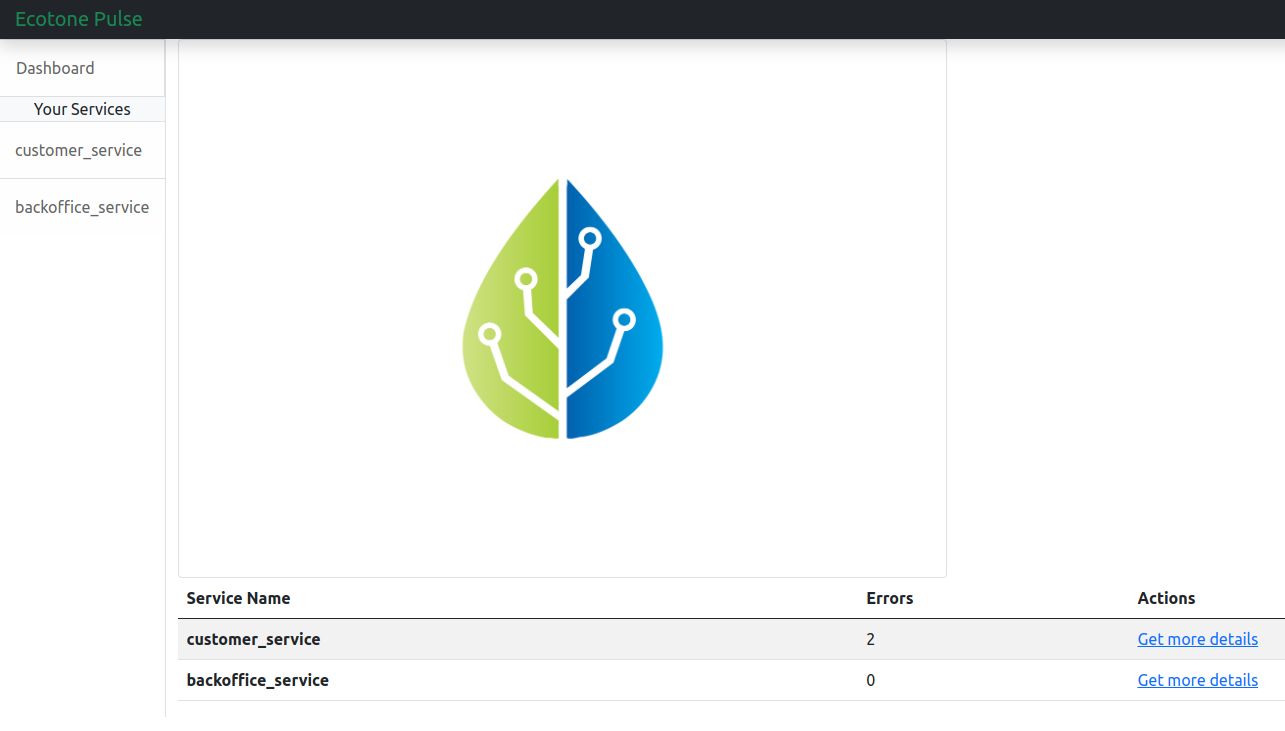
In the dashboard you may check all the connected services. For quick overview, you will find amount of errors within given service there.

To review error messages go to specific service. From there you can review the error message, stacktrace and replay it or delete.
## Demo Application
You may check demo application, where Symfony and Laravel services are connected to Ecotone pulse in [demo application](https://github.com/ecotoneframework/php-ddd-cqrs-event-sourcing-symfony-laravel-ecotone).
# Asynchronous Handling and Scheduling
Asynchronous PHP
{% hint style="info" %}
Works with: **Laravel**, **Symfony**, and **Standalone PHP**
{% endhint %}
## The Problem
You added async processing, but now you can't tell which messages are stuck, which failed silently, and which will retry forever. Going async required touching every handler — adding queue configuration, serialization logic, and retry strategies individually.
## How Ecotone Solves It
Ecotone makes any handler async with a single `#[Asynchronous]` attribute. Retries, error handling, and dead letter are configured at the channel level And switch between synchronous and asynchronous execution without changing your business code.
***
{% content-ref url="asynchronous-handling/asynchronous-message-handlers" %}
[asynchronous-message-handlers](https://docs.ecotone.tech/modelling/asynchronous-handling/asynchronous-message-handlers)
{% endcontent-ref %}
{% content-ref url="asynchronous-handling/asynchronous-message-bus-gateways" %}
[asynchronous-message-bus-gateways](https://docs.ecotone.tech/modelling/asynchronous-handling/asynchronous-message-bus-gateways)
{% endcontent-ref %}
{% content-ref url="asynchronous-handling/scheduling" %}
[scheduling](https://docs.ecotone.tech/modelling/asynchronous-handling/scheduling)
{% endcontent-ref %}
{% content-ref url="asynchronous-handling/dynamic-message-channels" %}
[dynamic-message-channels](https://docs.ecotone.tech/modelling/asynchronous-handling/dynamic-message-channels)
{% endcontent-ref %}
## Materials
### Demo implementation
You may find demo implementation [here](https://github.com/ecotoneframework/quickstart-examples/tree/main/OutboxPattern).
### Links
* [Queues and Streaming Channels Architecture](https://blog.ecotone.tech/async-failure-recovery-queue-vs-streaming-channel-strategies/) \[Article]
* [Asynchronous processing with zero configuration](https://blog.ecotone.tech/message-channels-zero-configuration-async-processing/) \[Article]
* [Asynchronous PHP To Support Stability Of Your Application](https://blog.ecotone.tech/asynchronous-php/) \[Article]
* [Asynchronous Messaging in Laravel](https://blog.ecotone.tech/ddd-and-messaging-with-laravel-and-ecotone/) \[Article]
* [Testing Asynchronous Messaging](https://docs.ecotone.tech/modelling/testing-support/testing-asynchronous-messaging) \[Documentation]
* [Testing Asynchronous Message Driven Architecture](https://blog.ecotone.tech/testing-messaging-architecture-in-php/) \[Article]
---
[Next Page](/llms-full.txt/1)
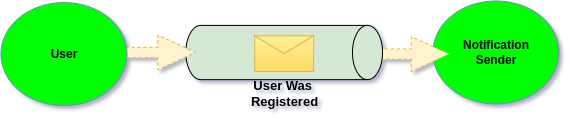
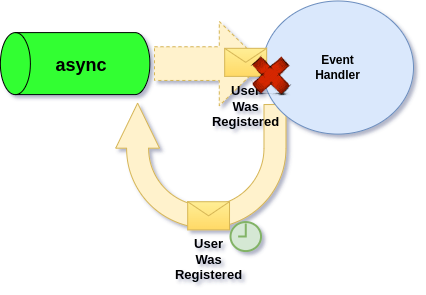
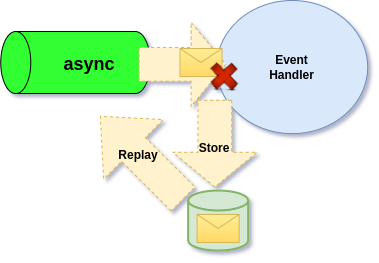
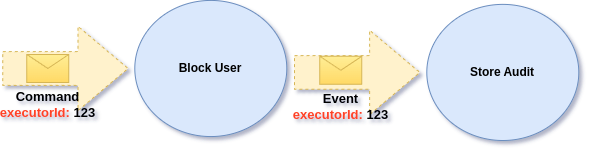
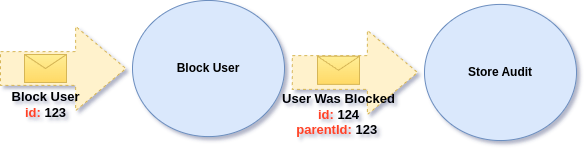
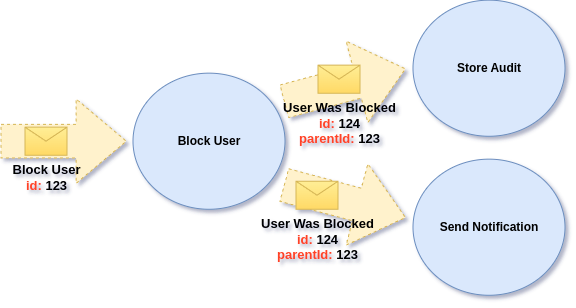
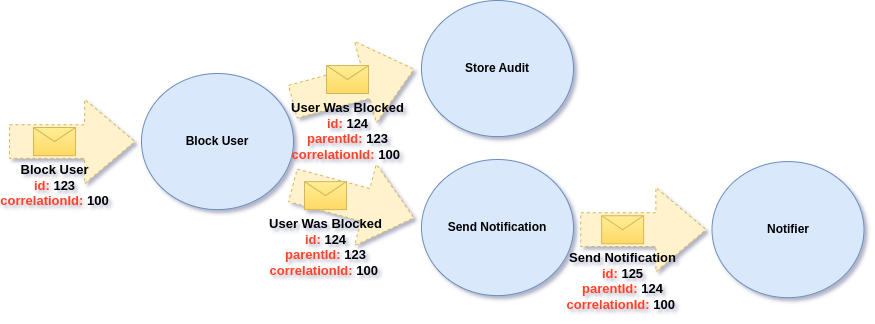
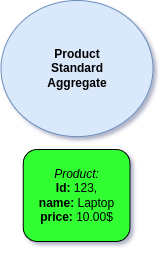
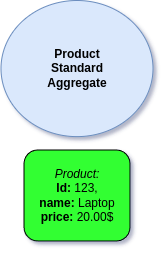
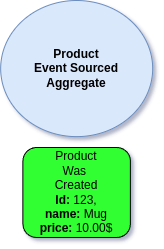
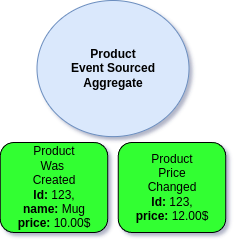
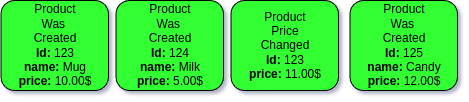
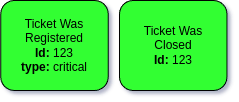
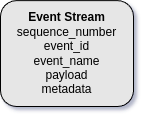
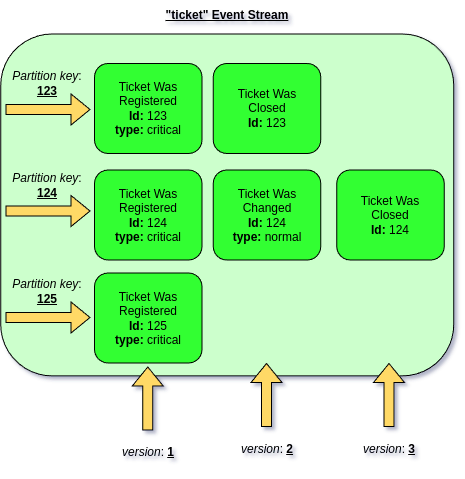
.png?alt=media)
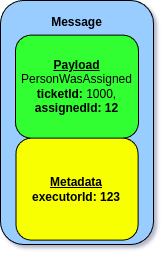
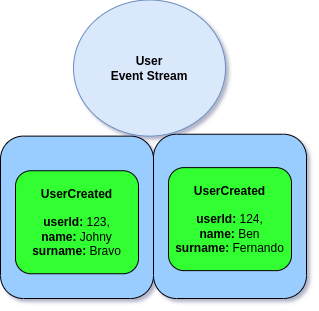
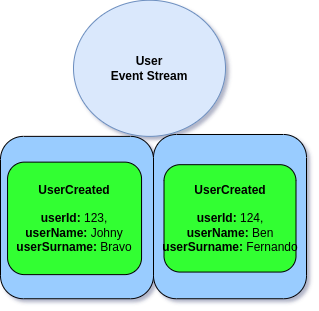
.png?alt=media)
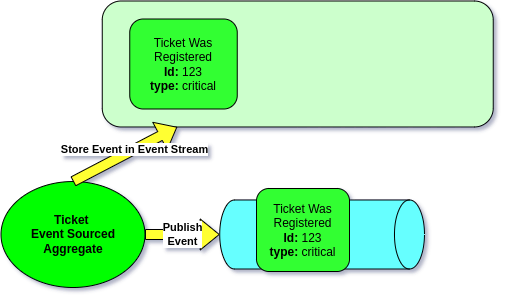
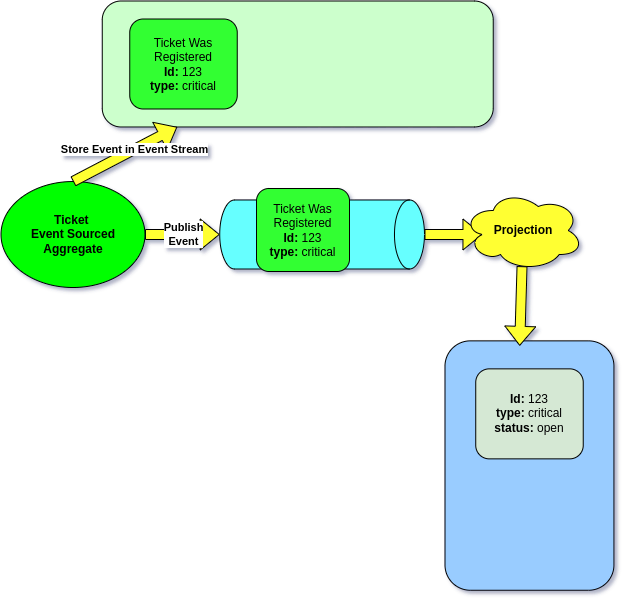
.png?alt=media)
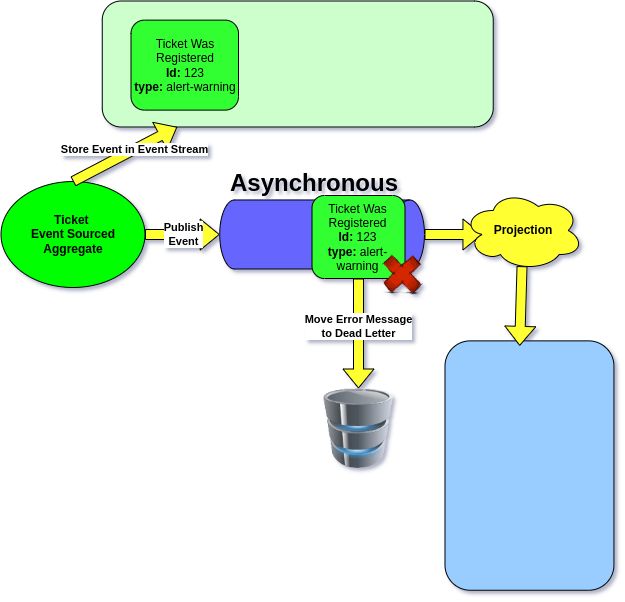
.png?alt=media)
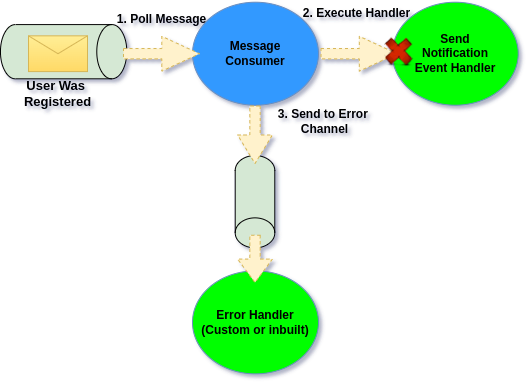
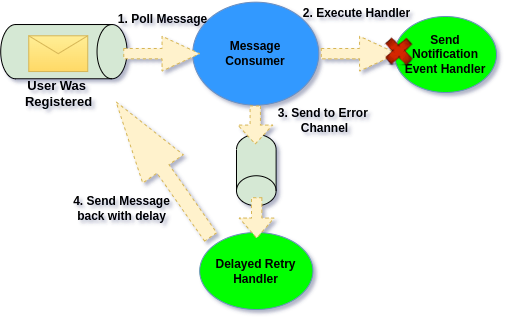
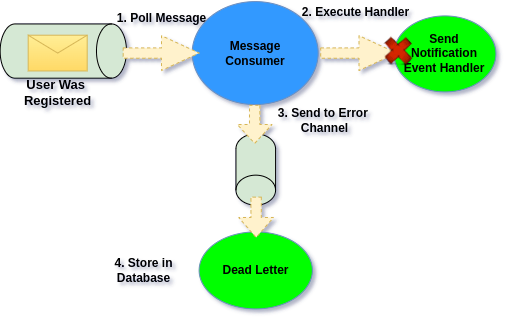
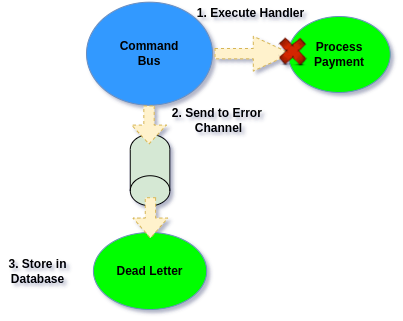
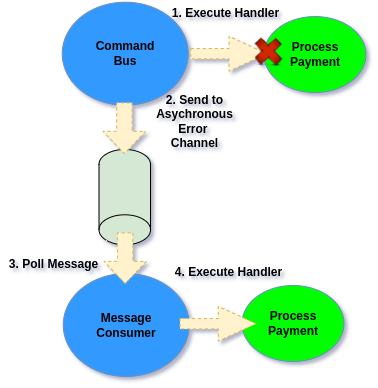
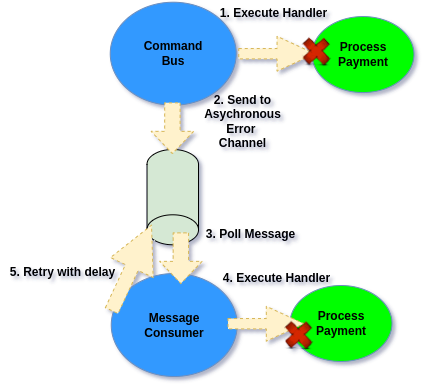
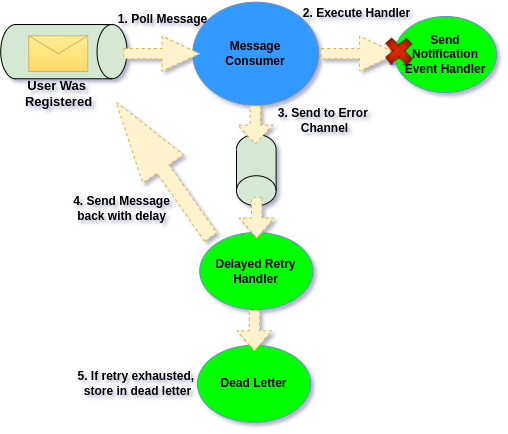
.png?alt=media)